Cleaning Checklist for Printer Businesses
To keep your printers running smoothly, regularly inspect components like print heads, rollers, and vents for dust or debris. Clean rollers and paper feeds with lint-free cloths and isopropyl alcohol, and maintain ink cartridges by storing them properly and wiping away residue. Don’t forget to check cooling fans and use approved cleaning solutions safely. Schedule maintenance during low-use periods and document each session to track printer health. Explore these tips further to guarantee consistent print quality and minimize downtime.
Inspecting Printer Components for Dust and Debris

Before you begin any deep cleaning, it’s vital to inspect your printer components carefully for dust and debris. This initial component inspection helps you identify areas where dust accumulation may impair performance. Focus on essential parts such as the print head, internal circuitry, and ventilation openings. Use a flashlight to enhance visibility and a soft brush or compressed air to remove loose particles without causing damage. By thoroughly evaluating these components, you prevent potential malfunctions and extend your printer’s lifespan. Keeping your printer free from dust accumulation guarantees consistent print quality and reduces downtime. Taking this organized, proactive approach to component inspection empowers you to maintain your equipment efficiently and enjoy the freedom of uninterrupted business operations. Always ensure to use compressed air effectively by holding the can upright and using short bursts to safely dislodge dust without damaging components.
Cleaning Printer Rollers and Paper Feed Mechanisms
You’ll want to clean printer rollers regularly using a lint-free cloth and a mild cleaning solution to remove dust and residue. Proper maintenance of paper feed mechanisms guarantees smooth paper movement and prevents jams. Following these steps helps keep your printers running efficiently and extends their lifespan.
Roller Cleaning Techniques
Maintaining clean printer rollers is essential for smooth paper feeding and preventing jams. When cleaning, identify roller material types—rubber, silicone, or urethane—as each requires specific cleaners to avoid damage. Check roller wear indicators regularly; worn rollers need replacement rather than cleaning. Use lint-free cloths dampened with isopropyl alcohol for best results. Avoid excess moisture to protect internal components.
| Step | Action |
|---|---|
| Inspect rollers | Look for dirt, debris, wear |
| Choose cleaner | Match cleaner to roller type |
| Clean gently | Use lint-free cloth, avoid damage |
Following these techniques guarantees your rollers stay in peak condition, giving you the freedom to operate without interruptions or costly repairs.
Paper Feed Maintenance
Cleaning the rollers sets a solid foundation for overall paper feed maintenance. Once the rollers are clean, focus on inspecting the paper feed mechanisms for dust, debris, or worn parts that could disrupt smooth operation. You’ll want to check paper alignment carefully, ensuring sheets feed straight without skewing or jamming. Adjust feed components as needed, making precise feed adjustments to accommodate various paper types and weights. Regularly lubricate moving parts with manufacturer-approved products to maintain smooth motion and prevent wear. By following this routine, you’ll reduce paper jams, improve print quality, and extend your printer’s lifespan. Staying proactive with paper feed maintenance gives you the freedom to operate efficiently without constant interruptions or costly repairs.
Maintaining Ink and Toner Cartridges

To keep your ink and toner cartridges in top shape, you’ll need to focus on proper storage techniques, regular cleaning, and preventing them from drying out. Storing cartridges correctly helps maintain their quality, while routine cleaning guarantees consistent print performance. Avoiding dry-out is vital to extend their lifespan and reduce waste.
Proper Storage Techniques
Proper storage plays an essential role in extending the lifespan of your ink and toner cartridges. To keep them in top condition, store cartridges in a cool, dry place where the ideal temperature ranges between 15°C and 25°C (59°F to 77°F). Avoid exposing them to extreme heat or cold, which can degrade the ink or toner quality. Humidity control is equally important—maintain relative humidity levels between 35% and 60% to prevent moisture damage or drying out. Always keep cartridges sealed in their original packaging until use, protecting them from dust and air exposure. By following these storage practices, you guarantee your cartridges remain reliable and ready when you need them, freeing you to focus on growing your business without worrying about costly replacements.
Regular Cartridge Cleaning
Maintaining your ink and toner cartridges regularly guarantees consistent print quality and prevents costly disruptions. To extend cartridge lifespan, clean the cartridges with a soft, lint-free cloth to remove dust and dried ink buildup. Avoid using harsh chemicals that can damage components and reduce ink quality. Regular cleaning guarantees smooth ink flow and prevents streaks or smudges on your prints, keeping your business running smoothly. Pay attention to cartridge contacts and gently wipe them to maintain proper connectivity with the printer. Consistent maintenance not only preserves ink quality but also helps you avoid frequent replacements, saving time and money. By incorporating routine cartridge cleaning into your workflow, you’ll enjoy reliable performance and the freedom to focus on growing your printer business.
Avoiding Cartridge Dry-Out
Although cartridges may seem durable, they can dry out quickly if not used or stored correctly. To maximize cartridge lifespan and guarantee ideal ink preservation, you need to take proactive steps. Avoiding cartridge dry-out not only saves money but also assures your printing operations remain smooth and uninterrupted.
Consider these key tips:
- Store cartridges in a cool, dry place away from direct sunlight to prevent ink evaporation.
- Use cartridges regularly or perform test prints weekly to keep ink flowing.
- Seal unused cartridges tightly in their original packaging or airtight containers.
- Avoid exposing cartridges to extreme temperatures or humidity, which can accelerate drying.
Removing Excess Ink and Toner Residue

Since ink and toner residue can build up quickly, you’ll want to address it regularly to keep your printers running smoothly. Start by using effective ink absorption techniques, such as lint-free cloths or specialized pads, to carefully wipe away excess ink without spreading it further. For toner, rely on proper toner disposal methods—use vacuum systems designed for toner particles or sealed containers to prevent airborne dust and contamination. Avoid using water or harsh chemicals that can damage printer components. Regularly removing residue not only maintains print quality but also extends the lifespan of your equipment. By integrating these steps into your cleaning routine, you’ll guarantee your printer business operates efficiently, giving you the freedom to focus on growth without unexpected downtime caused by residue buildup. Additionally, employing approved disinfectants in your cleaning process can help ensure thorough sanitation without compromising equipment integrity.
Cleaning the Print Head and Nozzles
You’ll want to regularly check for print head clogs to keep your printers running smoothly. Using safe cleaning techniques helps prevent damage and extends the life of your equipment. Incorporating preventive maintenance into your routine can reduce downtime and improve print quality.
Identifying Print Head Clogs
When print quality starts to deteriorate, you might be dealing with a clogged print head or nozzles. To maintain smooth operation, regular print head inspection is essential. Identifying clogs early helps avoid costly downtime and preserves print quality. Focus on these key signs during nozzle troubleshooting:
- Faded or missing lines in test prints
- Streaks or inconsistent color patches
- Slow or uneven ink flow
- Printer error messages indicating nozzle issues
Safe Cleaning Techniques
Properly cleaning the print head and nozzles involves three essential steps: preparation, gentle cleaning, and thorough drying. First, power off the printer and unplug it to guarantee cleaning safety. Use eco friendly products specifically designed for printers to avoid damage and reduce environmental impact. Apply the cleaning solution sparingly with a lint-free cloth or soft swab, gently wiping the print head and nozzles to remove clogs and residue. Avoid using harsh chemicals or excessive force to prevent damage. After cleaning, let the components air dry completely before reconnecting and powering on the printer. Following these safe cleaning techniques helps maintain print quality and extends your equipment’s life, giving you the freedom to focus on your business without interruptions.
Preventive Maintenance Tips
Although occasional deep cleaning is necessary, regular preventive maintenance of the print head and nozzles will keep your printer running smoothly and reduce the risk of costly downtime. Implementing preventive strategies guarantees consistent print quality and extends equipment lifespan. Using proper maintenance tools helps you avoid damage and maintain precision.
To effectively clean and maintain your printer, consider these tips:
- Use manufacturer-recommended cleaning solutions and tools to avoid residue buildup.
- Perform nozzle checks regularly to detect clogs early and run automated cleaning cycles as needed.
- Keep the printer environment dust-free to prevent debris from settling on sensitive components.
- Replace cartridges promptly when low to avoid ink drying and clogging the nozzles.
Adopting these preventive strategies gives you the freedom to focus on your business without unexpected interruptions.
Wiping Down External Surfaces and Control Panels
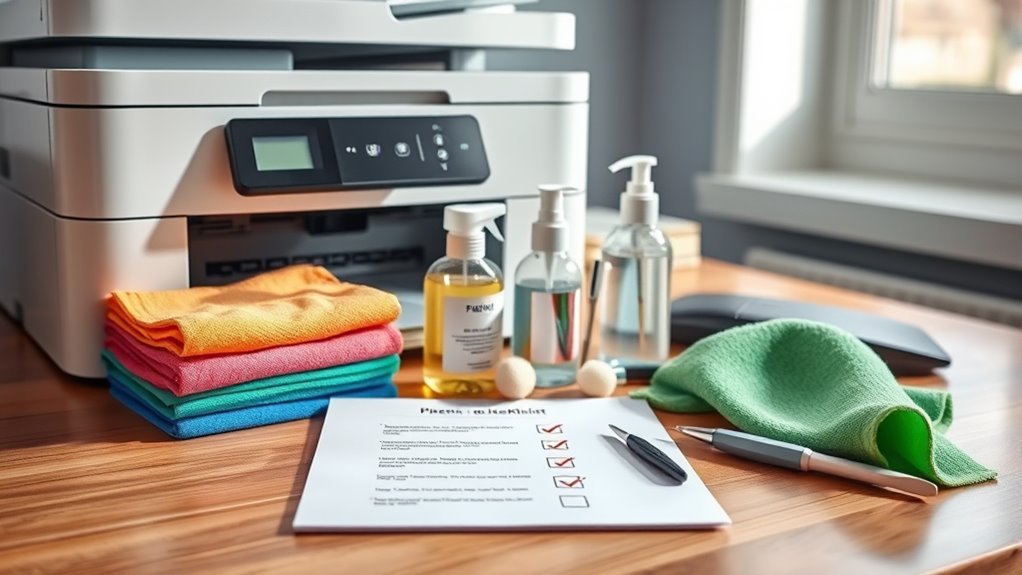
Since your printer’s external surfaces and control panels are the parts you interact with most, keeping them clean is essential for both hygiene and device functionality. Use a soft, lint-free cloth dampened with a mild cleaner suitable for the external surface materials. Avoid harsh chemicals that could damage finishes or affect control panel sensitivity. Wipe gently to prevent scratches or button malfunctions. Using microfiber cleaning cloths is ideal for trapping dirt and avoiding scratches on delicate surfaces.
| Emotion | Action | Result |
|---|---|---|
| Confidence | Use proper cleaning tools | Prolonged device life |
| Satisfaction | Maintain cleanliness | Enhanced user comfort |
| Freedom | Avoid harsh chemicals | Prevent damage |
| Control | Clean regularly | Reliable performance |
| Pride | Care for your equipment | Professional image |
Clean surfaces mean freedom from worries and smooth operation every day.
Checking and Cleaning Cooling Fans and Vents
Keeping your printer’s external surfaces clean sets the stage for maintaining its internal components, like cooling fans and vents. To guarantee maximum fan performance and airflow efficiency, regularly check and clean these parts. Dust and debris can block vents, causing overheating and reduced lifespan.
Here’s how you can maintain them effectively:
- Inspect fans and vents for dust buildup at least once a month.
- Use compressed air to blow out debris without damaging components.
- Confirm vents are not obstructed by other objects for proper airflow.
- Test fans after cleaning to confirm they spin freely and quietly.
Using Proper Cleaning Solutions and Tools
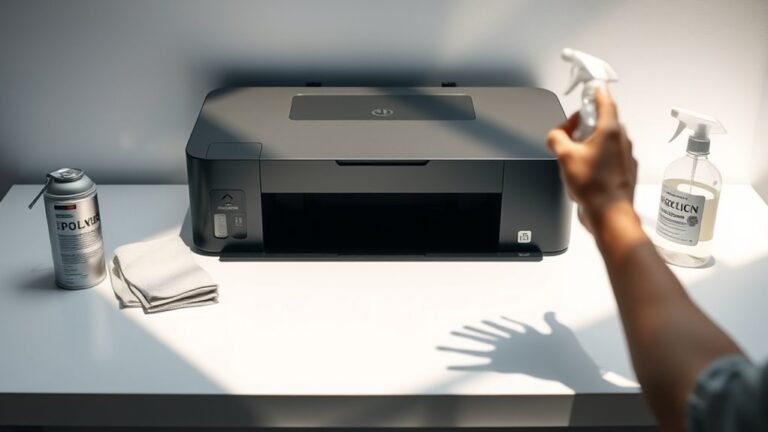
When you clean your printer, using the right solutions and tools is essential to avoid damage and guarantee effective maintenance. Choose cleaning agents specifically designed for printers, avoiding harsh chemicals that could harm delicate components. Use lint-free cloths, soft brushes, and compressed air as your primary cleaning tools to remove dust and debris without scratching surfaces. Never apply liquids directly to the printer; instead, dampen your cloth lightly with the cleaning agent. This approach guarantees you maintain peak functionality and extend your printer’s lifespan. By selecting proper cleaning agents and tools, you safeguard your equipment and maintain the freedom to operate efficiently without unexpected downtime caused by poor maintenance. Always handle cleaning tasks with care, following manufacturer guidelines to achieve the best results. Regular maintenance, including the use of compressed air for internal components, prevents clogs and print quality issues.
Scheduling Regular Maintenance and Cleaning Intervals
Although it might seem time-consuming, scheduling regular maintenance and cleaning intervals is essential for ensuring your printers operate smoothly and reliably. By setting a consistent cleaning frequency, you reduce unexpected breakdowns and extend your equipment’s lifespan. Effective maintenance scheduling helps you allocate time and resources efficiently, keeping your workflow uninterrupted.
Consider these key points when planning your maintenance schedule:
- Align cleaning frequency with printer usage intensity to avoid over- or under-cleaning.
- Include routine checks for dust, toner buildup, and moving parts lubrication.
- Schedule maintenance during low-usage periods to minimize downtime.
- Use manufacturer guidelines to tailor your maintenance intervals appropriately.
Documenting Cleaning Procedures and Maintenance Logs
Regularly documenting your cleaning procedures and maintenance activities guarantees you can track printer performance and identify recurring issues promptly. By maintaining clear records, you create a reliable reference that helps minimize downtime and extends the printer’s lifespan. When documenting procedures, be specific about the steps taken, products used, and any observations during cleaning. This guarantees consistency and accountability. Maintenance logs should include dates, performed tasks, parts replaced, and notes on printer behavior. Keeping these logs organized and accessible allows you to review trends and schedule proactive maintenance, freeing you from unexpected breakdowns. Embrace this discipline—it’s key to managing your printer business efficiently while enjoying the freedom of smooth operations and informed decision-making.
Frequently Asked Questions
How Can I Prevent Paper Jams During Cleaning?
To prevent paper jams during cleaning, you should first turn off the printer and unplug it. Carefully clean the paper feed rollers using a lint-free cloth dampened with water or isopropyl alcohol. Avoid leaving debris or moisture behind, as these cause jams. Follow maintenance tips like regularly checking and replacing worn rollers. Keeping the feed path clear guarantees smooth operation, giving you freedom from frustrating paper jams and downtime.
What Safety Precautions Should I Take When Cleaning Printers?
Cleaning printers without safety gear is like sailing without a compass—you could easily lose your way. Always wear gloves and safety glasses to protect yourself from chemicals in cleaning supplies. Make sure the printer is unplugged before you start to avoid electric shocks. Use non-abrasive materials to prevent damage, and work in a well-ventilated area to avoid inhaling fumes. These precautions keep you safe and your equipment running smoothly.
Can Cleaning Affect Printer Warranty Coverage?
Yes, cleaning can affect your printer’s warranty coverage if you don’t follow the warranty terms carefully. You’ll want to use approved cleaning methods specified by the manufacturer to avoid voiding your warranty. Sticking to recommended products and procedures guarantees you maintain your rights while keeping your printer in great shape. Always check the warranty terms before cleaning, so you can protect your investment without restrictions or surprises.
How Do Environmental Factors Impact Printer Cleanliness?
Environmental factors play a huge role in printer cleanliness. If you don’t manage humidity control, moisture can cause ink smudging or paper jams. Dust accumulation is another challenge; it can clog printer components and degrade print quality. By keeping your workspace well-ventilated and regularly dusted, you guarantee your printer runs smoothly and lasts longer. Staying proactive with these factors gives you the freedom to focus on your work without constant interruptions.
What Are Signs That Professional Printer Servicing Is Needed?
You’ll know professional printer servicing is needed when you notice persistent ink smudges or a sudden drop in print quality. If your prints come out blurry, streaked, or with inconsistent colors despite regular cleaning, it’s a clear sign the printer needs expert attention. Don’t ignore unusual noises or frequent paper jams either. Addressing these issues promptly helps you maintain smooth operations and keeps your freedom from constant troubleshooting.