
How to Clear the Tire Pressure Light on a Honda CR-V
To clear the tire pressure light on your Honda CR-V, you first need to ensure that all tires are properly inflated to the recommended pressure. Once the tires are at the correct pressure, you can reset the warning light using the vehicle’s settings. This article will guide you through the necessary steps to successfully clear the tire pressure light and maintain optimal tire health.
Understanding the Tire Pressure Monitoring System (TPMS)
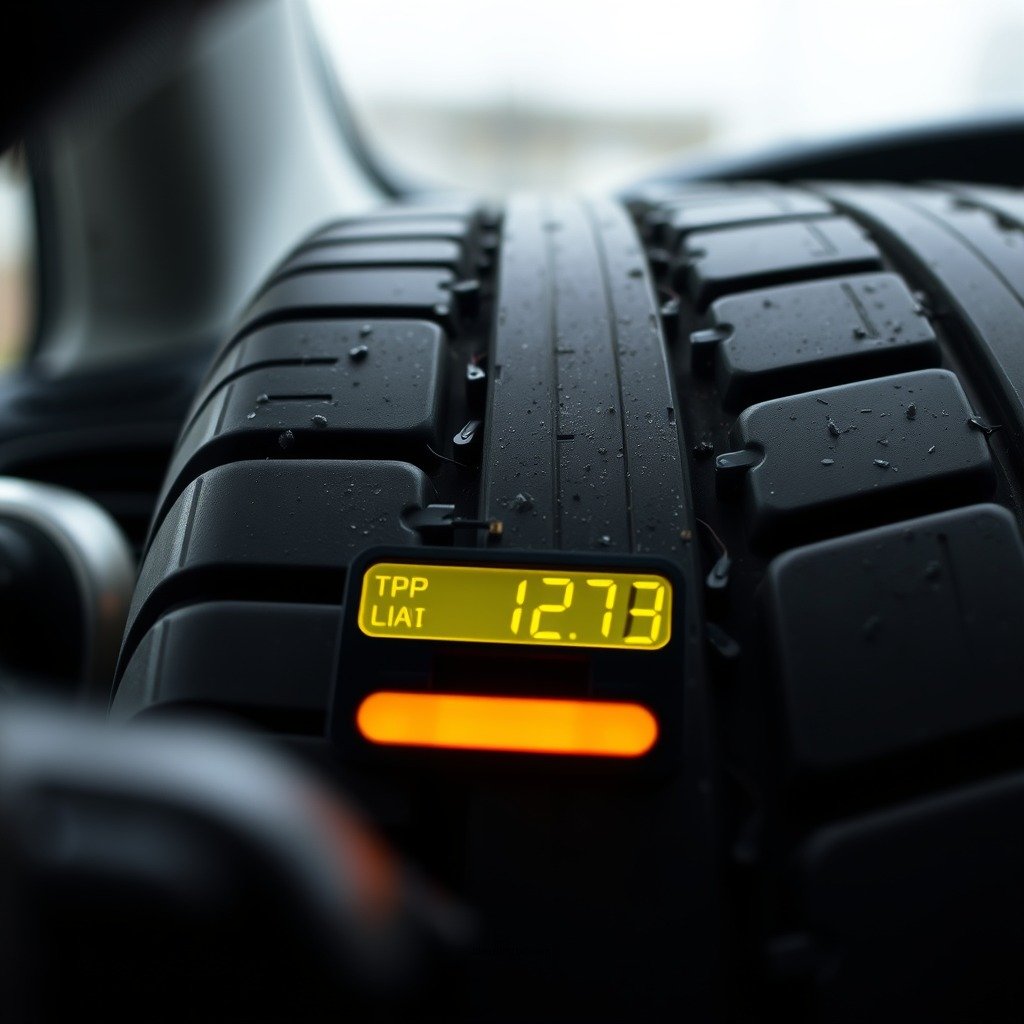
The Tire Pressure Monitoring System (TPMS) is an essential safety feature in modern vehicles, including the Honda CR-V. It alerts drivers when tire pressure falls below the manufacturer’s recommended level, which can be crucial for maintaining vehicle safety and performance. When the TPMS light illuminates on your dashboard, it signals that at least one of your tires is under-inflated, potentially compromising traction, fuel efficiency, and overall vehicle handling.
Understanding how the TPMS functions can help you respond appropriately to warning lights. The system uses pressure sensors located in each tire, which communicate with the vehicle’s onboard computer. If a tire’s pressure drops significantly, the TPMS activates the warning light, prompting the driver to check tire pressures. Familiarizing yourself with this system not only aids in timely responses but also encourages proactive maintenance of your vehicle’s tires.
Checking Tire Pressure
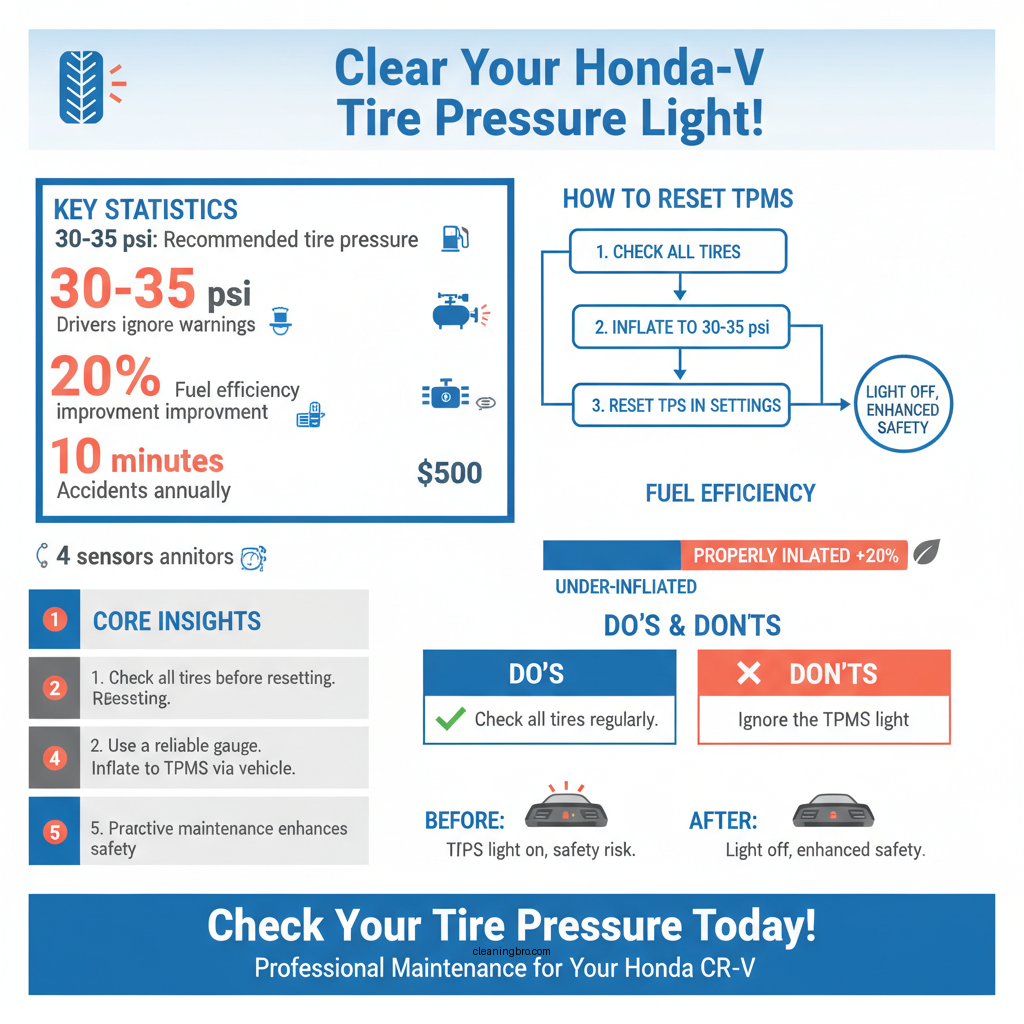
Before addressing the TPMS light, it’s essential to check the tire pressure in all four tires, as well as the spare tire. Use a reliable tire pressure gauge for accurate readings. Here’s how to do it:
1. Remove the Valve Cap: Unscrew the valve cap from the tire’s valve stem.
2. Attach the Tire Pressure Gauge: Press the gauge onto the valve stem firmly enough to get a reading.
3. Read the Pressure: Note the pressure displayed on the gauge. Repeat this for all tires, including the spare.
The correct tire pressure for your Honda CR-V can usually be found on a sticker located in the driver’s door jamb or in the owner’s manual. Typically, the recommended pressure ranges between 30 to 35 psi (pounds per square inch) for most Honda CR-V models. Ensuring all tires, including the spare, are inflated to the proper levels is a crucial first step in resolving the TPMS warning light.
Inflating Your Tires
If you discover that any tires are under-inflated, it’s important to add air until they reach the recommended pressure. Here’s how to do that effectively:
1. Locate an Air Compressor: You can find air compressors at gas stations or invest in a portable tire inflator for home use.
2. Check Tire Pressure Again: After adding air, check the pressure with your gauge.
3. Replace the Valve Cap: Once the tires are properly inflated, replace the valve caps securely to prevent dirt and moisture from entering.
It is crucial not to overlook the spare tire. In some situations, a flat spare can also trigger the TPMS warning light. Therefore, ensure that it is also inflated to the recommended pressure.
Honda CR-V Tire Pressure Recommendations (2023)
| # | Tire Position | Recommended Pressure (psi) | Typical Size |
|---|---|---|---|
| 1 | Front Left | 32 | 225/65R17 |
| 2 | Front Right | 32 | 225/65R17 |
| 3 | Rear Left | 30 | 225/65R17 |
| 4 | Rear Right | 30 | 225/65R17 |
| 5 | Spare Tire | 30 | T135/80D16 |
Resetting the Tire Pressure Light
Once all tires are properly inflated, the next step is to reset the TPMS light. Here’s how to locate the TPMS reset button and reset the warning light:
1. Locate the TPMS Reset Button: In most Honda CR-V models, the TPMS reset button is found beneath the steering wheel or in the glove compartment.
2. Press and Hold the Reset Button: Press and hold the reset button until the tire pressure light blinks and then turns off. This can take a few seconds.
3. Check Dashboard Indicators: Once the light goes off, the reset is complete.
If your Honda CR-V is equipped with a touchscreen display, you may also be able to reset the TPMS through the vehicle settings menu. Consult your owner’s manual for specific instructions tailored to your model year.
Verifying the Reset
After resetting the TPMS light, it’s important to verify that the warning light stays off. To do this, drive your CR-V for about 10 minutes. This allows the system to recalibrate and confirm that all tires are adequately inflated.
If the light remains on after this period, revisit the previous steps to ensure that all tires are indeed at the correct pressure. If everything appears to be in order but the light persists, it may be time to consult a professional. They can check for issues with the TPMS sensors or other underlying problems.
Troubleshooting Persistent Warning Lights
If the tire pressure light does not turn off after performing the reset and confirming tire pressures, there may be an issue with the TPMS sensor or a malfunction in the system. Here are some steps to consider:
1. Check for Sensor Malfunctions: The sensors might be damaged or malfunctioning. A mechanic can perform diagnostic tests to determine if the sensors are functioning correctly.
2. Inspect for Tire Damage: Ensure that none of the tires have punctures or damage that might cause a slow leak, preventing the TPMS from resetting.
3. Battery Issues: In some cases, the battery in the TPMS sensor may be depleted, necessitating replacement.
Consulting a qualified mechanic is recommended for persistent warning lights, as they can accurately diagnose and address any underlying issues.
Maintaining Proper Tire Pressure
To prevent future occurrences of the TPMS warning light, regular maintenance of tire pressure is vital. Here are some tips to help maintain optimal tire health:
– Regular Checks: Check tire pressure at least once a month and before long trips. This will help you catch any issues early.
– Use a Tire Inflator: Investing in a portable tire inflator can be convenient for making quick adjustments, ensuring tires are always at the right pressure.
– Rotate Tires: Follow the recommended rotation schedule to promote even wear, which can contribute to maintaining proper tire pressure.
– Alignment and Balancing: Ensure proper wheel alignment and balancing to avoid uneven tire wear that can lead to pressure loss.
Consistently maintaining the correct tire pressure not only clears the warning light but also enhances safety and fuel efficiency. By adhering to these practices, you can ensure your Honda CR-V is ready for the road.
In conclusion, keeping your Honda CR-V’s tire pressure in check is essential for both safety and vehicle performance. By understanding the TPMS, checking tire pressures regularly, inflating tires as needed, resetting the warning light correctly, and maintaining overall tire health, you can enhance your driving experience. If you encounter persistent issues, don’t hesitate to reach out to a professional for assistance.
Frequently Asked Questions
How do I reset the tire pressure light on my Honda CR-V?
To reset the tire pressure light on your Honda CR-V, first ensure all tires are properly inflated to the recommended pressure. Then, turn the ignition to the “ON” position without starting the engine. Press and hold the tire pressure monitoring system (TPMS) reset button, typically located beneath the steering column, until the light blinks and then turns off.
Why does the tire pressure light stay on after inflating the tires?
If the tire pressure light remains on after inflating your tires, it could indicate that one or more tires are still under-inflated or over-inflated. Additionally, there may be a malfunction in the tire pressure monitoring system (TPMS) sensors. It’s advisable to check each tire’s pressure again and consult a mechanic if the issue persists.
What should I do if my Honda CR-V tire pressure light is flashing?
A flashing tire pressure light on your Honda CR-V signifies a potential issue with the TPMS or that the system is malfunctioning. You should immediately check the tire pressures of all tires and inspect for any visible damage or leaks. If everything appears normal, it’s best to have a professional diagnose the system for faults.
Which tire pressure should I set for my Honda CR-V to avoid the warning light?
The recommended tire pressure for your Honda CR-V can typically be found on a sticker located on the driver’s side door jamb. This pressure is usually around 30-35 PSI, depending on the model year. Setting your tires to this specified pressure will help prevent the tire pressure light from activating.
Best practices for maintaining tire pressure in a Honda CR-V?
To maintain optimal tire pressure in your Honda CR-V, regularly check the tire pressure at least once a month and before long trips. Keep a reliable tire pressure gauge on hand and adjust tire pressure according to the manufacturer’s specifications. Additionally, inspect tires for wear and damage to ensure the TPMS functions correctly and to prolong tire life.
References
- https://www.edmunds.com/car-maintenance/how-to-reset-your-tire-pressure-light.html
https://www.edmunds.com/car-maintenance/how-to-reset-your-tire-pressure-light.html - 404
https://www.honda.com/owners/resources/tire-pressure-monitoring-system - https://www.nhtsa.gov/equipment/tire-pressure-monitoring-systems
https://www.nhtsa.gov/equipment/tire-pressure-monitoring-systems - https://www.cars.com/articles/how-to-reset-the-tire-pressure-light-1420687592697/
https://www.cars.com/articles/how-to-reset-the-tire-pressure-light-1420687592697/ - Autotrader – page unavailable
https://www.autotrader.com/car-news/how-reset-tire-pressure-light-281474979970793 - Google Scholar Google Scholar
https://scholar.google.com/scholar?q=Honda+CR-V+tire+pressure+light+reset - Google Scholar Google Scholar
https://scholar.google.com/scholar?q=how+to+clear+tire+pressure+light+Honda+CRV - Google Scholar Google Scholar
https://scholar.google.com/scholar?q=how+to+clear+tire+pressure+light+on+honda+crv - how to clear tire pressure light on honda crv – Search results
https://en.wikipedia.org/wiki/Special:Search?search=how+to+clear+tire+pressure+light+on+honda+crv - https://www.ncbi.nlm.nih.gov/search/research-articles/?term=how+to+clear+tire+pressure+light+on+honda+crv
https://www.ncbi.nlm.nih.gov/search/research-articles/?term=how+to+clear+tire+pressure+light+on+honda+crv