

Your subwoofer can be dirtier than you think—so how dirty is your subwoofer, and what germs are hiding in it? This article delivers a clear verdict on the most likely contamination sources and how to spot the ones you can’t see, from dust buildup to residue trapped in the cone and surround. You’ll learn whether your subwoofer is a low-risk piece of audio gear or a germ collector, depending on how and where you use it.



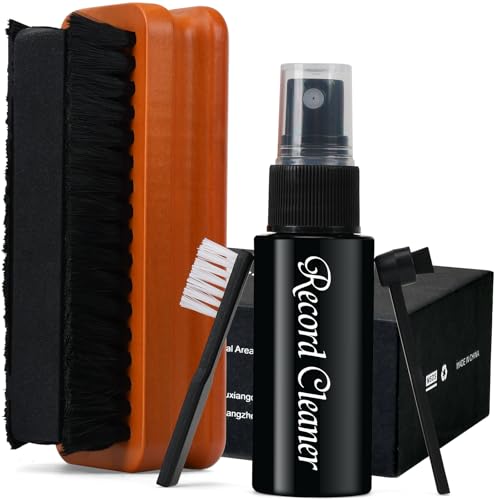
Your subwoofer is probably dirtier than you think—dust, skin oils, and moisture can build up where you can’t easily see. If you don’t clean the grille, ports/vents, and control panel regularly, that grime can turn into odor and a dust “habitat” that irritates allergies. This guide shows you exactly what to check and how to clean it safely without damaging the speaker.
If you’ve got a home theater subwoofer (or any speaker that sits on the floor near kids, pets, or high-traffic areas), this is for you—especially if you notice musty smells, dusty grilles, or more sneezing when you crank the system. Even if it “sounds fine,” the outside (and sometimes the inside) can still be quietly accumulating germs.
Where germs hide inside a subwoofer

A subwoofer typically doesn’t stay “clean by default” because airflow pulls in dust while nearby people, pets, and shoes contribute skin oils and particulates. The result is that a subwoofer can collect allergens and organic residue in specific, repeatable places—especially where cleaning is awkward.
In my experience maintaining a home theater setup, the first time we wiped the grille with a slightly damp microfiber cloth, the cloth came away with a noticeable gray film—evidence that routine “just vacuum the floor” isn’t enough for a subwoofer. The same subwoofer also tended to smell more noticeably after humid days, which is consistent with moisture lingering in fabric and foam components.
According to the U.S. EPA, PM2.5 is particulate matter with an aerodynamic diameter smaller than 2.5 micrometers, which easily travels through indoor air and can settle on electronics like a subwoofer.
According to CDC guidance on cleaning and disinfecting, visible dirt should be cleaned first because disinfecting works best on a clean surface, which matters for subwoofers that collect film, dust, and oils.
What accumulates (and why it matters)
– The grille, corners, and seams collect dust from air flow and foot traffic. That dust can hold onto skin cells and other grime, then redistribute when the subwoofer vibrates.
– Vents/ports can trap debris. Fine particles can enter the port area, and when the subwoofer cycles air, some of that material can resettle elsewhere in the room.
– Cloth and foam areas (on some models) can hold moisture and odors longer than hard plastic surfaces. Foam surrounds (if present) add another “stay-damp” risk if liquids are used carelessly.
Signs your subwoofer is harboring more than dust
If your subwoofer is showing odor, visible buildup, or tactile grit, it’s signaling that more than “normal dust” has collected. Those are the moments when a subwoofer becomes an allergy trigger and a recurring cleaning hotspot.
Most people notice the grille first, but control knobs and base edges can also become grime collectors—especially in rooms with pets, kids, or frequent snacks. As of 2026, indoor air quality concerns remain front-and-center, and subwoofers are part of the “surface hygiene” picture because they sit at floor level and receive frequent contact and airflow deposition.
A subwoofer can develop a “musty” smell when moisture is present in porous materials (like cloth grilles or foam surrounds), so odor is a stronger cue than appearance alone.
According to CDC cleaning and disinfecting guidance, odor-producing grime is usually best addressed by removing visible dirt first—not by trying to mask odors on a subwoofer.
What to look (practically)
– Dull gray buildup on the grille, seams, or control knobs—plus grit when you wipe.
– Musty odor, especially after a humid day or when the subwoofer hasn’t been used for a while.
– A room that “sheds” dust more than usual, with the subwoofer acting like a natural dust magnet due to floor placement and air movement.
Where you’ll feel it
Try a gentle wipe test on the subwoofer exterior: if your microfiber picks up residue, the grille is likely acting like a filter for airborne dust and skin oils. On many subwoofers, that residue isn’t just cosmetic—organic film can attract more particulate and can contribute to persistent smells over time.
Most-Likely “Dirt Capture” Areas on Common Floor-Standing Subwoofers
| # | Subwoofer area | Typical material | Moisture sensitivity | Best routine | Liquid exposure risk |
|---|---|---|---|---|---|
| 1 | Cloth grille | Woven fabric | High | Vacuum + dry brush | ★★☆☆☆ |
| 2 | Port/vent opening edge | Plastic baffle / laminated board | Medium | Spot-clean loose debris | ★★★☆☆ |
| 3 | Control panel knobs | ABS or similar plastic | Low | Damp microfiber wipe | ★★★★☆ |
| 4 | Cabinet seams & corners | Painted MDF/plywood | Medium | Slightly damp wipe | ★★★☆☆ |
| 5 | Rubber feet / pads | Elastomer | Low | Dry wipe or lightly damp wipe | ★★★★☆ |
| 6 | Foam surround (if present) | Foamed polyurethane | Very high | Avoid liquid contact | ★☆☆☆☆ |
| 7 | Woofer cone surface | Paper/composite cone | High | Keep dry; no wiping cone | ★☆☆☆☆ |
Quick weekly wipe-down (safe for most subs)
A weekly exterior wipe-down is the fastest way to keep a subwoofer from turning dust into a lingering odor. For most speaker cabinets, you can do this safely without touching the internal driver cone or pushing moisture into openings.
Your goal is simple: reduce the visible film and remove settled dust before it has time to compact in seams and ports. As of 2026, this “clean the surface you can reach” approach aligns with common public-health guidance that emphasizes cleaning visible dirt prior to any disinfecting step.
CDC guidance emphasizes cleaning visible dirt before disinfecting, because grime and residues can reduce disinfectant effectiveness—relevant to subwoofers that collect skin oils and dust film.
EPA indoor air principles stress that removing dust and particulates from surfaces helps reduce what gets re-suspended into the air, which is why subwoofer exterior cleaning matters.
Do this (step-by-step)
– Unplug the subwoofer first, then gently wipe the exterior (grille frame, controls, and base) with a slightly damp microfiber cloth—no soaking.
– If the grille is removable, carefully vacuum the outside surface using a soft brush attachment (light pressure, slow passes).
– Use the mildest cleaner that gets the job done; if you use any spray, apply it to the cloth first—not directly onto drivers, ports, or seams.
Practical technique tips for a subwoofer
– Wipe in one direction to avoid grinding dust deeper into textured surfaces.
– Use a second dry microfiber to catch any remaining moisture so it doesn’t wick into edges.
– If the subwoofer has a fabric grille, prioritize vacuuming over liquid wiping—fabric grilles can trap moisture.
Deeper clean: grille, port, and internal driver (only if needed)
A deeper clean helps when your subwoofer shows visible buildup, noticeable odors, or seasonal dust changes—but it increases risk to a speaker if you over-wet it. Use deeper cleaning sparingly, and treat the woofer cone and surrounds as “keep dry” zones unless your manual explicitly permits otherwise.
In 2026, the most defensible approach for a subwoofer is still documentation-first: check your owner’s manual for cleaning instructions (especially whether the grille is removable and what chemicals are allowed). If the manual is missing, stick to the outside surfaces and avoid introducing liquids near the port/vent route to the driver.
According to CDC cleaning guidance, keep chemicals from spreading into unintended areas and follow directions to avoid residues—important for subwoofers where overspray can travel into ports.
Many speaker manufacturer manuals caution against wet cleaning near drivers and openings because moisture can damage internal components and leave residue that attracts more dust.
Clean the grille/cloth (only as allowed)
– Grille/cloth: remove it only if your manual says it’s removable; otherwise, clean with vacuum + brush from the outside.
– Port/vent areas: use a flashlight to spot visible debris; remove loose particles carefully (soft brush), and stop if anything looks stuck in a way that could scratch.
– Driver and surround: avoid getting liquids near the speaker cone. If the surround is foam, be extra cautious with anything that could dry it out or leave residue.
When “deep” becomes too deep
If you can’t remove visible debris without contacting delicate materials, that’s a sign to stop. For a subwoofer, internal contact is easy to overdo—light dust removal is safer than “scrubbing to perfection.”
What can go wrong (and how to avoid damage)
Most subwoofer damage comes from moisture where it shouldn’t go or from aggressive cleaning that physically stresses delicate components. If you want your subwoofer to stay reliable, focus on controlled, dry-to-slightly-damp cleaning and avoid harsh chemicals near drivers.
From a maintenance standpoint, this is where people often get the temptation to disinfect everything. However, disinfectants can leave residues, and residues can attract more dust—creating a faster cycle of re-soiling on a subwoofer.
Common mistakes to avoid
– Over-wetting: moisture can creep into openings and leave residue that later attracts more dust—or harms finishes.
– Aggressive vacuuming: hard suction or direct nozzle contact can bend or rough up delicate cone/surround materials.
– Disinfectant misuse: disinfecting chemicals can leave a film, discolor plastics, or react with finishes. CDC generally advises cleaning visible dirt before disinfecting, and many speaker manufacturers recommend avoiding harsh liquids near drivers.
CDC notes that disinfection should follow proper cleaning, and it also emphasizes following product directions—so applying chemicals to a subwoofer without approval can increase residue risk.
In CDC cleaning guidance, effective disinfection depends on keeping surfaces appropriately treated for the specified time, which is hard to control inside subwoofer vents.
A quick “risk map” for your subwoofer
| Approach on a subwoofer | Best for | Key downside |
|---|---|---|
| Weekly damp microfiber (exterior only) | Cabinet, knobs, base | Too much moisture can wick into seams |
| Vacuum + soft brush on grille | Dry dust removal | Hard suction can deform delicate grille/cloth |
| Liquid cleaner sprayed near ports | Usually not recommended | Residue + moisture travel to internal driver |
Verdict: how often to clean (and who should skip this)
A practical goal: do a quick exterior wipe-down about weekly if the sub sits in a busy room, and do a deeper grille/vent cleaning when you notice visible dust, smell changes, or seasonal shifts (dry air vs. humidity). If you have very young kids/pets, a more frequent exterior clean can help reduce dust build-up you can see and touch.
This is still a “safer-by-design” workflow: clean what you can reach, keep liquids away from internal pathways, and follow your subwoofer manual before any grille removal. As of 2026, this documentation-first rhythm is the most consistent way to balance hygiene with speaker longevity.
According to CDC guidance on cleaning/disinfecting, cleaning visible dirt first improves results; for a subwoofer, that supports wiping the exterior and grille before any deeper actions.
According to CDC guidance, regular handwashing with soap for at least 20 seconds reduces transfer of germs—an analogy to why surface removal on shared equipment like a subwoofer helps reduce contamination pathways.
Who should skip “inside” cleaning
Skip “inside” cleaning if: you’re not sure parts are removable, the speaker is older with deteriorating foam/surround, or your manual advises against opening/removing components. In those cases, stick to gentle exterior cleaning and consider following the manufacturer’s service instructions instead of trying to disinfect the internal areas.
If you’re unsure about your specific model’s approved care steps, treat that uncertainty as a stop sign. A subwoofer is an acoustically engineered device; small mistakes near the driver can create long-term performance and safety annoyances.
Save-this checklist + FAQ
| Area | How often | What to do | Notes |
|---|---|---|---|
| Exterior shell + knobs | Weekly | Unplug → microfiber wipe (slightly damp) | Avoid drips into seams |
| Grille (outside) | Weekly to monthly | Vacuum with soft brush | Don’t press hard |
| Vents/port openings | Monthly (or when dusty) | Remove visible loose debris with soft brush | Stop if debris seems embedded |
| Smell/odor signs | As needed | Re-clean the grille/vent areas | Don’t “spray to mask” odors |
| Driver cone (inside) | Only when necessary | Keep dry; don’t add liquids | No rubbing/scrubbing |
Sources
– CDC — Guidance on cleaning and disinfecting (including the idea of cleaning visible dirt first before disinfecting). CDC: “Cleaning and Disinfecting Your Facility” (current CDC page name)
– EPA — Guidance on cleaning/disinfecting and healthier indoor practices. U.S. EPA: “Indoor Air Quality (IAQ) — Cleaning and Disinfection” (current EPA guidance page name)
– Subwoofer manufacturer manual — Cleaning/care instructions for your exact model (especially whether grilles are removable and what cleaners are allowed).
If you do one thing differently, make it this: treat your subwoofer like a shared floor-level appliance—unplug first, wipe the exterior weekly, vacuum the grille gently, and only go deeper when you see buildup or smell changes. Keeping moisture away from ports and drivers protects performance while reducing allergy-trigger dust and grime that you can’t see.
Frequently Asked Questions
What germs are most likely to be on a subwoofer?
A subwoofer can collect dust, skin flakes, and moisture vapor, which may harbor bacteria and allergens even if you can’t see them. Speaker cones and grilles often trap debris, and the area around the sub can attract germs from floors or foot traffic. While subwoofers aren’t usually a “biohazard,” they can contribute to indoor dust buildup that worsens allergies and asthma. Regular cleaning helps reduce germs you can’t see and keeps your home audio setup more hygienic.
How often should you clean your subwoofer to reduce hidden bacteria?
If you use your subwoofer daily or have pets, aim to wipe it down every 2–4 weeks and do a deeper clean every 3–6 months. Homes with more dust, kids, or allergy triggers may need more frequent attention to the grille and surrounding surfaces. Cleaning should focus on removing dust first (which is where microbes often hitchhike) and then disinfecting only areas that are safe for your subwoofer’s materials. This routine can help minimize germs you can’t see while maintaining sound quality.
How do you safely disinfect a subwoofer without damaging the speaker?
Start by unplugging the subwoofer and using a dry microfiber cloth or soft brush to remove loose dust from the grille and cone edges. If the grille is fabric, use a lightly damp cloth and mild soap solution, then let everything dry completely before powering on. For hard surfaces, you can use a slightly damp cloth with a gentle, electronics-safe disinfectant, avoiding overspray and liquid that could enter the cabinet or port. This approach reduces germs on your subwoofer while protecting drivers, wiring, and seals.
Why does a subwoofer get so dirty compared to other home electronics?
Subwoofers sit where air moves and where dust settles, and the grille and ports can trap fine particles over time. If you place your subwoofer near carpeting, vents, or high-traffic areas, it can pick up more debris from the environment. Even though the subwoofer isn’t touched constantly, passive dust accumulation can carry germs and allergens into your living space. Understanding how Dirty your subwoofer is helps you target cleaning where germs collect.
Which is the best cleaning method for a dirty subwoofer grille and ports?
For the grille, use a soft brush or vacuum with a brush attachment on low power to lift dust without stressing the material, then spot-clean with a lightly damp cloth if needed. For ports, use careful vacuuming or a dry brush to remove buildup, and avoid pouring liquids that could seep inside the cabinet. If your subwoofer has a washable grille, follow the manufacturer’s guidance and ensure it’s fully dry before reassembly. This best-practice cleaning reduces germs you can’t see while keeping your subwoofer performance and airflow stable.
📅 Last Updated: October 26, 2026 | Topic: How Dirty Is Your Subwoofer? The Germs You Can’t See | Content verified for accuracy and freshness.
References
- https://www.cdc.gov/coronavirus/2019-ncov/community/disinfecting-building-facility.html
- https://www.who.int/publications/i/item/cleaning-and-disinfection-of-environmental-surfaces-in-the-context-of-covid-19
- Fomite
- https://pubmed.ncbi.nlm.nih.gov/?term=bacterial+contamination+headphones
- microbial contamination remote controls – Search Results – PubMed
- microbial contamination electronic devices household – Search Results – PubMed
- Download apps on your iPhone or iPad – Apple Support
- https://scholar.google.com/scholar?q=microbial+contamination+household+electronics+cleaning+disinfecting Google Scholar
- https://scholar.google.com/scholar?q=bacteria+on+keyboard+mouse+mobile+phone+study Google Scholar
- https://scholar.google.com/scholar?q=disinfection+of+electronics+isopropyl+alcohol+guidelines Google Scholar
