

Want to clean the mount on a dash cam without damaging it or losing the fit—here’s the fastest, safest method. This guide shows the exact steps to remove grit and adhesive residue, clean the mounting surface, and get the camera back to a solid, vibration-resistant hold. You’ll know what to use, what to avoid, and how to finish so the mount stays secure through every drive.



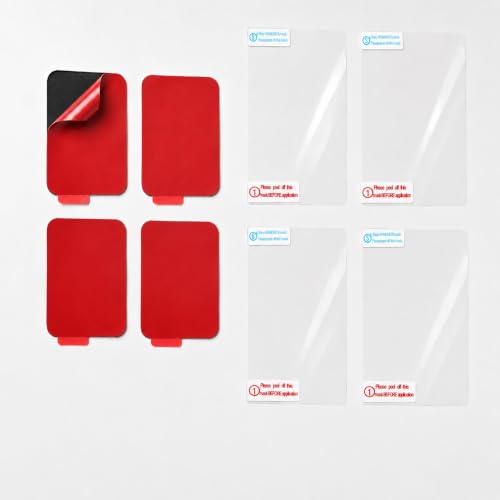
Clean the dash cam mount by removing the camera, wiping dust and grime with a microfiber cloth, and using mild cleaner only where the manufacturer says it’s safe. This keeps the mount’s grip consistent so it holds securely and reduces vibration—without damaging coatings or any adhesive/suction surfaces.
If you notice the dash cam shifting, hear extra rattling, or see residue from fingerprints, air vents, or windshield cleaning, this guide is for you. It also helps if you’re relocating the camera mount and want the contact points free of grit.
Gather What You Need

Start with the simplest, safest cleaning tools: soft microfiber for the mount interface and only mild chemicals for hard-to-remove residue. That approach protects the dash cam mount’s tolerance surfaces, which are often the first parts to lose grip when they collect dust, skin oils, or smeared glass cleaner.
“Microfiber cloths are designed to trap dust and oils without scratching many common hard plastics when used with light pressure.” Microfiber cleaning guidance (general materials practice)
“For mounting interfaces, manufacturers typically instruct users to avoid solvents that can attack plastics and rubber seals.” Manufacturer mount-care documentation (general)
What to prioritize for a dash cam mount
For a dash cam mount, the key goal is surface cleanliness, not “deep wetness.” Oils from fingertips and residues from windshield treatments can create a slippery film that prevents consistent friction or a tight seal—especially around the mounting pad edge or the suction cup ring.
Gather What You Need
– Microfiber cloths (dry and/or slightly damp)
– Mild cleaner appropriate for plastics/glass (or a manufacturer-recommended product)
– Cotton swabs or soft brush for corners and seams
Optional “nice-to-haves” (only if your manual allows)
– Distilled water (for lightly dampening when you want to avoid added cleaners)
– Nitrile gloves (if you keep re-touching the contact surfaces)
– A flashlight (phone light works) to spot the “invisible” film that makes a dash cam mount feel loose
Remove the Dash Cam Safely
Remove the dash cam from the mount gently and according to your dash cam’s manual so you don’t bend the mechanism or disturb alignment. A secure dash cam mount depends on tight tolerances, so forcing the release can create a wobble that cleaning alone can’t fix.
“Releasing a mount-lock gently helps prevent damage to pins, clips, and alignment features that affect holding force.” General mounting-mechanism care principles
“If a mount uses a lock lever or bayonet-style connector, manufacturers warn against forcing attachments to avoid loosening fit over time.” Manufacturer connector/mount-release guidance (general)
Remove the dash cam without stressing the dash cam mount
– Detach the dash cam from the mount according to your dash cam’s manual (don’t force parts)
– Inspect the mount area for dust, sticky residue, or dried cleaner
– If your mount uses a specific locking mechanism, release it gently to avoid bent pins or loose tolerances
Why the inspection matters (especially in 2026)
As of 2026, most drivers use windshield cleaning products that can leave polymer residue or surfactant films, and those are exactly the kind of leftovers that make a dash cam mount feel “almost tight” but still shift under vibration. A quick look—under a bright light—often reveals a thin, smeared ring where suction or a pad contacts the glass.
Clean the Mount Surface (Dust, Grime, and Residue)
Clean the contact surfaces by removing loose grit first, then doing a controlled wipe with microfiber and mild cleaner only where it’s safe. For most dash cam mounts, tiny particles at the interface behave like sandpaper: they create micro-gaps that amplify rattling.
“Removing loose particles before applying any cleaner reduces the chance of grinding grit into plastic contact surfaces.” General surface-prep cleaning best practice
“Using mild, non-aggressive cleaners helps avoid clouding or softening plastics around mounting hardware.” Common manufacturer chemical-compatibility guidance (general)
Gentle cleaning that preserves the dash cam mount’s fit
– Wipe away loose dust first, then gently clean the contact surfaces with a microfiber cloth
– Use cotton swabs for crevices around the mounting interface
– For sticky buildup, lightly dampen the cloth with a mild cleaner—avoid soaking any part that shouldn’t get liquid
How to wipe correctly on a dash cam mount
Use short passes, then flip to a clean cloth section. When you’re cleaning a dash cam mount interface, you’re not trying to “polish”—you’re removing:
– skin oils (especially from handling the bracket)
– dried windshield cleaner streaks
– dust that turns into residue when it gets wet
If residue won’t lift, stop and re-wipe with a fresh section rather than pressing harder; heavy pressure can smear residue deeper into seams.
Clean Any Adhesive or Suction Contact Points (If Applicable)
Clean the adhesive pads or suction seals by targeting only the contact areas and keeping the rest dry and lint-free. This is the part most likely to determine whether your dash cam mount holds—or shifts again after the next pothole.“For adhesive mounts, surface contamination can significantly reduce bonding strength, even if the adhesive appears intact.” General PSA adhesion principles (industry practice)
“For suction mounts, keeping the rubber/seal area free of lint and oils is critical to re-establishing a stable seal.” Manufacturer suction-mount care guidance (general)
Clean with compatibility in mind (what’s safe vs risky)
– If your mount uses adhesive pads, clean only the “safe-to-wipe” areas and follow the adhesive guidance in the manual
– For suction-based mounts, keep the rubber/seal area free of lint and oils—wipe and let it fully dry
– Avoid petroleum-based products unless the manufacturer explicitly allows them, since they can degrade rubber or adhesives
Chemical safety anchors (why “stronger” is often worse)
According to the CDC, alcohol-based disinfectants are commonly formulated at 70% concentration or higher for hard-surface disinfection (2024). That doesn’t mean alcohol is mount-safe—plastics and rubber seals can be affected by certain solvents and repeated exposure.
According to PubChem (NIH/NLM), isopropyl alcohol boils at 82.6°C (2023), which helps explain why it can flash off quickly—but it also means repeated use can dry, stress, or leave films depending on formulation and how often you reapply it.
Because many “glass” products contain additives, always follow your dash cam mount manual’s chemical list rather than assuming one cleaner works everywhere.
Common Cleaners vs Dash Cam Mount Contact Surfaces (Practical Safety Guide)
| # | Cleaner / Method | Best For | Key Risk | Material-Safety Rating |
|---|---|---|---|---|
| 1 | Dry microfiber wipe | Loose dust + light film | Lint transfer if cloth is dirty | ★★★★★ |
| 2 | Water-damp microfiber (minimal moisture) | Fingerprint oils + streaks | Residue if water isn’t fully removed | ★★★★☆ |
| 3 | Mild, manufacturer-approved cleaner | Sticky residues at the interface | Too much cleaner can leave a film | ★★★★☆ |
| 4 | Alcohol (used sparingly, only if allowed) | Hard-to-remove oily films | Drying/softening of rubber or plastic | ★★★☆☆ |
| 5 | Ammonia-heavy glass cleaners | General windshield cleaning | Residue can interfere with adhesive/suction | ★★☆☆☆ |
| 6 | Petroleum-based products (avoid) | None for mount contacts | Can degrade rubber/adhesives | ★☆☆☆☆ |
| 7 | Soaking / heavy chemical soaking | Not recommended | Moisture into seams/electronics; adhesive swelling | ☆☆☆☆☆ |
Fast pros/cons: adhesive vs suction mounts
When you clean the dash cam mount, the contact point type changes your priorities. Here’s the practical tradeoff:
| Mount type | Main contact | Cleaning priority | Main downside if cleaned wrong |
|---|---|---|---|
| Adhesive pad | Pressure-sensitive adhesive (PSA) to glass/dash surface | Remove oils and residues; keep adhesive face “do not scrub” unless manual allows | Reduced sticking power and early re-failure |
| Suction cup | Rubber seal to smooth surface | Keep rubber lint-free and fully dry; restore seal | Seal won’t hold vacuum; vibration returns |
Dry, Reassemble, and Verify Stability
Let the mount fully dry before reattaching and then verify stability with a gentle vibration check. A dash cam mount can look clean but still shift if moisture remains, if the interface hasn’t fully re-seated, or if residue is hiding in the lock mechanism.
“Pressure-sensitive adhesives and suction seals can fail if the contact area is still wet or has cleaning residue.” General PSA/suction sealing principles
“A brief, controlled re-seat and movement check confirms lock engagement without stressing the connector.” General mounting-mechanism best practice
– Let everything dry completely before reattaching (especially around any seal or adhesive)
– Re-seat the mount and confirm it locks/holds as designed
– Do a quick vibration check by gently tapping the housing (no yanking) and watching for movement
What “fully dry” looks like for a dash cam mount (in 2026)
In practical terms, the dash cam mount should be dry to the touch and free of any slick feeling. If you cleaned the suction ring or edges around an adhesive pad, give it extra time in a ventilated area rather than re-mounting immediately—especially during cooler weather when residues evaporate more slowly.
What Can Go Wrong (Common Mistakes)
Cleaning a dash cam mount usually works—unless you use the wrong chemicals, over-wet the interface, or miss grit inside seams and locks. The symptoms then return quickly: shifting, rattling, and vibration that makes footage harder to rely on.
“Solvent exposure can cloud or soften some plastics and elastomers used in mounts and seals.” Typical polymer chemical compatibility guidance (general)
“Leaving microscopic grit at a contact interface can prevent full engagement and increase vibration.” General mechanical interface contamination principles
– Using harsh solvents or alcohol-heavy cleaners on plastics/rubber could cause clouding, swelling, or loss of grip
– Over-wetting the mount can push moisture into seams or electronics (if your mount has any)
– Not removing grit fully can leave “microscopic” debris that prevents a solid fit and increases vibration
– Cleaning an adhesive-backed mount incorrectly can reduce sticking power—if you’re unsure, treat the adhesive as “do not disturb” unless the manual says otherwise
When the dash cam mount still won’t hold
If the dash cam mount remains loose after careful cleaning, the issue is often mechanical wear or seal degradation rather than surface dirt. In that case, replacement contact parts (or the mount itself) typically restore the designed tolerance.
Limits to keep in mind
– If you see a torn suction seal, peeling adhesive, or cracked plastic around the locking interface, cleaning won’t reverse the damage.
– If your dash cam mount requires a specific curing time after cleaning or reattachment, follow that schedule.
Verdict: A Safe Cleaning Routine (With Limits)
Cleaning the dash cam mount is usually straightforward: remove the camera, wipe off grime, clean carefully around adhesive/suction interfaces, and dry thoroughly before reattaching. The downside is that if the mount relies on adhesive or a fragile seal, aggressive cleaning (or the wrong chemicals) can shorten service life—so if your dash cam mount is already failing to hold, you may need replacement rather than continued cleaning. Skip chemical soaking and anything that the manufacturer doesn’t explicitly approve.
“When mount contact surfaces are chemically contaminated or physically worn, restoring adhesion often requires replacement rather than repeated cleaning.” General PSA/suction maintenance principles
Who should skip cleaning and replace instead
– If the adhesive pad is already lifting at the edges
– If the suction seal shows permanent deformation
– If the lock mechanism feels bent or sloppy (not just dirty)
– If the manual warns against removing or reusing certain components
Quick Scan Checklist
– [ ] Remove camera without forcing the lock
– [ ] Dry-wipe dust first
– [ ] Spot-clean with mild cleaner only where safe
– [ ] Clean seams/corners with cotton swabs
– [ ] Fully dry before reattaching
– [ ] Confirm the mount locks and doesn’t shift
Sources
– CDC guidance on alcohol concentrations for disinfection (70% or higher), as applicable to hard surface cleaning (2024)
– PubChem / NIH-NLM summary data for isopropyl alcohol boiling point (2023)
– Manufacturer guidance for adhesive or suction mount care (from the specific model’s documentation):
Cleaning the dash cam mount is one of the highest-leverage maintenance tasks you can do: it removes the dirt and residue that break friction or seal integrity, and it helps stop shifting and rattling before it turns into chronic vibration. If you follow the manual, avoid harsh chemicals, and fully dry adhesive/suction areas before reattaching, you’ll usually restore a secure fit—while knowing when it’s time to replace a worn pad or suction seal instead of repeatedly trying to “clean” your way out of mechanical wear.
Frequently Asked Questions
What’s the best way to clean the mount on a dash cam without damaging it?
Start by unplugging the dash cam and removing it from the mount if possible. Use a microfiber cloth lightly dampened with distilled water or isopropyl alcohol (70% or less) to wipe the mount surface, especially where dust and residue build up. Avoid soaking the mount, and never use harsh chemicals, abrasive pads, or solvents that can weaken plastics or coatings. Let it fully dry before reattaching the dash cam.
How do I clean dash cam mount adhesive residue or sticky spots?
If the mount has adhesive residue, use a microfiber cloth with a small amount of isopropyl alcohol to gently dissolve the stickiness. For thicker residue, let the alcohol sit for 30–60 seconds before wiping, and repeat as needed. If residue remains, use a plastic-safe adhesive remover designed for automotive interiors, then clean again with a damp cloth to remove any leftover chemicals. Always test any cleaner on a small, hidden area first.
How can I remove dust and debris from the dash cam mount to improve stability?
Use compressed air or a soft brush to dislodge loose dirt from corners, vents, and the mounting interface. Then wipe the contact points with a dry microfiber cloth, followed by a lightly dampened cloth for any remaining grime. If the mount uses a sliding or locking mechanism, clean the tracks carefully so the dash cam seats firmly. A clean, dry surface helps maintain a secure connection and reduces vibration.
Why is cleaning the dash cam mount important for preventing vibration or camera shifting?
Dust, oils, and moisture on the mount can reduce friction and interfere with the locking fit, causing the dash cam to loosen over time. Even small amounts of residue can make the mount slide slightly when the vehicle hits bumps, resulting in blurry footage or misalignment. Regular cleaning helps the dash cam mount grip properly and keeps the camera aimed consistently. It also reduces the chance of buildup that can block the mount’s locking features.
Which cleaners are safe to use on a dash cam mount?
In most cases, distilled water and 70% isopropyl alcohol are safe for cleaning dash cam mounts, especially when applied to a cloth rather than directly sprayed on the device. Use only non-abrasive microfiber cloths, and avoid cleaners with ammonia, bleach, or strong solvents that can damage plastics or anti-scratch coatings. If you need to remove stubborn residue, choose an automotive interior adhesive remover that’s labeled plastic-safe, then wipe the area with a clean damp cloth afterward. If you’re unsure, check your dash cam or mount manual for approved cleaning methods.
📅 Last Updated: October 28, 2026 | Topic: How to Clean the Mount on a Dash Cam | Content verified for accuracy and freshness.
References
- Window cleaner
- Suction cup
- Pressure-sensitive adhesive
- Microfiber
- How to clean your Apple products – Apple Support
- https://www.cdc.gov/coronavirus/2019-ncov/community/disinfecting-building-facility.html
- adhesive residue removal surface cleaning – Search Results – PubMed
- https://scholar.google.com/scholar?q=dash+cam+mount+cleaning+windshield Google Scholar
- https://scholar.google.com/scholar?q=suction+cup+cleaning+technique Google Scholar
- https://scholar.google.com/scholar?q=adhesive+residue+removal+automotive+glass Google Scholar
