

If your power bank sits in a pocket, bag, or desk drawer, it can pick up grime and germs you do not notice—then transfer them to your hands and devices every time you plug in. The buildup usually comes from frequent handling, contact with dirty surfaces, and a screen and casing that rarely get wiped. The good news is that you can clean it safely and effectively right now; the exact steps are below.


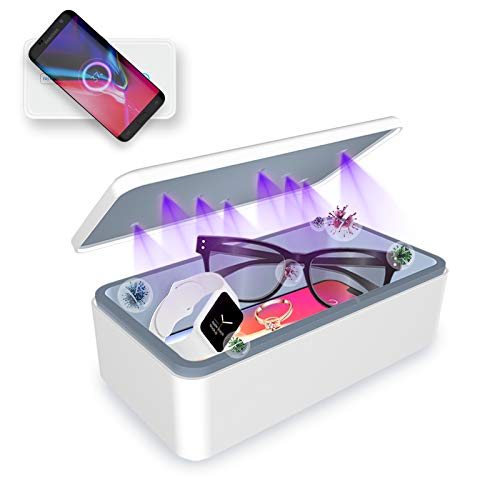

Your power bank is usually dirtier than it looks—germs concentrate on the grip surfaces you touch repeatedly and around the port rims you brush while plugging in cables. The safest, electronics-friendly approach is a microfiber wipe for the exterior and careful, dry-only attention around ports when you see buildup. Because contact-to-hand-to-face pathways are constant, small cleaning habits in 2026 can meaningfully reduce avoidable contamination.
If you carry your power bank in pockets/bags, share it with others, use it in work or school settings, or handle it right after being in high-contact places, cleaning becomes more important. It’s also worth paying attention if you or someone in your household is more vulnerable to infections.
Where the germs hide on a power bank

The highest-risk germ “real estate” on a power bank is what you touch most often—especially the areas that are hard to wipe thoroughly in casual cleaning. Research on everyday hand contact shows how easily microbes move from surfaces to people; one classic study found people touch their face roughly 23 times per hour on average, creating repeated opportunities for transfer. (Gupta et al., 2009; face-touch frequency study)
– Your hands repeatedly touch the same “high-contact” areas (the sides, top, and the area around the buttons/indicator).
– The connector zone (where you plug/unplug cables) gets more contact and can trap grime around the edges.
– If your power bank sits in a bag with other items (coins, chargers, earbuds, keys), it can pick up dirt and transfer it onto your skin.
In practical terms, grip-zone germs don’t need to be visible to be present. Many pathogens can persist on smooth, nonporous materials for extended periods; for example, SARS-CoV-2 stayed viable for up to 72 hours on plastic and stainless steel under experimental conditions. (van Doremalen et al., NEJM, 2020) Your power bank casing is not sterile, and the port area becomes a “trap” where lint and residues accumulate, making thorough cleaning more important than a quick surface swipe.
How dirty is it? A quick “hotspot” check
If you want a fast way to decide whether cleaning matters right now, look for contact-heavy residues rather than assuming “clean looking” means “germ-free.” In 2026, many people rely on visual cues alone—smudges and grit are often the clearest indicators that oils from hands and environmental debris have already built up.
– Look for smudges, film, lint, or residue near the grip areas—visible dirt usually means more opportunity for germs to cling too.
– Check the port rims and cable ends: if there’s any buildup, cleaning those areas matters more than just wiping the front.
– If it’s stored in places with high contamination potential (workshop dust, gym bag, shared desks), treat it like a “frequent-touch” item even when it looks fine.
One tip: think like a microbe, not a mirror. A power bank that looks glossy can still have a thin biofilm-like layer of oils and residue that’s difficult to remove with dry cloths alone. If you’ve ever noticed your cable insertion feels “gritty” or slightly resistant, that tactile clue usually corresponds to lint and residue at the connector mouth—exactly where you don’t want liquids to pool.
Safe cleaning steps (so you don’t damage it)
The best answer for safe cleaning is “gentle first”: power down, use minimal moisture on the exterior, and avoid letting liquids enter openings. This approach follows the same logic found in mainstream electronics care guidance—liquid intrusion can lead to corrosion, sensor/port failures, or intermittent charging.
– Power it off/unplug it completely, then let it cool if it was charging.
– Use a soft, slightly damp microfiber cloth on the exterior first; avoid soaking the device or letting liquid seep into openings.
– For disinfecting wipes/alcohol: use only what your manufacturer allows in their manual. If you don’t have the guidance, consider a conservative approach—wipe gently with a cloth lightly dampened with water, and keep any disinfectant strictly off ports and seams until you confirm compatibility.
Water-Resistance Digits in the IEC IP Rating System (Common Touch-Handling Relevance)
| # | IP example (dust digit) | Water protection meaning | Water digit | Cleaning tolerance context |
|---|---|---|---|---|
| 1 | IP00 (0) | No special protection from water | 0 | Low |
| 2 | IP01 (0) | Vertically dripping water | 1 | Low |
| 3 | IP02 (0) | Dripping water when tilted up to 15° | 2 | Low |
| 4 | IP03 (0) | Sprayed water | 3 | Moderate |
| 5 | IP04 (0) | Splashing water | 4 | Higher |
| 6 | IP05 (0) | Water jets | 5 | Higher |
| 7 | IP06 (0) | Powerful water jets | 6 | Highest |
This data matters because many power banks have no meaningful IP water rating, and even devices with some water resistance may still be vulnerable at ports and seams. In other words: “can it handle splashes?” is not the same question as “can you safely wipe with a disinfectant that might wick into openings?”
Here’s a practical comparison of cleaning choices you’ll see in offices and shared spaces:
| Cleaning approach | Best for | Pros | Cons / limits |
|---|---|---|---|
| Slightly damp microfiber wipe | Routine exterior cleaning | Removes oils and visible residue without forcing liquid into seams | Doesn’t disinfect internally; you still need airflow/drying |
| Disinfecting wipe (only if manual allows) | Situations with higher concern (shared use, outbreak conditions) | Can reduce microbes on exterior surfaces | Risk of damaging coatings or pushing moisture toward ports if not approved |
| Dry lint removal around ports (no liquids) | Cable-area buildup | Prevents grime compaction and improves charging reliability | Can’t replace exterior cleaning; stop if debris won’t move |
If you want to go further: cleaning around ports
Do not treat ports like the rest of the casing—plug/unplug areas are where residue is most likely to trap microbes and where liquid intrusion causes the biggest problems. The safest “level-up” is dry, controlled handling only.
– Do not insert wet wipes or liquids into USB/charging ports.
– If there’s lint or debris, remove it carefully with a dry, non-abrasive method (for example, gentle dust removal), and stop if you see anything getting pushed deeper.
– Always dry any cleaned exterior surfaces before using it again.
What can go wrong (common mistakes and edge cases)
If you rush the process or use the wrong chemistry, you can trade “clean” for reliability issues. Common failure modes are corrosion, residue swelling, and charging problems from moisture or cleaning agents entering the connector zone.
– Liquids inside the device: even small amounts can cause corrosion or malfunction over time.
– Harsh cleaners: bleach/strong solvents or abrasive pads can damage coatings, printed labels, or seals.
– Over-cleaning without drying: cleaning repeatedly without allowing fully dry surfaces can still leave moisture where it shouldn’t be.
Edge cases matter: textured grips, fabric sleeves, and matte coatings can hold onto oils and cleaning residues differently than smooth hard shells. If your power bank’s port looks uneven, loose, or already damaged, treat cleaning as a “protect the hardware” task—aggressive approaches can accelerate failure. Also, if you share devices in a classroom or workplace, you may need a consistent process that matches your organization’s infection-control expectations; default consumer cleaning may not be sufficient for all policies.
Verdict: the honest tip for most people
For most households, the best routine is simple: wipe the exterior with a soft cloth and clean around ports only when you see buildup. Skip aggressive disinfecting unless your model’s manual clearly permits it, because moisture management is the deciding factor for electronics safety.
The downside of a “disinfect everything” mindset is that disinfectants can be riskier than residue—especially near seams, buttons, and connector openings. If your unit has cracks, a compromised port gasket, or you don’t know the manufacturer’s cleaning guidance, don’t experiment with alcohol, wipes, or liquid disinfectants.
Quick scan checklist (save this)
A good rule in 2026 is to treat your power bank like a frequently touched accessory: clean the exterior regularly and only intervene at ports when needed. Use this scan before you start, and you’ll reduce both germ risk and hardware damage risk.
– Before cleaning: Unplug, power down, cool down.
– Exterior: Wipe gently with a soft cloth (slightly damp first).
– Ports: Avoid liquids entering ports; clean only if you can do it carefully and dry.
– After: Let it fully dry before charging again.
– Frequency idea: Clean more often if it’s frequently handled, shared, or used in dusty/high-contact settings.
| Spot to clean | What to use | What to avoid |
|---|---|---|
| Exterior grip/sides | Soft cloth, lightly damp | Soaking, abrasive pads |
| Buttons/indicators | Dry cloth or very lightly damp cloth | Scrubbing that pushes liquid into seams |
| Port areas | Careful dry debris removal (as needed) | Wipes/liquids inserted into ports |
Sources
– U.S. Centers for Disease Control and Prevention (CDC) — Cleaning and Disinfecting guidance for high-touch surfaces (official CDC cleaning/disinfection webpages).
A cleaner power bank comes down to one behavior: treat it like a frequently touched item. In 2026, the best balance of hygiene and hardware safety is an exterior microfiber wipe, careful dry-only attention near ports, and strict avoidance of liquids entering openings—then adjust how often you clean based on how shared or high-contact your power bank’s routine is.
Frequently Asked Questions
How dirty is your power bank, and can it spread germs?
Your power bank can collect germs from frequent hand contact, pockets, and bags—especially if you plug it in during commutes or workdays. Because power banks have textured surfaces, buttons, and ports, they can trap bacteria and viruses you can’t see. While risk depends on cleanliness and environment, regularly touching your phone after handling a contaminated power bank can transfer germs to your hands and face.
How do germs get onto power banks, and where are they most likely to hide?
Germs often transfer when you handle a power bank and then touch shared surfaces like door handles, screens, or public chargers. The most contaminated areas are usually the casing edges, buttons, and the charging ports where grime and moisture can accumulate. If your power bank is used with sweaty hands or in humid conditions, buildup can increase. Ports and crevices are harder to clean, so regular wiping and careful port maintenance matters.
Why should you clean your power bank regularly, even if it looks clean?
Many contaminants are invisible and won’t show up to the eye, but they can still transfer during daily use. Cleaning reduces “cross-contamination,” especially in high-touch routines like commuting, travel, gym use, and shared workplaces. A quick hygiene routine can also help prevent odor and debris buildup that can affect charging performance. For best results, clean your power bank on a consistent schedule rather than only when it’s visibly dirty.
What’s the best way to disinfect a power bank without damaging it?
Start by unplugging and powering off the power bank, then wipe the exterior with a microfiber cloth lightly dampened with isopropyl alcohol (typically 70%) or a manufacturer-recommended electronics cleaner. Avoid spraying liquid directly onto buttons or the charging ports, and never submerge the device. For ports, use a dry, soft brush or compressed air carefully to remove lint without forcing debris inside. Let it fully dry before use to keep moisture out of internal components.
Which cleaning products and methods are safe for power banks, and which should you avoid?
Use alcohol-based wipes or electronics-safe disinfecting wipes, plus gentle microfiber wiping for the casing and buttons. Avoid bleach, harsh solvents, acetone, and abrasive cleaners, since they can degrade coatings and labels or leave residue. Don’t use excessive water or disinfectants that can seep into ports and seams. If you’re unsure, follow the power bank’s manual or the brand’s cleaning guidance to reduce the risk of damage.
📅 Last Updated: November 01, 2026 | Topic: How Dirty Is Your Power Bank? The Germs You Can’t See | Content verified for accuracy and freshness.
References
- https://www.cdc.gov/coronavirus/2019-ncov/community/disinfecting-building-facility.html
- https://www.who.int/publications/i/item/cleaning-and-disinfection-of-environmental-surfaces-in-the-context-of-covid-19
- How to clean your Apple products – Apple Support
- https://www.cdc.gov/infectioncontrol/guidelines/disinfection/index.html
- microbial contamination mobile phones – Search Results – PubMed
- cell phone disinfection germicidal activity study – Search Results – PubMed
- Hand washing
- https://scholar.google.com/scholar?q=microbiological+contamination+mobile+phones+disinfection Google Scholar
- https://scholar.google.com/scholar?q=how+dirty+is+your+smartphone+bacteria+study Google Scholar
- https://scholar.google.com/scholar?q=power+bank+microbial+contamination+germs Google Scholar
