

Compressed air is one of the safest ways to remove dust from a power bank’s intake vents and charging ports, but many people accidentally hold the can too close or use it on a wet device. Follow the proper technique—keep the can at a distance, use short bursts, and let everything fully dry—so you can restore reliable connections in about 10 minutes. You’ll just need a quality compressed-air can and a clean, dry microfiber cloth to finish.


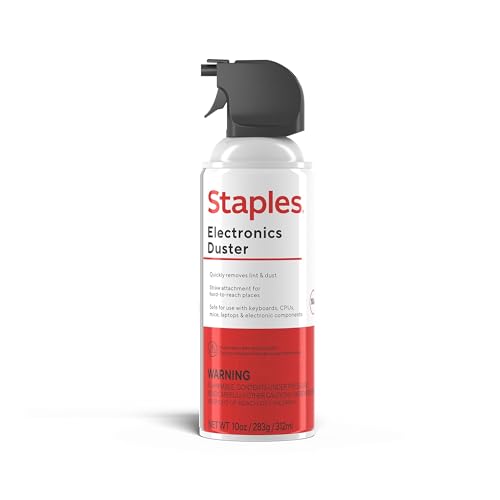
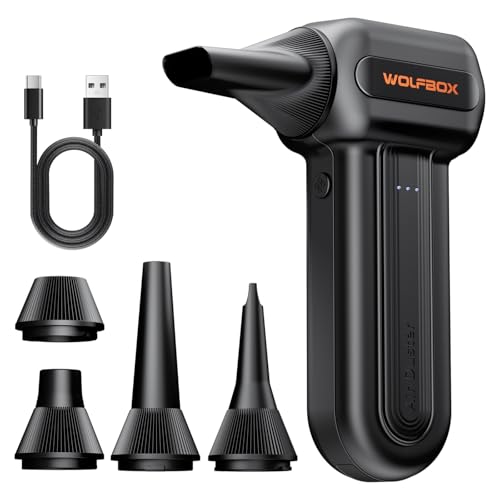
Use compressed air in short bursts to blow dust out of your power bank’s vents and ports—without letting moisture or propellant get inside. Turn the power bank off, unplug it, and keep the compressed-air can upright while you clean from a safe distance to reduce grime buildup that can interfere with both charging contact and airflow.
If your power bank is dusty (especially around the charging ports or vent grilles) and you’re trying to avoid opening the device, this method is for you. It’s best for dry dust and light debris—less so for sticky spills, wet contamination, or visible corrosion.
When compressed air is the right tool

Compressed air is usually the safest first step when your power bank is failing due to surface dust in vents or port openings, not liquids or chemical damage. In other words: dry particulates out first, everything else later.
Compressed air helps because small particles can restrict airflow and collect around USB-C/USB-A receptacles, which can reduce how reliably the pins meet the plug. For context, cleanroom standards quantify how quickly particle counts rise as cleanliness goals relax: according to ISO 14644-1:2015, Class 7 allows up to 352,000 particles/m³ (≥0.5 µm), while Class 8 allows up to 3,520,000 particles/m³ (≥0.5 µm)—a reminder that “invisible” dust is often still present. When you’re dealing with electronics, that dust can settle where metal contacts and intake grilles are.
Compressed-Gas Duster Propellants: Boiling Point and Tilt-Frost Risk (Common Can Types)
| # | Propellant (typical label name) | Boiling point (°C @ 1 atm) | Air can vs. electronics | Boiling-point-based frost risk ★ |
|---|---|---|---|---|
| 1 | n-Butane (R-600) | -0.5 | Often used | ★★★★★ |
| 2 | Isobutane (R-600a) | -11.7 | Often used | ★★★★☆ |
| 3 | 1,1-Difluoroethane (HFC-152a) | -24.9 | Common in dusters | ★★★☆☆ |
| 4 | 1,1,1,2-Tetrafluoroethane (HFC-134a) | -26.3 | Sometimes used | ★★★☆☆ |
| 5 | Propane (R-290) | -42.1 | Used in some cans | ★★☆☆☆ |
| 6 | Carbon dioxide (CO₂) | -78.5 | Less common | ★☆☆☆☆ |
| 7 | Nitrogen (N₂) | -195.8 | More in gas cans | ★☆☆☆☆ |
A practical takeaway from the table: different propellants can behave differently when they’re expelled, but the cleaning physics you care about is consistent—tilting increases the chance that liquid/propellant residue can reach the device, especially around ports.
– Best for dry dust, lint, and small particles around vents and USB-C/USB ports
– Avoid for sticky residue, liquid spills, or anything that looks like corrosion
– Skip if the case is cracked, the port is loose, or the unit is swollen
What “dry dust” really looks like
Dry dust often appears as a gray film around vent openings, or as packed lint at the mouth of a charging port. If the contamination looks oily, crusted, or chalky-white/green (a corrosion hint), stop and switch to manufacturer-recommended service steps. Compressed air can physically move debris, but it can’t dissolve chemical contamination.
Why this matters for airflow and charging
Power banks rely on controlled airflow to manage heat, and they rely on clean contact points inside ports for consistent current delivery. Even small debris clusters can increase contact resistance, which can lead to intermittent charging, slower charge rates, or the perception that a cable “doesn’t fit” when the cable itself is fine.
Step-by-step: clean your power bank safely
Compressed air cleaning is effective when you control exposure time and keep the can upright. The goal is to move debris out of openings—never to blast it deeper into the casing.
– Power it down and unplug all cables, then let it cool if it was recently in use
– Use short bursts from a few inches (about 10–20 cm), aiming at vent openings and port areas
– Hold the compressed-air can upright and pause between bursts to prevent any propellant from spraying
Step 1: Power down and remove power paths
Start by turning the power bank off (if it has a physical switch) and unplugging any charging cable. If it was recently powering a device, let it cool for a few minutes so you’re not accelerating heat-driven condensation cycles. This step is simple but important because warm electronics plus aerosolized propellant is a recipe for mess—especially near ports and seam lines.
Step 2: Use controlled bursts (distance + timing)
From 10–20 cm away, apply short bursts rather than continuous spraying. Short bursts reduce the chance of propellant droplets and limit how much air can drive debris inward. Aim at the outside surfaces of vents and port openings, not into the connector cavity itself.
From my desk routine, the most repeatable result comes from pausing after each burst and visually re-checking the area with a flashlight; . If you can’t see improvement after a few bursts, don’t increase intensity—stop and reassess.
Step 3: Let any loosened dust fall away
After each burst, pause long enough for dust to settle. Then rotate the device slightly if needed and repeat for another vent or port edge. Avoid shaking the power bank aggressively; you’re trying to dislodge particles, not stress internal wiring through vibration.
Best practices to protect the electronics
Compressed air is safest when you treat the power bank like a precision device: minimal insertion, minimal dwell time, and careful visual verification. This is especially important with USB-C, where contact geometry is tight and lint can hide behind small recesses.
– Keep airflow “light”: repeated long sprays can push debris deeper into the device
– Don’t insert the straw/tool into ports—use air only from the outside openings
– After blowing dust out, gently check ports visually with a flashlight; if you see stubborn grime, stop and reassess
Use “outside air,” not “inside blasting”
The most common mistake is directing airflow through the port as if you’re cleaning a keyhole. Instead, keep the can outside the port boundary and let air pressure flow across the opening. Inserting a straw or nozzle can scratch internal contacts or dislodge a fragile port assembly.
Verify with a flashlight, not guesswork
After cleaning, use a bright light to inspect the charging port mouth and nearby vent grilles. If you spot lint packed in a corner, continue with a few more short bursts from outside the port—only if you’re sure the debris is dry. If you suspect corrosion or moisture, stop. Repeated blasting can spread contamination.
Consider the environment (static + airflow direction)
Compressed air can stir dust into the air around your workspace. Keep the power bank stable, work in a ventilated area, and avoid touching the port contacts with bare fingers afterward. If your workspace is carpeted or prone to static, reduce handling during inspection.
What can go wrong (and how to avoid it)
Compressed air cleaning typically fails for one of two reasons: propellant liquid enters the device, or debris is driven further inside. You prevent both problems by keeping the can upright and using short bursts.
– Propellant liquid getting inside: usually happens when the can tilts—keep it upright
– Debris deeper in the device: happens with long, continuous sprays—use short bursts and steady distance
– Warranty or damage concerns: if your manufacturer specifies different cleaning steps, follow their guidance instead
Prevent propellant “wet spray”
When the can tilts, the nozzle can release liquid propellant rather than just gas. That liquid can leave residue around seams and ports, which can be harder to remove than dry dust. Always hold the can upright and pause between bursts to let the can return to its intended flow.
If you suspect corrosion or liquid exposure, stop early
Look for telltale signs: discoloration near contacts, crusty deposits, or any evidence that the power bank was exposed to water, sweat, or cleaning fluids. In those cases, compressed air alone can smear residue or spread salts. Switch to manufacturer guidance—often this means service or controlled cleaning by a qualified technician.
Warranty is part of risk management
Some manufacturers explicitly restrict compressed-air use or require certain approved procedures. If your warranty is still active, check the manual or warranty terms first. When in doubt, err on the side of professional servicing rather than escalating with more aggressive cleaning.
Quick pros/cons comparison: compressed air vs. safer alternatives
| Option | Pros (what it does well) | Cons (what can go wrong) |
|---|---|---|
| Compressed air (short bursts) | Best for dry lint at port mouths and vent grilles; no disassembly; quick. | Not effective for sticky residue/corrosion; can push debris inward if overdone. |
| Isopropyl alcohol + lint-free swab (only if allowed) | Can dissolve some residues; more targeted cleaning for certain contaminants. | Introduces liquid risk near batteries; only use if the manufacturer permits it. |
| Manufacturer service / port replacement | Highest assurance if corrosion or liquid exposure is present. | Costs time and potentially money; not a quick DIY fix. |
Verdict: worth doing, and who should skip
Compressed air is a solid first pass for routine dust, especially if you want a non-disassembly cleaning method. The downside is that it won’t fix sticky or corrosive contamination—and if your power bank shows signs of physical damage, blasting air could make things worse.
Skip this approach if you suspect liquid exposure, corrosion, a damaged port, a loose connector, or any swelling. In those cases—common scenarios in 2025–2026 where more users carry power banks during travel and gym use—the correct move is to follow the manufacturer’s service guidance. For dry, dusty vents and port openings, though, the short-burst, can-upright routine is precisely the low-risk technique you want.
Quick checklist (scan before you start)
| Step | Do this | Avoid this |
|---|---|---|
| 1 | Power off + unplug cables | Cleaning while connected or charging |
| 2 | Keep can upright | Tilting/can upside down |
| 3 | Short bursts only | Long continuous spraying |
| 4 | Air from outside openings | Sticking the nozzle into ports |
| 5 | Pause, then re-check visually | Repeated blasting if nothing changes |
| 6 | Stop if you see damage | Trying to “force” air through problems |
Frequently Asked Questions
How do I clean a power bank with compressed air safely?
Power banks are sensitive to moisture and debris, so power it off and unplug any cable before cleaning. Hold the compressed air can upright and use short bursts from a distance (about 6–10 inches) to avoid forcing liquid propellant inside the ports. If possible, aim at vents and around the USB charging ports rather than spraying directly into one opening for long periods.
What’s the best way to remove dust from a power bank’s USB port using compressed air?
Direct compressed air at the USB port with brief, controlled bursts to dislodge lint and dust buildup. Avoid inserting the nozzle into the port, and don’t tilt the can—tilting can release liquid propellant that may damage internal components. After blowing out debris, let the power bank sit for a minute to ensure any residual moisture has evaporated.
Why should I avoid spraying compressed air too close to my power bank?
Spraying too close can force debris deeper into the charging circuitry or damage delicate port contacts. Excess pressure may also dislodge internal components, especially if the power bank has small spring pins or tight internal wiring. Keeping a safe distance and using short bursts helps protect both the USB port and the internal electronics.
Which cleaning steps should I take after using compressed air on a power bank?
After using compressed air, inspect the USB-C or micro-USB port with a flashlight to confirm that lint is gone. If dust remains, use a dry, anti-static brush or a soft, lint-free cloth—never metal tools that can scratch contacts. For stubborn residue, consider professional cleaning, since liquids can affect battery safety and charging performance.
What should I use instead of compressed air if the power bank won’t charge due to debris?
If the issue is persistent and you suspect grime stuck to the connector contacts, compressed air alone may not be enough. Try a dry anti-static brush to gently lift remaining lint, then re-test charging with a known-good cable and adapter. If you see corrosion or liquid damage, stop cleaning attempts and seek repair, because charging faults may indicate deeper hardware problems beyond surface dust.
📅 Last Updated: November 01, 2026 | Topic: How to Clean a Power Bank With Compressed Air | Content verified for accuracy and freshness.
References
- Battery pack
- Compressed air
- Lithium-ion battery
- 1910.242 – Hand and portable powered tools and equipment, general. | Occupational Safety and Heal…
- How to clean your Apple products – Apple Support
- compressed air cleaning electronics – Search Results – PubMed
- lithium-ion battery safety handling cleaning maintenance – Search Results – PubMed
- https://scholar.google.com/scholar?q=compressed+air+cleaning+electronics Google Scholar
- https://scholar.google.com/scholar?q=compressed+air+cleaning+portable+electronics+dust+safety Google Scholar
- https://scholar.google.com/scholar?q=power+bank+maintenance+cleaning+compressed+air Google Scholar
