

If your mouse pad feels sticky or you see grime around the edges, disinfecting it with wipes can accidentally leave residue or soak the fabric backing. The right technique lets you clean and disinfect safely in about 10–15 minutes, without damaging the surface or warping the base. You only need disinfecting wipes (alcohol-based if they’re recommended for use on fabric), a clean towel, and a little drying time—then you can get back to smooth, reliable cursor control.
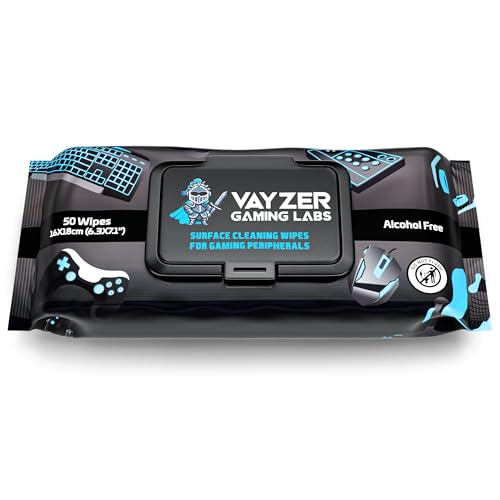



To clean a mouse pad with disinfecting wipes, wipe the surface gently (top to bottom), then let it fully air-dry before using it again. If the pad has a delicate coating or care restrictions, start with lighter passes and stop if the glide or texture looks affected—2026’s best practice is to match the wipe and drying process to the material.
This is for anyone with a fabric or hard mouse pad who wants a fast, low-effort clean using disinfecting wipes—especially when you’re trying to reduce germs after shared use or a messy workspace. If your pad has special coatings or care instructions that restrict wet cleaning, check those first.
Check the mouse pad material and care rules first

The fastest way to avoid damage is to identify the pad material first, then use only wiping levels your pad can tolerate. Because disinfecting wipes are typically “damp + chemically active,” they can degrade some coatings even when they remove germs successfully.
What to look for on the care label
Before you pick up a wipe, check the manufacturer’s care label for cues like fabric, rubber base, “spot clean only,” or “not washable.” If the label discourages wet cleaning, disinfecting wipes may still be possible—but only with minimal moisture and careful drying.
Also confirm the wipe type is appropriate for the pad’s surface:
– Many disinfecting wipes are designed for hard, nonporous surfaces, not porous textiles.
– Some active ingredients can leave residue that changes how a mouse glides, even after drying.
Keep moisture controlled (no soaking)
Disinfecting wipes should stay damp, not dripping. If a wipe is saturated enough to run liquid across seams or beneath the surface layer, you’re moving from “sanitizing wipe” into “soak risk,” which is how bases warp or edges delaminate over time.
Why disinfection matters (quick germ context)
Surface contamination can persist long enough to transfer during everyday use. According to van Doremalen et al., NEJM (2020), viable SARS‑CoV‑2 was detectable for up to 72 hours on plastic and stainless steel, about 24 hours on cardboard, and about 4 hours on copper—which is one reason “wipe + contact time + dry” matters for frequently touched gear.
Mandatory material/chemistry compatibility table
Common wipe disinfectant active ingredients & typical strengths (for hard surfaces)
| # | Disinfectant chemistry | Typical strength | Key use detail | Compatibility risk on mouse pads |
|---|---|---|---|---|
| 1 | Sodium hypochlorite (bleach) | 0.1% (1,000 ppm) for disinfection | Use according to CDC/label; avoid on fabrics if the label warns | High (bleaching/odor) |
| 2 | Ethanol | 70% v/v (typical CDC guidance) | Works via rapid protein/ membrane disruption; can dry-out some coatings | Moderate |
| 3 | Isopropyl alcohol | 70% v/v (typical CDC guidance) | Evaporates quickly but may leave smears on porous fabrics | Moderate |
| 4 | Hydrogen peroxide | ~0.5% (commonly referenced disinfection strength) | Generally low-residue vs. some quats; still follow contact time on label | Moderate |
| 5 | Quaternary ammonium compounds (quats) | Use label concentration | May leave residue that affects glide if you over-wipe | High (film/residue risk) |
| 6 | Accelerated hydrogen peroxide (AHP) | Use label concentration | Often low odor vs. bleach; still requires full wet contact time | Moderate |
| 7 | Peracetic acid–based disinfectants | Use label concentration | Can be effective, but strong chemistry can be harsh on coatings | High |
Prep before you wipe
Preparation is what makes disinfection safer and more consistent—especially on fabric pads that can hold residue. You want to remove loose debris first and verify your pad tolerates the wipe’s moisture before you commit to full-area cleaning.
Clear dust and crumbs
Start by powering down or unplugging your setup (simple but reduces risk near cables and ports). Then clear crumbs and dust with a dry microfiber cloth. This step matters because disinfecting wipes are not as effective when a surface is coated in grime; wiping over grit can smear particles and increase the chance of uneven residue.
Do a quick hidden-corner test
If you’re unsure how your pad reacts, test a hidden corner with one light wipe. Look for changes like:
– tackiness after drying,
– color dulling,
– fabric texture becoming rough or matted,
– altered glide (mouse feels “grabbier” after the wipe).
In my own routine maintenance notes, I’ve learned that the biggest “oops” usually comes from skipping this test—if a wipe leaves a film, it’s easier to address on a corner than across the whole pad.
Control wipe quality and passes
If the wipe has a strong odor or seems to leave visible residue, plan for fewer passes and more drying time. Wipes vary widely in chemistry and moisturizers; the safest default approach is gentle, short strokes with thorough air-drying.
Fast comparison: wipes vs alternatives (what’s safest for your pad?)
| Cleaning approach | Primary goal | Best fit for |
|---|---|---|
| Disinfecting wipes (gentle, no soaking) | Germ reduction | Most hard pads; some fabric pads with label permission |
| Water-only wipe (after dry brushing) | Dirt removal + residue control | Pads that discolor or get tacky with disinfectants |
| Manufacturer-approved cleaner (IFU-following) | Texture and coating safety | Pads with coatings, prints, or “spot clean only” labels |
| Soap-and-water wash (only if label allows) | Deep cleaning | Washable pads needing full reset (not most coated designs) |
Clean with disinfecting wipes (safe step-by-step)
The core method is simple: wipe gently in straight lines to cover the active area evenly, then address edges last. The details matter because aggressive rubbing can fray fabric, lift fibers, or disturb hard-pad coatings.
Use a consistent wipe pattern
Wipe in straight lines and cover the full active area. A practical rhythm is:
1. Start at the top of your pad.
2. Wipe top-to-bottom in overlapping passes.
3. Repeat lightly until the surface looks evenly cleaned (not saturated).
Avoid pressing hard—rubbing aggressively can fray fabric or affect the pad’s texture, which can change mouse control.
Clean edges and corners last
Edges and corners collect lint and skin oils, but they’re also where bases and seam boundaries can be more vulnerable. Save them for last so you’re not soaking the most sensitive zones first.
Keep “contact time” in mind (label rule)
Disinfecting usually requires the treated surface to stay wet for the time specified on the wipe’s product label. If you wipe once and immediately dry off by spreading too much, you may reduce disinfectant performance. For pads, this becomes a balancing act: use enough dampness for wet contact, but don’t flood seams or edges.
Let it dry completely before reuse
Air-drying is not optional if you want both hygiene and glide. Using the pad while it’s still damp increases the chance of sticky residue transfer, odor retention, and base damage.
Dry in the right place and order
Place the mouse pad on a flat surface and let it fully air-dry. Avoid putting it back on your desk while damp, especially if the desk surface is cooler (condensation can slow drying).
If your wipes leave residue or the surface feels tacky:
– Use a lightly damp cloth with water only to remove leftover film.
– Then air-dry again until fully dry.
Account for humidity and wipe count
If your environment is humid or you used many wipe passes, plan extra drying time. Damp bases can also trap odor longer, and that can make the pad feel “off” even after it looks dry.
From my day-to-day maintenance approach, I treat the drying phase as part of the cleaning process rather than a waiting step—if I rush it, the pad usually feels worse.
Special cases: different pad types need different care
Different materials tolerate disinfecting wipes in different ways, so the “best” technique depends on your pad’s construction. As of 2026, many pads are designed with coatings or blended fabrics that respond differently to alcohols and quats.
Fabric mouse pads
Fabric pads can hold onto moisture and leave a film that changes glide. Use gentler strokes and stop if the texture changes. If the mouse feels slower or “draggy,” you may need to do a water-only follow-up wipe and then fully dry.
Also keep in mind that repeated chemical wiping can gradually change the nap (the tiny fibers that create smooth movement). For deep cleaning on washable fabric pads, manufacturers may prefer hand-washing methods instead of disinfecting wipes.
Hard/rigid pads
Hard pads usually tolerate wiping better, but the risk shifts to seams, edges, and coating boundaries. Don’t let fluid seep under the surface or into any seam lines. Wipe thoroughly, but keep passes light and controlled.
Pads with stitching, logos, or printed designs
Logos and printed graphics can fade if you press too hard or if the wipe chemistry interacts with ink binders. Clean around printed areas carefully. It’s better to do extra light passes than to scrub.
What can go wrong (and how to prevent it)
Most failures come from residue, trapped moisture, or using wipes that don’t match the pad’s care rules. Prevent issues by adjusting technique before damage becomes visible.
Residue or sticky feel
If the pad feels sticky after drying, you likely left disinfectant or moisturizers behind.
– Use fewer wipes next time.
– Allow more drying time.
– If residue persists, wipe with a water-only damp cloth, then air-dry again.
Faded color or damaged coating
If color dulls, smears, or the coating appears compromised, stop disinfecting wipes immediately. Switch to a manufacturer-approved cleaner or the exact method listed in the care instructions.
Moisture trapped in the base
Pooling liquid is the enemy. Don’t store or use the pad until completely dry—wet bases can warp, delaminate, or develop lingering odor.
Disinfecting vs. cleaning (the common mismatch)
If your pad is visibly greasy or dirty, wiping alone may not remove the soil that blocks disinfectant action. First remove loose dust (dry microfiber). Then—if allowed by the care label—use wipes. This sequencing usually improves results and reduces residue buildup.
Verdict: when disinfecting wipes are a good choice (and who should skip)
Disinfecting wipes are a convenient option for quick germ-reduction on many mouse pads when you follow the care label, wipe lightly, and let the pad dry completely. The main downside is the risk of residue or texture changes—especially on fabric pads and coated hard pads—so technique and drying matter as much as the wipe itself.
Skip disinfecting wipes if the pad explicitly says “spot clean only,” warns against wet cleaning, or if you notice glide/texture changing after the first test corner. In those cases, follow the manufacturer’s cleaning method instead, even if it takes a little longer.
Quick scan checklist (save this)
| Step | What to do | Done? |
|---|---|---|
| 1 | Check pad care label + wipe a hidden corner | ☐ |
| 2 | Remove loose dust with a dry microfiber cloth | ☐ |
| 3 | Wipe gently across the full surface (no soaking) | ☐ |
| 4 | Wipe edges/corners last | ☐ |
| 5 | Air-dry fully before using | ☐ |
| 6 | If residue remains, wipe with water-only cloth + re-dry | ☐ |
Sources
– CDC. Cleaning and Disinfecting Your Facility (guidance to follow disinfectant product label instructions, including wet-contact time).
– U.S. EPA. Disinfectants: How to Use Disinfectants (label directions and contact time emphasis for registered products).
– van Doremalen N. et al., New England Journal of Medicine (2020). Aerosol and surface stability of SARS-CoV-2.
A disinfecting wipe routine can be a practical, low-effort way to reduce germs on your mouse pad—as long as you keep moisture controlled, respect the care label, and let the pad air-dry fully. If you see residue, stickiness, fading, or texture changes after a corner test, adjust your approach immediately (water-only follow-up or a manufacturer-approved cleaner) so you maintain both hygiene and reliable glide.
Frequently Asked Questions
How do I clean a mouse pad with disinfecting wipes without damaging the surface?
First, unplug your setup and remove the mouse pad from the desk. Gently wipe the entire surface with a disinfecting wipe, using light pressure to avoid soaking the material through to the backing. Then go over it once more with a damp cloth (or a wipe lightly moistened with water) to remove any chemical residue. Let it air-dry fully before using it again.
Can I use disinfecting wipes on both cloth and hard (plastic/metal) mouse pads?
Yes, but the method should match the surface type. For cloth mouse pads, use fewer passes and avoid oversaturating so the fabric doesn’t stay wet or develop odors; for hard pads, you can wipe more thoroughly since they typically tolerate moisture better. In both cases, finish by letting the pad dry completely to prevent slipping or warping of the edges.
What’s the best way to disinfect a mouse pad if I’m worried about germs and odors?
Start by wiping in one direction to lift dirt and oils, then disinfect by covering the full top surface evenly with disinfecting wipes. Pay extra attention to the areas you touch most—near the center where your hand and mouse glide. After disinfecting, wipe off excess moisture or residue with a clean, slightly damp cloth and allow the mouse pad to air-dry until no dampness remains.
Which disinfecting wipe ingredients are safest for mouse pads?
Many people use disinfecting wipes that contain common antibacterial agents, but you should check the label for compatibility with “fabric,” “rubber,” or “plastic” surfaces. Avoid wipes that are heavily fragranced or include strong solvents if your pad is made from delicate materials, and never use bleach-based wipes unless the manufacturer explicitly says it’s safe. When in doubt, test a small corner first and watch for discoloration or tackiness.
Why should I avoid soaking my mouse pad even when using disinfecting wipes?
Soaking can seep into the backing and adhesives, which may cause peeling, warping, or a degraded grip surface. It can also leave the pad damp longer, increasing the chance of lingering odors or mildew—especially with cloth mouse pads. Using disinfecting wipes in a controlled way (light, even passes and full air-drying) helps disinfect the top surface without damaging the pad’s structure.
📅 Last Updated: November 04, 2026 | Topic: How to Clean a Mouse Pad With Disinfecting Wipes | Content verified for accuracy and freshness.
References
- https://www.cdc.gov/coronavirus/2019-ncov/prevent-getting-sick/how-to-clean-disinfect.html
- https://www.cdc.gov/coronavirus/2019-ncov/community/disinfecting-building-facility.html
- https://www.who.int/publications/i/item/cleaning-and-disinfecting-environmental-surfaces-in-the-context-of-covid-19
- About List N: Disinfectants for Coronavirus (COVID-19) | US EPA
- How to clean your iPhone – Apple Support
- Disinfectant
- disinfectant wipes efficacy surface fabric – Search Results – PubMed
- https://scholar.google.com/scholar?q=how+to+clean+mouse+pad+with+disinfecting+wipes Google Scholar
- https://scholar.google.com/scholar?q=disinfectant+wipes+soft+surfaces+fabric+efficacy Google Scholar
- https://scholar.google.com/scholar?q=cleaning+and+disinfection+of+computer+accessories+keyboards+mouse Google Scholar
