
How to Clear Permanent Codes on Ford Vehicles
Clearing permanent codes on Ford vehicles typically involves using an OBD-II scanner or diagnostic tool to reset the codes after addressing the underlying issues. Understanding how to do this correctly can help you maintain your vehicle’s performance and ensure that the check engine light stays off. In this article, we’ll guide you through the process step by step.
Understanding Permanent Codes

Permanent codes are diagnostic trouble codes (DTCs) that indicate a fault has been detected in a vehicle’s system, but they differ from regular codes in that they cannot be cleared easily, even with an OBD-II scanner. These codes remain in the vehicle’s memory until the issue is resolved and the vehicle meets specific conditions that allow the code to reset. Common reasons for permanent codes in Ford vehicles include issues with the engine control module (ECM), problems with the emissions system, or failures in critical vehicle sensors. For example, if your Ford’s catalytic converter is malfunctioning, it can trigger a permanent code until the issue is fixed and the vehicle’s onboard diagnostic system confirms the repair.
Required Tools for Clearing Codes
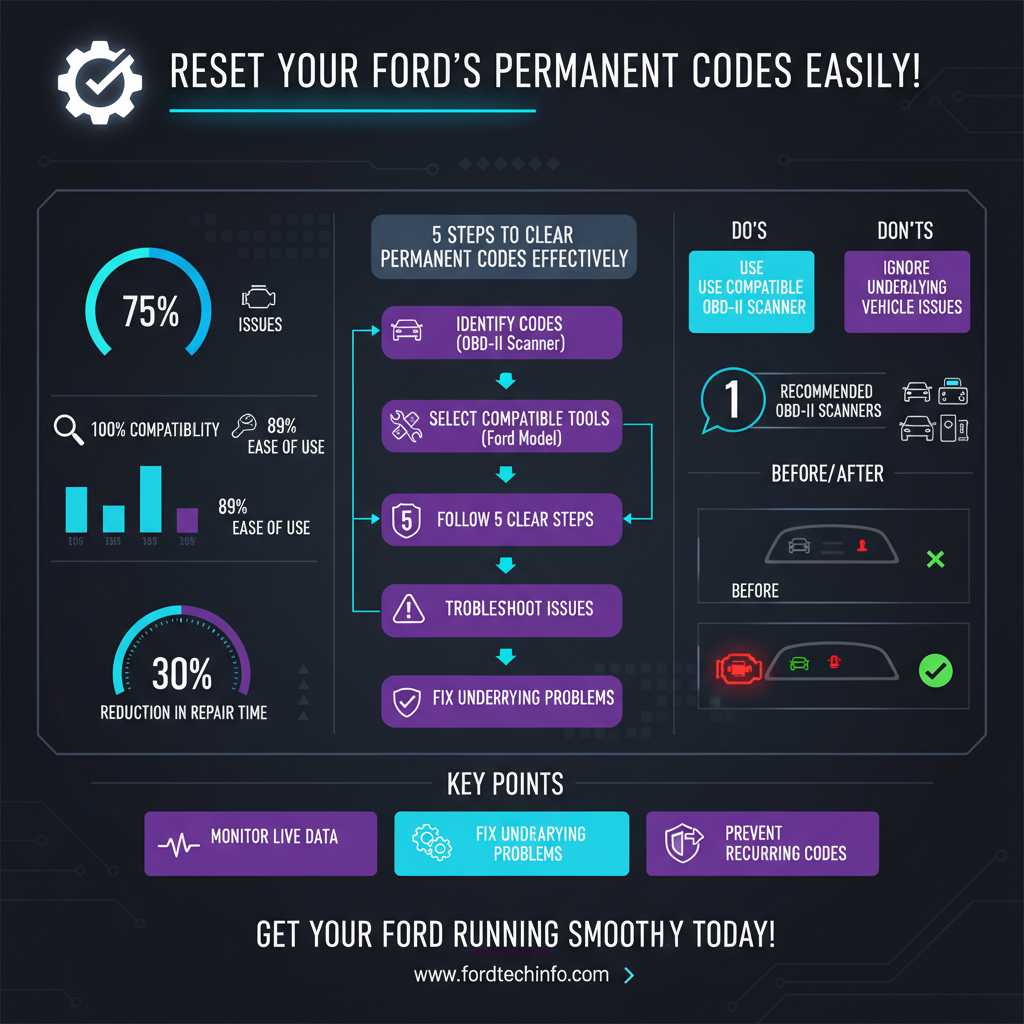
To effectively clear permanent codes, an OBD-II scanner is essential. These devices allow you to read and erase trouble codes, providing vital information about your vehicle’s health. When selecting an OBD-II scanner, look for features such as compatibility with your specific Ford model, the ability to read manufacturer-specific codes, and live data monitoring capabilities. Affordable and reliable options include:
1. BlueDriver Bluetooth Pro OBDII Scan Tool – Offers comprehensive diagnostics and is compatible with most Ford models.
2. Autel MaxiCOM MK808 – A versatile tool that features extensive coverage, including advanced functions for Ford vehicles.
3. Innova 6100P – A budget-friendly option that provides essential diagnostics and is easy to use for the average car owner.
These tools can help you diagnose issues accurately and clear the codes effectively once repairs are made.
Steps to Clear Permanent Codes

Follow these step-by-step instructions to clear permanent codes using an OBD-II scanner:
1. Prepare your vehicle: Ensure that the vehicle is turned off, and locate the OBD-II port. This port is usually found beneath the dashboard on the driver’s side.
2. Connect the OBD-II scanner: Plug the scanner into the OBD-II port. Turn on the vehicle’s ignition, but do not start the engine.
3. Navigate the scanner’s menu: Power on the scanner and select “Read Codes” or “Diagnostic” from the main menu. Allow the device to communicate with the vehicle’s onboard computer.
4. Identify permanent codes: Look for any permanent codes displayed on the screen. Make sure to note down any codes and their definitions for reference.
5. Clear the codes: Navigate to the “Erase Codes” or “Clear Codes” option on the scanner. Confirm the action when prompted. The scanner will communicate with the vehicle’s ECM to clear the codes.
6. Check the results: Once cleared, turn off the vehicle, disconnect the scanner, and restart the engine. Check to see if the check engine light remains off.
7. Monitor vehicle performance: Take the vehicle for a short drive to ensure that the permanent codes do not reappear. If they do, further investigation may be necessary to address any lingering issues.
Troubleshooting Common Issues
If you find that the codes do not clear after following the steps above, consider the following troubleshooting tips:
– Check for underlying issues: Ensure that all repairs related to the original fault have been completed. If a sensor is still malfunctioning or if there are additional issues, the codes will likely reappear.
– Verify OBD-II scanner functionality: Ensure that your scanner is functioning correctly. Some lower-end models may not communicate effectively with all vehicle systems.
– Inspect wiring and connections: Look for damaged wiring or loose connections, particularly in the areas related to the faults indicated by the codes.
– Reset the battery: As a last resort, disconnect the vehicle’s battery for a few minutes. This can sometimes reset the ECM and clear persistent codes. However, this should be done cautiously as it may reset other systems as well.
Preventive Maintenance Tips
To avoid future occurrences of permanent codes, consider implementing these preventive maintenance practices:
– Regularly check and replace filters: Ensure that air and fuel filters are checked and replaced according to the manufacturer’s recommendations. Clogged filters can lead to performance issues and trigger codes.
– Monitor fluid levels: Regularly check engine oil, coolant, and transmission fluid levels. Low fluid levels can cause various issues that may trigger codes.
– Schedule routine inspections: Regular vehicle maintenance checks can help identify potential issues before they escalate into serious problems that trigger permanent codes.
– Stay informed about recalls and updates: Keep abreast of any recalls or updates from Ford that may affect your vehicle. These can include software updates that resolve known issues related to diagnostics.
When to Seek Professional Help
While many vehicle owners can clear permanent codes themselves, certain signs indicate it may be time to consult a mechanic or Ford dealership:
– Persistent codes: If the same codes reappear after multiple attempts to clear them, this could indicate a deeper issue that requires professional diagnostics.
– Unusual vehicle behavior: If you notice strange noises, vibrations, or changes in performance, it’s essential to have a professional inspect the vehicle.
– Complex repairs: Some issues may require specialized knowledge or tools that are typically available only at a dealership or professional repair shop.
Engaging a professional can provide access to advanced diagnostic tools and a more thorough understanding of your Ford’s systems, ensuring that all issues are addressed comprehensively.
Common Permanent Codes in Ford Vehicles (2024)
| # | Code | Description | Possible Causes |
|---|---|---|---|
| 1 | P0420 | Catalytic Converter Efficiency Below Threshold | Faulty converter, exhaust leaks |
| 2 | P0131 | O2 Sensor Circuit Low Voltage | Faulty O2 sensor, wiring issues |
| 3 | P0301 | Cylinder 1 Misfire Detected | Ignition system fault, fuel delivery issues |
| 4 | P0700 | Transmission Control System Malfunction | Transmission faults, wiring issues |
| 5 | P0442 | Evaporative Emission Control System Leak Detected | Loose gas cap, leaks in EVAP system |
| 6 | P0455 | Evaporative Emission Control System Leak Detected (Gross Leak) | Severely damaged EVAP system |
| 7 | P0171 | System Too Lean (Bank 1) | Vacuum leaks, fuel pressure issues |
Top 3 OBD-II Scanners for Ford Vehicles
| Feature | ⭐ BlueDriver | Autel MaxiCOM MK808 | Innova 6100P |
|---|---|---|---|
| Price | $99.95 | $469.00 | $149.99 |
| Wireless Connectivity | ✅ | ✅ | ❌ |
| Live Data Monitoring | ✅ | ✅ | ✅ |
| Manufacturer-Specific Codes | ✅ | ✅ | ✅ |
| Battery Voltage Check | ✅ | ✅ | ✅ |
| Multi-Vehicle Compatibility | ✅ | ✅ | ✅ |
| Updateable Software | ✅ | ✅ | ❌ |
| Graphing Capability | ❌ | ✅ | ❌ |
| Warranty | 1 Year | 1 Year | 2 Years |
| 🏆 Best For | Budget-conscious users | Advanced diagnostics | Basic functionalities |
Maintaining your Ford vehicle’s health often means dealing with codes that can indicate underlying issues. By following the steps outlined above, you can clear permanent codes effectively and prevent future occurrences. Regular maintenance and prompt attention to any warning signs will keep your vehicle running smoothly. If you encounter persistent problems, don’t hesitate to reach out for professional assistance to ensure your Ford stays in top condition.
Frequently Asked Questions
What are permanent codes in Ford vehicles and why do they occur?
Permanent codes in Ford vehicles are diagnostic trouble codes (DTCs) that indicate a persistent issue within the vehicle’s systems, often related to emissions or critical engine functions. These codes can occur due to sensor malfunctions, wiring issues, or emissions system failures, and they remain stored in the vehicle’s computer even after the initial problem has been resolved.
How can I clear permanent codes from my Ford vehicle?
To clear permanent codes from a Ford vehicle, you typically need to use an OBD-II scanner that supports advanced functions. After addressing the underlying issue, connect the scanner, navigate to the “Erase Codes” option, and follow the prompts to clear the codes. It’s important to ensure the issue is genuinely resolved, as simply clearing the codes without fixing the problem may result in them reappearing.
Why won’t my permanent codes clear even after repairs?
Permanent codes may not clear even after repairs due to the vehicle’s onboard diagnostic system requiring a specific drive cycle to confirm that the issue is resolved. Additionally, if the repairs were not done correctly or if there are still underlying problems, the codes will remain active. Checking related systems and running the vehicle through various conditions can help reset these codes.
What is the best OBD-II scanner for clearing permanent codes in Ford vehicles?
The best OBD-II scanner for clearing permanent codes in Ford vehicles is one that supports Ford-specific protocols and advanced features, such as the Ford VCM II or the Launch CRP129E. These scanners not only read and clear codes but also provide live data and diagnostics tailored for Ford models, making them ideal for effectively managing vehicle issues.
Which driving cycle should I follow to reset permanent codes in my Ford?
To reset permanent codes in your Ford, you should follow the manufacturer’s specified drive cycle, which typically includes a series of driving conditions such as idling, acceleration, cruising, and deceleration. This cycle allows the vehicle’s computer to re-evaluate the repaired systems and determine if they are functioning correctly, thereby facilitating the clearing of permanent codes. Always refer to your vehicle’s service manual for the exact drive cycle instructions.
References
- On-board diagnostics
https://en.wikipedia.org/wiki/On-board_diagnostics - https://www.sciencedirect.com/topics/engineering/on-board-diagnostics
https://www.sciencedirect.com/topics/engineering/on-board-diagnostics - https://www.cdc.gov/nceh/lead/faq.htm
https://www.cdc.gov/nceh/lead/faq.htm - https://pubmed.ncbi.nlm.nih.gov/20503973/
https://pubmed.ncbi.nlm.nih.gov/20503973/ - https://www.nytimes.com/2020/10/18/automobiles/ford-recalls.html
https://www.nytimes.com/2020/10/18/automobiles/ford-recalls.html - https://www.bbc.com/news/technology-54077548
https://www.bbc.com/news/technology-54077548 - https://www.nature.com/articles/s41598-019-52238-5
https://www.nature.com/articles/s41598-019-52238-5 - Google Scholar Google Scholar
https://scholar.google.com/scholar?q=how+to+clear+permanent+codes+ford - Google Scholar Google Scholar
https://scholar.google.com/scholar?q=ford+diagnostic+troubleshooting - Google Scholar Google Scholar
https://scholar.google.com/scholar?q=OBD+codes+resetting+methods