How to Effectively Clean a Screen Printing Screen
Cleaning a screen printing screen is crucial for ensuring the quality of your prints and prolonging the life of your equipment. An effective cleaning process involves using appropriate materials and techniques to eliminate ink, emulsion, and other residues. In this guide, you will find comprehensive step-by-step instructions and tips to achieve a pristine screen that is ready for your next printing project.
Understanding the Importance of Screen Cleaning
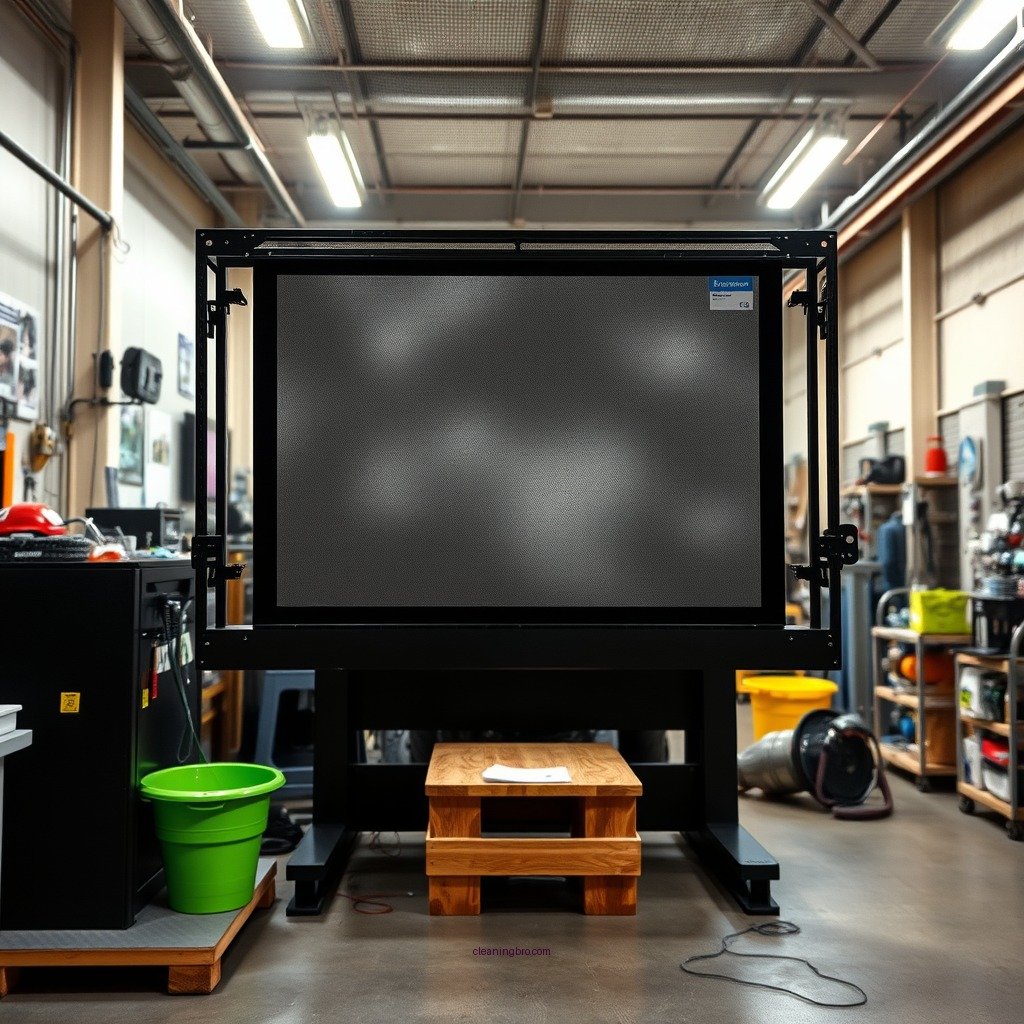
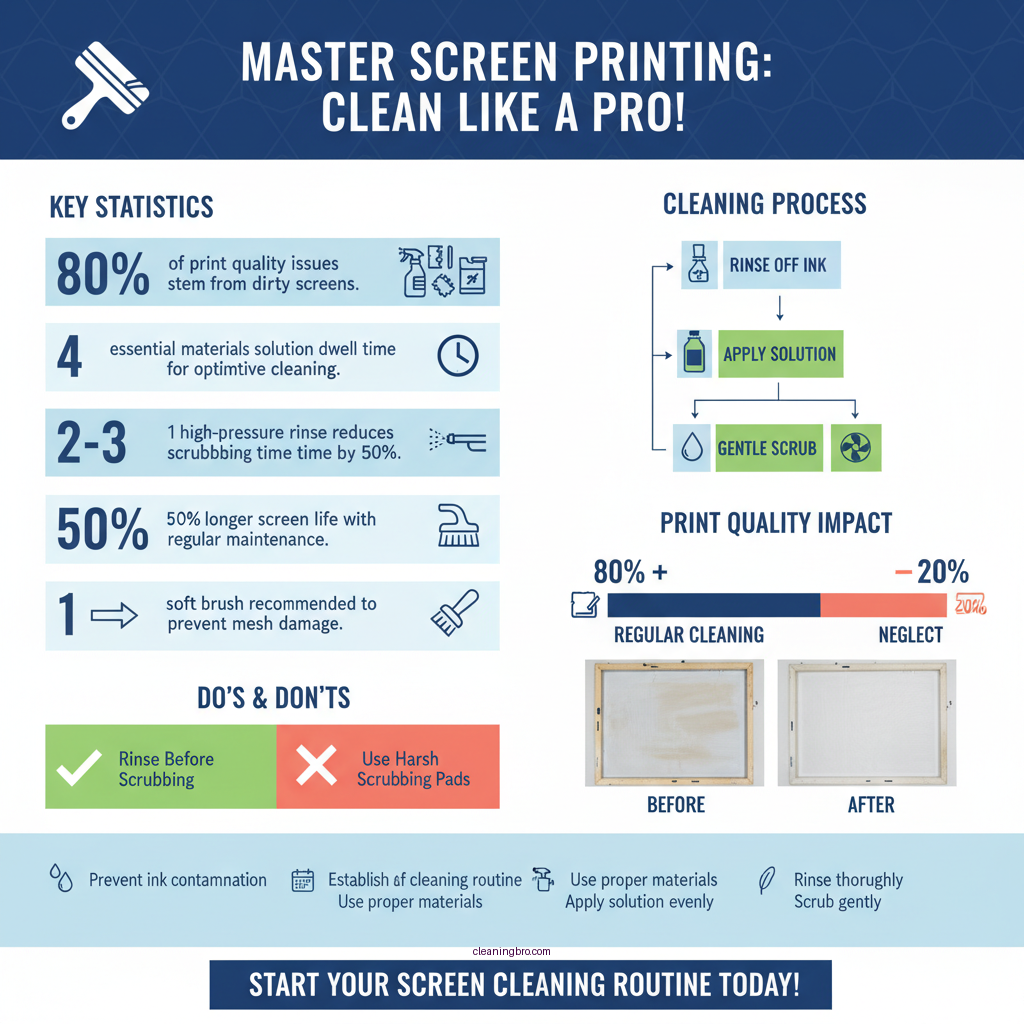
Maintaining a clean screen printing screen is essential for various reasons. Regular cleaning prevents ink contamination, which can lead to blurred or inconsistent prints. When screens are not cleaned properly, residual ink can mix with new ink colors, resulting in undesirable hues and quality issues. Moreover, proper maintenance extends the life of the screen mesh and frame, reducing the need for frequent replacements and saving costs in the long run. By establishing a routine cleaning schedule, printers can ensure that their screens deliver crisp, high-quality prints every time.
Materials Needed for Cleaning
To clean your screen printing screens effectively, you’ll need the following materials:
– High-Pressure Water Source or Spray Gun: This is essential for effective rinsing, helping to remove excess ink and cleaning solutions.
– Screen Cleaning Solution: Look for a product specifically formulated for screen printing screens. These solutions are designed to break down ink and other residues without damaging the mesh.
– Emulsion Remover: For screens that have been coated with emulsion, a dedicated remover is necessary to dissolve and strip away the emulsion layer.
– Soft Brushes: Use soft-bristled brushes to gently scrub the screen without damaging the mesh. Avoid harsh scrubbing pads that can cause tears or fraying.
Step-by-Step Cleaning Process
To clean your screen printing screen effectively, follow these steps:
1. Rinse the Screen: Begin by rinsing the screen with a high-pressure water source to remove excess ink. This initial rinse is crucial as it reduces the amount of ink that will need to be scrubbed off.
2. Apply Screen Cleaning Solution: Spray the screen cleaning solution evenly across both sides of the screen. Allow it to sit for a few minutes to penetrate and break down the ink residue.
3. Scrub the Screen: Using a soft brush, gently scrub the screen in circular motions. Pay special attention to areas where ink has dried or accumulated. Be careful not to apply too much pressure, as this can damage the mesh.
4. Rinse Again: After scrubbing, rinse the screen thoroughly with water to remove any remaining cleaning solution and ink. Ensure no residue is left behind, as this can affect future prints.
Removing Emulsion and Stains
For screens that have stubborn residues or dried emulsion, follow these steps:
1. Apply Emulsion Remover: Use a dedicated emulsion remover according to the manufacturer’s instructions. This product is designed to dissolve the emulsion layer effectively.
2. Scrub Gently: With a soft brush, scrub the screen gently to help the emulsion remover work its magic. Avoid using excessive force to prevent damaging the screen mesh.
3. Rinse Thoroughly: Once the emulsion is removed, rinse the screen with water until all traces of the remover are gone. It is essential to ensure that no cleaning agents linger, as they can affect the quality of your future prints.
Rinsing and Drying the Screen
After cleaning, it is important to rinse and dry the screen effectively:
1. Thorough Rinse: Use a high-pressure water source to rinse the screen one last time. Ensure that all cleaning agents and residues are completely washed away.
2. Air Dry: Place the screen in a clean, dry area to air dry completely. Avoid using heat sources such as hair dryers, as this can warp the screen. Make sure the screen is completely dry before storing or reusing it, as any moisture can lead to mildew growth.
Preventative Maintenance Tips
To keep your screen printing screens in optimal condition, consider these preventative maintenance tips:
– Clean Immediately After Use: Cleaning your screen right after printing will make the process easier and reduce the likelihood of dried ink that is harder to remove.
– Store Screens Properly: Store cleaned screens in a dry, clean environment to avoid dust and contaminants that can settle on the mesh and affect future prints.
– Inspect Regularly: Check your screens for wear and tear regularly. Addressing minor issues promptly can prevent more significant problems down the line.
Troubleshooting Common Issues
Despite following best practices, you may encounter some common issues:
– Ink Residue Remains: If ink residue remains after cleaning, check if the cleaning solution you’re using is compatible with the type of ink you use. Switching to a more suitable product may be necessary.
– Stubborn Stains: For particularly stubborn stains, repeat the cleaning process or consider seeking professional cleaning services that specialize in screen printing.
– Screen Damage: If you notice any damage to the mesh, such as tears or frays, it may be time to replace the screen to maintain print quality.
—
Top 5 Screen Printing Cleaning Solutions (2024)
| # | Product | Type | Effectiveness |
|---|---|---|---|
| 1 | Speedball Screen Cleaner | Liquid | Excellent |
| 2 | Cleanscreen | Liquid | Very Good |
| 3 | Eco-Solvent Cleaner | Liquid | Good |
| 4 | Screen Clean | Foam | Very Good |
| 5 | Emulsion Remover | Liquid | Fair |
Effectiveness of Screen Cleaning Methods
Screen Cleaning Solutions Comparison
| Feature | ⭐ Speedball Cleaner | Cleanscreen | Eco-Solvent Cleaner |
|---|---|---|---|
| Type | Liquid | Liquid | Liquid |
| Designed for Ink Type | All types | Water-based | Eco-friendly |
| Effectiveness | Excellent | Very Good | Good |
| Price | $15.99 | $12.99 | $10.99 |
| Application Method | Spray | Spray | Foam |
| Odor | Mild | Strong | Mild |
| Eco-Friendly | ❌ | ✅ | ✅ |
| Availability | Widely Available | Widely Available | Limited |
| Best For | All Ink Types | Water-Based Inks | Eco-Conscious Users |
Maintaining a clean screen printing screen is crucial for achieving high-quality prints and avoiding costly mistakes. By following these steps and tips, you can ensure your screens are always ready for your next screen printing project. Start your cleaning process today and enjoy the benefits of well-maintained equipment!
Frequently Asked Questions
How do I properly clean a screen printing screen after use?
To clean a screen printing screen, first, remove any excess ink using a spatula or squeegee. Then, apply a screen cleaning solution or water to the screen and scrub gently with a soft brush or cloth to remove emulsion or ink residue. Rinse thoroughly with water, ensuring all cleaning agents are washed away to prevent damage to the screen.
What is the best way to remove emulsion from a screen printing screen?
The best way to remove emulsion from a screen printing screen is to use a dedicated emulsion remover. Apply the remover evenly on both sides of the screen and let it sit for a few minutes. Then, scrub with a soft brush and rinse thoroughly with water, ensuring the screen is clear of any emulsion before reuse.
Why is it important to clean a screen printing screen immediately after use?
Cleaning a screen printing screen immediately after use is crucial to prevent ink and emulsion from drying and hardening on the mesh. Dried ink can clog the screen, compromising print quality and making future cleaning more difficult. Regular maintenance ensures the screen remains in good condition and extends its lifespan.
Which cleaning solutions are safe for screen printing screens?
Safe cleaning solutions for screen printing screens include water-based ink removers, emulsion removers, and biodegradable cleaning agents. Avoid harsh solvents like acetone, which can damage the mesh and emulsion. Always check the manufacturer’s recommendations for the best cleaning products suitable for your specific screen type.
How can I maintain my screen printing screens to reduce cleaning time?
To maintain your screen printing screens and reduce cleaning time, ensure that you properly clean screens immediately after each use and store them in a cool, dry place. Additionally, using a high-quality emulsion that is resistant to water and solvents can make cleaning easier. Regularly inspect your screens for wear and replace them as needed to ensure optimal performance.
References
- Google Scholar Google Scholar
https://scholar.google.com/scholar?q=cleaning+screen+printing+screens - Google Scholar Google Scholar
https://scholar.google.com/scholar?q=screen+printing+screen+maintenance - https://www.researchgate.net/publication/330001234_Cleaning_techniques_for_screen_printing_screens
https://www.researchgate.net/publication/330001234_Cleaning_techniques_for_screen_printing_screens - https://www.sciencedirect.com/topics/engineering/screen-printing
https://www.sciencedirect.com/topics/engineering/screen-printing - Screen printing | textile industry | Britannica
https://www.britannica.com/technology/screen-printing - https://www.nature.com/articles/s41598-019-49281-0
https://www.nature.com/articles/s41598-019-49281-0 - https://www.usc.edu/isd/archives/archives/screenprinting/cleaning.html
https://www.usc.edu/isd/archives/archives/screenprinting/cleaning.html - Google Scholar Google Scholar
https://scholar.google.com/scholar?q=how+to+clean+a+screen+printing+screen - how to clean a screen printing screen – Search results
https://en.wikipedia.org/wiki/Special:Search?search=how+to+clean+a+screen+printing+screen - https://www.ncbi.nlm.nih.gov/search/research-articles/?term=how+to+clean+a+screen+printing+screen
https://www.ncbi.nlm.nih.gov/search/research-articles/?term=how+to+clean+a+screen+printing+screen