
How to Stop Cleo from Taking Money: Effective Strategies
To stop Cleo from taking your money, you need to manage your account settings and payment authorizations within the app. By disabling automatic payments and reviewing your subscriptions, you can regain control over your finances. This article will guide you through the necessary steps to ensure that Cleo no longer deducts funds from your account.
Cleo is a budgeting and financial management app that offers users the ability to track spending, save money, and receive insights into their financial habits. However, some users have reported unexpected deductions from their accounts, often due to automatic payments or unwanted subscriptions. Understanding how Cleo operates and taking proactive measures can help you stop these deductions and manage your finances more effectively.
Understanding Cleo’s Payment System
Cleo operates with user-authorized access to bank accounts, which allows it to manage your finances efficiently. When you link your bank account to Cleo, the app gains visibility into your transactions, helping it provide insights and recommendations based on your spending habits. This functionality is designed to help users budget better, but it also means that Cleo can initiate payments if you have authorized such actions.
It’s essential to familiarize yourself with how Cleo utilizes your financial data. The app not only tracks your income and expenses but also offers features like savings goals and cash advances. However, these features may come with automatic payments or fees, which can lead to unexpected charges if not properly managed. Understanding the terms of service and the permissions you grant to Cleo can help you avoid unwanted deductions from your account.
Reviewing Your Subscriptions
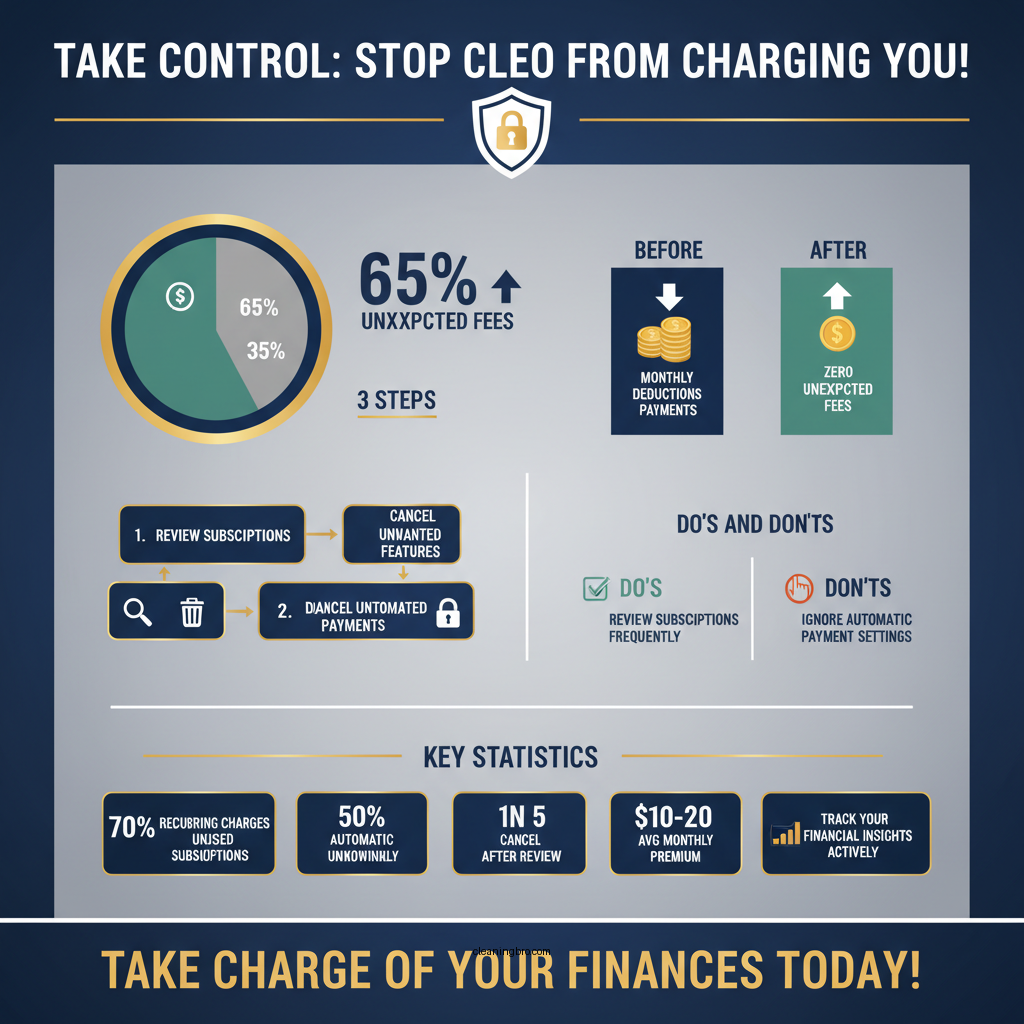

One of the first steps to prevent Cleo from taking money from your account is to review the subscriptions linked to your Cleo account. Cleo may charge fees for specific features, such as premium memberships or cash advances. To identify any recurring charges, take the following steps:
1. Open the Cleo App: Log into your Cleo account and navigate to the settings or subscription section.
2. Check Active Subscriptions: Look for any active subscriptions that you may have signed up for, including premium features or trial services.
3. Cancel Unwanted Subscriptions: If you find any subscriptions that you no longer wish to maintain, cancel them directly through the app. Alternatively, you can also manage subscriptions through your bank account settings to stop future charges.
By regularly reviewing your subscriptions, you can avoid unnecessary fees and ensure that Cleo is not deducting funds for services you don’t use.
Disabling Automatic Payments
To regain control over your finances, it’s crucial to disable any automatic payment features within the Cleo app. Many users may inadvertently enable these features, leading to unwanted deductions. Here’s how you can turn off automatic payments:
1. Access Payment Settings: Open the Cleo app and navigate to the payment settings or billing section.
2. Disable Automatic Payments: Look for any options related to automatic payments and toggle them off. This will prevent Cleo from making automatic deductions from your bank account without your explicit consent.
Disabling automatic payments ensures that you have full control over when and how much money is deducted from your account, allowing you to manage your budget more effectively.
Cleo Payment Features and Charges (2024)
| # | Feature | Monthly Charge | Annual Charge | User Rating |
|---|---|---|---|---|
| 1 | Premium Membership | $5.99 | $59.99 | ★★★★☆ |
| 2 | Cash Advance | $4.99 | $49.99 | ★★★★☆ |
| 3 | Budgeting Tools | Free | Free | ★★★★★ |
| 4 | Savings Goals | Free | Free | ★★★★☆ |
| 5 | Financial Insights | Free | Free | ★★★★☆ |
| 6 | Expense Tracking | Free | Free | ★★★★★ |
| 7 | Cash Flow Forecasting | Free | Free | ★★★★☆ |
Contacting Cleo Support

If you encounter issues or need clarification regarding payments and subscriptions, reaching out to Cleo’s customer support can provide valuable assistance. Here’s how to effectively communicate with Cleo support:
1. Access Support Options: Within the Cleo app, navigate to the help or support section. You may find FAQs, chat support, or email options.
2. Prepare Your Information: Before reaching out, gather essential details such as your account information, transaction history, and specifics regarding the charges you want to address.
3. Document Interactions: Keep a record of any interactions with Cleo support, including dates, names of representatives, and the content of your discussions. This documentation can be helpful if issues persist.
Customer support can often resolve misunderstandings or clarify charges, ensuring you have a better understanding of your financial interactions with Cleo.
Monitoring Your Bank Statements
Regularly checking your bank statements is critical to maintaining control over your finances. Here’s how you can effectively monitor your accounts:
1. Set a Routine: Establish a regular schedule to review your bank statements, whether weekly or monthly. Consistent monitoring can help you catch unauthorized transactions early.
2. Look for Unfamiliar Charges: Be vigilant for any charges from Cleo that you do not recognize. If you spot any discrepancies, investigate promptly.
3. Set Up Alerts: Many banks offer options to set transaction alerts for amounts exceeding a certain threshold. This feature can notify you of unexpected charges or withdrawals.
By actively monitoring your bank statements, you can promptly address any unauthorized transactions and maintain better control over your financial situation.
Exploring Alternative Solutions
If Cleo continues to take money from your account despite making adjustments, you may consider exploring alternative budgeting apps that offer similar features without automatic payment options. Here are a few popular alternatives:
1. Mint: A widely used budgeting app that allows users to track expenses and create budgets without automatic payments. It provides financial insights and alerts for bill payments.
2. YNAB (You Need A Budget): A robust budgeting tool that emphasizes proactive financial planning. It requires manual input and does not have automatic payment features, giving users full control.
3. PocketGuard: This app tracks your spending and helps you identify how much disposable income you have after accounting for bills and savings. It offers a user-friendly interface and customizable features.
When considering alternatives, research user reviews and experiences to find an option that aligns with your financial management needs.
Cleo vs Mint vs YNAB: Budgeting App Comparison
| Feature | ⭐ Cleo | Mint | YNAB |
|---|---|---|---|
| Price | Free / $5.99 | Free | $14.99/mo |
| Automatic Payments | ✅ | ❌ | ❌ |
| Expense Tracking | ✅ | ✅ | ✅ |
| Budgeting Tools | ✅ | ✅ | ✅ |
| Savings Goals | ✅ | ✅ | ✅ |
| Financial Insights | ✅ | ✅ | ✅ |
| User Support | Chat & Email | Email Only | Chat & Email |
| Mobile App | ✅ | ✅ | ✅ |
| Customizable Alerts | ❌ | ✅ | ✅ |
| 🏆 Best For | Quick Financial Insights | Comprehensive Budgeting | Proactive Financial Management |
By exploring these alternative solutions, you can find a budgeting app that better suits your financial management style, especially if you prefer to avoid automatic payments altogether.
By following these steps, you can effectively stop Cleo from taking money and regain control over your finances. Be proactive in managing your subscriptions and payments, and don’t hesitate to seek help if needed. Take action today to secure your financial well-being.
Frequently Asked Questions
How can I cancel my Cleo subscription to stop it from taking money?
To cancel your Cleo subscription, open the Cleo app and navigate to the settings menu. From there, select ‘Subscription’ and follow the prompts to cancel. Ensure you confirm the cancellation to prevent any further charges.
Why is Cleo still taking money from my account after I thought I canceled?
If Cleo continues to take money after you believe you’ve canceled, it might be due to a delay in processing the cancellation or not completing the cancellation steps properly. Check your subscription status in the app and verify that you received a confirmation email regarding the cancellation.
What should I do if Cleo charges me unexpectedly?
If you receive an unexpected charge from Cleo, first check your subscription details in the app to verify if you are still enrolled. If you believe the charge is erroneous, contact Cleo’s customer support immediately for assistance and possible refund options.
Which payment methods does Cleo accept, and how can I manage them?
Cleo accepts various payment methods, including debit and credit cards. To manage your payment methods, go to the ‘Payment’ section in the app settings, where you can add, edit, or remove payment options as necessary.
What is the best way to monitor my finances to avoid unwanted charges from Cleo?
The best way to monitor your finances and avoid unwanted charges from Cleo is to regularly review your bank statements and use budgeting tools within the app. Setting up alerts for transactions can also help you stay informed about any charges and take action if necessary.
References
- https://en.wikipedia.org/wiki/Cleo_(payment_service
https://en.wikipedia.org/wiki/Cleo_(payment_service - https://www.bbc.com/news/business-54619736
https://www.bbc.com/news/business-54619736 - https://www.theguardian.com/us-news/2020/nov/12/cleo-app-review-money-management
https://www.theguardian.com/us-news/2020/nov/12/cleo-app-review-money-management - https://www.ncbi.nlm.nih.gov/pmc/articles/PMC7368240/
https://www.ncbi.nlm.nih.gov/pmc/articles/PMC7368240/ - https://www.cdc.gov/healthcommunication/toolstemplates/entertainmented/tips/financialliteracy.html
https://www.cdc.gov/healthcommunication/toolstemplates/entertainmented/tips/financialliteracy.html - https://www.nytimes.com/2021/03/02/business/personal-finance/cleo-app.html
https://www.nytimes.com/2021/03/02/business/personal-finance/cleo-app.html - Google Scholar Google Scholar
https://scholar.google.com/scholar?q=how+to+stop+cleo+from+taking+money - Google Scholar Google Scholar
https://scholar.google.com/scholar?q=financial+apps+user+control - Google Scholar Google Scholar
https://scholar.google.com/scholar?q=budgeting+apps+and+security - How can I get a refund on a product or service I purchased with my credit card? | Consumer Financ…
https://www.consumerfinance.gov/ask-cfpb/what-is-a-financial-technology-company-en-1969/