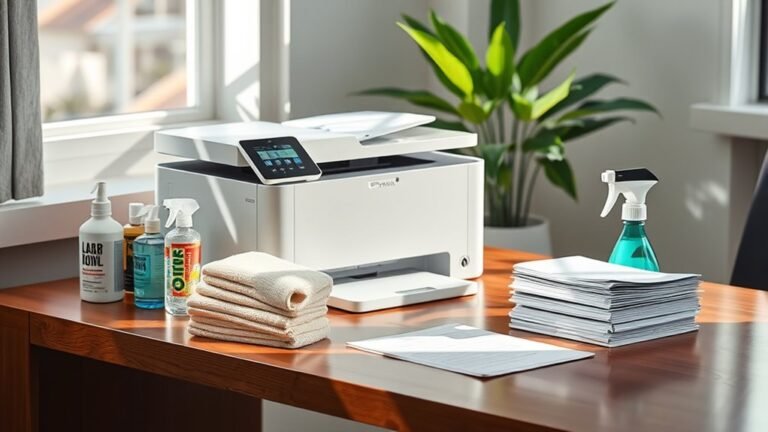
Weekly Cleaning Routine for Desk
You can boost focus and reduce stress by adopting a weekly desk cleaning routine. Set a consistent day to declutter, wipe down surfaces with disinfectant, and organize essentials while grouping cables neatly. Limit items to what you really need, tidy drawers, and clear completed tasks daily to maintain order. This simple habit creates a productive workspace and a sense of control. Keep going to uncover easy tips for lasting desk freshness and smooth organization.
Benefits of a Clean Desk

A clean desk can boost your productivity by reducing distractions and helping you focus on the task at hand. When your workspace is tidy, you experience a productivity boost that lets you achieve more in less time. Clutter often clouds your mind, but maintaining a neat desk brings mental clarity, allowing your ideas to flow freely. You’ll feel less overwhelmed and more in control, which is essential if you value freedom in how you work and live. Plus, a clean desk creates a welcoming environment that motivates you to tackle your goals without hesitation. By committing to a weekly cleaning routine, you’re not just organizing your space—you’re cultivating a mindset that supports efficiency and personal freedom every day.
Essential Cleaning Supplies
To keep your desk spotless, you’ll need the right cleaning tools on hand. Simple supplies like microfiber cloths and gentle cleaning solutions make a big difference. Let’s look at what essentials you should gather for your weekly routine.
Must-Have Cleaning Tools
Five essential cleaning tools will make your weekly desk routine faster and more effective. First, a microfiber cloth is a must—it traps dust without scratching surfaces and works well with eco friendly supplies. Next, a small handheld vacuum or compressed air duster clears crumbs and debris from tight spots effortlessly. Include a gentle brush for delicate areas like keyboard crevices. Don’t forget reusable cleaning wipes that cut down waste while keeping your space spotless. Finally, smart cleaning gadgets like UV sanitizers can boost your desk’s hygiene without extra effort. By choosing these tools, you’ll enjoy a cleaner workspace and more freedom from clutter, letting you focus on what truly matters. These essentials simplify your routine while honoring your commitment to sustainability.
Effective Cleaning Solutions
Choosing the right cleaning solutions can make all the difference in maintaining a spotless desk without damaging your belongings. You want products that work efficiently yet respect your space and the environment. Eco friendly cleaners are a smart choice—they’re tough on grime but gentle on surfaces and the planet. Multi surface wipes are another must-have; they simplify your routine by handling various materials without switching products. With these wipes, you can quickly tackle dust, spills, and fingerprints, freeing up time for what truly matters. By opting for these effective cleaning solutions, you’re not just keeping your desk pristine—you’re embracing a cleaner, healthier lifestyle that aligns with your desire for freedom and simplicity. Keep it clean, keep it smart.
Decluttering Your Workspace

Anyone can benefit from decluttering their workspace, especially when it comes to maintaining focus and productivity. When you clear away unnecessary items, you create a clean environment that supports workspace efficiency. Embracing a minimalistic approach helps you eliminate distractions and makes it easier to find what you truly need. Start by removing anything that doesn’t serve your daily tasks or inspire you. Keep only essential tools and materials within reach to foster freedom in your work habits. This intentional clearing not only frees up physical space but also clears mental clutter, allowing you to approach your work with renewed energy. By simplifying your workspace regularly, you’re setting yourself up for a more focused, efficient, and fulfilling work routine.
Organizing Desk Drawers
When organizing your desk drawers, start by sorting items into categories like office supplies, documents, and personal items. This makes it easier to find what you need and spot anything you no longer use. Be sure to remove unnecessary clutter to keep your drawers neat and functional.
Categorizing Drawer Contents
Organizing your desk drawers starts with sorting items into clear categories. This helps you create defined drawer categories that make finding what you need effortless and quick. Focus on item prioritization by placing frequently used things up front and less important ones toward the back. This simple step frees your mind and workspace, giving you control and clarity.
| Drawer Category | Examples | Priority Level |
|---|---|---|
| Writing Tools | Pens, pencils, markers | High |
| Paper Supplies | Notepads, sticky notes | Medium |
| Electronics | Chargers, USB drives | High |
| Personal Items | Keys, wallet, glasses | Medium |
| Office Essentials | Stapler, tape, scissors | Low |
With this setup, your drawers empower your productivity and freedom.
Decluttering Unnecessary Items
Some items in your desk drawers might be holding you back more than helping. To create a minimalist workspace that truly supports your freedom, start by removing anything you no longer use or need. Old receipts, broken pens, and outdated notes only add to clutter and distract your mind. Treat your physical space like your digital declutter—clear out unnecessary files and apps online to create mental clarity. When organizing your drawers, keep only essentials that serve a purpose or spark joy. This intentional approach frees up space, making it easier to find what matters. By regularly decluttering, you invite simplicity and focus, empowering you to work efficiently without distractions. Your desk can be a sanctuary of freedom, not a storage unit overflowing with chaos.
Dusting and Wiping Surfaces

Dust and grime can quickly build up on your desk, making it look cluttered and uninviting. To keep your space feeling fresh and free, start with dust removal using a soft microfiber cloth. It traps particles without scattering them, making the process efficient and less messy. Don’t forget corners and edges where dust loves to hide. After dusting, move on to surface sanitizing. Use a gentle, non-abrasive cleaner suitable for your desk material to wipe down all surfaces. This not only clears away smudges and stains but also eliminates germs, creating a healthier environment. Regular dusting and wiping help maintain clarity and order, giving you the freedom to focus on what matters without distractions from a messy workspace.
Managing Cables and Electronics
Taming the tangle of cables and electronics on your desk can instantly boost both your productivity and your workspace’s appearance. Effective cable management and electronic organization free you from clutter, letting creativity flow and focus sharpen. Here’s how to get started:
- Label and group cables by device to avoid confusion and easily spot what you need.
- Use cable ties, clips, or sleeves to bundle loose wires, keeping them neat and out of sight.
- Designate a charging station or drawer for chargers and gadgets, minimizing desk crowding and making access effortless.
Refreshing Your Desk Accessories
It’s important to declutter and organize your desk accessories regularly to keep your workspace efficient. Take a moment to wipe down and sanitize items like pens, staplers, and phone stands. This simple step helps maintain a clean and inviting environment for your work.
Declutter and Organize
A cluttered desk can quickly disrupt your focus and productivity, so revitalizing your desk accessories is an essential step in your weekly cleaning routine. To embrace a minimalist approach and enhance your workspace aesthetics, start by decluttering and organizing your essentials.
- Sort through your items, keeping only what you truly need and use regularly.
- Assign specific spots for each accessory, using organizers or trays to maintain order.
- Regularly review and remove unnecessary items to prevent buildup.
Clean and Sanitize
Once you’ve cleared away the clutter and found a home for your items, it’s time to give your desk accessories a thorough clean and sanitize. Prioritizing desk sanitization techniques not only protects your health but also boosts your productivity, letting you work freely without distractions. You’ll want to focus on frequently touched items like keyboards, mouse, and phone.
| Item | Recommended Cleaner | Frequency |
|---|---|---|
| Keyboard | Disinfectant wipes | Weekly |
| Mouse | Alcohol-based spray | Weekly |
| Desk Surface | Multi-surface cleaner | Weekly |
Setting Up an Efficient Filing System
Although organizing paperwork might seem tedious, setting up an efficient filing system will save you time and reduce stress in the long run. When you clearly define filing categories, you create a streamlined path for document organization that frees up mental space. Here’s how to get started:
- Identify your main filing categories—think bills, personal, work, and reference.
- Use labeled folders or digital tags to keep everything easily accessible.
- Regularly review and purge outdated documents to maintain clarity.
Implementing a Weekly Cleaning Schedule
Since keeping your desk tidy can quickly become overwhelming, implementing a weekly cleaning schedule helps you stay on top of clutter without feeling burdened. Decide on a cleaning frequency that fits your lifestyle—once a week usually works best for most. Set a specific day and time for this task, allocating just 15 to 30 minutes to keep it manageable. This time allocation guarantees cleaning doesn’t take over your day but becomes a consistent habit. Stick to your schedule like an appointment; treating it as non-negotiable frees you from last-minute stress. By committing to this routine, you gain more control over your workspace and create a sense of freedom, knowing your desk is always ready for productivity without extra effort.
Tips for Maintaining Desk Cleanliness
Sticking to a weekly cleaning schedule sets a solid foundation, but keeping your desk clean day-to-day takes a few simple habits. You want your workspace to feel open and free, not cluttered and restrictive. Developing good workspace habits helps maintain desk organization effortlessly. Here are three tips to keep in mind:
Consistent habits keep your workspace open and clutter-free beyond weekly cleanings.
- Clear as You Go: After finishing a task, put away tools and papers immediately to prevent buildup.
- Limit Desk Items: Keep only essentials on your desk to reduce distractions and create breathing room.
- Daily Wipe Down: Spend a minute wiping surfaces to avoid dust and grime, keeping your space fresh.
Frequently Asked Questions
How Often Should I Replace My Desk Cleaning Supplies?
Wondering how often you should replace your desk cleaning supplies? It really depends on cleaning supply longevity and how often you use them. Typically, sponges and cloths should be swapped out every couple of weeks to avoid germs, while sprays can last months if stored well. Keeping your supplies fresh not only supports desk organization tips but also frees you from dealing with ineffective tools, letting you clean effortlessly and enjoy your space.
Can Cleaning My Desk Reduce Allergies?
Absolutely, cleaning your desk can help reduce allergies. Dust mites and other allergen sources often gather on surfaces you touch daily. By regularly wiping down your desk, you’re cutting down those pesky triggers that can make you sneeze or feel congested. It’s a simple way to keep your space fresh and free, giving you more freedom to focus and breathe easy without allergy symptoms holding you back.
What Are Eco-Friendly Alternatives for Desk Cleaning Products?
Think of your desk as a sanctuary, a small world where clarity thrives when you choose wisely. You can embrace freedom by ditching harsh chemicals and making DIY cleaners with simple ingredients like vinegar, baking soda, and lemon—natural disinfectants that honor both your space and the planet. These eco-friendly alternatives let you clean powerfully yet gently, freeing you from toxins while preserving your well-being and the environment’s delicate balance.
How Do I Clean Electronic Screens Without Damage?
When cleaning electronic screens, you’ve got to respect their screen materials—glass, plastic, or LCD require gentle care. Avoid harsh cleaning solutions; instead, use a mix of distilled water and a bit of white vinegar or a screen-safe cleaner. Always apply the solution to a microfiber cloth, never directly on the screen, to prevent damage. This way, you keep your freedom to enjoy a crisp, clear display without risking scratches or streaks.
Should I Clean My Desk Differently for Shared Workspaces?
When you’re working in shared workspaces, you should definitely adjust your cleaning approach. It’s all about desk etiquette and respecting others’ space. Since it’s a shared responsibility, make sure you wipe down surfaces regularly and avoid leaving personal clutter behind. Keeping things tidy not only shows consideration but also lets everyone enjoy a clean, inviting environment. Taking these steps helps maintain freedom and comfort for everyone using the space.