

To clean your TFT screen, first, turn it off and unplug it for safety. Gather a microfiber cloth, distilled water, and a screen-safe cleaner. Dust the screen gently with a soft brush or compressed air. Lightly dampen the cloth with your cleaning solution—never spray directly on the screen. Wipe in circular motions to remove smudges, then use a dry section of the cloth to buff away streaks. Continue on to discover more tips for maintaining your screen’s clarity.



Preparation For Cleaning

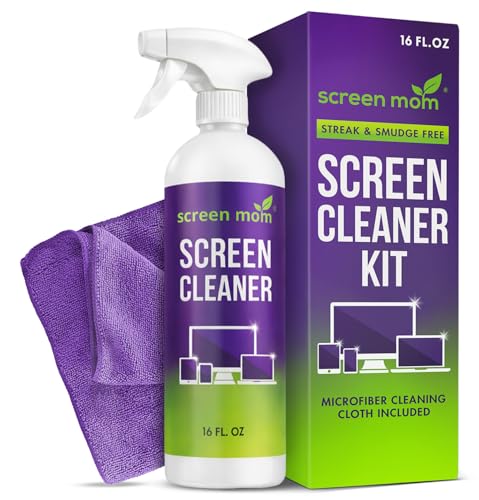
Before you immerse yourself in cleaning your TFT screen, it’s important to gather the right materials to confirm you do it safely and effectively. Start by collecting a microfiber cloth, as it’s gentle and won’t scratch the surface. Distilled water is a must, as tap water can leave mineral deposits. If you prefer using a cleaner, opt for one specifically designed for screens, avoiding harsh chemicals that can damage the display. Remember, proper screen care is essential to prolonging the life of your device. When you’re ready, confirm your screen is powered off and unplugged. Following these cleaning tips will help you maintain clarity and performance, allowing you to enjoy your screen without distractions. Using gentle, non-abrasive cleaners and soft cloths is key to preventing damage during cleaning.
Tools and Chemical Required

To effectively clean your TFT screen, you’ll need a few essential tools and chemicals. Start with high-quality microfiber cloths; they’re gentle and won’t scratch your screen. For cleaning solutions, opt for those specifically made for electronics or a simple mixture of distilled water and vinegar. Avoid using paper towels or rough fabrics, as they can leave scratches. Here’s a quick overview of what you’ll need:
| Tools | Cleaning Solutions | Purpose |
|---|---|---|
| Microfiber Cloths | Distilled Water | General cleaning |
| Spray Bottle | Vinegar | Streak-free shine |
| Soft Brush | Electronics Cleaner | Removing dust and debris |
Having these items on hand guarantees you’ll be ready to keep your TFT screen looking pristine.
How to Clean:

Step 1: Prepare Your Cleaning Tools
- Gather your cleaning tools and solutions. You will need:
- A microfiber cloth (this is crucial for effective screen maintenance)
- A gentle cleaning solution specifically designed for screens or a mixture of distilled water and white vinegar
- A soft brush or compressed air for dust removal
- Ensure that your workspace is clean and free of clutter to avoid any accidents.
Step 2: Turn Off and Unplug Your TFT Screen
- Safety first! Begin by turning off your TFT screen to prevent any electrical issues.
- Unplug the screen from the power source to eliminate any risk of electric shock while cleaning.
Step 3: Dust Off the Screen
- Use a soft brush or compressed air to gently remove any dust and debris from the screen’s surface. This will make the actual cleaning process more effective.
- Be careful not to press too hard to avoid scratching the screen.
Step 4: Apply Cleaning Solution to the Cloth
- Take your microfiber cloth and apply a gentle cleaning solution to it.
- Important: Never spray the cleaning solution directly onto the screen, as this can lead to moisture damage.
Step 5: Wipe the Screen
- Using the damp microfiber cloth, start wiping the screen in circular motions. This technique helps lift dust and smudges effectively.
- Make sure to cover the entire screen evenly, applying gentle pressure to avoid damaging the screen.
Step 6: Address Stubborn Spots
- For any stubborn spots or stains that remain, use a slightly damp section of the microfiber cloth.
- Again, ensure the cloth is not excessively wet; too much moisture can harm the screen.
Step 7: Buff the Screen
- After cleaning, take a dry section of the microfiber cloth and gently buff the screen.
- This step helps to remove any streaks and ensures the screen is left sparkling clean.
Step 8: Final Check and Reconnect
- Once you’ve finished cleaning, inspect the screen to ensure it is clear of dust and smudges.
- Plug the screen back in and turn it on to enjoy a clear viewing experience.
Safety Consideration
Although cleaning your TFT screen can enhance its clarity and lifespan, it’s vital to prioritize safety throughout the process. First, always turn off your device and unplug it before you start. This minimizes risks related to screen sensitivity and electric shock. Use a microfiber cloth and avoid abrasive materials that could scratch the surface. When choosing a cleaning solution, make certain it’s suitable for electronics; never apply it directly to the screen. Instead, dampen the cloth lightly. Additionally, consider your cleaning frequency; too much cleaning can lead to wear and tear. By following these safety guidelines, you’ll maintain not just your screen’s appearance but also its functionality for longer.
Frequently Asked Questions
Can I Use Paper Towels to Clean a TFT Screen?
You might think paper towels are your trusty sidekick for cleaning, but they can actually lead to screen damage. They’re often too abrasive, risking scratches on your TFT screen. Instead, consider using a microfiber cloth, as it’s gentle and effective. Just dampen it slightly with water or a screen-safe cleaner. Treat your screen like a delicate treasure; it deserves the best care to keep it looking sharp and vibrant.
How Often Should I Clean My TFT Screen?
You should clean your TFT screen every few weeks, depending on usage and dust accumulation. Regular cleaning frequency helps maintain screen clarity and prevents grime buildup. If you notice fingerprints or smudges, don’t hesitate to wipe it down, as this contributes to better screen maintenance. Just remember to use the right materials to avoid damage. Keeping your screen clear not only enhances your viewing experience but also prolongs the life of your device.
What Should I Avoid When Cleaning My Screen?
When cleaning your screen, avoid using harsh chemicals like ammonia or alcohol, as they can damage the display. Stick to gentle solutions specifically designed for screens. You should also steer clear of abrasive materials, like rough cloths or paper towels, which can scratch the surface. Cleaning frequency matters too; don’t overdo it. A light wipe every few weeks is usually enough to keep your screen looking great without risking damage.
Is It Safe to Use a Microfiber Cloth?
Yes, it’s safe to use a microfiber cloth for cleaning your screen. Microfiber’s benefits include its softness and ability to trap dust and dirt without scratching. When choosing cloth types, opt for high-quality microfiber that’s free from any rough edges. Avoid using paper towels or cotton fabrics, as they can leave lint or scratch the surface. Regularly using a microfiber cloth will keep your screen clean and extend its lifespan.
Can I Use Water Alone for Cleaning?
You can use water alone for cleaning, but be cautious. Using too much can lead to water damage, especially if it seeps into the device. It’s best to lightly dampen a microfiber cloth, ensuring it’s not dripping, and gently wipe the screen. While water can work, consider using a proper cleaning solution designed for electronics for a more effective clean. Just remember, moderation is key to maintaining your device’s longevity!

[…] for most dials: a gentle microfiber wipe and, only if needed, a lightly damp cotton swab with distilled water or 70% isopropyl on the cloth—not the watch. This approach delivers the clearest, most readable […]
[…] throttle plates and bores with carburetor cleaner and a soft brush, then wipe away loosened deposits so the plates move freely without sticking. Inspect and clean the […]
[…] the surface with water or cleaner. In my hands-on care routine, having the right brush, eraser, and microfiber cloth prevents the most common faux-suede failure mode: matted texture from overly wet cleaning or […]
[…] without smudging—if you use the right sequence: rinse, apply a lens-safe cleaner, and wipe with a microfiber cloth using light, straight strokes. This guide gives the simple steps that reliably remove grease and […]
[…] gather microfiber cloths (for controlled wiping), cotton swabs (for grooves and steam holes), and distilled water (to reduce mineral deposits). For a mild cleaning option, use either a baking soda paste (for light […]
[…] Grab lint-free cotton pads or soft gauze pads, a soft brush/wand (clean spoolie), and clean, lukewarm […]
[…] Have pipe cleaners or a soft brush ready for small […]
[…] a soft, slightly damp microfiber cloth to wipe off dirt first, then dry gently with a clean cloth. For scuffs or tougher spots, apply a […]
[…] cleaner to the microfiber cloth first to reduce the chance of concentrated chemical contact on the motorcycle windscreen surface. […]
[…] a soft brush or dry microfiber cloth—never press hard. In my workflow, I apply a “no-scrub rule”: if you feel resistance, you stop […]