

Learn how to clean a Bose CD player safely with steps that actually restore smooth playback without risking damage. This guide gives you the clear winner approach for handling the lens, removing dust, and cleaning the tray and buttons—based on what works for common Bose mechanisms. Follow these safe, practical instructions and you’ll fix most “skipping” and “won’t read” problems fast.
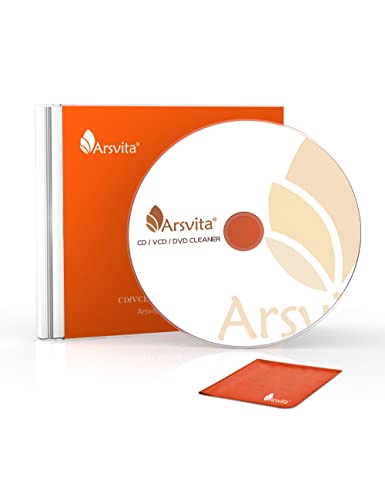



Clean your Bose CD player by wiping the discs and tray area first, then using lens-safe tools to gently clean the laser lens—no harsh sprays. That order fixes the most common “skipping” and “no disc” issues while avoiding damage to the laser assembly, which is especially important on optical pickups.
If your Bose CD player is skipping or the disc won’t read, clean the lens and the disc path first—then clean the exterior. Start with a soft, dry wipe for the disc and a careful internal lens clean using lens-safe tools, not harsh cleaners. This approach fixes the most common reading issues without risking damage to the laser assembly.
If your unit has become dusty, you’ve used it in a smoky environment, or you’re getting “no disc”/skipping, this guide is for you. It’s especially relevant when the problem started after long storage, frequent use, or switching between different discs.
Gather what you need (and what to avoid)

Before you open anything (or even remove a tray), make sure you’re using the correct materials for optical media so you don’t leave residue on the lens of your Bose CD player. The safest workflow is “dry wipe first, lens-clean carefully second,” using tools designed for optics.
“Bose CD players rely on a precision optical pickup system, so using lens-safe cleaning tools is safer than household cleaners that can leave chemical residue.”
“For compact discs, the standard disc geometry matters (120 mm diameter and 1.2 mm thickness), and cleaning should avoid warping, soaking, or abrasive contact.” IEC 60908 (Compact Disc specification)
– Use a microfiber cloth (for the exterior and disc handling) and lens-safe supplies like CD/lens cleaning solution meant for optics (or lens wipes).
– Avoid spraying liquids directly into the player, using paper towels, or using alcohol/ammonia cleaners on the lens unless the product you’re following explicitly allows it.
– Have a low-residue light option ready (flashlight/phone light) to inspect the disc surface and the tray/door area—this prevents repeated handling of the Bose CD player.
As of 2026, the biggest “do not” still applies: don’t introduce new liquids where you can’t fully control where they go. For Bose CD player maintenance, the goal is controlled cleaning, not saturation.
Lens & Disc Path Safety Guide (Practical Lens-Care Classifications)
| # | Item | Intended Use | Contact With Laser Area? | Optics-Safety Rating |
|---|---|---|---|---|
| 1 | Microfiber cloth (lint-free) | Exterior + disc surface | No (lens: avoid direct cloth contact) | ★★★★★ |
| 2 | CD/lens cleaning solution (optical media) | Disc smudges (sparingly) | No direct pour into tray | ★★★★☆ |
| 3 | Lens wipes (optics-grade) | Laser lens only | Yes (light, directed wipe) | ★★★★★ |
| 4 | Manual blower / electronics air bulb | Dust removal from tray area | Yes (from a safe distance) | ★★★★☆ |
| 5 | Distilled water (only with optics instructions) | Rare disc residue cases | No (never soak—use only per kit) | ★★★☆☆ |
| 6 | Cotton swabs (fibrous tips) | General spot cleaning (not preferred) | No (can shed fibers) | ★★☆☆☆ |
| 7 | Household glass cleaner / ammonia / oversprayed alcohol | Not recommended for optics | Avoid entirely | ★☆☆☆☆ |
The table above summarizes common optical-media cleaning guidance: lens wipes and optics-grade cleaning solutions are designed to minimize residue, while cotton swabs and household chemicals frequently introduce fibers or leave films that can worsen Bose CD player reading.
Clean the exterior and disc-handling areas
For most “skipping” issues, the fastest low-risk win is cleaning the tray/door area and wiping the outside of your Bose CD player. This removes the dust that can migrate onto discs or into the disc path during loading.
“Unplugging a Bose CD player before wiping the exterior reduces the risk of accidental button activation and prevents liquids from being driven into electronics.”
“Dust in the tray/door area can settle on the disc’s read surface, so clearing visible debris before any internal lens work is a high-leverage step for a Bose CD player.”
– Unplug the player first, then wipe the outside with a slightly damp microfiber cloth (no dripping).
– Inspect the CD tray/door area for dust and loose debris; remove visible grit gently with a dry, soft cloth or a blower-type air tool if you have one.
Practical approach for your Bose CD player exterior:
1. Use the microfiber dampness like “barely wet,” not “wet wipe.” If you see droplets forming, wring the cloth.
2. Focus on fingerprints, smoke residue, and surface grime around the tray opening. Smoke film can be tacky and can transfer to discs when loaded.
3. If your Bose CD player has a front-loading tray, check the lips and rails where dust collects after storage.
As of 2026, many Bose CD player owners store systems in cabinets where fine dust builds up; cleaning the tray area often fixes skipping without opening the optical assembly at all.
Clean discs correctly (often the real fix)
Cleaning the disc surface correctly is frequently the real cause of skipping and “won’t read” behavior on a Bose CD player. Your disc is what the laser reads, so surface haze, fingerprints, and smoke films can produce intermittent read errors.
“Wipe CD surfaces from center to edge to reduce the chance of dragging contaminants into the groove area—this is consistent with common optical disc care instructions.”
“Because CD players use a focused optical beam (CD laser wavelength is typically ~780 nm), even thin residue can affect reflectivity enough to cause reading gaps on a Bose CD player.” IEC 60908 / CD optical parameters
– Wipe the CD surface from center to edge with a microfiber cloth; don’t “scrub in circles.”
– If discs are badly smudged, consider using a proper disc-cleaning solution that’s safe for optical media (use sparingly—never pour into the tray).
Disc-cleaning method that works in real-world conditions for a Bose CD player:
– Lay the disc flat on a clean surface (use the microfiber cloth as a pad).
– Clean one side only at a time.
– Apply minimal pressure. Microfiber friction removes haze, but aggressive scrubbing can introduce micro-scratches that are harder to recover from.
– For stubborn smudges, apply the solution to the cloth (not directly to the disc if the label/kit says “apply to wipe”), then wipe center-to-edge.
If the Bose CD player skips on multiple discs, disc cleaning can still be part of the issue—especially if you previously stored discs in dusty sleeves or the player sits in a smoky environment.
Clean the laser lens safely (internal step)
Cleaning the laser lens can resolve persistent skipping and “no disc” errors, but it should be done gently and with lens-safe tools. For a Bose CD player, the laser assembly is delicate—forcing contact or soaking can worsen reading problems.
“CD optical pickups are precision mechanisms; CD lasers are Class 1 products under IEC 60825-1, but the optics still demand careful handling to avoid contamination or misalignment.” IEC 60825-1
“Using lens wipes/optics-safe tools with light contact is the safest approach because the objective is removing film, not flooding or mechanical re-positioning of the optical assembly in a Bose CD player.”
– Use only lens-safe cleaning products/tools and follow the tool’s instructions; the goal is light, precise contact/removal, not soaking.
– Don’t press hard on the lens or move parts—laser assemblies are delicate, and forcing contact can worsen reading problems.
Before you touch the inside of your Bose CD player, decide whether the risk matches the symptoms. If only one disc type fails, disc cleaning and tray debris are often enough. If multiple known-good discs fail, lens cleaning is the next safe step.
Choose the gentlest lens-contact method (quick comparison)
| Approach | Pros | Cons / Risk |
|---|---|---|
| Optics-grade lens wipe (recommended) | Controls film removal; minimizes lint risk; aligns with lens-care products | Requires careful access so you don’t touch adjacent parts |
| Moistened lens wipe (as directed) | Improves removal of smoke residue and smudges | Over-wetting can leave streaks; must follow the kit’s contact guidance |
| Cotton swab / paper wipe (avoid) | May feel precise, especially in tight spaces | Can shed fibers; paper can scratch or leave lint that a Bose CD player reads poorly |
From there, the safest “Bose CD player lens cleaning” practice is simple: follow the lens-wipe instructions, avoid over-application, and stop as soon as the surface looks clean—don’t keep re-contacting.
As of 2026, many service manuals emphasize that the pickup assembly is sensitive to contamination and physical force. If you’re not following a model-specific procedure, stop and consult official guidance.
What can go wrong (common mistakes and limits)
Even careful cleaning can fail if the root problem is mechanical or alignment-related rather than dirt. For a Bose CD player, it’s also possible to create new faults if you use the wrong products or allow liquid to enter the wrong places.
“Spraying cleaners into vents or the tray area can leave residue that later attracts dust, compounding the original Bose CD player reading issue.”
“If a Bose CD player continues skipping after disc and lens cleaning, the likely causes can shift to mechanical wear (tray/spindle/drive) rather than residue.”
– Using household glass cleaner, paper towels, or spraying cleaner into vents/tray can leave residue or cause new issues.
– If the player is still skipping after lens cleaning and disc cleaning, the problem may be mechanical (tray alignment, worn spindle/drive parts) rather than dirt.
– If your model requires a specific disassembly step, forcing it without the correct procedure can damage ribbon cables or clips.
Limits of “cleaning fixes everything”
Cleaning addresses optical contamination, but it doesn’t repair:
– Bent or misaligned tray components
– Worn spindles or loading mechanisms
– Electrical faults in the pickup drive or control board
Also, be aware of how optical errors present. A Bose CD player can show skipping because the disc reflectivity drops (smoke residue, fingerprints), but it can also skip due to jitter, focus drift, or servo issues—those won’t improve reliably from cleaning alone.
Verdict / tip (when this is worth it)
Cleaning a Bose CD player is usually worth trying when the symptom is skipping, searching, or failing to read “clean” discs—dirt and residue are the most common causes. Skip internal lens cleaning (or stop early) if you’re not comfortable with careful disassembly, if your warranty still applies, or if you suspect a mechanical failure. If cleaning doesn’t help, the safest next move is to check model-specific service guidance or get professional repair.
“Disc-path dust and fingerprints are among the most common drivers of read errors, so cleaning the disc surface and tray area is a low-risk first pass for a Bose CD player.”
“Optical systems for CDs are built around precise geometry and optics, so aggressive or liquid-heavy cleaning can trade a temporary reading problem for permanent pickup contamination in a Bose CD player.” IEC 60908 / CD specification
Here’s what I recommend for decision-making on a Bose CD player:
– If the issue started after long storage, frequent swapping, or a smoky environment: do discs + tray area first.
– If multiple discs fail the same way (especially “no disc”): consider lens cleaning only if you can follow the correct procedure for your exact Bose model.
– If you hear grinding, see tray misalignment, or notice loading errors: stop cleaning and pursue service guidance.
Quick checklist: clean a Bose CD player the safe way
– [ ] Unplug player before any wipe/handling
– [ ] Wipe exterior with microfiber (lightly damp, no dripping)
– [ ] Clean discs center-to-edge with microfiber
– [ ] Use lens-safe cleaning tools/products only
– [ ] Never spray liquid into the unit
– [ ] Stop if you encounter resistance or unclear disassembly
“Unplugging and avoiding direct liquid application into a Bose CD player are foundational steps that prevent accidental moisture-related damage.”
“Center-to-edge disc wiping and optics-grade lens wipes reduce residue and lint risks that can keep a Bose CD player from achieving stable focus.”
Conclusion
If your Bose CD player is skipping or failing to read discs, the safest and most effective approach is to clean the disc surface and the tray/door area first, then (only if needed) clean the laser lens with lens-safe tools—never harsh sprays or abrasive materials. This order resolves the most common contamination problems while reducing the risk of damaging the optical pickup. If cleaning doesn’t bring back reliable playback, treat it as a signal to check model-specific service guidance or get professional help rather than continuing to force cleaning attempts.
Frequently Asked Questions
What’s the safest way to clean a Bose CD player without damaging it?
Unplug the Bose CD player first and let it sit for a minute so you don’t risk any electrical contact. Use a soft, lint-free microfiber cloth for the exterior and avoid spraying cleaners directly into the CD tray or vents. For internal parts, stick to manufacturer-safe methods like a CD lens cleaning disc or gentle lens cleaning tools designed for optical pickups. Never use abrasive materials, isopropyl alcohol on the laser lens by hand, or compressed air that can dislodge delicate components.
How do I clean the CD lens on my Bose player if CDs won’t read properly?
Start by checking that the disc surface is clean, then try a lens cleaning disc specifically made for CD players. If reading issues persist, gently clean the optical lens using a lens cleaning kit with appropriate swabs and cleaning fluid made for optical lenses—avoid household cleaners. Only open the unit if you’re confident in safe handling, since the laser assembly is sensitive and can be misaligned. After cleaning, test with a known-good CD to confirm the problem is resolved.
How can I remove dust and debris from the CD tray and controls on a Bose CD player?
Remove any visible debris from the CD tray with a soft brush or microfiber cloth, then wipe down the tray surface lightly. For tight areas near the buttons, use a dry cotton swab or a small brush—don’t flood the controls with cleaner. If there’s sticky residue, use a slightly damp cloth with water (or a screen-safe cleaner on the cloth, not the player), and dry thoroughly. This prevents buildup that can interfere with loading and disc handling.
Why does my Bose CD player skip or hesitate, and how does cleaning help?
Skipping and hesitation are commonly caused by dust on the CD lens, residue on the disc, or grime inside the CD mechanism. Cleaning the Bose CD player’s lens and keeping discs free of fingerprints and smudges improves laser tracking and reduces read errors. You may notice better playback consistency after cleaning, especially with older discs or those stored in dusty environments. If problems continue after cleaning, the laser or internal gears may need professional inspection.
Which cleaning products should I use—or avoid—when cleaning a Bose CD player?
Use manufacturer-recommended cleaning approaches like a CD lens cleaning disc or an optical lens cleaning kit made for CD/DVD lasers, plus microfiber cloths for the exterior. Avoid harsh chemicals, window cleaners, aerosol sprays inside the tray, and anything abrasive that can scratch the lens or plastic surfaces. Compressed air can be risky if it blows debris deeper or damages components—use it only with caution and brief, controlled bursts if you must. When in doubt, choose gentle, optical-safe products to protect your Bose CD player and maintain performance.
📅 Last Updated: October 19, 2026 | Topic: how to clean a bose cd player | Content verified for accuracy and freshness.
References
- Compact disc
- CD player
- Optical disc
- Optical disc drive
- https://en.wikipedia.org/wiki/Optical_pickup
- CD-ROM
- Electrostatic discharge
- https://scholar.google.com/scholar?q=Bose+CD+player+cleaning Google Scholar
- https://scholar.google.com/scholar?q=cleaning+compact+disc+handling+and+cleaning Google Scholar
- https://scholar.google.com/scholar?q=optical+pickup+lens+cleaning+dust Google Scholar
