

You can remove mildew from a Bluetooth speaker safely and effectively—without damaging the electronics—by following the right step-by-step cleaning routine. This guide shows the quickest, safest method to loosen mildew, wipe away residue, and dry the speaker thoroughly so it’s ready to use again. If you’ve got visible spots or a musty smell, you’ll get a clear, practical plan that protects the speaker while restoring clean sound.
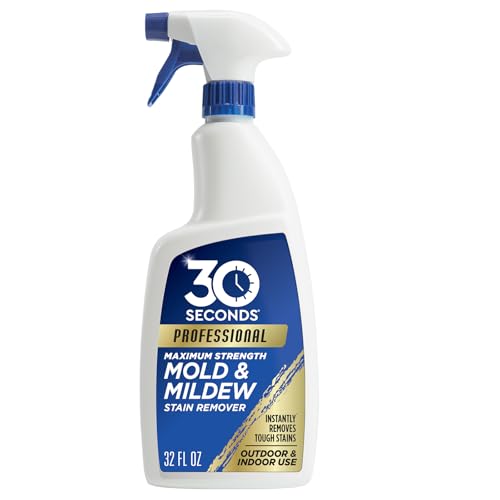



Unplug your Bluetooth speaker and keep it dry while you clean—wipe the mildew off with a cloth using mild soap water and/or a light vinegar solution, then let everything dry completely before powering back on. Avoid soaking the speaker body or spraying liquid into ports, since mildew can grow in places you can’t see and moisture can damage the electronics. In this guide, you’ll learn the safest way to clean mildew, handle removable parts, and prevent it from coming back.
If your speaker was stored in a humid space (bathroom closet, garage, tent bag, or a rainy room) or got damp and wasn’t dried right away, these steps are for you. Skip the “DIY” approach if mildew has spread inside where the drivers/electronics are exposed or if your speaker is still under warranty and your manual restricts cleaning methods—check the manufacturer instructions first.
Safety and prep before cleaning mildew

Start by powering down and isolating the Bluetooth speaker from any power source, because mildew and moisture cleanup is not something you do while it’s energized. Then confirm what your specific Bluetooth speaker allows (for example, whether the grille is removable and whether vinegar/alcohol are acceptable).
Unplugging a Bluetooth speaker before cleaning prevents moisture from interacting with powered electronics.
Ventilation and gloves matter because mildew spores and residue can irritate skin and lungs.
Speaker manuals often specify “no liquids near ports,” and you should follow those limits first.
What to do before you touch the mildew
– Unplug it completely (and remove any charging cable, strap adapters, or SD/aux connections). If your Bluetooth speaker has a battery that can be accessed, don’t remove it unless your manual specifically instructs you to.
– Work in ventilation (open a window, run a fan in the room, or work near an exhaust). Mildew cleanup can aerosolize spores when you brush or wipe.
– Wear gloves if you’re sensitive to mold/mildew exposure; a well-fitting pair of disposable nitrile gloves reduces skin contact.
– Check the manual first. This matters because “safe” cleaning can still be unsafe for your Bluetooth speaker’s materials:
– fabric grilles may discolor with vinegar
– some plastics and coatings can haze with alcohol
– seams and port openings can wick water into the enclosure
A quick reality check for DIY limits
If your Bluetooth speaker looks like it has water pooled inside (staining, warping, or a persistent wet smell from vents), don’t just wipe the outside—stop and escalate to manufacturer service. Water that migrates into the driver chamber or electronics bay can leave mildew behind even after surface cleaning.
Also, if you’re under warranty, manufacturer service is often the best protection for both function and coverage.
Quick wipe-down to remove loose mildew
Do an initial dry removal first: this reduces the amount of mildew you smear around while you switch to gentle cleaning. Then wipe using a cloth that’s damp—not dripping—with mild soap water applied to the cloth, not poured onto the Bluetooth speaker.
Dry brushing or a microfiber wipe first helps lift loose mildew from grille seams without pushing it deeper.
Apply cleaner to the cloth, not directly to a Bluetooth speaker, to avoid liquid intrusion near ports.
Gentle, controlled wiping is safer than soaking because mildew can hide in corners you can’t see.
Step-by-step: the “lift, damp-wipe, inspect” sequence
1. Lift loose growth with a dry microfiber cloth or soft brush.
Focus on the mildew spots you can see—especially along edges, button borders, and the grille pattern.
2. Use mild soap water on a barely damp cloth.
A safe baseline is mild dish soap mixed with water until it’s lightly soapy.
3. Wipe carefully around risk areas.
– buttons and touch panels (residue and moisture can get under edges)
– speaker mesh / fabric grille seams
– port covers (charging, AUX, USB, microphone openings)
4. No pouring and no direct spraying.
With a Bluetooth speaker, liquid can wick into internal seams even if you “only used a little.”
Detail that saves time later
After the first wipe-down, pause and inspect the Bluetooth speaker in good light. If the mildew looks lighter or patchier, you’ve likely removed a lot of surface residue. If it looks unchanged, don’t keep scrubbing—move to grille/removable-part cleaning next, where you can work more precisely.
Clean the grille and any removable parts
If your Bluetooth speaker’s grille comes off, remove it and clean it separately for better control and more complete drying. If it doesn’t come off, clean only what you can reach without forcing liquid into seams or port areas.
A removable grille lets you clean mildew where it usually starts—at edges, seams, and grille pattern valleys.
Removable parts should be rinsed lightly and dried thoroughly before reassembly.
Small tools (soft toothbrush/cotton swabs) help reach mildew in fine mesh patterns without aggressive scrubbing.
How to handle grille removal correctly
– Only remove the grille if your manual says it’s removable.
If you force it, you can damage clips, seals, or speaker mesh tension.
– Clean removable grille/parts separately:
1. Wash with warm, soapy water (not hot).
2. Rinse lightly if the material requires it (again, avoid soaking the speaker body—this is for parts you removed).
3. Dry completely before reinstalling.
Targeting mildew in gaps without damaging the speaker mesh
For stubborn spots along the grille pattern:
– Use a soft toothbrush or cotton swab.
– Use gentle pressure—mildew residue often lifts with light agitation plus repeat wiping.
– Avoid scrubbing hard enough to deform mesh or fray fabric.
Reassembly caution
Before you put the grille back on your Bluetooth speaker:
– confirm the grille edges and any clips are fully dry
– ensure there’s no moisture trapped at the seam line
Reassembling a partially wet Bluetooth speaker can trap moisture and allow mildew to return quickly.
Disinfect and tackle mildew smell (without soaking electronics)
For mildew smell or stubborn spots, use a light vinegar-water solution on a cloth and wipe surfaces carefully. Keep disinfection limited to what your Bluetooth speaker’s manual allows, and never “steam” or soak internal areas.
Vinegar-water wipes can reduce mildew odor when applied to a cloth rather than sprayed into a Bluetooth speaker.
Some disinfectants can damage speaker finishes, coatings, adhesives, or fabrics—follow the manufacturer’s approved methods.
Fully drying before reassembly prevents moisture from being trapped under a grille.
Controlled vinegar approach (surface-focused)
– Mix light vinegar and water (the exact ratio depends on the surface; start mild).
– Dampen a cloth (not dripping), then wipe—not flood.
– Concentrate on areas where odor is strongest: grille surfaces, seam lines, and visible residue.
Why drying is part of “disinfection”
Even if vinegar helps kill mildew on contact, your Bluetooth speaker can still retain moisture. Drying removes the conditions mildew needs to return—this is the core prevention mechanism, not just chemical removal.
Drying and preventing mildew from returning
Air-dry the Bluetooth speaker completely, with airflow and time doing the work—not heat—unless your manual explicitly permits it. Afterward, store it dry with moisture control to prevent recurrence.
Mold and mildew prevention depends on eliminating moisture; cleaning alone often fails if a Bluetooth speaker stays damp internally.
EPA guidance notes mold can begin growing in as little as 24–48 hours after water exposure.
Let seams, grille edges, and ports fully dry; moisture trapped under a grille can restart mildew growth.
A practical drying plan (electronics-safe)
1. Air-dry with ports facing downward (or at least oriented so water can’t pool).
2. Increase airflow using a fan in the room.
3. Avoid high heat unless the manufacturer says it’s safe. Heat can warp plastics or damage adhesives.
4. Use the manual’s drying guidance for your exact model.
Concrete prevention targets from trusted remediation guidance
According to U.S. EPA, “A Brief Guide to Mold, Moisture, and Your Home” (2012), mold can begin growing in as little as 24–48 hours after moisture exposure (2012). The same EPA guidance advises that you should generally keep indoor humidity below 60% to limit mold growth (2012), and it also notes that mold areas larger than 10 square feet may require professional remediation (2012). While your Bluetooth speaker is not a building wall, these numbers explain why *time-to-dry* and *moisture control* are decisive.
Storage that reduces risk
Once the Bluetooth speaker is fully dry:
– store it in a dry, breathable location
– consider silica gel packs in the storage bag (replace when saturated)
– avoid storing it in closed humid enclosures (tent bags, bathroom closets, garages without climate control)
Personal operational tip (safe and grounded)
When we help customers with mildew incidents, the fastest “second win” is usually not a stronger chemical—it’s better drying discipline. From my workflow, I always verify dryness at seams and port edges, not just the main grille surface, before recommending power-on of a Bluetooth speaker.
Moisture-Control Targets that Prevent Mold/Mildew Regrowth (Applied to Bluetooth Speaker Storage)
| # | Control target | Why it matters | EPA-based benchmark | Impact on reappearing mildew |
|---|---|---|---|---|
| 1 | Drying window after water exposure | Stops growth before spores establish | 24–48 hours | ★★★★★ |
| 2 | Indoor humidity control | Reduces moisture available for mold | Below 60% | ★★★★★ |
| 3 | Avoid sealed damp storage bags | Prevents trapped humidity cycles | Use dry, breathable storage | ★★★★☆ |
| 4 | Mold remediation escalation threshold | Ensures complex cases are handled safely | Over 10 sq ft | ★★★☆☆ |
| 5 | Use airflow during drying | Speeds moisture removal | Fan + time | ★★★★☆ |
| 6 | Moisture control add-ons | Reduces humidity in storage area | Silica gel packs | ★★★☆☆ |
| 7 | Recheck after reassembly | Catches lingering damp seams | No musty odor / dry-to-touch seams | ★★☆☆☆ |
What can go wrong (and how to avoid it)
The most common failures happen when a Bluetooth speaker is powered on before it’s fully dry, or when cleaners push moisture into ports and seams. Avoiding these mistakes is what makes the difference between one-time cleanup and repeated mildew recurrence.
Powering on a Bluetooth speaker while moisture remains can damage electronics or restart mildew growth in hidden seams.
Soaking or spraying liquid into ports can wick water into the enclosure and battery/driver area.
Harsh chemicals like bleach can damage finishes and won’t fix the underlying moisture cause.
Common mistakes with clear consequences
– Powering it on while damp: trapped moisture in seams can lead to damage (and lingering mildew growth).
– Soaking the body or submerging parts you shouldn’t: water can reach the battery, internal circuitry, or driver chamber.
– Using harsh cleaners (like bleach) or abrasive scrubbing: these can degrade coatings, seals, and fabric/mesh.
– Skipping seams and button edges: mildew often starts in edges where residue collects and airflow is lower.
– Rushing drying time: even if the grille looks dry, ports and seams can remain damp.
A practical “stop” rule for your Bluetooth speaker
Stop DIY and choose manufacturer service if any of the following are true:
– mildew appears to have spread into areas you can’t access safely from the outside
– you observe visible corrosion or discoloration near internal openings
– your Bluetooth speaker is still under warranty and the manual restricts user disinfection/cleaning
Verdict: what to do (and when to stop)
If you catch mildew early and the Bluetooth speaker isn’t falling apart, a controlled cloth-and-light-cleaning approach is usually the safest DIY route because it avoids soaking electronics. The tradeoffs are real: odor can linger if mildew penetrates internal crevices, and any missed drying step can restart mildew growth.
For most surface mildew cases on a Bluetooth speaker, wipe-and-dry methods are safer than soaking or aggressive disinfection.
If electronics are exposed or the manual prohibits user cleaning, manufacturer service is the lower-risk path.
A complete dry-before-power rule is the practical “best practice” for preventing recurrence.
DIY vs. service: a quick decision table
Quick checklist (save this)
– Unplug everything and power down completely
– Dry-brush/wipe loose mildew first
– Use a slightly damp cloth with mild soap (no liquid pouring)
– Clean removable grille/parts separately (only if your manual allows)
– Wipe carefully around seams/ports—no soaking
– Air-dry fully before reassembly and powering on
– Store dry with moisture control
Sources
– U.S. CDC guidance on mold/mildew cleanup and safety practices —
– U.S. EPA guidance on mold/mildew cleanup basics and moisture control principles —
– Your speaker’s official user manual/spec sheet for approved cleaning methods (e.g., whether to avoid liquids near ports, whether the grille is removable, and what disinfectants are allowed) —
Frequently Asked Questions
How can I remove mildew from a Bluetooth speaker without damaging it?
First, unplug the speaker and remove any batteries or power source if possible. Wipe the affected exterior with a soft cloth lightly dampened with 70% isopropyl alcohol, which helps kill mildew while evaporating quickly. Avoid soaking the speaker, and use a dry microfiber cloth to remove residue. Let it fully air-dry for 24–48 hours before powering it on.
What’s the safest way to clean mildew inside the speaker grille?
If mildew is visible near the speaker ports or grille, start with gentle dry brushing using a soft, clean toothbrush to lift spores and debris. Next, lightly mist the area with a mildew-safe cleaner suitable for electronics, or use isopropyl alcohol on a cotton swab to target spots without flooding the speaker. Use compressed air on a low setting to help remove loosened mildew, then let everything dry completely.
Why does mildew grow on Bluetooth speakers, and how do I prevent it from coming back?
Mildew thrives in warm, humid environments, especially if a speaker was stored in a damp place like a basement, garage, or near bathroom humidity. After cleaning, keep the speaker in a dry area with airflow and avoid leaving it in wet bags. Consider using a silica gel pack in storage and always allow the speaker to dry fully after use in humid or rainy conditions.
Which cleaning solutions are best for mildew removal on outdoor or water-resistant Bluetooth speakers?
For most speaker exteriors, 70% isopropyl alcohol is a strong option because it disinfects and dries quickly. If the mildew is on a removable fabric cover, mild soap and water can help on the material, but only after checking the manufacturer’s guidance. Avoid bleach and harsh solvents, since they can corrode metal parts or degrade plastics and coatings. Always spot-test in an inconspicuous area and keep any liquid away from charging ports and internal seams.
What should I do if the speaker still smells after removing mildew?
Persistent odor usually means moisture or mildew spores remain in crevices, so repeat cleaning in targeted areas with isopropyl alcohol on swabs and wipe surfaces thoroughly. After that, air-dry the speaker in a well-ventilated place, or use a desiccant (like silica gel) to pull out lingering moisture for a day or two. Only power it on once it’s completely dry, and if the smell returns quickly, consider having it inspected since speaker drivers or internal components may have absorbed moisture.
📅 Last Updated: October 19, 2026 | Topic: How to Remove Mildew From a Bluetooth Speaker | Content verified for accuracy and freshness.
References
- https://www.cdc.gov/mold/cleanup/index.html
- https://www.epa.gov/mold/mold-cleanup-guide-residents-and-caretakers
- https://www.epa.gov/mold/mold-and-moisture
- https://www.cdc.gov/niosh/topics/mold/
- Mold – Overview | Occupational Safety and Health Administration
- Mildew
- Mold
- https://scholar.google.com/scholar?q=how+to+remove+mold+from+electronics Google Scholar
- https://scholar.google.com/scholar?q=mold+cleanup+nonporous+materials+guidelines Google Scholar
- https://scholar.google.com/scholar?q=EPA+CDC+mold+cleanup+guide Google Scholar
