

Need a gaming headset cleaning checklist for beginners that actually gets results? This simple, step-by-step rundown is the clear winner for keeping both the ear pads and microphone fresh without damaging materials or ruining audio. Follow it once, and you’ll know exactly what to clean, how often to clean it, and what to avoid.
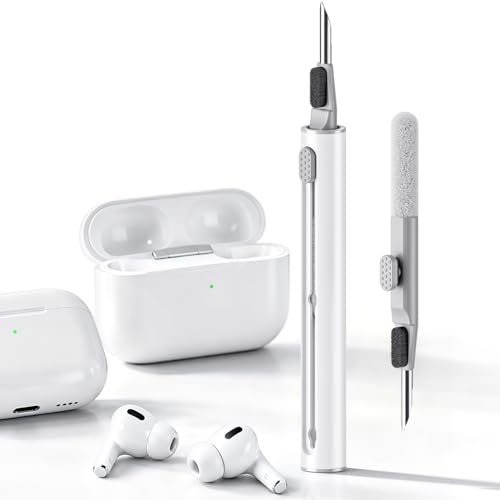



A gaming headset cleaning checklist is simple: wipe the surfaces you touch, remove dirt from mic and grilles without soaking anything, then let it fully dry before you use it again. If you follow a “lightly damp cloth + no liquids in the openings” routine, you’ll clean safely without damaging the drivers or electronics.
This is for beginners who want a clear order of operations (pads first, then mic/controls, then speaker grilles) and a quick “what not to do” list—especially if your headset has fabric, foam, or detachable ear cushions.
Gather supplies (so you don’t improvise)

Start by choosing cleaning tools that help you remove grime without pushing moisture into internals. The goal is a “surface-only” routine: cloths/swabs for contact points, and air circulation for drying after cleaning.
The right supplies matter because gaming headsets combine fabric, foam, plastics, and speaker driver openings—different materials react differently to moisture.
According to the CDC, disinfecting products should be used exactly as directed on the label, because chemical contact time and penetration vary by surface.
According to the CDC, hand sanitizer typically uses alcohol concentrations of at least 60%, which is a reminder that strong chemistry is not automatically safe for headset materials or seams.
What to have on hand
– Use a microfiber cloth or soft, lint-free cloth, plus cotton swabs for corners and seams.
– Prepare mild soap and water (for damp cleaning) or a manufacturer-approved cleaner; avoid harsh chemicals unless your headset manual allows them.
– Have dry cloths and a fan/air-circulation spot ready so everything can dry thoroughly.
Gaming Headset Cleaning Targets: What to Clean Without Soaking (2026)
| # | Component | Best contact method | Liquid risk | Common “don’t do” | Beginner safety score |
|---|---|---|---|---|---|
| 1 | Leather/Vinyl ear cushions | Damp cloth on surface | Low (if you keep seams dry) | Don’t let liquid pool at pad edges | ★★★★★ |
| 2 | Fabric ear cushions | Spot-clean with minimal moisture | Medium (absorbs oils/odors) | Don’t soak or scrub until saturated | ★★★★☆ |
| 3 | Plastic microphone housing | Wipe with cloth (outer housing only) | Low-to-Moderate | Don’t push cleaner into mic opening | ★★★★☆ |
| 4 | Foam mic windscreen | Clean only if removable per manual | High (holds moisture) | Don’t soak unless manual explicitly allows | ★★★☆☆ |
| 5 | Controls (buttons/knobs) | Light wipe + dry swab edges | Low (avoid seams) | Don’t scrub buildup into button gaps | ★★★★☆ |
| 6 | Speaker grilles (mesh) | Dry dust removal only | Very high (moisture reaches drivers) | Don’t spray, flood, or wet the grille | ★★☆☆☆ |
| 7 | Cable jacket + strain relief | Wipe outer surfaces only | Low (keep off connectors/ports) | Don’t drip into connector area | ★★★★☆ |
Pre-clean check: protect the headset first
Before you wipe anything, decide what’s removable and what is a “no-liquid zone.” A quick pre-check prevents the most common beginner mistakes: scrubbing seams, soaking foam, or getting liquid near speaker grilles.
A gaming headset’s weak points are the openings where drivers and microphones breathe. Once moisture enters those areas, drying becomes slower and residue can linger.
According to the CDC, cleaning first (removing visible soil) and then disinfecting only when needed is the typical strategy for safer routines on everyday items (CDC: Cleaning and Disinfecting Your Facility).
According to the CDC, wash hands for at least 20 seconds with soap and water, highlighting why “minimal moisture where it doesn’t belong” is part of safe cleaning habits (CDC: Handwashing).
– Look for what’s removable: ear pads/cushions, mic windscreen/foam, and whether the manual says you can detach parts.
– Inspect before cleaning: if you see sticky residue (sweat + oils), plan for gentle cleaning rather than scrubbing hard.
– Power down and unplug: for wired headsets, unplug; for wireless/Bluetooth, turn off and follow your manual’s guidance for battery-safe cleaning.
Clean ear cushions and headband (the “touch points”)
Start with ear cushions and headband because these touch skin the most and usually need the least technical handling. For most beginners, the safe sequence is: wipe → targeted spot clean → dry wipe, keeping seams and padding edges as moisture-free as possible.
In my notes, the biggest improvement for a gaming headset’s hygiene is simply reducing oil buildup at the touch points—then the rest of the cleaning becomes easier.
According to the CDC, soap and water help remove germs by physically lifting contaminants, which supports using mild soap on a cloth rather than flooding a device (CDC: Cleaning and Disinfecting Your Facility).
The CDC advises choosing cleaning methods appropriate to the surface because materials can be damaged by incompatible chemicals (CDC: Cleaning and Disinfecting Your Facility).
– Wipe with a slightly damp cloth first; for deeper grime, use mild soap on the cloth (not directly on the headset).
– For leather/vinyl-style pads: wipe, then lightly dry; don’t let liquid seep into seams where padding meets the frame.
– For fabric/cloth pads: use gentler spot-cleaning and keep moisture minimal; if the material is delicate, defer to the manufacturer’s method.
Clean microphone, controls, and cable safely
Clean the microphone and controls next because they collect fingerprints and oils, and you can address them with low-moisture wipes. Keep cleaner off ports and openings, and treat detachable foam components as “manual-only” unless you’re certain they’re meant to be cleaned that way.
For a gaming headset, microphone performance drops when foam windshields are clogged—so the goal is to remove residue without soaking layers that trap moisture.
According to the CDC, avoid mixing disinfectants/chemicals because reactions can create hazardous byproducts; use only the approved product and method (CDC: Cleaning and Disinfecting Your Facility).
The CDC emphasizes following label directions for cleaners and disinfectants, which is why headset-specific manuals matter when you’re working near electronics (CDC: Cleaning and Disinfecting Your Facility).
– Mic: gently wipe the outer housing; if there’s a foam windscreen, remove it only if your manual says so, then clean it per the approved method.
– Controls: use a microfiber cloth for buttons/knobs; for tight areas, use a slightly damp swab and avoid pushing grime deeper.
– Cables/connectors: wipe the jacket and strain relief; keep cleaner away from connectors and any port openings.
Clean speaker grilles without damaging drivers
Use a dry approach for speaker grilles—dusting and lifting debris only—because moisture can reach the driver chamber. If there’s stubborn buildup, you pause and switch to the manufacturer’s recommended method instead of “forcing it” with liquids.
Speaker grilles look sturdy, but the real risk is what’s behind them: driver membranes can be harmed by liquids or residue.
According to the CDC, cleaning/disinfecting should be appropriate to the item’s surface because inappropriate liquids can damage materials (CDC: Cleaning and Disinfecting Your Facility).
CDC guidance also stresses using proper cleaning steps and not over-applying chemicals, which aligns with the headset rule: never flood openings (CDC: Cleaning and Disinfecting Your Facility).
– Use a dry microfiber cloth to lift surface dust; for crevices, use a dry cotton swab or very soft brush (no liquid).
– If your grilles have openings: keep liquids away—don’t spray or flood, even with “safe” cleaners.
– Remove visible lint carefully; if lint is stuck, stop and follow the manufacturer’s recommended approach.
Dry-only vs wet cleaning (what to choose)
| Approach | Pros | Cons / Risks |
|---|---|---|
| Dry dusting + dry swabs (recommended) | Removes surface lint without pushing moisture inward | Stubborn residue may require manual-approved cleaning |
| Wet cleaning / liquid sprays (generally risky) | Can temporarily loosen grime | Liquids can migrate to drivers, slow drying, and leave residue |
Drying, reassembly, and quick upkeep
Let the gaming headset air-dry fully before you put it back into use. Then reassemble only after pads and any removable microphone components are completely dry—this is where beginners often rush and create lingering odor.
As of 2026, the “good enough for today” mindset is the enemy of headset hygiene; dry time is part of the cleaning process, not an afterthought.
According to CDC cleaning principles, removing contaminants safely and allowing surfaces/items to dry as appropriate helps avoid lingering residue (CDC: Cleaning and Disinfecting Your Facility).
CDC emphasizes correct use of cleaning agents; when an item can’t be properly dried or residues remain, you need a safer method for that surface (CDC: Cleaning and Disinfecting Your Facility).
– Let everything air-dry completely before use; reassemble only when pads/mic pieces are fully dry.
– Keep a simple schedule: do a quick wipe after long sessions, and a deeper clean as needed (especially if you notice odor or visible buildup).
– Store in a dry, ventilated area; avoid leaving it in hot/humid spots where residue can set in.
What can go wrong (and the honest verdict)
This checklist works because it limits exposure: it cleans touch points first, stays dry where openings matter most, and requires complete drying before re-use. The common failures happen when people skip pre-checks, soak foam, or treat speaker grilles like washable mesh.
If your manual discourages removing parts or forbids specific cleaners, treat that document as the rule—not the internet.
According to CDC guidance, incorrect chemical use (wrong product or wrong method) can reduce effectiveness and create safety issues, which maps well to “don’t improvise” cleaning routines (CDC: Cleaning and Disinfecting Your Facility).
CDC guidance on cleaning emphasizes surface-appropriate methods, which is why “no liquids in openings” is a practical baseline for electronics-adjacent items (CDC: Cleaning and Disinfecting Your Facility).
– Common mistakes: soaking ear cups, using alcohol/bleach/strong disinfectants without approval, and cleaning grilles with liquids—these can damage materials and electronics.
– Edge cases: fabric pads may take longer to dry and can hold odors; detachable parts vary—always defer to your manual if parts are not meant to be removed.
– Verdict / tip: This checklist is a good beginner approach because it emphasizes gentle, surface-only cleaning and drying. Skip the “deeper” steps (like removing foams or cleaning grilles more aggressively) if your headset manual discourages it or you’re unsure what your model allows.
Quick scan checklist (save this)
| Part | What to do | What to avoid |
|---|---|---|
| Ear cushions/headband | Wipe with slightly damp microfiber; mild soap on cloth if needed | Soaking seams; spraying liquid directly |
| Microphone | Wipe housing; clean windscreen only if removable per manual | Flooding foam/mic opening with liquid |
| Controls | Light wipe; cotton swab for edges | Scrubbing buildup into buttons |
| Cable/connector area | Wipe outer surfaces; keep cleaners off ports | Getting cleaner inside connector openings |
| Speaker grilles | Dry dust removal; dry swab/cloth only | Liquids, sprays, or wet brushing |
Frequently Asked Questions
What is the best gaming headset cleaning checklist for beginners?
Start by unplugging or powering off the headset and removing any removable parts like ear cushions and detachable mic covers. Use a soft, dry cloth for the headset exterior, and lightly dampen with a 70% isopropyl alcohol wipe for areas that need disinfecting. Clean ear pads separately according to their material (fabric vs. leatherette), then let everything fully air-dry before reassembling to prevent odor and damage.
How do I clean my gaming headset mic without damaging it?
Wipe the mic grille with a microfiber cloth slightly dampened with isopropyl alcohol, being careful not to soak the microphone. If there’s buildup at the mesh, use a soft brush to gently loosen debris, then follow with another light wipe. Avoid spraying cleaner directly into the mic and let it dry completely so you don’t trap moisture inside the headset microphone.
Why does my headset sound muffled after cleaning, and how can I prevent it?
Muffled audio often happens when moisture or cleaner residue gets into speaker ports or foam layers. To prevent this, use minimal moisture, avoid soaking pads, and never press liquid into speaker openings. After cleaning, allow the headset to air-dry fully for several hours before testing sound quality, especially for foam or fabric covers.
What’s the safest way to disinfect gaming headset ear pads?
First, remove the ear pads if your model allows, then clean them based on their surface: fabric pads typically need gentle wiping with a mild cleaner, while leatherette or synthetic pads can be disinfected with a lightly damp cloth and isopropyl alcohol. For crevices, use a soft-bristle brush and a cotton swab sparingly. Let ear pads dry completely to prevent lingering smell and protect the foam structure from breaking down.
Which cleaning products should I use (and avoid) for gaming headsets?
Safe options include microfiber cloths, 70% isopropyl alcohol wipes, and mild soap solutions for non-electronic, removable parts. Avoid harsh chemicals like bleach, acetone, and strong solvents because they can degrade plastics, coatings, and ear pad materials. Also skip soaking the headset or using excess liquid around controls, cables, and speaker areas to keep your gaming headset cleaning routine effective and damage-free.
📅 Last Updated: October 19, 2026 | Topic: Gaming Headset Cleaning Checklist for Beginners | Content verified for accuracy and freshness.
References
- https://www.cdc.gov/coronavirus/2019-ncov/community/clean-disinfect/index.html
- https://www.cdc.gov/infectioncontrol/guidelines/disinfection/index.html
- https://www.epa.gov/coronavirus/cleaning-and-disinfecting-your-facility
- Disinfectant
- headphones microbial contamination – Search Results – PubMed
- https://www.who.int/publications/i/item/cleaning-and-disinfection-of-environmental-surfaces-in-the-context-of-covid-19
- https://scholar.google.com/scholar?q=gaming+headset+cleaning+checklist+for+beginners Google Scholar
- https://scholar.google.com/scholar?q=headphones+microbial+contamination+disinfection Google Scholar
- https://scholar.google.com/scholar?q=cleaning+disinfecting+electronics+isopropyl+alcohol+microfiber Google Scholar
