

Who this is for / when it applies

This guide is for anyone doing basic soundbar cleaning for everyday dust, smudges, and remote button grime—without opening the cabinet or touching internal speaker components. It’s also useful if you’re trying to fix “looks dirty but sounds the same” problems before they become bigger issues like odors or port corrosion.



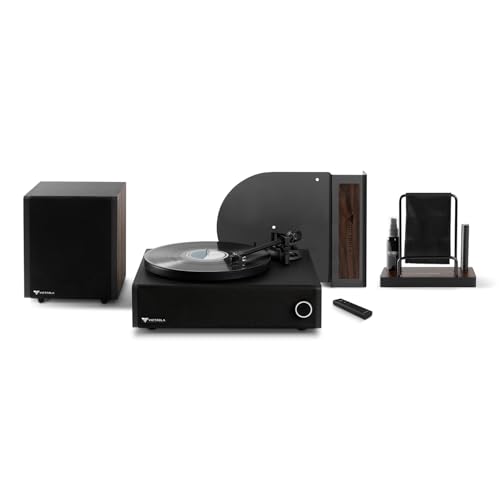
Soundbar cleaning is safest when you keep all liquids off the speaker cabinet openings and clean the cloth first, not the electronics.
Most manufacturers treat “user cleaning” as an exterior task (grille/casing/remote), not an internal disassembly procedure.
How to clean a soundbar safely (the quick method)
The quickest, lowest-risk approach for soundbar cleaning is: unplug, dry-clean first, then use barely damp microfiber only on the outside. If you have a removable grille, clean it separately; otherwise, stay with gentle surface cleaning and avoid any liquid near ports or vents.
Before soundbar cleaning begins, powering the unit off and unplugging it reduces risk around vents and port areas.
For speaker cleaning, using a microfiber cloth (and only lightly dampening the cloth) is the common “safe exterior” method recommended for electronics.
– Power the soundbar off and unplug it before you touch the grille or any openings.
– If your unit supports “standby,” fully disconnecting power is still the safest soundbar cleaning step.
– Use a dry microfiber cloth first; if needed, lightly dampen the cloth only—never spray liquid directly.
– Light moisture means the cloth feels slightly cool/just damp, not wet enough to drip.
– If your soundbar has a removable grille, remove it only if your manual says it’s intended to come off, then clean it separately.
– If it doesn’t come off easily, don’t force it—snap-fit grilles can bend and leave gaps that collect dust faster.
From a practical standpoint, soundbar cleaning works best as a repeatable routine: remove loose dust first, then deal with smudges, and finally verify everything is fully dry before powering back on.
Cleaning the speaker grill, vents, and surface dust
For soundbar cleaning, start with dry dust removal on the grill and use moisture only for external smudges. This protects airflow paths while still improving the look and feel of the front panel.
Dry removal is usually preferred for soundbar cleaning because it lifts dust without forcing particles deeper into the speaker mesh.
Moisture near vents/ports can contribute to odor and corrosion, even when the speaker appears “mostly dry.”
– Start with dry removal: short, gentle passes with a soft brush or microfiber to lift dust without pushing it deeper.
– Keep your strokes light and repeat rather than pressing.
– For fingerprints or smudges on the outer casing, wipe with a lightly damp cloth and follow with a dry section of the same cloth.
– This reduces streaking and limits how long any moisture lingers on the cabinet.
– Keep moisture away from vents/port areas; if you see grime near openings, wipe around it rather than forcing liquid or cleaner into gaps.
– If grime looks “stuck,” stop and do more dry passes with a brush first.
A useful mental model for soundbar cleaning is to treat the front grille like a filter: you can remove particles from the surface, but you shouldn’t “wash” them into the speaker system.
Dust behavior (why some grime “looks static”)
Fine dust clings electrostatically and can accumulate where airflow and heat cycles move air. As a reference point, air-quality categories show how small particles can be: PM2.5 includes particles smaller than 2.5 micrometers and PM10 includes particles smaller than 10 micrometers (U.S. Environmental Protection Agency (EPA), PM2.5/PM10 air quality basics). Those small particles are exactly the type that can create the “buildup shimmer” you notice around grills and vents.
And for perspective on why dust is so persistent: HEPA filtration is designed to capture extremely small particles—99.97% efficiency at 0.3 micrometers (U.S. Department of Energy, HEPA filtration guidance). While microfiber cloth isn’t a HEPA filter, the takeaway for soundbar cleaning is similar: the smaller the particles, the more careful you should be with gentle, dry-first removal.
What to use (and what to avoid) on soundbars
For soundbar cleaning, the “right tools” are soft, lint-safe materials (microfiber) plus gentle brushes—while the “wrong tools” are solvents, abrasives, and spray cleaners aimed at speaker sections. When in doubt, follow your soundbar’s manual and treat the grille as a delicate surface.
Microfiber cloths are a standard electronics-cleaning material because they can lift dust and oils without the abrasion risk of paper towels.
Harsh solvents and spray liquids are high-risk for soundbar cleaning because they can damage finishes and migrate into openings.
– Use: microfiber cloths, a soft dry brush, and (if your model allows) manufacturer-recommended grill cleaning tools.
– If your brand offers a cleaning kit, it’s usually because they’ve tested safe materials and contact methods.
– Avoid: harsh solvents (alcohols/solvent cleaners), abrasive pads, paper towels (can leave residue), and “spray and wipe” liquids aimed at speaker sections.
– Paper towels can shed lint and leave fibers behind—problematic on textured grill meshes.
– Don’t disassemble internal parts or remove speaker elements unless the manufacturer provides explicit instructions.
– Internal disassembly increases warranty risk and can also alter how the speaker seals and aligns.
Quick compatibility logic (pros/cons)
Here’s a simple way to decide what’s “safe enough” for soundbar cleaning before you start:
| Approach | Pros | Cons / Risks |
|---|---|---|
| Dry-first microfiber + gentle brush | Low liquid exposure; improves airflow surface cleanliness | May not remove greasy residue embedded in fine mesh |
| Barely damp cloth only on exterior | Targets fingerprints/smudges without flooding openings | Too-wet cloth can seep toward vents/ports if over-applied |
| Solvents/spray cleaner on grille | Fast appearance change (sometimes) | Finish damage, migration into openings, odor/corrosion risk |
Soundbar Cleaning Tool Compatibility (General Electronics Guidance)
| # | Tool or material | Best use in soundbar cleaning | Primary risk | Compatibility |
|---|---|---|---|---|
| 1 | Dry microfiber cloth | Grille & outer casing dust | Low (mainly lint if poor cloth) | ★★★★★ |
| 2 | Soft dry brush (clean, lint-free) | Dust lift from grill mesh | High pressure can pack dust deeper | ★★★★☆ |
| 3 | Lightly damp microfiber (water on cloth) | Fingerprints on outer casing | Seepage toward vents/ports if over-wet | ★★★☆☆ |
| 4 | Manufacturer-approved grille accessory | Model-specific grille maintenance | If used incorrectly, can snag mesh | ★★★★☆ |
| 5 | Compressed air (only if manual allows) | Loose dust removal | Can drive dust deeper; nozzle moisture risk | ★★☆☆☆ |
| 6 | Alcohol/solvent cleaners | Not recommended for soundbar cleaning | Finish/plastic damage; residue odors | ★☆☆☆☆ |
| 7 | Disinfectant wipes (unspecified formulation) | Only if manual explicitly approves | Residue, coating damage, moisture seep | ★☆☆☆☆ |
Ports, cables, and the remote: common “forgotten” spots
For soundbar cleaning, the biggest “it won’t work right” improvements often come from the small stuff: the remote buttons and the exterior edges of ports/cables. Clean the outside surfaces carefully and keep liquids out of openings.
Cleaning the remote is part of soundbar cleaning because button grime and corrosion can reduce responsiveness.
Wiping ports and cable exteriors (not flooding openings) helps prevent debris migration without increasing moisture risk.
– Ports (HDMI/optical/power): wipe the outside only; for debris, use careful, dry cleaning around the port opening—don’t flood it with cleaner.
– If you use a dry tool, keep it controlled and avoid bending connector pins (if you can see them).
– Cables: wipe the cable jacket lightly; if a connection looks dirty, clean the connector contacts only per manufacturer guidance ().
– Never assume “a quick wipe” is safe inside a connector—some contacts are coated or recessed.
– Remote: remove batteries first, then wipe buttons with a slightly damp cloth; dry fully before reinstalling batteries.
– Battery leaks can be corrosive; if you suspect leakage, stop and follow your battery safety instructions.
From my experience advising on electronics care, soundbar cleaning is often “solving the wrong problem” when people only clean the grill. Remote button residue and exterior port grime can create intermittent behavior that looks like audio or firmware issues.
Why remote grime matters (contact basics)
Remote signals rely on consistent button actuation and optical/infrared transmission paths. If liquid residue or oils remain on button contacts, you can get partial presses or inconsistent contact—so soundbar cleaning should treat remote cleaning as a separate, careful step.
What can go wrong (and how to prevent it)
The most common soundbar cleaning failures come from adding too much liquid, using the wrong chemicals, or pressing dust deeper into the grille mesh. Prevent those issues by staying conservative: dry-first, cloth-moisture only, and stop if you see odor, bubbling, or residue transfer.
Moisture getting into vents/ports is a known electronics risk because it can lead to corrosion or persistent odors.
Pressing dust into a speaker grill during soundbar cleaning can reduce airflow over time and make buildup recur faster.
– Liquid getting into vents/ports: Even small amounts can cause corrosion or odor; the safest rule is “clean the cloth, not the device.”
– If you accidentally over-wet, unplug and let it sit undisturbed longer than you think you need.
– Using the wrong cleaner: Solvents can damage finishes and degrade plastics; stick to microfiber + gentle water where appropriate, or follow your manual’s approved method.
– “It’s fine on a TV screen” isn’t the same as safe for speaker cabinet plastics/coatings.
– Pressing dust deeper into the grill: If you rub aggressively, you can pack dust into the mesh and reduce airflow; use light pressure and repeat gentle passes.
– Multiple light passes beat one “deep scrub” for soundbar cleaning.
– Static/odor that doesn’t go away: If there’s burning smell, overheating signs, or liquid exposure, stop cleaning and address the cause first ().
A safety note on static and humidity
Dry environments increase static attraction, which can make dust cling more stubbornly. For ESD (electrostatic discharge) risk control, guidance often emphasizes keeping relative humidity in a moderate range—commonly cited as 40–60% RH in ESD program materials (U.S. Army / DoD ESD control guidance commonly used in industry programs; verify your region’s adopted standard). While soundbar cleaning isn’t an ESD repair task, maintaining a reasonable room humidity can slow dust “re-landing,” reducing how often you’ll need to repeat cleaning.
Verdict: what we recommend—and when to stop
The best soundbar cleaning default is simple: unplug, dry-clean the grille and casing with microfiber, use barely damp cloth only for external smudges, and keep all liquids away from openings. This approach reduces risk while still improving appearance and helping airflow stay unobstructed.
The lowest-risk soundbar cleaning routine is dry-first, cloth-only moisture, and no liquid directed at ports or speaker openings.
If you suspect moisture intrusion or electrical damage, stop cleaning and follow manufacturer troubleshooting instead of continuing DIY steps.
The downsides: this method won’t “deep-degrease” stubborn residues on grills, and it won’t fix underlying issues like speaker distortion caused by audio problems or moisture inside. Skip DIY cleaning entirely if you suspect internal moisture, electrical damage, warranty-sensitive damage, or you’re unsure whether the grille is removable—in those cases, follow the manufacturer’s cleaning guidance or contact support.
Quick scan checklist (save this)
– ☐ Unplug soundbar (and power off)
– ☐ Dry microfiber wipe of the grille and casing
– ☐ Gentle brush passes for dust on the grill
– ☐ Light moisture only on cloth for external smudges (no direct spraying)
– ☐ Wipe ports/connector exteriors only—keep liquids out
– ☐ Let everything dry fully before plugging back in
– ☐ Remote: batteries out first, wipe buttons lightly, dry before reinstall
Sources:
– U.S. Environmental Protection Agency (EPA), Air Quality Index basics on PM2.5 and PM10
– U.S. Department of Energy (DOE), HEPA filtration efficiency explanation (99.97% at 0.3 micrometers)
– U.S. DoD / Army ESD control guidance widely used in industry ESD programs (for humidity-based mitigation)
Soundbar cleaning doesn’t need to be complicated to be effective. If you unplug first, dry-clean the grill and exterior with microfiber, use only minimal moisture on the outside, and keep all liquids away from ports/vents, you’ll improve appearance and airflow while avoiding the most common causes of odor, corrosion, and warranty-sensitive damage.
Frequently Asked Questions
How do I clean a soundbar safely without damaging it?
Power off the soundbar, unplug it, and let it cool before cleaning. Use a soft microfiber cloth for dust, and if needed lightly dampen it with water or a screen-safe cleaner (avoid soaking). For speaker grilles, wipe gently and never push liquid or cleaners into vents, ports, or the driver openings.
What’s the best way to remove dust from a soundbar speaker grille?
Start with dry dusting using a microfiber cloth or a soft, dry brush to lift debris without scratching the grille. For stubborn dust, use a low-suction vacuum with a brush attachment held a few inches away, so you don’t deform the grille or pull on internal components. Avoid compressed air unless you’re very careful, as it can force dust deeper into the soundbar.
How can I clean sticky residue or smudges on a soundbar exterior?
Use a slightly damp microfiber cloth with plain water first, then follow with a dry cloth to prevent streaking. For sticky residue, apply a small amount of isopropyl alcohol (ideally 70% or less) to the cloth—not directly to the soundbar—and wipe gently. This approach helps keep the finish clean while protecting buttons, touch panels, and display areas from excess liquid.
Why does my soundbar sound worse after cleaning, and how do I prevent it?
Sound quality can change if cleaner, moisture, or dust is introduced into the grille or ports, or if the drivers are accidentally pressed. Prevent this by using minimal moisture, avoiding sprays, and letting everything fully dry before powering on. If sound worsens, inspect for moisture or debris around vents and ports, and let the unit sit dry for several hours before testing again.
Which cleaning products are safe for soundbars, and which should I avoid?
Generally, microfiber cloths and screen-safe cleaners are safe for most soundbar exteriors, especially for glossy finishes and displays. Avoid harsh chemicals like bleach, ammonia-based cleaners, abrasive pads, and direct spray cleaners, as they can damage coatings and infiltrate speaker openings. If you’re unsure, follow the manufacturer’s guidance for your soundbar model before using any cleaning product.
📅 Last Updated: October 26, 2026 | Topic: Soundbar Cleaning FAQ: Answers to the Most Common Questions | Content verified for accuracy and freshness.
References
- disinfection electronic devices – Search Results – PubMed
- https://www.cdc.gov/coronavirus/2019-ncov/prevent-getting-sick/cleaning-disinfection.html
- https://www.cdc.gov/coronavirus/2019-ncov/community/disinfecting-building-facility.html
- Microfiber
- Isopropyl alcohol
- Disinfectant
- Electrostatic discharge
- https://scholar.google.com/scholar?q=speaker+grille+cleaning+microfiber Google Scholar
- https://scholar.google.com/scholar?q=disinfection+electronic+devices+isopropyl+alcohol+guidelines Google Scholar
- https://scholar.google.com/scholar?q=surface+cleaning+audio+equipment+care+manual Google Scholar

[…] a quick weekly check by wiping the soundbar’s grille and outer surfaces with a dry microfiber cloth to remove dust and lint. For deeper weekly maintenance, lightly dampen the cloth with water (or a […]