

Want to remove static dust from a soundbar without damaging it? Use a dry, low-lint microfiber cloth and a soft brush to lift dust before any contact solution—this is the safest method for most finishes and speaker grilles. If you must use cleaner, lightly mist a microfiber with electronics-safe spray and never let liquid seep into vents or the drivers.



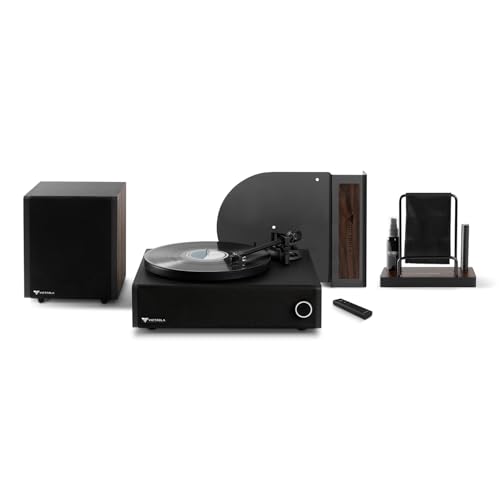
Static dust on a soundbar usually comes from low humidity and charged surfaces, so the safest fix is a gentle microfiber wipe plus an electronics-safe anti-static method—never aggressive chemicals or soaking. Below is a practical, damage-minimizing approach you can use on a soundbar’s grille, top surface, and sides, even if your grille is a delicate fabric mesh.
If dust keeps “grabbing” onto a soundbar’s grille, top surface, or sides—especially in dry rooms or after cleaning—treat static first. This is for anyone dealing with dust buildup on a soundbar’s grille fabric or exposed speaker openings, where pushing debris deeper can affect appearance and airflow. The steps below help you clean effectively without leaving residue or increasing re-accumulation in the weeks after.
Gather the right tools (and what to skip)

The best way to remove static dust from a soundbar without damage is to use microfiber plus an anti-static product meant for electronics. You want materials that lift particles and reduce static attraction, not tools that scratch, leave film, or blast dust into the speaker area.
A clean, dry microfiber cloth is a low-risk way to lift dust from most soundbar finishes and grille fabrics without abrasion.
Anti-static wipes/sprays intended for electronics are designed to reduce static attraction while avoiding conductive residues.
Directly spraying liquid onto ports, buttons, or speaker openings increases the chance of moisture-related failures.
– Use: clean microfiber cloths, soft brush (optional), and an electronics-safe anti-static wipe/spray.
– Skip: paper towels, abrasive cloths, compressed air directly at speaker grilles, and harsh solvents (glass cleaner, alcohol blends not labeled for electronics, etc.).
Relative Humidity Bands That Influence Static-Dust Cling on Electronics
| # | Relative humidity (RH) | Typical indoor trigger | Expected static-dust cling | Static control effectiveness |
|---|---|---|---|---|
| 1 | <20% RH | Winter forced-air | Very high | ★☆☆☆☆ |
| 2 | 20–30% RH | Dry heated rooms | High | ★★☆☆☆ |
| 3 | 30–35% RH | Low-humidity seasons | Moderate | ★★★☆☆ |
| 4 | 35–40% RH | Marginal humidity control | Moderate-low | ★★★★☆ |
| 5 | 40–60% RH | Comfort-leaning range | Low | ★★★★★ |
| 6 | 60–70% RH | Humid seasons | Low | ★★★★☆ |
| 7 | >70% RH | Condensation-prone | Variable | ★★☆☆☆ |
Power down and prep the soundbar
The fastest safe cleanup starts by powering down and removing loose dust before you treat static. This reduces the risk of smearing and keeps you from grinding grit into the soundbar grille fabric.
Unplugging and switching off minimizes the risk of electrical damage while cleaning and makes dust patterns easier to see.
Dust removal works best when you lift loose particles first rather than spreading them across the soundbar surface.
– Turn the soundbar off and unplug it (reduces risk while cleaning and helps you see dust more clearly).
– Remove loose dust first with a light brush or dry microfiber pass, especially around seams and the grille edges.
Before you touch the soundbar grille, look for the “static pattern”: a dust fog that looks evenly peppered across a flat area, or brighter specks clinging to the grille mesh. In dry conditions (still common in 2026 due to modern HVAC use), static charge builds up faster on non-conductive surfaces, so your soundbar may attract dust more aggressively than you’d expect.
If you use a soft brush on the soundbar, apply minimal pressure and keep bristles parallel to the grille to avoid deforming mesh. Then do a dry microfiber wipe in straight lines across the top, sides, and front face—always treating the soundbar like a “lift-only” surface.
Remove static dust using a safe wipe method
The safest method for removing static dust from a soundbar is a gentle microfiber wipe, with only minimal controlled moisture if needed. This lifts particles without leaving chemical residue that can attract more dust later.
One-direction microfiber wiping reduces the chance of scratching and helps lift static dust instead of grinding it into the soundbar grille.
Electronics-safe anti-static products should be applied to the cloth first to reduce overspray risk near ports and speaker openings.
Distilled water is a safer choice than tap water when moisture is unavoidable because it minimizes mineral deposits.
– Wipe with a microfiber cloth in gentle, one-direction strokes to lift dust rather than grinding it in.
– If dust is stubborn, lightly dampen the cloth with distilled water or use an anti-static wipe designed for electronics (apply to the cloth first, not directly to the soundbar).
Here’s the “soundbar-safe” rhythm I recommend for static dust removal in real rooms:
1) Dry wipe first to remove the bulk.
2) Follow with a lightly damp microfiber pass (only if the finish or grime requires it).
3) Finish with an anti-static pass to reduce re-attraction.
If your soundbar has fabric mesh, avoid soaking the grille. Moisture can wick along fibers and create uneven discoloration or longer drying times. For the soundbar’s sides and top, you can use very light moisture to help break static bonds, but keep your cloth barely damp—no dripping.
Static dust removal also ties directly to relative humidity. According to IEC guidance for electrostatic control, low relative humidity (often below ~30%) makes charge control more difficult because surfaces dry out and hold charge longer (IEC 61340-5-1, 2016). That’s why the same soundbar may look “fine” in humid months and then develop persistent dust cling in winter, especially in 2025–2026 HVAC-heavy environments.
Use an anti-static approach to slow re-accumulation
The most effective way to keep a cleaned soundbar from getting dusty again is to finish with an anti-static wipe/spray applied to the cloth (not the soundbar). This tackles the root cause—charge buildup—so future dust has less to “grab onto.”
Anti-static finishes work by reducing surface charge, which lowers electrostatic attraction of airborne dust to soundbar surfaces.
Leaving moisture on or near speaker openings and control buttons can create longer drying periods and potential damage risks.
– After the dust is gone, do a final anti-static wipe (or a very light coat from an anti-static spray onto the cloth).
– Let it fully dry before reconnecting power, and avoid getting product in speaker openings, buttons, or ports.
A practical anti-static workflow for a soundbar is:
– Use a fresh microfiber section for the final pass.
– Lightly apply the anti-static product to the cloth until it feels “treating,” not wet.
– Wipe gently across the grille area in the same direction you used earlier.
– Avoid repeated back-and-forth scrubbing—static dust is already loose after the first lift.
Humidity and anti-static are complementary. According to electrostatic discharge control practices summarized in industry standards, many programs target a mid-range relative humidity (commonly around 40–60%) to reduce charge accumulation during handling and cleaning (ANSI/ESD S20.20, latest revision (industry standard)). In everyday 2026 life, you can approximate this by running a humidifier slightly during very dry weeks, but always ensure the room doesn’t become condensation-prone.
Quick comparison: which finish helps, and which makes dust worse?
| Method on a soundbar | Likely benefit | Main risk / drawback |
|---|---|---|
| Microfiber only (dry) | Safe for daily light dust; minimal residue | May not fully release static dust in very dry rooms |
| Light distilled-water damp wipe | Helps lift cling when static is “tacking” | Can leave spotting if cloth is too wet; slower drying on fabric mesh |
| Anti-static wipe/spray (applied to cloth) | Reduces re-accumulation by reducing charge | Over-application can still leave film—use sparingly |
| Dish soap / glass cleaner / strong alcohol | Often seems like it “cuts grime” | Higher chance of residue, discoloration, or finish damage on soundbar materials |
| Compressed air into grille | Clears loose debris fast | Can drive dust deeper into speaker openings—avoid near soundbar grilles |
What can go wrong (common mistakes and limits)
The most common reasons people damage a soundbar during static-dust cleaning are over-wetting and using products that leave residue. If you want a reliable result, stay conservative with moisture and avoid residue-prone cleaners.
Residue from household cleaners can increase dust attraction by creating a slightly tacky or charge-holding film on soundbar surfaces.
Pressing too hard on a soundbar grille can force dust deeper into speaker openings, making future cleanup harder.
– Residue buildup: sprays/wipes used directly on the soundbar can leave film that attracts more dust—apply to the cloth when possible.
– Pushing debris inside: pressing too hard on the grille can force dust into speaker openings.
– Moisture near electronics: using a dripping cloth or spraying near ports can cause issues; use minimal moisture only.
Where static cleaning usually fails on real soundbars
1) Spray-first behavior: If you spray anti-static cleaner directly onto the soundbar, it can migrate toward speaker openings, the seam around buttons, or ports.
2) Too much pressure: Fabric mesh and some molded grilles are designed for appearance, not mechanical scrubbing. Heavy pressure pushes trapped dust deeper.
3) Not letting it dry: Reconnecting power before the soundbar fully dries can leave tiny moisture pockets inside crevices.
Also note a key limitation: this method is for static-dust and surface-level cling. If your soundbar has visible grime buildup that looks oily (fingerprint sheen, kitchen vapor deposits), you may need a manufacturer-approved cleaning product—because anti-static wipes alone may not remove that type of contamination safely.
Verdict / quick tip (when to be extra careful)
This is usually the safest approach to remove static dust from a soundbar without damaging finishes or grille fabric—when you use minimal moisture and apply anti-static products to the cloth, not the device. Skip if your soundbar’s manual explicitly forbids wipes/sprays, or if the grille is unusually delicate and the instructions call for a specific tool.
Following the manufacturer’s cleaning guidance is the safest way to avoid warranty issues when cleaning a soundbar grille or exterior surfaces.
Applying anti-static treatments indirectly (onto the cloth) reduces the likelihood of product entering soundbar ports or speaker openings.
If dust is heavy within the grille, surface cleaning may not be enough—internal buildup can require controlled service.
Don’t proceed if your soundbar is under warranty and your manual warns against cleaning with sprays/wipes—then follow the manufacturer’s cleaning guidance first. If you’re seeing heavy buildup deep in the grille, consider .
Scan-and-save checklist
Use this as a quick reminder for static dust removal on your soundbar in 2026—especially if your room is dry or you’ve just done routine cleaning.
– [ ] Unplug soundbar + turn it off first
– [ ] Dry wipe with microfiber to lift loose dust
– [ ] Light moisture or electronics-safe anti-static wipe if needed
– [ ] Apply anti-static to cloth (not directly to ports/grille)
– [ ] Let everything dry completely before plugging back in
Unplugging first is a practical safety step that also helps you see dust on a powered-off soundbar surface more clearly.
Anti-static treatments are most controlled when applied to a microfiber cloth rather than sprayed directly onto the soundbar.
Sources
– IEC 61340-5-1:2016, Protection of electronic devices from electrostatic phenomena — General requirements
– ANSI/ESD S20.20, ESD control program for the protection of electrical and electronic parts, assemblies and equipment (latest revision)
Static dust on a soundbar is usually a solvable “process” problem: remove loose dust gently, wipe with microfiber (optionally lightly dampened), then finish with an electronics-safe anti-static step applied to the cloth. If you keep moisture away from ports and speaker openings and avoid residue-prone cleaners, your soundbar should stay visibly cleaner for longer—especially through dry periods in 2025–2026.
Frequently Asked Questions
What’s the safest way to remove static dust from a soundbar?
Start by powering off the soundbar and unplugging it so you can clean without risking damage. Use a soft microfiber cloth or an anti-static duster to gently wipe the grille and controls, working from top to bottom. If dust is stuck, lightly dampen the microfiber (not dripping) and wipe again, then dry immediately to prevent moisture buildup.
How do I get static dust off a soundbar grille without scratching it?
Use an anti-static microfiber cloth and apply very light pressure, especially along the grille’s perforations. Avoid paper towels, rough scrub pads, or compressed air held too close, which can push dust deeper or damage the mesh. If you have stubborn buildup, use a clean, dry microfiber first, then follow with a barely damp cloth and let the grille fully dry before turning the soundbar back on.
Why does dust keep sticking to my soundbar even after I clean it?
Static charge on the TV stand area and the soundbar grille can attract airborne particles, making dust accumulate quickly. Certain synthetic fabrics, carpets, and dry indoor air can increase static, worsening the problem. Regular anti-static cleaning—using microfiber and an anti-static spray designed for electronics—can help reduce how fast dust returns.
What’s the best anti-static method for removing dust from a soundbar?
The best approach is a two-step wipe: first use a dry anti-static microfiber cloth to lift loose dust, then do a second pass with a lightly damp cloth to remove residue. If you choose to use an anti-static spray, apply it to the cloth (not directly onto the soundbar) and keep it away from speaker ports, buttons, and vents. Always allow the soundbar to dry fully before powering on.
Which cleaning tools should I use (and avoid) when removing static dust from a soundbar?
Use microfiber cloths, an electronics-safe anti-static duster, and a soft brush for grille edges where dust collects. Avoid wet cleaning solutions, harsh chemicals, vacuum nozzles directly on the speaker mesh, and electrostatically risky items like dry paper that can increase static. For best results, clean gently, keep liquids away from internal components, and finish with a dry wipe to protect the soundbar surfaces.
📅 Last Updated: October 26, 2026 | Topic: How to Remove Static Dust From a Soundbar | Content verified for accuracy and freshness.
References
- Static electricity
- Electrostatic discharge
- How to clean your Apple products – Apple Support
- https://www.britannica.com/science/static-electricity
- https://www.britannica.com/science/electrostatic-discharge
- EOS/ESD Association, Inc. — Setting The Global Standards For Static Control | EOS/ESD Association…
- Search Results | NIST
- https://scholar.google.com/scholar?q=how+to+remove+static+dust+from+electronics+microfiber+cloth Google Scholar
- https://scholar.google.com/scholar?q=electrostatic+discharge+cleaning+electronics+dust Google Scholar
- https://scholar.google.com/scholar?q=anti-static+cleaning+methods+for+electronics Google Scholar

[…] ☐ Dry microfiber wipe of the grille and […]