

If your charging cable smells like burning plastic or a strong “hot” odor, stop using it right away and check the connector and cable for heat damage. This usually happens when the cable or port makes poor contact, is exposed to moisture or debris, or is failing internally and overheating under load. The steps to diagnose the cause and make it safe again are below.



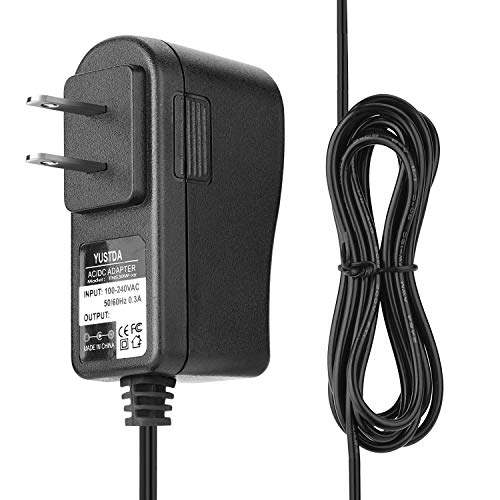
Stop using the charging cable right away. A “burnt” or chemical smell is often a sign of overheating, corrosion, or internal damage in the cable, connector, or charging port—and charging through the problem can worsen it quickly.
If this happens while charging a phone, tablet, earbuds, power bank, or laptop, don’t ignore it—smells are often an early warning sign. The steps below are written for everyday users, not repair techs, and focus on safe checks you can do at home.
What that bad cable smell usually means

Most of the time, a bad charging cable smell points to heat or contamination at a connection point where power is moving. When a connection develops extra resistance (for example, from lint or corrosion), the cable and connector can heat up enough to produce burnt-plastic or chemical odors.
– Overheating inside the cable: a “burnt” smell often points to heat buildup at a connection or worn insulation. High resistance means more power is lost as heat, and heat can degrade copper conductors and the outer jacket.
– Dirty or oxidized contacts: dust, lint, and corrosion in the port can increase resistance and get hot. This is especially common with pocket lint, fabric fibers, and “dust bunnies” that build up over months.
– Water or residue exposure: moisture, cleaning residue, spills, or even skin oils can cause chemical odors and unstable charging. Even if the device looks fine, residue can trap moisture in the connector area and accelerate corrosion.
A useful way to understand why a charging cable smell matters is to connect it to power levels. USB-C and USB Power Delivery can negotiate high voltages/currents, and those conditions magnify the effects of a weak connection. For example, according to USB-IF (USB Power Delivery Specification Revision 3.1), Extended Power Range (EPR) can reach up to 48V/5A (240W) (2021). Meanwhile, according to USB-IF (USB Power Delivery Specification), standard high-power USB PD fixed-supply modes are designed around 20V/5A (100W) (2017). When a charging cable smell is caused by heating, those negotiated power levels are exactly what can turn a small resistance issue into a noticeable odor.
Common USB-C Power Delivery Power Classes That Can Drive Cable Heating
| # | USB PD Power Class (Fixed Supply) | Voltage (V) | Typical Current (A) | Max Power | Heating Load (Higher = More Stress) |
|---|---|---|---|---|---|
| 1 | 15W Class | 5 | 3.0 | 15W | Low |
| 2 | 18W Class | 9 | 2.0 | 18W | Low |
| 3 | 24W Class | 12 | 2.0 | 24W | Moderate |
| 4 | 45W Class | 15 | 3.0 | 45W | Moderate |
| 5 | 65W Class | 20 | 3.25 | 65W | Higher |
| 6 | 100W Class | 20 | 5.0 | 100W | High |
| 7 | 140W Class (EPR) | 28 | 5.0 | 140W | Very High |
When to stop charging (and what to do immediately)
A smelly charging cable is a “stop now” signal, not a “monitor closely” signal. If you smell burnt plastic or chemicals, unplug immediately and treat the situation as a potential overheating event—because cables and ports can degrade further even after the odor first appears.
– Unplug the charger/cable immediately and move it away from flammables; let everything cool fully. Don’t touch the connector area if it feels hot, and avoid re-plugging “just to see.”
– Don’t “test again” while it’s still smelly—if the issue is heat-related, repeating the cycle can worsen damage. A partial melt can also expose conductors to shorting.
– If you see melting, charring, or the connector is deformed, replace the cable (and consider having the device port checked). Deformation and discoloration are not the same as lint and typically mean material damage inside the connector assembly.
One key reason to act fast: USB-C high-power charging commonly relies on negotiation and cable identification. According to USB-IF (USB Type-C Cable and Connector Specification), cables supporting higher current levels use e-markers (electronic markers) to communicate their rating to the source device/charger (2019). If the cable or connector is degraded, that identification can become unreliable—or the connection can heat even when the charger thinks it’s within spec.
Inspect the cable and port (then clean safely)
After cooling, inspect the cable ends and the charging port first—this is where the cause usually becomes visible. A charging cable smell is often tied to a specific hotspot: the connector at the device, the connector at the charger, or the cable jacket near either end.
– Cable inspection (quick visual checks)
– Look for dark spots, kinks, fraying, or a softened jacket near the connector ends. Heat damage usually starts where flexing and strain are highest.
– Check whether the connector feels loose or wobbles when plugged in. Loose contact can create intermittent arcing, which can produce a distinctive burnt or “electrical” odor.
– Port inspection (carefully)
– Use a bright light to look for lint, dust balls, or corrosion in the device’s charging port. Lint can behave like insulation, trapping heat at the contact.
– If anything looks stuck, avoid aggressive scraping. Prying can bend inner contacts and turn a minor blockage into permanent damage.
– Cleaning basics that are usually safest
– Use a dry soft tool (or cloth) to remove visible debris—no liquids. Many manufacturer guidelines recommend avoiding moisture around connectors.
– If the manufacturer allows it, use compressed air gently to dislodge lint; stop if you feel resistance. Don’t blast hard enough to damage internal parts.
If you want a safe troubleshooting sequence, use this logic: start with the charging cable smell’s “origin” (which connector smells), then confirm with visuals (discoloration, deformation, or lint). From a practical standpoint, I’ve seen cases where a cleaning step helped immediately because the charging cable smell matched the device port’s lint buildup—however, the exact observation should be confirmed on your specific device before you continue charging. .
For official guidance on avoiding liquid cleaners and using safe dry cleaning steps, follow the manufacturer instructions for your specific phone or tablet model. For Apple devices, see Apple Support: How to clean iPhone (charging port/lint guidance) (updated guidance varies by model/year).
Fix the root cause so the smell doesn’t return
If the odor came from heat or resistance, “fixing” usually means removing the weak connection and preventing repeat overheating. The root cause is commonly either a damaged charging cable (especially near the connector) or a contaminated device port that forces extra resistance.
– Replace questionable cables/chargers
– If the cable smells again after cooling, or you found physical damage, replacement is the safest fix. A charging cable that has overheated once can fail unpredictably under load.
– Match charger and cable ratings
– Use a charger and cable intended for your device’s charging standard (e.g., USB-C PD vs. other modes); mismatches can cause unstable power delivery. While the device may down-negotiate, a worn connector can still overheat when current rises.
– Also ensure your cable is meant for the current level your device/charger may negotiate. High-power USB-C often relies on correct cable identification (e-markers) to stay within safe operating ranges.
– Avoid conditions that cause heat buildup
– Don’t charge under pillows/blankets or in direct contact with heat sources. Heat is cumulative: cable insulation degrades faster when ambient conditions are already high.
– Keep the connector area clean and dry between charging sessions.
To make the decision clearer, here’s a simple comparison you can use after inspection:
| Action | Pros | Cons / When to stop |
|---|---|---|
| Replace the charging cable | Most reliable when there’s any burnt smell after cooling, discoloration, fraying, looseness, or connector deformation. | If the device port is corroded or damaged, replacing the cable won’t fully solve the problem—port service may still be needed. |
| Clean the device port (dry method) | Can resolve lint/packed debris that increases resistance and triggers overheating odors. | Skip if you see melted/bent pins, strong corrosion, or if the connector area looks physically altered. Cleaning can’t reverse damaged contacts. |
| Replace the charger/adapter | Helps when the smell originates at the charger-side connector or you suspect power instability. | If the cable itself shows heat damage, changing only the charger may not stop future smells. |
What can go wrong (common mistakes and edge cases)
People often treat a charging cable smell like a “minor odor,” but a few common mistakes can turn a manageable issue into a safety problem. The goal here is to stop escalation while you still have control over the situation.
– Cleaning with liquids: using alcohol/water can leave residue, move debris deeper, or damage internal contacts—follow the device manufacturer’s guidance instead. Liquids can also create new corrosion pathways.
– Using the “same cable until it fully fails”: if the smell is from heat, continuing use can permanently damage both the cable and the port. Even if it keeps working, internal insulation may already be compromised.
– Assuming it’s always the cable: sometimes the *device port* or the *charger* is the problem—if multiple cables smell the same way on one device, prioritize port inspection or device service.
– Compressed air too aggressively: blasting can push debris farther in or dislodge parts if you’re not careful—go lightly and stop if you see no improvement.
Edge case to watch: if the smell appears only when charging at higher wattage (for example, “fast charging”), the charging cable smell can correlate with higher negotiated current and voltage. That doesn’t automatically mean the cable is “fake,” but it does mean the weakest link (often connector contact) is getting stressed.
Verdict: replace first, clean only if it’s minor
The safest rule is simple: if the charging cable smell indicates overheating, replace the cable and stop charging until you confirm the port is clean. Cleaning is helpful when the charging cable smell is clearly associated with lint/debris and you see no signs of melting or deformation.
– Best default: if you smelled overheating (burnt/“hot plastic”) or see any discoloration, stop using and replace the cable.
– Cleaning can be worth it when the cable looks fine and the port has lint/debris—but only with gentle, manufacturer-approved methods.
– Skip DIY entirely if the connector is melted/deformed, the device port looks corroded, or you’re not comfortable inspecting closely—get manufacturer support or a qualified repair.
Downsides to keep in mind: replacement costs money, and some device ports require specialized tools or connector-level repair. If your charging port is visibly corroded or the smell keeps returning even with a new cable, it’s likely a device-side fault and not a “cleaning only” fix.
Quick checklist (scan before your next charge)
| Check | Why it matters | Do this |
|---|---|---|
| Smell returns after cooling | Heat-related damage may be active | Replace cable/charger; avoid further charging |
| Dark spots/fraying at connector | Insulation or conductor damage | Replace cable |
| Port is packed with lint | Increased resistance/heat | Clean gently (dry method) |
| Connector feels loose | Poor contact can spark/heat | Try a different cable; service if still loose |
| Device charges intermittently | Power delivery instability | Verify charger/cable rating, inspect port |
| Any visible melting/charring | Fire risk and permanent damage | Stop use and seek service |
Frequently Asked Questions
Why does my charging cable smell bad when I plug it in?
A bad smell from a charging cable often points to overheating, damaged insulation, or internal shorting in the wire or connector. Common causes include frayed copper, bent conductors, or a loose connection that increases resistance and heat. If the cable smells like burning plastic, stop using it immediately to prevent further damage or a potential electrical hazard.
How can I tell if my charging cable is overheating or damaged?
Check whether the cable or the charging brick feels hot, and look for visible signs like discoloration, melted spots, a loose connector, or frayed outer braiding. You may also notice charging interruptions, slow charging, or sparks at the port—these are strong indicators of cable failure. If you observe any heat, smoke, or persistent burning odor, disconnect right away and replace the charging cable.
What should I do immediately if my charging cable smells like burning plastic?
Unplug the charger from the wall first, then safely remove the cable from your device and let everything cool. Do not try to “test” the cable while it still smells, because the issue may be an active short or degraded wiring. After cooling, inspect the connector and cable jacket; if there’s any melting, kinks, or copper showing, discard the cable and replace it.
Which causes are most common for a bad-smelling charging cable—cheap chargers, wrong adapters, or cable wear?
The most common causes are cable wear (bends near the connector, fraying), overuse, and poor-quality manufacturing that can lead to overheating at the contact points. Using mismatched or low-quality chargers can also increase stress on the cable, especially with higher-power fast charging. Even with the right charger, a damaged cable can still develop a burning odor due to increased resistance at the connector.
What’s the best way to prevent charging cables from smelling bad again?
Avoid bending the cable tightly at the connector, coil it loosely when storing, and don’t use it if you notice slack, kinks, or exposed wires. Use a reliable, compatible charger and quality certification (like USB-IF for many USB-C setups) to reduce the risk of overheating. Clean the charging port gently (with a dry, non-metal tool) and keep connections snug—loose contact can generate heat that causes bad odors.
📅 Last Updated: November 01, 2026 | Topic: Why Your Charging Cable Smells Bad (And How to Fix It) | Content verified for accuracy and freshness.
References
- https://www.usfa.fema.gov/prevention/electrical_fires/
- https://www.cpsc.gov/Safety-Education/Safety-Guides/Electrical-Fires
- Fire classification
- Electric arc
- Thermal runaway
- lithium-ion battery thermal runaway causes review – Search Results – PubMed
- https://scholar.google.com/scholar?q=charging+cable+overheating+burning+smell+cause Google Scholar
- https://scholar.google.com/scholar?q=thermal+runaway+lithium-ion+battery+odors+smoke+volatile+compounds Google Scholar
- https://scholar.google.com/scholar?q=counterfeit+usb+chargers+overheating+fire+study Google Scholar

[…] you start dry and only add a small, controlled amount of electronics-safe IPA—never flood the charging port. For most cases (pocket lint, fingerprints, sticky residue), the safest “best choice” combo is […]
[…] until you move the cable. That usually happens when dust, grime, or corrosion builds up in the charging port and interferes with the connection, not because your power bank “failed.” A careful cleaning […]