

Can you clean your mouse pad without damaging the cloth, coating, or non-slip backing? Yes—gentle, controlled cleaning is enough, and the process is usually straightforward. Gather a soft cloth, lukewarm water, a small amount of mild dish soap, and time to let it dry completely. With careful blotting and air-drying, you can refresh performance in under an hour.



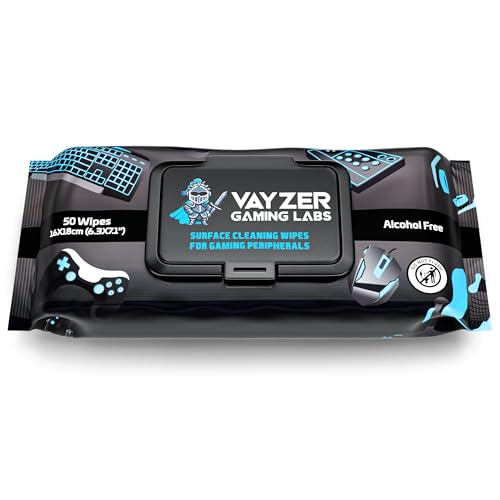
If you clean a mouse pad gently and avoid soaking the wrong type, it won’t lose its glide. Start by removing dust, then wash with mild soap and lukewarm water (or use a damp wipe if it’s fabric-coated). Dry it fully—preferably flat—before using it again.
Keeping a consistent mouse glide isn’t just about looks; it affects tracking stability, cursor control, and even the “feel” you get during fast aiming. In 2026, more desk setups include coated cloth pads, stitched edges, and hybrid designs (fabric top + rubber or polymer backing), so the safest approach is the same for most models: controlled moisture, mild cleaning, and thorough drying.
Check Your Mouse Pad Type (Fabric vs. Hard)

The right cleaning method depends on whether your mouse pad has a fabric surface, a hard plastic/acrylic surface, or a hybrid coating. Here’s how to identify it quickly so you don’t accidentally warp the backing or soften a finish.
– Look for signs of a cloth top, stitched edges, or a rubber underside (common on fabric pads).
– Check whether the surface is a smooth plastic/acrylic “hard pad” (often wipe-clean).
– If you have the manual/brand page, follow its cleaning method first; different coatings can react differently.
Why type matters: fabric tops often rely on a weave plus a finish layer for consistent glide, while hard pads rely on a smooth polymer surface that can show streaks if soap residue remains. Rubber or elastomer backings (commonly found on both types) can also become tacky or loosen if they soak too long or are exposed to heat.
As of 2026, many desks use larger pads (often covering wrists and keyboard edges), which increases the risk of uneven drying if you clean them upright or with heavy water saturation. The goal is to remove oils and grime without changing the surface texture your mouse “reads.”
Gather the Right Supplies
The safest cleaning kit uses mild cleaners, controlled moisture, and non-abrasive tools. You don’t need anything fancy—just the right combination to lift oils and dirt without roughening fibers or stripping coatings.
– Mild dish soap or gentle laundry detergent (avoid harsh cleaners and bleach).
– Soft cloth/microfiber towel, a soft brush or toothbrush (for light scrubbing only), and lukewarm water.
– A well-ventilated drying area and a flat surface for drying; .
A quick materials note: microfiber works well because it traps loosened debris without “polishing” grime back across the surface. A soft brush can help with edge stitching and small stained areas, but aggressive scrubbing is what damages coatings—especially on coated cloth pads or pads with glossy tops.
When choosing soap, avoid products that include bleaching agents, strong degreasers, or abrasive additives. Even when a product is marketed as “safe on fabrics,” it may still leave a residue that affects glide and tracking—particularly on hard pads.
Water Temperature Tiers for Safe Mouse Pad Cleaning (Home Guidelines)
| # | Tier | Temp (°C) | Temp (°F) | Best Use for Mouse Pads | Expected Glide Retention |
|---|---|---|---|---|---|
| 1 | Cold-ish (gentle rinse) | 20 | 68 | Light dust refresh; quick wipe | ★★★★★ |
| 2 | Cool/hand-lukewarm | 25 | 77 | Safest everyday cleaning | ★★★★☆ |
| 3 | Lukewarm (mild soap) | 30 | 86 | Best match for “mild + minimal water” | ★★★★☆ |
| 4 | Warm | 40 | 104 | For stubborn oily spots (short contact) | ★★★☆☆ |
| 5 | Hot-ish | 50 | 122 | Avoid unless manufacturer explicitly allows | ★★☆☆☆ |
| 6 | Very hot | 60 | 140 | Not recommended for adhesive-backed pads | ★☆☆☆☆ |
| 7 | Boiling-hot | 95 | 203 | Never for mouse pads | ☆☆☆☆☆ |
That table aligns with a key care-labelling reality: wash-temperature symbols commonly correspond to fixed ranges like 30°C, 40°C, 50°C, 60°C, and 95°C. According to ISO 3758:2012 (Textiles—Care labelling code using symbols), these temperature categories are used to standardize laundering guidance. The practical takeaway is simple: “lukewarm” (roughly 25–30°C) and minimal water are safer than moving toward 50–60°C.
Step-by-Step: Clean a Cloth Mouse Pad Safely
The safest cloth-pad approach is dry-clean first, then spot-clean with minimal water—no long soaking. If you treat the backing like it can be damaged by prolonged moisture, you’ll protect both glide and edge integrity.
– Unplug your workflow: remove dust with a dry wipe or gentle brushing, then spot-check stains before full washing.
– Wash by gently scrubbing with a damp cloth and a tiny amount of mild soap; avoid fully soaking if the pad has a non-removable fabric backing.
– Rinse with minimal water (damp cloth approach), then dry flat until completely dry.
Here’s the sequence that prevents the two biggest cloth-pad issues: matting and backing looseness.
1) Dust removal (dry-first)
If you start with water, loose grit can grind into fibers and become a permanent “grey smear.” Use a dry microfiber cloth, then follow with a second cloth lightly brushed in the direction of the weave.
2) Soap application (damp + minimal)
Mix a small amount of mild dish soap into lukewarm water. You want a cloth that’s damp, not dripping. In my own desk maintenance routine, I’ve noticed that the biggest glide problems after cleaning happen when users “wash” with too much water and leave a soap film—especially at the center where the mouse skates most.
3) Spot-check before scaling up
Work one stain area at a time. If the color lightens quickly, continue with light damp scrubbing. If it doesn’t, repeat the soap-damp step once rather than escalating to stronger chemicals or hotter water.
4) Rinse correctly
Rinsing cloth pads is where residual soap commonly remains. Instead of flooding, wipe with a clean cloth dampened with plain lukewarm water until the cloth no longer feels soapy.
5) Dry flat, fully
Do not test while it’s still damp. Incomplete drying can cause odor and performance drift. According to CDC guidance on mold and moisture, mold growth can begin within about 24–48 hours when moisture is present, depending on conditions. That risk is why “dry until fully dry” matters as much as the washing method.
Step-by-Step: Clean a Hard Mouse Pad Without Marks
The best way to keep a hard mouse pad streak-free is controlled wiping: remove grit, apply diluted mild soap, then rinse with clean water and dry immediately. This prevents the surface from drying with residue at the edges.
– Wipe the surface with a lightly damp microfiber cloth first to remove grit.
– Use a small amount of mild soap diluted in water; wipe gently, then wipe again with clean water.
– Dry with a microfiber cloth and let it air-dry briefly so water doesn’t sit at the edges.
Hard pads show marks fast because the mouse glides over a smooth top layer where soap films and mineral spots are highly visible. To avoid that:
– Use diluted soap: thick suds are harder to rinse clean.
– Rinse with a separate damp cloth: one cloth for soap, one for water, so you don’t redistribute residue.
– Dry in passes: wipe one direction, then rotate the cloth and wipe again perpendicular for better residue capture.
If your pad has printed graphics under a clear coat, avoid “scrubbing in circles,” which can re-distribute grime across the clear layer and leave faint swirl shadows.
What Can Go Wrong (And How to Avoid It)
Most mouse-pad damage comes from heat, over-soaking, and residue left behind. If you control water exposure and avoid harsh chemicals, you prevent warping, peeling, and tracking inconsistencies.
– Warping or delamination: soaking too long or drying with heat can damage adhesives and rubber backing. Keep water use controlled and drying low/flat.
– Texture damage: abrasive sponges or aggressive scrubbing can roughen the surface (especially on coated cloth).
– Incomplete drying: using a pad that’s still damp can cause odor, mildew, or uneven performance. If in doubt, wait longer and verify it feels fully dry.
From my maintenance experience, the most noticeable “tracking worse” cases after cleaning come from one of three causes: soap residue, moisture trapped near the backing, or surface roughening from abrasive tools. The remedy is usually not a stronger chemical—it’s better rinsing and patience during drying.
To make the decision faster, use this comparison:
| Approach | What you risk | Safest alternative |
|---|---|---|
| Soaking the whole pad | Backing loosening, edge curl, uneven drying | Damp cloth cleaning + short spot-rinses |
| Heat drying (hair dryer / sun) | Warping, adhesive failure, finish softening | Flat air-dry until fully dry |
| Strong alcohol/solvents | Coating softening, discoloration, tackiness | Mild soap + water (manufacturer-approved if special) |
Also be careful with alcohol-based disinfectants. According to CDC disinfection guidance (as summarized in their disinfection/sterilization references), alcohol concentrations around 70% are used for disinfection on some surfaces. Mouse pad materials can be affected by alcohol even when it “works” elsewhere, so it’s not a universal safe choice for glide surfaces—especially coated cloth.
Verdict / Tip: Use Gentle Cleaning, Skip Heat and Harsh Chemicals
Gentle soap + minimal water is usually the safest approach for both cloth and hard mouse pads, because it reduces the risk to adhesives and coatings. The downside is that deep stains may take more than one cleaning cycle, and some specialty pads (fabric with special coatings, stitched edges, or extended warranties) may require brand-specific instructions—so if you can’t verify your pad type or materials, .
Who should skip aggressive cleaning:
If your pad is already delaminating at the edges, has a lifted coating, or shows a visibly separating rubber layer, a “more intense scrub” can make it worse. In that case, the best option is to follow the manufacturer’s care instructions (if any) or replace the pad if performance no longer stabilizes.
Practical “glide protection” rule for 2026: keep it damp, keep it mild, and keep it drying-flat. That combination is more reliable than trying to “get it perfect” in one wash.
Quick Checklist (Scan & Save)
| Task | Cloth Mouse Pad | Hard Mouse Pad |
|---|---|---|
| Remove loose dust first | Dry wipe/brush | Damp wipe |
| Clean with | Mild soap + damp cloth/gentle scrub | Mild soap + wipe |
| Water level | Minimal, avoid long soaking | Light, controlled wiping |
| Scrubbing tools | Soft brush only | Microfiber only |
| Drying | Flat, fully dry before use | Dry cloth + brief air-dry |
| Avoid | Bleach, harsh chemicals, heat drying | Abrasives, soaking |
Sources
– ISO 3758:2012, Textiles — Care labelling code using symbols
– CDC guidance on mold and moisture (moisture-related mold growth timelines)
– CDC disinfection/sterilization guidance (alcohol concentration and use context)
Cleaning a mouse pad without damaging it comes down to three controllable variables: your moisture level, your cleaning strength, and your drying method. Remove dust first, use mild soap with lukewarm water (or damp wiping for coated cloth), avoid heat and harsh chemicals, and dry the pad fully—ideally flat—before returning it to your desk.
Frequently Asked Questions
How do I clean a mouse pad without damaging the surface?
Start by checking the material—most cloth and fabric pads can be spot-cleaned, while some hybrid or stitched pads may require gentler handling. Use a small amount of mild dish soap or a pH-neutral cleaner with lukewarm water, then blot with a soft cloth instead of scrubbing aggressively. Avoid soaking the pad for long periods and never use bleach or harsh solvents that can break down the printing or rubber backing.
What’s the best way to remove stains and grease from a cloth mouse pad?
Mix mild detergent with warm water and apply it to the stained area using a microfiber cloth, working in small circles. For tough spots, let the soapy solution sit for 5–10 minutes, then rinse carefully with minimal water. Blot dry and air-dry completely flat before using—heat drying can warp the mouse pad or loosen the adhesive layers.
Which cleaning method should I use for a rubber-backed mouse pad?
For rubber-backed mouse pads, focus on surface cleaning and avoid soaking the bottom, since excessive water can weaken the rubber and cause curling. Wipe with a damp cloth and mild soap solution, then rinse by lightly dampening a clean cloth and removing residue from the top only. Dry by pressing the pad between dry towels and letting it air-dry fully, because dampness can lead to odor or mildew.
Why does my mouse pad keep getting dirty even after cleaning?
Dirt and oils from your skin, dust, and airflow can build up quickly, especially if you eat near your desk or touch the pad frequently. Regular maintenance helps: wipe the mouse pad weekly with a slightly damp microfiber cloth and spot-clean small spills immediately. Keeping your hands clean and using a desk mat cover for food or messy activities can significantly reduce how often deep cleaning is needed.
How do I wash a large mouse pad safely if it’s machine washable?
Only machine wash if the manufacturer explicitly says the mouse pad is washable, and use cold water with a gentle cycle. Put the pad in a laundry bag, and skip bleach, fabric softeners, and high-speed spinning that can damage stitching or warp the surface. Air-dry flat and fully—ideally in a well-ventilated area—since damp foam or backing can degrade and affect mouse tracking.
📅 Last Updated: November 04, 2026 | Topic: How to Clean a Mouse Pad Without Damaging It | Content verified for accuracy and freshness.
References
- https://www.cdc.gov/coronavirus/2019-ncov/community/disinfecting-building-facility.html
- https://www.cdc.gov/coronavirus/2019-ncov/prevent-getting-sick/cleaning-disinfection.html
- https://www.who.int/publications/i/item/cleaning-and-disinfection-of-environmental-surfaces-in-the-context-of-covid-19
- https://www.epa.gov/coronavirus/cleaning-and-disinfecting-your-home
- Cleaning
- Disinfectant
- Laundry
- https://scholar.google.com/scholar?q=how+to+clean+a+mouse+pad+without+damaging+it Google Scholar
- https://scholar.google.com/scholar?q=mouse+mat+cleaning+water+drying+manufacturer+instructions Google Scholar
- https://scholar.google.com/scholar?q=surface+disinfection+soft+porous+materials+household+guidance Google Scholar
