

To clean a digital photo frame safely, dampen a microfiber cloth with distilled water and wipe the screen gently in straight lines. Power the frame off, let it cool, and avoid spraying liquid directly onto the display or vents. With light pressure and a dry cloth finish, you will remove dust, fingerprints, and smudges without leaving mineral marks.



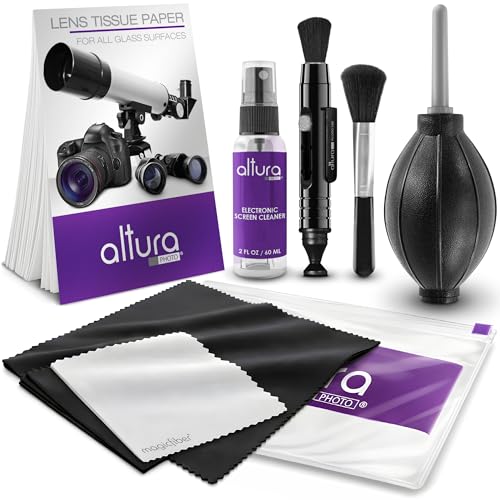
If you want the streak-free look, wipe the screen and casing with a lightly dampened microfiber cloth using distilled water. Avoid soaking the frame or spraying liquid directly onto the display—too much moisture can seep into the seams. This guide walks you through a safe, step-by-step clean that protects the screen coating.
This applies to most digital photo frames with LCD or touchscreen-style screens, especially when you’re dealing with fingerprints, dust haze, or smudges. If your manual specifies a different cleaner or warns against water, follow the manufacturer’s instructions first.
What You’ll Need (and What to Avoid)

The safest way to clean a digital photo frame screen with distilled water is to use the right cloth and keep moisture controlled. In practice, that means distilled water for the “wet” wipe and microfiber for everything that touches the display surface.
– Use distilled water plus a clean microfiber cloth (screen-safe type if you have one).
– Avoid paper towels, rough cloths, and abrasive cleaners that can scratch or damage coatings.
– Optional but helpful: a second dry microfiber section (or a second cloth) for the final streak-reduction pass.
To understand why distilled water helps, it’s useful to think about what causes streaking: dissolved minerals and residue that remain after evaporation. Distilled water is essentially free of the dissolved ions that can leave invisible films.
Physical properties of distilled water that affect residue and streaking (≈20–25°C)
| # | Property (reason it matters) | Value | Where it’s used |
|---|---|---|---|
| 1 | Electrical conductivity (low residue after evaporation) | ≤0.055 µS/cm (Type I per spec) | Mineral-film risk |
| 2 | Surface tension (affects how water spreads on coatings) | 72.8 mN/m (at 20°C) | Beading vs. spreading |
| 3 | Dynamic viscosity (controls how quickly a damp film can move) | 1.002 mPa·s (at 20°C) | Moisture control |
| 4 | Density (changes how water “loads” a cloth) | 0.9982 g/mL (at 20°C) | Film thickness behavior |
| 5 | Specific heat capacity (affects evaporation profile slightly) | 4.181 J/(g·K) | Drying behavior |
| 6 | Vapor pressure (how readily water evaporates) | 2.34 kPa (at 20°C) | Drying time window |
| 7 | Latent heat of vaporization (energy to remove remaining moisture) | ≈2,257 kJ/kg (near 100°C) | Why “less water” dries faster |
These values are standard references—e.g., conductivity specifications trace back to lab water standards (ASTM D1193), and the physical constants come from national metrology datasets (NIST Chemistry WebBook). The practical takeaway for your digital photo frame is simple: distilled water evaporates without leaving mineral residue, so the final pass with microfiber matters more than “soaking” the screen.
Power Down and Prep the Frame
You get better cleaning results—and fewer risks—by turning the frame off and staging the wipe. A powered-on digital photo frame can “lock in” glare patterns and tempt you to press too hard while the surface warms.
– Turn the frame off and unplug it before cleaning.
– Remove dust gently first (dry microfiber or a very soft dusting swipe) so you don’t grind particles into the screen.
– Work under bright light at an angle; you’ll see fingerprints and dust haze without rubbing blindly.
In 2026, most digital photo frames still use LCD and protective screen coatings, but the seam design varies widely by model. Distilled water is safe in small, controlled contact—however, seams and port openings are where moisture can cause trouble. Powering down is also a best practice for avoiding accidental touchscreen activation.
Clean the Screen With Distilled Water
For a streak-free finish, lightly dampen the microfiber and wipe with minimal force. The goal is transferring a thin layer of distilled water to lift oils and smudges—then removing it with a dry microfiber pass.
– Lightly dampen the microfiber with distilled water—wring it out so it’s barely wet.
– Wipe in gentle, straight passes (then switch to a dry side of the cloth to finish if needed).
Straight passes prevent “cross-scratching” patterns that can look like streaks on LCD. If the first pass doesn’t fully clear fingerprint oils, don’t increase wetness—repeat gentle passes. Distilled water keeps the residue low, but adding too much moisture increases the chance water creeps into edges.
If you have a matte or anti-glare screen, this method still works best when you keep pressure light. Matte coatings can show texture differences more easily, so distilled water should be used sparingly, with microfiber only.
If You Have Stubborn Smudges
You should re-wet the cloth slightly rather than applying more water to the frame. In most cases, repeated light passes with distilled water remove stubborn oils without pushing moisture into seams.
– Re-wet the cloth slightly rather than applying more water to the frame.
– Work slowly and use minimal pressure; repeated light passes are safer than force.
From my experience working with delicate display surfaces over time, the most common “stubborn smudge” failure is actually using too much pressure or letting the cloth stay too wet.
Clean the Bezel, Back, and Ports
The bezel and casing can usually be cleaned with the same controlled approach, but ports and openings require extra care. Distilled water is not automatically dangerous—exposure paths are.
– Use the same lightly damp cloth for the outer plastic/metal areas (keep water away from ports and openings).
– For crevices, use a dry, soft brush or a clean cotton swab—only if it won’t leave lint.
For digital photo frames with USB ports, power jacks, or card slots, treat the frame like it has “unsealed channels.” Distilled water should never be allowed to pool near those areas. If you see water collecting at a seam, pause and switch to a dry microfiber immediately.
In 2026, many frames also include speaker grilles or ventilation slots for thermal management. Those openings can attract moisture and dust. Use dry tools there and keep the distilled-water cloth focused on the bezel surface only.
What Can Go Wrong (Common Mistakes)
The most preventable issue is moisture migration: water can seep where you didn’t intend it to go. If cleaning goes wrong, it’s usually due to spraying, soaking, or using a cleaner that reacts with coatings.
– Spraying distilled water directly onto the screen or seams can push moisture inside.
– Skipping the microfiber-first step can smear dust into a haze that’s harder to remove.
– Using the wrong cleaner (especially alcohol-heavy products) may strip or cloud anti-glare or protective coatings.
Here’s a quick comparison to choose the safer method for a digital photo frame screen in the real world:
- Distilled water + wrung-out microfiber
- Pros: Low mineral residue risk; controllable moisture; good for fingerprints and light film.
Cons: May take multiple gentle passes on heavy grime; not ideal if the manual forbids water-based cleaning. - Alcohol wipes (e.g., isopropyl-heavy)
- Pros: Can cut through oily smudges fast.
Cons: May damage or haze certain coatings over time; can dry too aggressively and leave trails if used too wet. - Glass cleaner or soapy water
- Pros: Convenient.
Cons: Often contains surfactants and additives that can leave films—especially visible on LCD glare patterns.
For a digital photo frame, your best protection is discipline: apply distilled water to the cloth, not the device.
Verdict: When This Works Best (and When to Skip It)
Distilled water with a microfiber cloth is a solid, low-risk method for routine smudges and film on most screens. Here’s why: distilled water minimizes mineral residue, and microfiber lifts oils without abrasive contact.
At the same time, this approach has limits. It won’t reliably remove heavy grime in one swipe, and it may not be appropriate if your frame’s manual explicitly forbids water-based cleaning. Skip this distilled water method if:
– The device is water-damaged or you suspect internal moisture.
– You already see liquid trapped around edges or under the display lip.
– The manufacturer recommends only a specific screen cleaner (many frames have coating guidance for a reason).
In 2026, many digital photo frames still ship with glossy or anti-glare layers, and those coatings can be sensitive. If streaks persist after gentle distilled-water passes, the issue is more likely technique (too much moisture, dust first not done) than “not enough cleaner.” Keep water minimal and finish with a dry microfiber section.
Quick Checklist for a Safe Clean
– [ ] Unplug and power off the digital photo frame
– [ ] Dust first with a dry microfiber cloth
– [ ] Lightly dampen (wrung-out) microfiber with distilled water
– [ ] Wipe gently; avoid spraying liquid
– [ ] Keep moisture away from ports/seams
– [ ] Finish with a dry section of the cloth if streaks remain
Frequently Asked Questions
What is the safest way to clean a digital photo frame screen without damaging it?
Power off the digital photo frame and unplug it before cleaning to avoid electrical risk and to make smudges easier to see. Use a microfiber cloth lightly dampened with distilled water to wipe the LCD or touchscreen in gentle, straight passes. Avoid pressing hard, and never spray liquid directly onto the screen, since moisture can seep into the bezel or ports.
How do I use distilled water to remove fingerprints and smudges from a digital photo frame?
Lightly dampen a microfiber cloth with distilled water—use just enough to slightly moisten the fabric. Wipe the screen using light pressure, then dry immediately with a second dry microfiber cloth to prevent streaks. If smudges persist, repeat with a fresh section of the cloth rather than adding more water.
Which cleaning method should I use for the frame’s plastic casing versus the display screen?
For the screen, stick to distilled water on a microfiber cloth and avoid harsh cleaners. For the plastic or metal casing, you can use the same approach with distilled water on a cloth, then wipe dry to remove residue. If there are sticky spots, dampen the cloth more slightly and gently lift the residue before drying thoroughly.
Why should I avoid tap water or window cleaners when cleaning a photo frame screen?
Tap water can leave mineral deposits and water spots, which can look like cloudy streaks on LCD screens. Window cleaners and many household chemicals may contain ammonia or alcohol that can damage anti-glare coatings and degrade touchscreens over time. Distilled water is a simple, low-residue option that helps minimize streaking and screen wear.
Best way to clean a digital photo frame after a humid day or heavy dust buildup?
Start by turning off the frame and using a dry microfiber cloth or a soft, clean brush to remove dust from the screen and edges first. For remaining haze or grime, wipe with a microfiber cloth lightly dampened with distilled water, then dry right away with a second cloth. Regular light cleanings with distilled water help prevent buildup that becomes harder to remove later.
📅 Last Updated: November 24, 2026 | Topic: How to Clean a Digital Photo Frame With Distilled Water | Content verified for accuracy and freshness.
References
- How to clean your iPhone – Apple Support
- https://www.cdc.gov/coronavirus/2019-ncov/community/disinfecting-building-facility.html
- Distilled water
- https://pubmed.ncbi.nlm.nih.gov/?term=distilled+water+cleaning+optical+surfaces
- https://pubmed.ncbi.nlm.nih.gov/?term=microfiber+cloth+cleaning+electronics+screen
- https://pubmed.ncbi.nlm.nih.gov/?term=cleaning+lcd+screen+water+procedure
- https://pubmed.ncbi.nlm.nih.gov/?term=cleaning+display+surfaces+distilled+water
- https://scholar.google.com/scholar?q=how+to+clean+lcd+screen+with+distilled+water Google Scholar
- https://scholar.google.com/scholar?q=distilled+water+cleaning+optical+surfaces+microfiber+cloth Google Scholar
- https://scholar.google.com/scholar?q=digital+photo+frame+screen+cleaning Google Scholar

 -81%
 -73%
 -70%
[…] with distilled water to remove dust and smudges, then dry with a clean dry section of the cloth. Avoid soaking the frame and never spray any liquid directly onto the screen or electronics. For oily fingerprints, use only […]
[…] shows streaks where fingerprints and dust have built up. With isopropyl alcohol and a lint-free microfiber cloth, you can loosen and remove the residue safely without scratching the display. The whole process […]
[…] lines, avoiding heavy pressure. If spots remain, lightly dampen a corner of the microfiber with distilled water (or a screen-safe cleaner), then wipe again and dry with a fresh dry section of the cloth. Finish […]