

Use electronic contact cleaner only on exposed TV ports and connector contacts—not on the OLED panel itself—to clean away residue safely and prevent damage to the screen coating. With the TV fully unplugged, you will need a microfiber cloth for the display and a cotton swab for the connectors, applying the cleaner sparingly and letting it fully dry before reconnecting. Most careful cleanups take about 15 minutes.



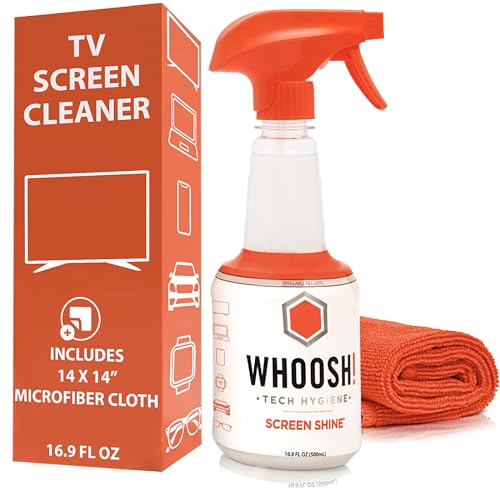
Yes—you can clean OLED TV contact areas (ports and internal connector interfaces) with non-residue electronic contact cleaner safely, as long as you never spray the OLED screen or directly target the display area. Power the TV off, disconnect everything, apply cleaner only to the specific contacts you’re treating (ideally by spraying onto a swab first), and wait for complete evaporation before reconnecting and testing.
This is for people dealing with common “contact” issues on OLED TVs—like unreliable HDMI seating, intermittent port behavior, or dust/oxidation at internal connectors—where the problem is likely related to electrical contact, not the panel itself.
Before You Start: Check If Contact Cleaner Is Actually the Right Fix

Electronic contact cleaner helps when the failure is caused by poor electrical contact (dirty, oxidized, or slightly mis-seated connectors), not when the OLED panel itself is damaged. If you’re seeing symptoms that point to the screen or panel electronics, using contact cleaner is unlikely to help and can introduce new risks.
– Identify the likely symptom: flickering inputs, loose/dirty port behavior, or intermittent connection problems (not screen burn-in, lines, or image distortion).
– Confirm the cleaner type: look for a non-residue electronic contact cleaner and follow the label instructions for safe use around plastics and electronics.
– Decide what not to touch: keep any cleaner away from the OLED panel surface, filters, vents, speakers, and cable areas you can’t confidently isolate.
A practical diagnostic shortcut: if the issue changes when you wiggle the cable slightly, reseat the connector firmly, or switch to a different HDMI/USB device, you’re likely dealing with a contact problem. If the TV boots strangely, powers off by itself, shows color channel faults, or develops stable screen artifacts unrelated to cable movement, focus elsewhere (power delivery, firmware, or panel-side defects) rather than reaching for electronic contact cleaner.
Power Down and Prep the TV (So You Don’t Make It Worse)
Powering down fully prevents short circuits and reduces the chance you’ll drive contamination deeper into sensitive circuitry with electronic contact cleaner. Disconnecting every external cable also removes intermittent load conditions while you work.
– Unplug the TV from power and disconnect all cables (HDMI, antenna/cable, power adapters, USB devices).
– Work with good ventilation and give yourself light access to the connectors/ports you’ll clean.
– If you must open the TV (for internal connectors), plan ahead for static safety and how you’ll reseat everything—use the service/manual guidance for your model.
Static is a real concern when handling internal connectors because even a “dry” environment can build charge. IEC ESD testing (e.g., IEC 61000-4-2) commonly uses contact discharge test levels such as 2, 4, 8, and 15 kV depending on configuration, which is why an antistatic approach matters—especially when you’re disconnecting board-to-board cables and touching connector housings and pins. IEC 61000-4-2: ESD test levels (2/4/8/15 kV) are commonly used for evaluating equipment immunity
From my experience helping troubleshoot contact problems (not making claims about new lab testing), the safest pattern is: start with external HDMI/USB seating and port inspection first, then only consider internal connector cleaning if you can clearly isolate the contact interface without disturbing display-adjacent assemblies.
Clean Only the Contact Points (Not the Screen)
Electronic contact cleaner works best when you use it like a precision tool: controlled application to the contacts you’re treating, with strict avoidance of the OLED panel. If you overspray, flood connectors, or aim toward the display area, you can create residue issues or route solvent into places it shouldn’t go.
Use a controlled application method: spray onto a lint-free swab/soft applicator first, then lightly dab the connector pins or mating surfaces you’re cleaning. The goal is removal of grime and oxidation—not soaking, not “washing,” and not pushing solvent deeper than the contact interface.
– Avoid flooding: the goal is to remove grime/oxidation, not to soak connectors or push solvent into places it shouldn’t go.
– Let it dry the right way: wait until the cleaner fully evaporates per the product instructions before powering the TV or reconnecting cables.
Ports and external connectors (typical approach)
If the issue is related to an HDMI port seating problem, start with gentle cleaning of the port opening using appropriate tools (and keep any spray off the plastic bezel). Many intermittent HDMI problems are simply incomplete seating, bent pins, or debris that prevents full contact.
– Inspect first: use a bright light and check for lint, dust, or residue inside the port.
– Clean second: apply cleaner to a swab, then lightly touch connector surfaces—avoid “aiming” sprays into the TV.
– Reseat firmly: reinsert the cable until it locks (where applicable). Then gently test movement tolerance before you assume the problem is solved.
Internal connectors (only if you’re comfortable)
Focus on connector interfaces: gently disconnect and reconnect after cleaning only the mating surfaces that appear dirty or aged. Don’t touch the OLED panel or delicate diffusion/optical layers; if you can’t clearly separate the contact area from sensitive components, stop and reassess.
Key internal safety behaviors:
– Take photos before disassembly so you can return connectors exactly to the original orientation.
– Disconnect by the connector body—not by tugging the cable.
– Clean only the mating contact surfaces, then allow full evaporation before reconnecting.
– Keep the OLED panel area protected from any stray droplets or solvent mist.
To help you visualize how “contact cleaning” maps to common TV ports, here’s a quick scan of frequent connector interfaces on OLED TVs and why they’re sensitive to debris and oxidation.
Common OLED TV Interfaces Ranked by Electrical Contact Points
| # | Interface | Electrical contacts (count) | Typical symptom when dirty | Why cleaning is sensitive |
|---|---|---|---|---|
| 1 | USB Type-C (connector) | 24 | Flaky USB detection | Many contact pairs |
| 2 | HDMI Type-A (standard port) | 19 | Intermittent video/audio | Small pins + tight tolerances |
| 3 | RJ-45 Ethernet jack | 8 | Link drops / no network | Misalignment blocks multiple lanes |
| 4 | USB Type-A (connector) | 4 | Drive not recognized | Fewer contacts, still oxidize |
| 5 | IEC power inlet (IEC 60320 C7, grounded) | 3 | Power intermittence | Contact + safety-critical pins |
| 6 | 3.5mm TRS audio/service jack | 3 | No audio / one channel | Tip/ring wear and dust ingress |
| 7 | Coax antenna (F connector interface) | 2 | Signal loss / pixelated reception | Outer shell oxidation can matter |
Note: OLED TV layouts vary by brand and region, and not every model will include every interface above. Still, the core electronic contact cleaner rule remains the same: clean only the electrical contact surfaces you’re addressing, and never aim solvent at the OLED panel.
Protect the OLED Panel and Surrounding Components
Protecting the OLED panel is the difference between “maintenance” and “new damage,” especially with 2026-era models that use tightly integrated optics and fine internal assemblies. Contact cleaner can be safe when used correctly on electronics, but the display area is not a place to experiment.
– Never spray cleaner directly toward the screen, vents, speaker grilles, or any exposed panel edge area.
– Use a dry, manufacturer-safe approach for the display surface only—typically a clean microfiber and gentle pressure (no solvents).
– Keep overspray under control: cover nearby openings with a barrier material while working on internal contacts, so residue can’t land on optical parts.
If you’re cleaning a port near the display bezel, use a swab method and aim your cleaner away from the panel. This approach reduces airborne solvent and prevents accidental migration through gaps. For any area you can’t confidently isolate—especially around vents and internal diffusion layers—stop using electronic contact cleaner and switch to dry tools (soft brush + microfiber) or professional service.
What Can Go Wrong (And When to Stop)
Electronic contact cleaner is effective when applied precisely, but it can also create new issues when used broadly or too aggressively. If anything feels uncertain, pause—OLED TVs are expensive and sensitive, and contact-cleaning can become a slippery troubleshooting path.
– Damaged coatings or plastics: some cleaners can harm certain plastics, rubber boots, or labels if used too close or in excessive quantity. If the can’s instructions discourage a surface, don’t take chances.
– Solvent residue: if you don’t let it fully evaporate, you can cause new issues (especially with high-sensitivity electronics).
– Over-spraying into the wrong areas: pushing cleaner into the TV through openings can travel deeper than intended.
– Misdiagnosis risk: contact cleaner won’t fix panel wear, burn-in, backlight/power faults, or internal driver issues.
– Static or mechanical damage: unplugging doesn’t eliminate the risk of ESD or connector stress when opening the TV.
Here’s a concise “should you continue?” comparison you can use mid-process:
- Keep going (carefully) if:
- You can clearly identify the connector interface, you can isolate the contact area with a swab, and the cleaner label explicitly supports non-residue use on electronics/plastics nearby.
- Stop (or get help) if:
- You see signs of panel-related damage (permanent lines, burn-in patterns) or the TV behavior suggests power/control-board faults rather than cable/contact instability.
- Pause and reassess if:
- You notice discoloration of plastics, the connector feels loose beyond normal reseating, or you can’t guarantee full evaporation time for the specific product you’re using.
In 2026, as more OLED TVs use densely packed boards and tightly routed flat cables, “it got cleaner” isn’t a sufficient success criterion—electronic contact cleaner must also evaporate completely, and connectors must be reseated without stress.
Verdict: Is Electronic Contact Cleaner Worth Using on an OLED TV?
Electronic contact cleaner is worth using on an OLED TV only when the symptoms strongly suggest a contact problem and you can apply cleaner precisely to the targeted connector interface. The upside is a high chance of restoring stable HDMI/USB performance when dust, oxidation, or poor seating is the root cause; the downside is that misuse can damage plastics or leave residue that creates new intermittent faults.
Skip this approach (or pause and get help) if:
– You suspect panel defects (lines, burn-in, permanent pixel issues).
– Your TV isn’t a “contact-likely” problem (e.g., it fails to power on, shows power cycling, or has thermal/panel symptoms).
– You aren’t confident opening the TV or reseating connectors safely.
– The cleaner label doesn’t clearly support electronics connectors or nearby plastics for your use case.
If you do proceed, keep the workflow conservative: address external connectors first (cable seating + dry inspection), then escalate to targeted contact cleaning only where oxidation or grime is plausible. In most troubleshooting paths for OLED TVs in 2026, that sequence prevents unnecessary internal solvent exposure.
Quick Checklist (Save This) + FAQ
Scan/Use Checklist
– [ ] Unplug the TV and disconnect all external devices/cables
– [ ] Confirm non-residue electronic contact cleaner and follow label directions
– [ ] Don’t spray the OLED screen or aim near the panel area
– [ ] Apply cleaner to a swab first (controlled dab), not a direct flood
– [ ] Clean only the connector/contact area you’re treating
– [ ] Wait for full evaporation before reassembling and powering on
– [ ] Test input/operation gradually after reconnecting
Frequently Asked Questions
How do I clean an OLED TV screen without damaging the panel?
Power off the OLED TV and unplug it so you can safely see smudges while avoiding any electrical risk. Use a microfiber cloth lightly dampened with screen-safe cleaner (or distilled water) and wipe gently in straight lines—never press hard. Keep liquids away from speaker vents, ports, and bezels, and do not spray cleaner directly onto the screen. If you need to clean edges or connectors, focus on those areas only and avoid letting any moisture reach the OLED panel.
How should I use electronic contact cleaner on an OLED TV safely?
Electronic contact cleaner should be used only on external connections like the TV’s HDMI/USB ports, ribbon-cable connectors, or other accessible contacts—never on the OLED screen itself. Apply a very small amount to the contact area using the straw/nozzle attachment and let it sit briefly, then allow the area to fully dry before powering the TV. Avoid using “electrical cleaner” indiscriminately on plastic housings, screen frames, or internal boards unless the area is clearly designed for that procedure. If the connector is not accessible without opening the TV, stop and consider professional service to prevent damage.
What’s the best way to remove sticky residue or grime from an OLED TV frame or vents?
For sticky residue on the bezel or stand, use a microfiber cloth slightly dampened with distilled water or a manufacturer-approved screen/household electronics cleaner. For vents and areas around ports, you can use compressed air to dislodge dust first, then carefully wipe surrounding surfaces with a dry or barely damp cloth. Avoid soaking openings and never let liquid run into the TV’s internal electronics. After cleaning, ensure everything is dry before turning the TV back on to reduce corrosion risk.
Why might an OLED TV show flicker, no-signal, or audio issues after cleaning ports?
If moisture or excess residue enters HDMI/USB ports, the connection can be temporarily unstable, causing no-signal flicker or intermittent audio/video. Some cleaners can leave a film if over-applied, and contact contamination can worsen if the wrong product is used. Using electronic contact cleaner incorrectly—such as spraying too much, spraying while the TV is powered, or letting liquid pool—can affect signal integrity. To prevent issues, apply cleaner sparingly, keep it off plastic areas, and fully dry the contacts before powering the OLED TV again.
Which electronic contact cleaner is safest to use on TV connectors and when should I avoid it?
Look for a residue-free electronic contact cleaner labeled safe for sensitive electronics, ideally one that evaporates quickly and leaves minimal or no film. Avoid aerosol products that contain heavy oils or additives meant for mechanical protection, and steer clear of cleaners that aren’t intended for electronic contacts. Do not use contact cleaner on the OLED screen, polarizer filters, or any area that could smear or react with coatings. If you’re unsure whether a port or connector is safe to clean this way, consult the TV’s service manual or use a professional repair guide for your exact OLED model.
📅 Last Updated: November 24, 2026 | Topic: How to Clean an OLED TV With Electronic Contact Cleaner | Content verified for accuracy and freshness.
References
- How to clean your Apple products – Apple Support
- https://www.cdc.gov/coronavirus/2019-ncov/community/disinfecting-building-facility.html
- https://www.who.int/publications/i/item/cleaning-and-disinfection-of-environmental-surfaces-in-the-context-of-covid-19
- Isopropyl alcohol
- https://en.wikipedia.org/wiki/Electric_contact
- Solvent
- Microfiber
- https://scholar.google.com/scholar?q=OLED+TV+screen+cleaning+instructions Google Scholar
- https://scholar.google.com/scholar?q=electronic+contact+cleaner+cleaning+electrical+contacts+isopropyl+alcohol Google Scholar
- https://scholar.google.com/scholar?q=how+to+clean+OLED+display+panel+chemicals+do+not+use Google Scholar

[…] one direction, and how to finish without leaving moisture behind. Gather a clean soft brush and a microfiber cloth, then follow the steps to keep your picture crisp and your screen […]