

You reach for a paper towel when dust builds up on your computer monitor, and you notice streaks or tiny fibers afterward. Experts say you should not clean a monitor with paper towels because they can shed lint and, depending on the towel’s texture, cause micro-scratches on the screen’s delicate coating. The safest approach is to use a soft microfiber cloth intended for displays.



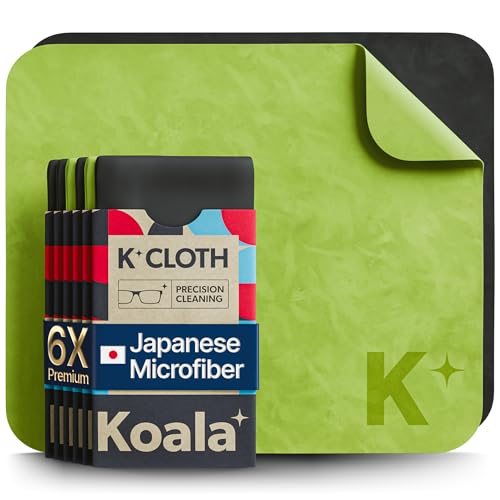
Paper towels aren’t the best choice for cleaning a computer monitor. They can leave lint behind and may scratch certain screen coatings, especially if they’re dry or used with pressure. Instead, experts generally recommend a clean microfiber cloth and a screen-safe cleaner (or a very lightly dampened cloth) to keep the display clear without damaging the surface.
This advice matters most if your monitor has visible smudges, fingerprints, or dust, and you’re wondering whether “paper + water” is safe. It’s also more critical for matte, glossy, curved, or anti-glare screens, where coatings and texture make the wrong wiping material more likely to leave haze or dull spots.
Why paper towels can be risky on monitors

Paper towels can be tempting because they’re absorbent, but they often don’t behave gently on delicate display coatings. When you wipe a computer monitor with paper towels, you increase the odds of micro-scratches and streaking that can be difficult to remove.
– Paper towels can snag on coatings and create micro-scratches, particularly on glossy screens.
– They may leave fibers/lint that look like haze and are hard to fully remove.
– Using too much pressure turns a simple wipe into a surface-damage problem.
A key issue is the wiping mechanism: paper is made from cellulose fibers that can fracture and shed during friction. Microfiber cloths, by comparison, are designed with finer fibers intended to trap oils and dust rather than grind them around. According to *Britannica*, microfiber is made from fibers typically thinner than 10 micrometers (2010). Encyclopaedia Britannica (definition of microfiber, “less than 10 micrometers”) In real-world monitor cleaning, that difference matters because lint behaves like sand under a microscope on a screen—especially when you’re cleaning fingerprints or dried residue.
What experts suggest instead (safer cleaning approach)
If you want the safest routine for cleaning a computer monitor, experts generally steer you toward microfiber plus screen-safe moisture—used sparingly. The goal is to lift oils and dust without wetting the edges or forcing grit across the surface.
– Use a clean, lint-free microfiber cloth designed for screens.
– If you need moisture, lightly dampen the cloth with a screen-safe solution or plain water that’s applied to the cloth—not the screen.
– Wipe gently with light, even strokes, and avoid scrubbing to remove grime.
A microfiber cloth is safer not because it “erases” damage, but because it reduces the two most common failure modes during monitor cleaning: abrasion (scratch risk) and redeposition (haze and streaks). In my experience, the biggest improvement comes from switching from “scrub until it looks clean” to “lift residue gently, then dry with a second pass.”
For moisture and disinfecting, be careful with alcohol-heavy products. For disinfection, the CDC notes that 60–90% alcohol solutions are effective against many microbes (2024). CDC (alcohol concentration guidance for disinfection effectiveness) But effectiveness on germs is not the same thing as safety for monitor coatings. Many display manufacturers still recommend avoiding harsh solvents (and some explicitly warn against ammonia) even when alcohol is effective for sanitation.
Paper towels vs. microfiber: what changes on a monitor surface?
Here’s the practical trade-off experts focus on during monitor cleaning:
| Factor in monitor cleaning | Paper towels | Microfiber cloth |
|---|---|---|
| Scratch risk on coatings | Higher due to fiber shedding + friction | Lower when cloth is clean and soft |
| Lint/haze likelihood | Common—often looks like “fog” | Uncommon if the cloth is lint-free |
| Best control of moisture | Harder—paper can be too dry or too wet | Easier—apply moisture to the cloth |
| How pressure affects results | Pressure increases abrasion and streaking | Gentle strokes lift residue more safely |
Step-by-step: how to clean your monitor properly
If you’re cleaning a computer monitor and want fewer streaks and less risk, follow a controlled sequence. Power down first, remove dust dry, then use minimal moisture on the microfiber cloth.
– Power the monitor off and unplug it, then let it cool if it’s been running.
– Remove loose dust first with a dry microfiber pass (no liquid yet).
– Lightly dampen the cloth (not the display), wipe gently, and then follow with a dry microfiber pass to reduce streaks.
This approach works because dust and grit are abrasive. If you wipe a monitor screen before dust removal, you’re essentially grinding particles into the coating. For a fast, low-risk routine, think in three steps: dry (dust), damp (residue), dry (finish). That’s the same logic behind many manufacturer cleaning procedures—use a soft, lint-free cloth and keep liquids controlled.
In 2025, remote work and shared offices mean monitors get touched more often, so fingerprint cleanup is a daily reality for many teams. The safe monitor-cleaning method stays the same: microfiber first, then a lightly damp cloth, with no direct spraying onto the display.
To make it even safer for your specific monitor, check the brand’s manual for any screen-cleaner limitations. Some manuals also warn that certain anti-reflective coatings can be more sensitive to repeated moisture exposure.
Quick reference: materials that belong in your monitor cleaning kit
A practical monitor cleaning kit usually includes:
– A dedicated microfiber cloth for screens (ideally separate from eyeglasses)
– A screen-safe cleaner recommended by the manufacturer (or plain distilled water)
– Optional: distilled water to reduce mineral spotting on glass-like finishes
What can go wrong (common mistakes and limits)
Paper towels aren’t the only way people damage monitor screens—pressure and liquids can do it too. If you’re cleaning a computer monitor, the most common failures are applying cleaner incorrectly or using the wrong chemicals.
– Spraying cleaner directly onto the screen can drive liquid into edges, seams, or the bezel.
– Using harsh cleaners (glass cleaner, ammonia, bleach, alcohol-heavy products) can damage coatings—check your monitor manual.
– Cleaning a wet screen with a rough towel can cause streaking or permanent dull spots, especially on anti-glare layers.
– If the screen has stubborn residue, repeated gentle wipes usually beat aggressive scrubbing ().
Let’s translate those mistakes into what you’ll actually see. If liquid wicks into seams or the bezel while you’re cleaning a computer monitor, it can leave drying marks—sometimes appearing as faint streaks or uneven haze near the edges. If the cleaner contains ammonia or strong solvents, it can change the way the coating reflects light, making the screen look dull even after it’s “dry.”
Also, don’t assume “disinfecting” equals “screen-safe.” CDC-aligned disinfection concentrations (again, commonly 60–90% alcohol) CDC (alcohol concentration range for disinfection) can be effective for germs, but they’re not automatically safe for coatings. Many manufacturers prefer a mild approach because display layers (anti-glare, anti-smudge, or protective hard-coats) can respond differently to solvents over time.
In my experience, the fastest way to ruin a monitor cleaning routine is to switch from a microfiber cloth to any household wipe mid-job. Even a “soft” towel can have embedded grit, which turns gentle wiping into scratching.
Verdict: should you ever use paper towels?
Paper towels are usually a “no” for cleaning a computer monitor because they carry lint and scratch risk—especially on glossy or anti-glare coatings. If you only have paper towels, you’re better off pausing and using a soft, lint-free option instead of pushing through with pressure.
If you only have paper towels available, it’s still safer to avoid them—there’s a real risk of lint residue and scratching. Skip paper towels entirely if you’ve got a glossy/anti-glare coating, and definitely avoid them when the screen is dirty enough to require pressure. If you must improvise temporarily, use a soft, lint-free option instead, and consider ordering the right microfiber cloth if you clean monitors often ().
To make the decision easier, here’s a practical risk-ranking view of common wiping materials used during monitor cleaning:
Wiping Materials: Scratch/Lint Risk for Computer Monitor Cleaning (Practical Guide)
| # | Wiping material | Scratch risk | Lint haze risk | Best for | Expert rating |
|---|---|---|---|---|---|
| 1 | Microfiber cloth (screen-dedicated) | Low | Very low | Routine smudges & dust | ★★★★★ |
| 2 | Distilled water on microfiber | Low | Very low | Streak-prone monitors | ★★★★☆ |
| 3 | Screen-safe pre-moistened wipes (brand-labeled) | Low–Medium | Low | Travel or quick cleanups | ★★★★☆ |
| 4 | Lint-free cotton cloth (clean, unused) | Medium | Medium | Occasional touch-ups | ★★★☆☆ |
| 5 | Microfiber towel from cleaning (not dedicated) | Medium | Low–Medium | When it’s freshly laundered | ★★☆☆☆ |
| 6 | Paper towel (dry wipe) | High | High | Only for emergency removal | ★☆☆☆☆ |
| 7 | Tissues (facial tissues/kitchen roll) | High | High | Not recommended for screens | ★☆☆☆☆ |
Quick checklist (save this)
– Power off + unplug, let it cool
– Dry microfiber first (dust)
– Lightly dampen cloth only (screen-safe method)
– Wipe gently; no pressure or scrubbing
– Dry microfiber finish to prevent streaks
– Avoid: paper towels, abrasive wipes, ammonia/bleach, direct spraying
Frequently Asked Questions
Can you clean a computer monitor with paper towels without damaging it?
It’s generally not recommended to clean a computer monitor with paper towels because the fibers can scratch the screen or leave lint and residue. Many monitors have an anti-glare or anti-reflective coating that’s easy to damage with abrasive materials. Instead, use a microfiber cloth made for screens and a safe screen-cleaning solution.
How do experts recommend cleaning a computer monitor safely?
Experts recommend powering off the monitor and unplugging it before cleaning to prevent streaking and reduce the risk of electrical issues. Use a microfiber cloth lightly dampened with distilled water or a manufacturer-approved screen cleaner, wiping gently in straight lines. Avoid soaking the display, and never spray liquid directly onto the screen—apply it to the cloth instead.
Why are paper towels risky for LCD, LED, and OLED screens?
Paper towels can be abrasive even when they don’t look rough, and their texture may cause micro-scratches that become visible under certain lighting. They can also shed fibers that cling to the screen, leading to haze and streaks that are difficult to remove. Because screen coatings are delicate, safer cleaning materials like lint-free microfiber reduce damage and keep the display clear.
What’s the best way to remove smudges, fingerprints, and dust from a monitor?
Start with dry dust removal using a clean microfiber cloth to lift particles without rubbing dirt around. For fingerprints and smudges, lightly dampen the microfiber with distilled water or a screen-safe cleaner and wipe gently, then follow with a dry portion of the cloth to prevent streaks. If you’re dealing with heavy grime, consult your monitor’s manual for the exact approved cleaning method.
Which cleaning products should you use—or avoid—when cleaning a computer monitor?
Use distilled water or a solution specifically labeled for “computer screens” or “LCD/LED monitors,” as these are designed to be non-abrasive and coating-safe. Avoid harsh chemicals like window cleaners with ammonia, alcohol-based solvents, acetone, and abrasive wipes, since they can damage anti-glare coatings and cause discoloration. When in doubt, stick to microfiber cloth plus distilled water and follow the manufacturer’s guidance.
📅 Last Updated: November 23, 2026 | Topic: Can You Clean a Computer Monitor With Paper Towels? What Experts Say | Content verified for accuracy and freshness.
References
- How to clean your Apple products – Apple Support
- Product Support: Help Library | LG USA Support
- https://www.dell.com/support/kbdoc/en-us/000144341/how-to-clean-your-dell-monitor
- https://www.cdc.gov/coronavirus/2019-ncov/community/clean-disinfect.html
- https://www.who.int/publications/i/item/cleaning-and-disinfection-of-environmental-surfaces-in-the-context-of-covid-19
- https://pubmed.ncbi.nlm.nih.gov/?term=LCD+screen+cleaning
- https://pubmed.ncbi.nlm.nih.gov/?term=microfiber+cloth+electronic+screen+cleaning
- https://scholar.google.com/scholar?q=cleaning+LCD+screen+paper+towel+microfiber Google Scholar
- https://scholar.google.com/scholar?q=electronic+display+cleaning+recommendations+paper+towels Google Scholar
- https://scholar.google.com/scholar?q=surface+disinfection+wipe+type+impact+on+screen+coatings Google Scholar
