

You notice the faint fingerprint smears on your OLED TV screen, and a wipe with a dry cloth never quite removes the haze. That look usually comes from skin oils, dust, and residue that accumulate from daily handling and cleaning with the wrong materials. The practical way to make it truly hygienic—without harming the delicate display—is laid out below.



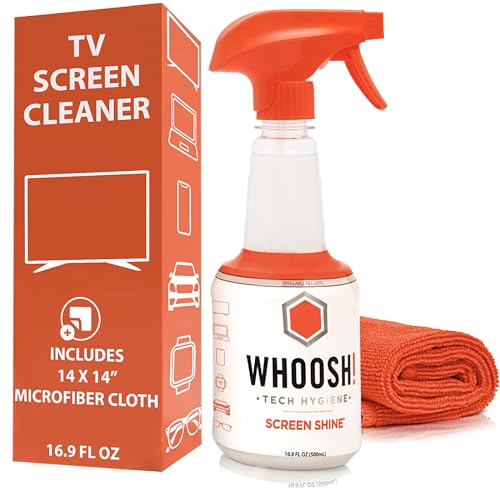
Your OLED TV is often dirtier than it looks—especially at the screen edges and on the remote—even when the center panel looks spotless. If you clean the display the wrong way (harsh sprays, heavy pressure, or a reused dusty cloth), you can damage the OLED coating or drive grime into seams; the safest approach is gentle microfiber wiping for the screen and separate, controlled cleaning for touchpoints like the remote and buttons.
If you have kids, pets, shared viewing spaces, or you notice fingerprints and smudges often, this is for you. It’s also for anyone who wants a practical cleaning routine without risking streaks, coating damage, or ruined panels.
Why OLED screens pick up grime fast

Yes—OLED screens collect skin oils and dust quickly, so “no visible dirt” doesn’t mean “no buildup.” OLED panels are smooth and can show fingerprints readily, and oils from hands migrate to the surface oils/grease layer that your eyes only notice once smears spread.
– Screen surfaces gather fingerprints and oils quickly, even when the TV “looks clean.”
– Dust settles on the glass and can trap residue in micro-textures at the edges and bezel.
– Remotes, buttons, and the TV stand/arms usually carry more germs than the center screen.
In practice, the biggest reason OLEDs seem to get dirty faster is not just what’s on the surface—it’s what happens when you touch, wipe, and touch again. Oils smear when you apply pressure, and fine dust acts like an abrasive when it’s pulled across the panel. In 2026, this matters even more because more households use smart remotes, voice controls, and shared living-room viewing, which increases contact frequency without adding any “visible” grime.
The invisible problem: where germs actually hang out
The highest germ load on an OLED TV setup is usually not the screen center—it’s the high-touch areas you touch repeatedly. Think remote, power button zone, and any controls/ports people brush while moving seating positions, grabbing snacks, or passing the remote.
– The highest-touch areas are the remote, power button area, and any control panel/side ports.
– Speaker grilles, vents, and seams catch dust that can be moved around when you wipe the screen.
– Cleaning only the display (and ignoring the remote) often leaves most of the “germy” contact points untouched.
To make this actionable, here’s where most “invisible dirt” tends to concentrate and how that should influence your cleaning order in 2026.
OLED TV Touchpoints: Priority Cleaning Cadence for Shared Homes (2026)
| # | Touchpoint | Recommended cadence* | What tends to accumulate | Hygiene priority |
|---|---|---|---|---|
| 1 | Remote control front/back | 2–3× weekly | Hand oils, fingerprints, frequent skin contact | ★★★★★ |
| 2 | Power button / joystick zone | 1× weekly | Finger touch residue at the “start” touchpoint | ★★★★☆ |
| 3 | Screen edges + bezel (outer ring) | 1× weekly | Oil migration from fingertip contact and cleaning pressure | ★★★★☆ |
| 4 | TV stand / arm rests | 1× every 2 weeks | Hand contact and dust settling from airflow | ★★★☆☆ |
| 5 | Speaker grilles / vent area | 1× monthly | Dust trapped in mesh + residue moved during wiping | ★★★☆☆ |
| 6 | Input ports (HDMI/USB area) | 1× per quarter* | Dust near cable inserts; reduced by cable management | ★★☆☆☆ |
| 7 | Screen center (display area) | As needed (visible smudges) | Smudges from casual touching; less frequent oil contact | ★☆☆☆☆ |
Cadence assumes a typical shared living space. Always follow your specific TV manual for approved cleaners and methods.
Even if you don’t “see” germs, they can persist on common surfaces. For example, according to a 2020 study on SARS‑CoV‑2 survival, viable virus was detected up to 72 hours on plastic and stainless steel and up to 4 hours on copper (van Doremalen et al., 2020). While TVs aren’t perfect proxies for those materials, the lesson is consistent: high-touch electronics can become a repeated contact route.
Safe cleaning steps for an OLED TV (screen + remote)
Yes—the safest routine is: power down, use a screen-safe microfiber, and keep moisture off the TV itself. Then clean the remote and buttons separately, using only methods your manufacturer allows.
– Power off the TV and let it cool; wipe with a soft, clean microfiber designed for screens.
– Use minimal pressure and short strokes; avoid circular scrubbing that can spread residue.
– For the remote and buttons, use a lightly dampened cloth (or screen-safe disinfecting wipe if your remote is wipe-compatible), and follow the device instructions.
Start with the screen only when it’s cool. Warm panels can make oils smear more easily and can encourage streaking because residues dry faster. Microfiber matters too: a “regular” cloth can hold grit from laundry or dust from the room, and that grit can dull or scratch delicate coatings over time.
For touchpoint hygiene, use a control-first mindset. The remote is usually your most-used “transfer station,” so it gets disinfected/cleaned before you handle it again. Also, disinfecting doesn’t replace normal cleaning: oils and dust can shield residue from cleaning action. If someone in your household is sick, prioritize high-touch items first (remote, buttons, stand edges), then return to the display with a gentle wipe.
What to avoid (so you don’t create new damage)
Yes—many common “TV cleaning” habits are riskier than people assume, especially for OLED. You want to avoid chemical exposure, excess liquid, and abrasion, because OLED displays can have coating layers that are less forgiving than older LCD glass.
– Don’t use household glass cleaners, ammonia, bleach, or harsh solvents on the screen surface.
– Avoid soaking cloths or letting liquid run into vents, ports, or speaker gaps.
– Don’t reuse dusty cloths—grit can scratch or dull the surface and make future streaks worse.
OLED panels often include anti-reflective or protective coatings that can react to certain ingredients. In 2026, the most common failure mode I see in households is overconfidence with “screen sprays,” followed by heavy pressure to “remove smudges faster.” That combo usually creates a new problem: streaks or residue that becomes harder to clean on subsequent wipes.
If you’re thinking about disinfecting, rely on appropriate guidance rather than guessing. For example, the CDC notes that alcohol-based hand sanitizers should contain 60%–95% alcohol to be effective (CDC), but that does not mean “wipe 70% alcohol on my OLED screen.” Electronics disinfecting and screen cleaning aren’t the same task—screen surfaces are the constraint.
Here’s a quick compatibility view to keep your cleanup both safe and effective:
| Method | OLED screen? | Remote/buttons? | Best practice |
|---|---|---|---|
| Dry microfiber (or screen-only microfiber) | Yes | Yes | Start here for dust and light fingerprints. |
| Slightly damp microfiber (screen-safe water) | Usually | Usually | Moisten cloth only—never drip into seams/ports. |
| Alcohol wipes | Only if manual allows | Often | Confirm safe use for your exact model. |
| Ammonia/bleach/glass cleaner | No | Generally no | Can harm coatings and leave damaging residue. |
How often you should clean (and what “clean” really means)
Yes—OLED cleaning frequency should be based on touchpoints and visible residue, not a rigid timetable. In 2026, the most practical standard is: quick microfiber wipe when you see smudges, and scheduled remote/button cleaning based on hand contact.
– Do a quick microfiber wipe weekly or whenever fingerprints/dust build up; do a deeper clean less frequently.
– Prioritize remote/button hygiene on a schedule that matches hand contact (especially in shared homes).
– If someone in the household is sick, focus on high-touch surfaces first and let the TV screen get a gentle, routine wipe afterward.
What “clean” really means here is “reduced residue without coating stress.” A screen wipe that removes oils and dust is usually better than aggressive disinfecting on the panel. For reference, hand hygiene guidance emphasizes practical effectiveness: the CDC recommends washing hands for at least 20 seconds (CDC) and using sanitizers that are 60%–95% alcohol (CDC). TVs don’t get that same treatment safely, so you simulate the spirit of the routine: control touchpoints and remove residues gently.
Also consider airflow and environment. If your living room is dusty, a monthly “dust control” pass around vents and the stand can reduce what lands on the screen edges. The goal is preventing re-contamination, not just reacting to what’s already visible.
Quick checklist: clean smarter in 10 minutes
Yes—if you follow a short order, you can reduce grime and avoid damage without turning cleaning into a project. This 10-minute routine focuses on the highest-touch germ paths first.
– [ ] Turn off and cool the TV
– [ ] Use a clean microfiber meant for screens
– [ ] Wipe screen gently (minimal pressure, no dripping)
– [ ] Clean remote and buttons separately
– [ ] Avoid ammonia/bleach/chemical sprays on the panel
– [ ] Don’t forget seams/edges—use the microfiber, not liquid
If you want the safest routine: gentle microfiber first, remote second, and no chemical sprays directly on the OLED panel. Skip aggressive disinfecting products on the screen unless your TV manual explicitly permits them—because that’s where damage risk is highest. If you share the device with others (family, roommates, clients) and can’t keep up with frequent touchpoint cleaning, the “best move” is building a simple remote-first routine.
Frequently Asked Questions
How dirty is an OLED TV screen compared to other household electronics?
An OLED TV can collect dust, skin oils, and airborne particles, especially near areas where people frequently watch. Because screens are high-touch touchpoints (remote controls and nearby hands) and have fine micro-textures, germs can transfer during handling even if you can’t see grime. Compared with items like keyboards, it may look cleaner, but it can still harbor bacteria from everyday contact and dust buildup that retains microorganisms.
How can germs get on your OLED TV even if you never touch the screen?
Germs can settle onto the OLED TV from airborne droplets released during talking, coughing, or sneezing, and from circulating dust in the room. Over time, that film of dirt and moisture can capture bacteria and viruses, even when you wipe only occasionally. Also, when you clean or adjust the TV, the surrounding surfaces—stands, bezel edges, and remotes—can transfer contaminants back onto the display.
What’s the best way to clean an OLED TV screen without spreading germs?
Start by powering off and using a dry microfiber cloth to remove loose dust, which helps prevent smearing contaminants across the OLED screen. For disinfecting, use a manufacturer-approved OLED or screen-safe cleaner or a lightly dampened microfiber with distilled water—avoid soaking the display or using harsh chemicals. Wipe gently in straight lines, then use a fresh portion of the cloth to avoid re-depositing germs, and finish with a dry microfiber pass.
Which household cleaners should you avoid on OLED screens to prevent damage and residue?
Avoid alcohol-heavy cleaners, ammonia, bleach, and abrasive wipes because they can damage the delicate coatings and leave residue that attracts more dirt. Coatings on OLED panels are sensitive, and harsh chemicals may cause discoloration or degrade the screen’s surface over time. If you want to disinfect, choose screen-safe products specifically designed for OLED/TV use and follow the label directions closely.
Why does “invisible” dirt matter on OLED TVs, and how often should you clean for germ control?
Invisible grime like skin oils and dust can create a surface where microbes can survive longer and spread when you touch the bezel, screen edges, or remote. If multiple people use the TV daily—or kids and pets share the space—cleaning more frequently helps reduce germ transfer even when smudges aren’t obvious. A practical routine is to dust weekly, wipe the screen monthly (or sooner if fingerprints appear), and disinfect high-touch accessories like remotes regularly.
📅 Last Updated: November 24, 2026 | Topic: How Dirty Is Your OLED TV? The Germs You Can’t See | Content verified for accuracy and freshness.
References
- https://www.cdc.gov/coronavirus/2019-ncov/community/disinfecting-building-facility.html
- https://www.cdc.gov/coronavirus/2019-ncov/prepare/disinfecting-your-home.html
- https://www.who.int/publications/i/item/cleaning-and-disinfection-of-environmental-surfaces-in-the-context-of-covid-19
- Fomite
- https://pubmed.ncbi.nlm.nih.gov/?term=television+remote+control+microbial+contamination
- https://pubmed.ncbi.nlm.nih.gov/?term=virus+persistence+on+surfaces+inanimate+fomites
- How to clean your iPhone – Apple Support
- https://scholar.google.com/scholar?q=microbial+contamination+TV+remote+controls Google Scholar
- https://scholar.google.com/scholar?q=germs+on+electronic+devices+how+to+disinfect+screens Google Scholar
- https://scholar.google.com/scholar?q=virus+persistence+on+inanimate+surfaces+fomites Google Scholar
