

You should clean your subwoofer about once every 3–6 months to keep it sounding crisp without overdoing it. If you live in a dusty environment, run it frequently, or notice visible debris and rattles, clean it closer to every 1–2 months. This guide answers how often you should clean your subwoofer based on real-world usage, so you know exactly when it’s worth the effort.



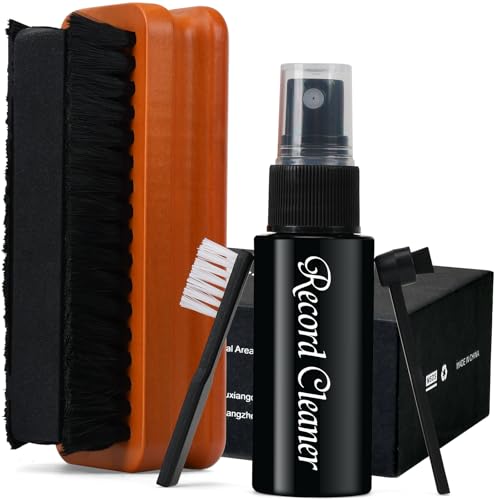
Clean your subwoofer whenever dust and debris build up enough to affect airflow or the speaker’s surface—don’t wait for “later” once you can see grime. Do a quick visual check every 1–2 months, then plan a deeper clean about twice a year (more often if your room is dusty or you have pets). This article will help you pick a realistic schedule and the safest cleaning method for your setup.
How often to clean: a practical schedule

The best default is to inspect your subwoofer every 1–2 months and perform a deeper external clean about twice per year, then adjust upward when your environment is harder on it. This approach keeps dust from accumulating on the grille, around ports/vents, and on the cabinet finish without increasing the risk that you’ll damage the driver or finish. The safest cadence is “visual first, service second,” because your eyes can tell you when airflow paths are starting to get blocked.
According to the U.S. Environmental Protection Agency (EPA), indoor air can be 2–5 times more polluted than outdoor air (1997), which is one reason dust load on home electronics often rises over time. EPA, “Indoor Air Quality: An Introduction for Health Care Professionals” (1997)
EN 1822-1:2009 defines HEPA H13 filtration as capturing at least 99.95% of particles around the most-penetrating particle size, underscoring why trapped particulate can keep accumulating on nearby surfaces like subwoofer grilles. EN 1822-1:2009
A practical maintenance cadence is to check visible intake/exhaust areas regularly and clean before buildup becomes “baked on,” because hardened dust is harder to remove without pressing into sensitive speaker surfaces.
Quick inspection: every 1–2 months
A short, low-risk inspection is the foundation of any subwoofer cleaning schedule. Look at:
– The grille fabric (or metal/mesh) for a light dust coating or “film”
– The controls (if exposed), input panel area, and any rubber feet
– Any front or rear port openings/vents (if your model has them)
If you can feel or see debris collecting in the same spots repeatedly, your subwoofer is already telling you its airflow pathways need attention. For many homes, this works out to every 6–8 weeks, but the correct trigger is visibility—not the calendar.
Deep clean: twice a year
A “deep clean” should focus on removing settled dust from the exterior surfaces and grille without contacting the driver cone. For most setups, twice a year is a reliable midpoint between cleanliness and safety:
– First half of the year: thorough grille/cabinet dust removal
– Second half of the year: another pass, especially if you have pets, carpeting, or seasonal window use
This twice-per-year plan is also aligned with a risk-based maintenance mindset (the Plan–Do–Check–Act cycle): you “check” regularly, “do” deeper cleaning twice a year, then “act” sooner only if conditions worsen.
Adjust based on conditions (where cleaning becomes faster)
If your subwoofer sits in a carpeted room, near an open window, or in a space with lots of pet hair, you’ll likely need more frequent attention. If it’s in a mostly dust-free room and only runs occasional bass, you can follow a lighter routine—while still inspecting regularly.
Here’s what usually increases cleaning frequency for a subwoofer:
– Dusty homes: More airborne particulates settle onto the grille and cabinet finish
– Pets: Hair and skin flakes catch dust and can form “clumps”
– Workshops/garages nearby: Fine particulates and sanding dust can accumulate quickly
– Areas with smoke: Smoke residue tends to leave a tackier film than ordinary dust
– Open windows or frequent HVAC cycling: Both can raise indoor particulate levels
If you’re unsure whether your environment requires an earlier cleaning, use a simple rule: if the grille looks noticeably duller than when it was last cleaned, move up your next inspection.
Signs it’s time to clean sooner
You don’t have to wait for a “deep clean” date if clear signs show dust is already affecting your subwoofer. Cleaning earlier is usually safer than letting grime harden on grilles, ports, and textured cabinet surfaces.
If you can see dust on a subwoofer’s grille or controls, you can treat it as a “maintenance trigger” rather than a cosmetic issue—visible buildup often correlates with dust settling on airflow-facing surfaces.
When dust hardens into a gritty layer, it can be harder to remove without rubbing, which increases the chance of scuffing cabinet finishes or stressing delicate grille materials.
If you notice new rattles, “muddy” bass, or airflow restriction symptoms, start with exterior inspection and cleaning before assuming a mechanical failure—then escalate to service if the issue persists.
Visible dust on the grille or controls
If grime is visible to the naked eye, treat it as “time to clean sooner.” This is especially true if the grille looks uneven—areas near ports, edges, and seams tend to accumulate first.
Dull, gritty, or residue-like surface
A subwoofer that looks “frosted” with dust can start acting like a dust filter. That grit can also collect around ports/vents and reduce clearance needed for smooth airflow.
Performance changes that don’t match your settings
Sometimes the first clue is subjective: output feels “muddy,” the bass seems less crisp, or you hear new rattles. Before you chase cables or assume a defect, check:
– Whether the grille/port area is visibly blocked
– Whether dust around seams has formed a “dampened” layer
– Whether there’s any debris contact (hair, small lint) near vents
If cleaning doesn’t resolve the issue, that’s your cue to troubleshoot settings (phase, gain, crossover) and, if needed, schedule service for the subwoofer.
How to clean your subwoofer safely (step-by-step)
The safest method is to unplug first, use gentle dry tools to remove dust, and avoid getting moisture into places where it can damage the finish or internal components. A careful exterior-first approach reduces the risk of scuffing, discoloration, or contacting the cone/voice-coil area.
Power safety comes first: unplug the subwoofer before any cleaning beyond a dry dusting, because external panels and internal components are not designed for wet or conductive contact during operation.
Most manufacturer care guidance emphasizes dry cleaning or very controlled moisture on cabinets and grilles, because rubber surrounds, finishes, and adhesives can be affected by solvents or excess liquid.
Cleaning grip matters: pressing on a subwoofer cone or using tools that contact the driver can introduce mechanical stress and worsen rattles over time.
Step 1: Power down first
Unplug the subwoofer before doing anything beyond a quick external dusting. This prevents accidental contact with live components and keeps you from working around moving audio hardware.
Step 2: Start dry—soft microfiber and brushes
Use a soft microfiber cloth or a soft brush to remove dust:
– Microfiber works well for fabric grilles and painted cabinets
– A soft brush helps dislodge dust in textured areas
– If you use a vacuum, keep the nozzle a safe distance and avoid touching the grille with a hard tool edge
Step 3: Be selective about what you touch
Focus on the grille, outer cabinet, and accessible vents—avoid pressing hard on the cone or inserting tools into the driver area. For ported designs, it’s especially important not to “reach inside” aggressively. If you suspect buildup inside a port, follow your manual’s instructions (some designs allow careful external access; others do not).
Step 4: Only use moisture if the manual explicitly allows it
If your subwoofer’s owner’s manual allows a lightly damp cloth on the cabinet, apply the smallest amount of moisture possible and dry thoroughly. Avoid getting liquid into:
– Switches and input panels
– Port openings/vents
– Any seams where water can creep
Safe vs. risky approaches (quick comparison)
| Approach | Pros | Cons / Risks |
|---|---|---|
| Dry microfiber wipe | Low risk; good for routine dust on the grille/cabinet | May not remove hardened residue if dust has baked in |
| Soft brush + dry vacuum (gentle) | Helps lift fine debris and pet hair before wiping | Too-close vacuuming can snag or dislodge grille material |
| Damp cloth on cabinet only (if approved) | Useful for residue films and sticky smoke dust | If liquid enters ports/seams, it can discolor finishes or promote issues |
| Solvents / sprays / soaking | — | Can damage decals, rubber surrounds, and internal materials |
What can go wrong (common mistakes and edge cases)
You can damage a subwoofer if you use harsh chemicals, add too much moisture, or disturb the driver area. The goal is controlled, exterior-focused cleaning—especially around ports, seams, and textured grille materials.
Using solvents or soaking surfaces can degrade finishes and adhesives, and excess moisture can migrate toward ports or seams where it shouldn’t be.
Aggressive vacuuming can pull or deform grille materials and can also create new rattles if debris is dislodged into locations it didn’t occupy before.
If the subwoofer shows symptoms of a hardware fault (buzzing from inside, persistent rattling, or distorted output), cleaning may not resolve the underlying issue and can delay service.
Using harsh chemicals or soaking surfaces
Avoid solvents and “all-purpose” cleaners. Subwoofer cabinets may have:
– Painted coatings or vinyl wraps
– Decals near control panels
– Rubber surrounds and gaskets
– Textured grille fabrics or coatings
Moisture where it doesn’t belong is the bigger risk, not “a drop too much.” When in doubt, follow the owner’s manual.
Vacuuming too aggressively
If you use a vacuum, don’t let the nozzle contact the driver or grille tightly. Even a gentle vacuum can snag pet hair or loosen fabric fibers if pressed too close.
Cleaning the wrong part at the wrong time
If your subwoofer is already producing mechanical noises, cleaning won’t replace a worn component. Repeated cleaning attempts can be time-consuming, and in some cases you might inadvertently move debris that was not causing the issue.
Edge cases to watch for:
– Wired connections that look dusty: Clean cables and ports lightly around the exterior, but avoid brushing directly onto connectors while power is on.
– Ported designs with visible buildup: You may see dust inside openings, but don’t disassemble unless the manual supports it.
– Warranty coverage: Some brands discourage user service beyond external cleaning. If you’re within warranty, prioritize the manual-approved method.
Verdict: the best “default” approach
The best default schedule for subwoofer cleaning is inspection every 1–2 months and a deeper external clean about twice per year, then adjust earlier when dust or pet hair is visible. This balances hygiene and airflow protection with a low risk of surface damage or driver disturbance.
For most home subwoofers, the safest routine is a recurring dry inspection and an exterior deep clean, because dust removal primarily improves grille/vent airflow and prevents buildup buildup from becoming abrasive.
If your owner’s manual discourages user service or specifies particular cleaning agents, the manual guidance should override general cleaning advice to avoid finish and warranty issues.
A risk-based maintenance approach (Plan–Do–Check–Act) works well for subwoofer cleaning: inspect frequently, clean deeper on a fixed cadence, and escalate only when conditions demand it.
When you should scale up
Clean sooner than twice per year if:
– The grille shows visible dust more often than expected
– You regularly vacuum near the room (which stirs debris)
– You have pets with ongoing shedding
– You use open windows or have seasonal pollen surges
When you should scale down (or pause deeper cleaning)
Scale back if:
– The subwoofer stays clean-looking for long periods
– The only maintenance needed is light dust removal
– You’re under warranty and your manual strongly limits user cleaning beyond external surfaces
Who should skip deeper DIY cleaning
Skip deeper cleaning or user intervention if you notice:
– Persistent rattling that doesn’t improve after exterior cleaning
– Burning smells, unusual heat, or repeated protection/amp shutdown
– Loose internal hardware signs (which generally require service)
In those cases, your next step should be manufacturer support or a qualified technician.
Quick scan checklist (save this)
| Checkpoint | What to look for | What to do |
|---|---|---|
| Monthly/bi-monthly | Dust on grille, top panel, and ports/vents | Light wipe/dry dusting |
| Every 6 months | More buildup, pet hair accumulation, dull/gritty surface | Deeper external clean with soft tools |
| After dusty events | New debris from construction, moving, renovations | Clean sooner rather than waiting |
| If sound changes | Muddy output, new rattles | First: inspect/clean exterior; then check settings/cables; consider service if persists |
Particle sizes most likely to settle on subwoofer grilles (what this means for cleaning)
| # | Dust / Particle category | Size (µm) | Common household sources | Cleaning priority | Why it matters for a subwoofer |
|---|---|---|---|---|---|
| 1 | Coarse particles (PM10) | ≤ 10 | Footfall tracking, fabric lint, outdoor dust infiltration | ★★★★★ | Visibly settles on grilles and cabinet tops |
| 2 | Fine particles (PM2.5) | ≤ 2.5 | Cooking byproducts, combustion, fine outdoor particulates | ★★★★☆ | Can form a persistent film that dulls surfaces |
| 3 | Ultrafine particles (UFP) | < 0.1 | Smoke, some indoor combustion sources, certain ventilation emissions | ★★★☆☆ | Often invisible, but can contribute to residue-like buildup |
| 4 | Coarse fraction (between 2.5 and 10 µm) | 2.5–10 | Tracked-in grit, disturbed carpet debris | ★★★★☆ | Tends to collect at grille edges and seams |
| 5 | Fine-mode particles (typical for PM2.5) | 0.1–2.5 | Ambient haze, household combustion, secondary aerosols | ★★★★☆ | More likely to leave a dulling haze on cabinets |
| 6 | Pollen grains | ~10–100 | Seasonal outdoor allergens entering through openings | ★★★★★ | Visibly clumps and accelerates noticeable grime buildup |
| 7 | Smoke soot (typical combustion residue) | ~0.01–1 | Indoor smoking/candles, wildfire/traffic air infiltration | ★★★☆☆ | Often creates tackier film; handle with manual-approved methods |
Sources
The most reliable guidance for cleaning a subwoofer is always the owner’s manual for your exact model, because cabinet materials, grille types, and port designs vary. For anything safety-related (unplugging, moisture limits, and approved materials), manufacturer documentation should be your primary reference.
Manufacturer “Cleaning/Care” instructions are the primary authority because they reflect the subwoofer’s specific finishes, grille materials, and internal design constraints.
For dust control concepts, indoor air quality and filtration standards provide background context for why particulates accumulate on indoor surfaces.
If you use moisture at all, treat the owner’s manual as the deciding rule, since moisture exposure can affect coatings, adhesives, and internal components.
– Your subwoofer’s owner’s manual and manufacturer “Cleaning/Care” instructions (primary source; guidance varies by finish type, port design, and whether user-cleaning is recommended).
A good, realistic answer is: inspect every 1–2 months and deep clean about twice a year, then move sooner when dust or pet hair becomes visible or airflow-looking areas are clogged. Use gentle, dry methods after unplugging, and avoid harsh products or aggressive vacuuming. If you share your subwoofer brand/model, we can tailor the schedule and safe cleaning steps to the guidance in your specific manual.
Frequently Asked Questions
How often should you clean your subwoofer?
You should clean your subwoofer about every 3–6 months for light indoor use, or more often if it’s in a dusty area. If you notice reduced bass performance, crackling from the driver, or a buildup of grime on the grille, clean it sooner. Regular cleaning helps prevent dust and debris from affecting airflow and sound quality.
What’s the best way to clean a subwoofer without damaging it?
Start by unplugging the subwoofer and gently removing loose dust from the grille and cabinet using a soft microfiber cloth or a dry brush. For deeper cleaning, lightly dampen the cloth with a mild cleaner and avoid soaking the driver surround or entering liquid into the speaker. Never use harsh chemicals, abrasive pads, or high-pressure sprays, since these can damage the cone, surround, or internal components.
How do you know when your subwoofer needs cleaning?
If you see visible dust accumulation on the grille, notice rattling or scratchy output, or feel that the bass sounds less punchy, it may be time to clean. In particular, dust in the driver area can affect movement and long-term reliability. A quick visual check and a gentle dusting every few months can help you catch buildup before it becomes a problem.
Why is regular subwoofer cleaning important for sound quality and longevity?
Dust and grime can restrict airflow, settle onto the cone, and contribute to mechanical wear over time, which may lead to distortion or reduced bass response. Keeping the cabinet and grille clean also prevents particles from migrating into vents or ports in a bass reflex subwoofer. Consistent maintenance helps your subwoofer perform cleanly and can extend the life of the driver.
Which subwoofers need more frequent cleaning—ported or sealed?
Ported subwoofers often require more frequent cleaning because the port can pull in dust and debris, especially in carpeted or high-dust environments. Sealed subwoofers typically build up less debris entering through a vent, but the grille and cabinet still need regular dusting to protect the speaker. If your subwoofer is near HVAC vents, in a basement, or used heavily, plan on cleaning it closer to every 3 months.
📅 Last Updated: October 26, 2026 | Topic: How Often Should You Clean Your Subwoofer? | Content verified for accuracy and freshness.
References
- Subwoofer
- Loudspeaker
- Customer Support
- usafaq
- https://scholar.google.com/scholar?q=how+often+to+clean+loudspeaker+drivers+and+subwoofers Google Scholar
- https://scholar.google.com/scholar?q=loudspeaker+maintenance+cleaning+tips+dust+frequency Google Scholar
- https://scholar.google.com/scholar?q=subwoofer+speaker+care+cleaning+grille+and+cone+maintenance Google Scholar
