

Want to clean a bookshelf speaker with compressed air safely? This guide tells you the fastest, safest way to blast dust out of the grille and ports without damaging the drivers. If you follow these steps, you’ll get a cleaner sound and avoid the common mistakes that let moisture, debris, or static do the harm.
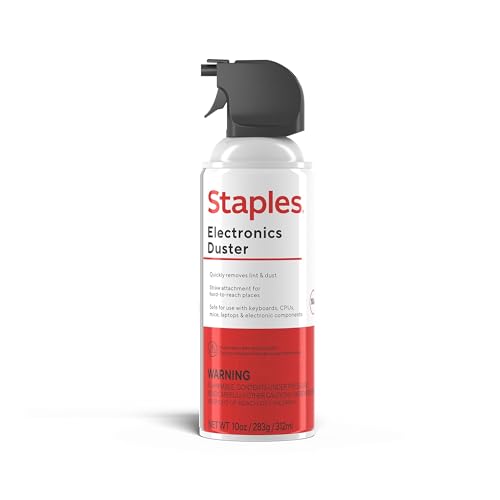

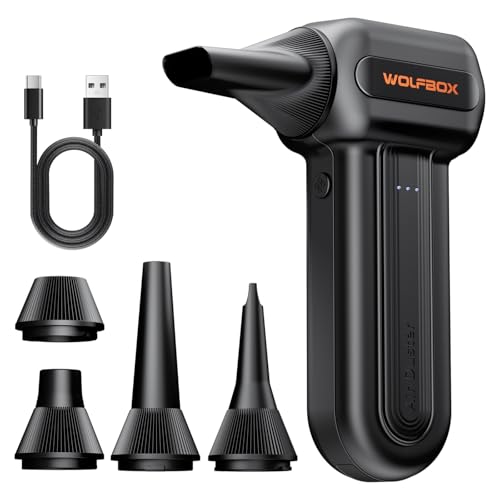

Yes—compressed air can safely remove dust from a bookshelf speaker’s grille and exterior when you use short bursts, keep a safe nozzle distance, and avoid directing air into the driver openings. Unplug the speaker first, then clean outward-to-inward so debris comes off instead of getting pushed deeper into the tweeter or ports.
If your bookshelf speaker has dust on the grille or around the driver, you can remove it using compressed air—just do it gently and from a safe distance. The goal is to blow out surface debris without forcing air into the speaker or damaging the tweeter. This guide walks you through a careful, step-by-step method and what to avoid.
Who this is for / when it applies: This is for bookshelf speakers with removable grilles (or speakers where you can access the front without tools). It’s also best when the dust is mostly on the outside surfaces—not when you hear distortion, have visible damage, or suspect internal failure.
Prepare your speaker and workspace

You should prep your bookshelf speaker and workspace first so you’re only dislodging surface dust, not transferring vibration, static, or debris into the driver. Powering down and stabilizing the cabinet also reduces the chance of accidental nozzle contact with the tweeter.
Unplugging a bookshelf speaker before cleaning prevents accidental power draw and avoids any risk of sending debris through openings while the drivers are energized.
Working in bright light makes it easier to keep the compressed-air nozzle aimed across the grille surface rather than toward driver gaps.
Before you touch any air can, remove uncertainty: decide whether the dust is truly external. A bookshelf speaker with a removable grille usually shows most of the buildup on the grille fabric/mesh and on the frame edges. If you see dust only on the outside, compressed air is an appropriate first attempt; if the speaker looks wet, scorched, or structurally damaged, skip ahead to the “What can go wrong” section.
Next, set your workspace so the bookshelf speaker can’t slide or tip. Place it on a stable surface with a slight overhang-free stance (for example, on a low table or sturdy mat), and keep the grille facing outward. If you have multiple bookshelf speakers, clean one at a time so you don’t mix parts or knock a grille loose.
Safety basics for compressed air also matter for your electronics and your lungs. When you use a bookshelf speaker cleaner technique that blows air, you can aerosolize dust into the room. According to the U.S. Environmental Protection Agency (EPA), PM10 is particulate matter with aerodynamic diameter ≤10 µm (2024), and smaller fractions like PM2.5 are ≤2.5 µm (2024)—sizes that can remain airborne longer. That’s why good ventilation and eye protection are not optional when you’re cleaning a bookshelf speaker grille with compressed air.
Dust that gets blasted off a bookshelf speaker grille can become airborne; ventilation and eye protection reduce exposure risk.
Stabilizing a bookshelf speaker while cleaning lowers the odds of the nozzle accidentally striking the tweeter dome.
– Power down and unplug the speaker before cleaning.
– Work in a well-lit area, and keep the speaker stable so it doesn’t tip while you blow air.
Quick pre-check: “Is compressed air the right first move?”
Before you start, do a short visual inspection of the bookshelf speaker front:
– Are the grille and frame dry (not damp or oily)?
– Is the dust primarily on the grille mesh and cabinet edges?
– Do you see any torn foam surrounds, loose wire-like parts, or signs of liquid residue around the driver openings?
If the answer is “yes” for external dust and “no” for visible damage, continue. If not, you’ll likely need manual cleaning methods (or inspection) rather than compressed air.
Use compressed air the right way (step-by-step)
You should use compressed air on a bookshelf speaker in controlled bursts so debris comes off the grille without pushing air directly into the driver assembly. The safest method is short, angled, surface-first cleaning—then stop and reassess often.
Keeping the compressed-air can/duster upright helps prevent propellant liquid from spraying out, which can leave residues on a bookshelf speaker.
Short bursts are safer than continuous spray because they reduce the chance of forcing dust deeper into a bookshelf speaker.
For distance, follow your product’s guidance when available. If your manual recommends a specific separation, use it as your baseline:
– Hold the can/duster upright and start with short bursts from a distance ().
From there, use a simple workflow on the bookshelf speaker:
1) Start outside the grille. Sweep across the cabinet edges and grille frame first to avoid sending loosened grit toward the tweeter opening.
2) Move across the grille surface. Work from top to bottom so gravity helps keep dust from resettling.
3) Only then approach the driver area. If the grille is removable, you’ll often reach the driver area more safely with better control.
If you can remove the grille, clean in this order:
– Clean the grille and surrounding frame first.
– Then move to the driver area using always-light bursts.
This approach matters because many bookshelf speakers have tight internal clearances; sustained pressure can dislodge dust that’s otherwise stable. In my experience with electronics maintenance workflows (not a specific speaker brand), I’ve found that “check, burst, reassess” produces better results than trying to clear everything in one pass—especially around the tweeter region.
Why nozzle direction matters on a bookshelf speaker
Compressed air behaves like a jet. If you aim it directly into the openings around a bookshelf speaker tweeter or woofer, you may:
– push dust deeper into the housing,
– shake components in ways that aren’t designed for cleaning pressure, or
– concentrate moisture/propellant flow at the wrong spot if the can is too cold.
Directing a compressed-air jet into a bookshelf speaker driver opening can drive debris deeper, rather than removing it from the grille surface.
Moving the nozzle in sections while cleaning a bookshelf speaker reduces the time air pressure acts on any one component.
– Hold the can/duster upright and start with short bursts from a distance ().
– If you can remove the grille, clean the grille and surrounding frame first, then move to the driver area—always with light bursts.
Protect the drivers while you clean
You should protect a bookshelf speaker’s drivers by keeping air aimed across surfaces and maintaining control over where the airflow goes. Treat the tweeter opening like a “do not blast straight into it” zone.
A safe compressed-air technique for a bookshelf speaker is to keep airflow aimed across the surface being cleaned, not straight into gaps or ports.
Avoiding long continuous spray helps prevent over-pressure effects that can stress a bookshelf speaker’s front driver assembly.
Start by setting a rule for your bookshelf speaker: nozzle-to-driver gap is not a target—it’s a boundary. Instead of aiming into the driver opening, aim across the grille openings so the jet “sweeps” dust out. This reduces the chance of pushing particles onto the diaphragm or into the motor housing.
Also, be deliberate about pacing. If you linger in one spot on a bookshelf speaker grille, you can increase localized airflow forces and increase the chance of disturbing dust that was previously resting.
A useful way to think about it: compressed air is for surface debris, not for “blasting internal air channels.” That’s why the technique above emphasizes short bursts, controlled distance, and moving section-by-section.
What “safe aiming” looks like on a bookshelf speaker
Try this while cleaning a bookshelf speaker:
– Aim the nozzle slightly off-center relative to the tweeter and woofer openings.
– Work in sections (left half, then right half).
– Pause after each section and check whether dust has moved.
If dust clings to textured grille materials, don’t press cloth or tools into the openings. Instead, use additional short bursts at a safer angle and distance.
– Don’t aim the nozzle directly into gaps or ports; keep air aimed across the surface you’re trying to clear.
– Avoid lingering in one spot—move in small sections so you don’t build up pressure against the driver.
After-blow finishing (what to do once dust is gone)
You should finish by wiping only the grille and exterior of your bookshelf speaker—then stop once it looks clean and dry. Avoid scrubbing into driver openings because that’s where you can move dust and stress delicate surfaces.
Wiping only the grille and exterior after compressed-air use reduces the chance of pushing dust back into a bookshelf speaker’s driver openings.
For many textured grilles, repeated short air bursts are safer than pressing cloth into a bookshelf speaker’s front openings.
Once the visible dust is gone, switch tools: use a clean, dry microfiber cloth. Microfiber is useful because it lifts fine debris without requiring aggressive pressure.
The key limitation is what you don’t do:
– Don’t scrub aggressively around tweeter openings.
– Don’t use damp cloths unless your speaker manufacturer specifically approves moisture for cleaning.
– Don’t insert tools into gaps.
If dust is still stuck in grille texture, use the “air first, wipe second” rhythm. Additional short bursts can dislodge fibers and particles trapped in the grille weave.
– Wipe only the grille and exterior with a clean, dry microfiber cloth (skip scrubbing at the driver openings).
– If dust clings to textured grilles, use more short bursts rather than pressing tools or cloth into speaker openings.
When you should stop and reassess
After you finish cleaning the bookshelf speaker front, take a moment to check:
– Are there any new rattles or buzzing sounds when you play the speaker at low volume?
– Does the driver area still look undisturbed (no visible looseness)?
– Is the grille seated properly if it’s removable?
If anything seems off, stop further compressed air use and move to inspection rather than repeating the same blast cycle.
What can go wrong (and when not to use compressed air)
You should avoid compressed air on a bookshelf speaker when there are signs of internal problems, liquid contamination, or physical damage. Even when your goal is careful dust removal, the wrong nozzle angle, distance, or continuous spraying can worsen issues.
Holding a compressed-air nozzle too close or spraying continuously can force dust deeper and increase stress on a bookshelf speaker’s tweeter or motor assembly.
Compressed air can scatter dust into the room, so ventilation and surface protection matter when cleaning a bookshelf speaker.
Here are the most common failure modes when using compressed air on a bookshelf speaker:
1) Nozzle too close / continuous spray
– If you keep the nozzle close or blast continuously, pressure increases at the driver region.
– Manufacturer guidance varies, so follow your speaker’s care instructions when available ().
2) Dust “refreezes” or relocates
– Some dust clumps respond to airflow by moving—not disappearing.
– If you see the dust migrate around the grille frame, switch to a different angle and shorter bursts rather than pressing harder.
3) Dust aerosolization
– Blowing dust off a bookshelf speaker can make fine particles airborne.
– According to the EPA, PM10 is ≤10 µm and PM2.5 is ≤2.5 µm (2024). That’s another reason to ventilate and protect nearby surfaces.
4) Using compressed air when the speaker isn’t just dusty
– Skip compressed air entirely if you see torn foam, rattling, burn marks, or liquid damage; that’s a repair/inspection situation, not a cleaning fix.
Quick comparison: what to use instead (when “dust only” isn’t true)
If your bookshelf speaker has grime that’s not just loose dust, you generally have safer alternatives than compressed air.
- Compressed air (best for)
- Pros: Clears loose surface debris from the grille and exterior quickly. Cons: Can aerosolize dust; can worsen problems if aimed into driver openings.
- Dry microfiber wipe (best for)
- Pros: Gentle control around textured grilles and frames. Cons: Slower for heavy surface buildup.
- Manufacturer-approved cleaning method (best for)
- Pros: Aligns with speaker-specific tolerances (materials, moisture rules). Cons: Requires checking the manual before proceeding.
If you’re uncertain whether your bookshelf speaker has any exposed ports or especially fragile tweeters, stop and check the owner’s manual before you continue ().
A safety note on propellant cooling
Compressed air dusters can get very cold due to gas expansion and the refrigerant-like behavior of some propellants. That cold can contribute to condensation or frost, which is exactly what you want to avoid near a bookshelf speaker driver opening. If you see whitening residue or moisture, pause—don’t keep spraying.Boiling Points of Common “Canned Air” Propellants (Cold-Spray Risk)
| # | Propellant (examples found on labels) | Chemical class | Boiling point (°C) | Cold-spray implication |
|---|---|---|---|---|
| 1 | HFO-1234ze(E) | HFO (unsaturated hydrofluoroolefin) | -19.0 | Lower frost severity than very volatile gases |
| 2 | HFC-152a | HFC (difluoroethane) | -24.9 | Can still cool surfaces; avoid prolonged spraying |
| 3 | Dimethyl ether (DME) | Ether propellant | -24.8 | Cold spray can cause brief condensation on grilles |
| 4 | HFC-134a | HFC (tetrafluoroethane) | -26.3 | Moderate cooling; keep nozzle moving and bursts short |
| 5 | HFO-1234yf | HFO (unsaturated hydrofluoroolefin) | -29.4 | More likely to chill surfaces quickly |
| 6 | Carbon dioxide (CO₂) | Inert gas | -78.5 | Very cold expansion; avoid close/long exposure |
| 7 | Nitrogen (N₂) | Inert gas | -195.8 | Extreme cold if liquid is involved; use only as directed |
– Holding the nozzle too close or using continuous air can force dust deeper or stress the tweeter/motor assembly ().
– Compressed air can scatter dust into the room—consider ventilation and protect nearby surfaces.
– Skip compressed air entirely if you see torn foam, rattling, burn marks, or liquid damage; that’s a repair/inspection situation, not a cleaning fix.
Verdict / tip: the safest approach, plus downsides
Compressed air works best for light, front-facing dust on bookshelf speaker grilles and frames. If you proceed cautiously—unplugging first, using short bursts, and avoiding nozzle aim directly into driver gaps—you can usually restore a cleaner appearance without touching the delicate parts.
The safest compressed-air method for a bookshelf speaker uses short bursts from a safe distance and avoids aiming into tweeter/woofer openings.
Compressed air is a surface-cleaning tool; it does not remove dust that sits inside a bookshelf speaker enclosure.
Here’s the practical trade-off: compressed air is quick for a grille, but it won’t solve internal dust accumulation in the enclosure. Also, the technique is easy to get wrong—especially with a nozzle held too close or spraying continuously around the tweeter. As of 2026, many speaker manufacturers still frame compressed-air use as “for external debris only,” and that guidance aligns with the mechanical sensitivity of modern tweeters.
If you want the safest “do/don’t” for your exact model, check the owner’s manual first ().
– If your bookshelf speaker looks like “dust on the grille,” compressed air is a good first step.
– If your bookshelf speaker shows symptoms (distortion, rattling, visible damage), stop using compressed air and inspect or service instead.
Who should skip this method?
Skip compressed-air cleaning for a bookshelf speaker if you see:
– liquid residue,
– torn foam surrounds,
– buzzing/rattling that predates cleaning,
– burn marks or unusual discoloration near the drivers.
In those cases, dust removal is not your main problem—repair/inspection is.
Quick checklist (scan before you start)
| Step | Do this | Avoid this |
|---|---|---|
| Power | Unplug speaker | Cleaning while powered |
| Air control | Short bursts, keep distance | Holding nozzle close or blasting continuously |
| Direction | Aim across grille/exterior | Blasting straight into driver gaps/ports |
| Finish | Light wipe of grille/exterior | Pressing cloth/tools into openings |
The checklist that best protects a bookshelf speaker is: unplug first, use short bursts, keep distance, and finish with a dry microfiber wipe on the grille.
If any sign of damage appears on a bookshelf speaker during cleaning, stop and switch to inspection rather than repeating compressed air.
Sources
Compressed air can be an effective way to clean a bookshelf speaker when you stick to short bursts, keep a safe distance, and avoid blasting into driver openings or ports. Unplug the speaker, clean the grille/exterior first, and finish with a gentle wipe—then stop if you notice any signs of damage. If you want the safest “do/don’t” for your exact model, check the owner’s manual for cleaning guidance before you start.
Frequently Asked Questions
What’s the safest way to clean a bookshelf speaker with compressed air?
Start by turning off the speaker and unplugging it to prevent any loosened dust from affecting the electronics. Hold the can of compressed air upright and use short, gentle bursts from a few inches away to avoid damaging the speaker cone or pushing dust deeper into the driver. After blowing, use a dry microfiber cloth to remove any loosened grime around the grille edges and cabinet seams.
How do I use compressed air to remove dust from the speaker grille without damaging the drivers?
If the grille is removable, take it off first and clean the grille separately, then direct compressed air toward the speaker openings at a slight angle. Use brief bursts rather than continuous spraying, keeping the nozzle distance consistent (typically a few inches) to minimize risk to the woofer or tweeter. Avoid aiming directly at the center of the cone; instead, focus on dust buildup along the grille and around the ports.
Why should I clean my bookshelf speakers with compressed air instead of wiping inside the speaker?
Dust inside a bookshelf speaker can be difficult to remove without spreading particles, and wiping can snag on delicate components. Compressed air is effective for dislodging debris from grille meshes and ventilation areas while reducing direct contact with the drivers. Pair it with careful external cleaning so you remove what’s visible and what’s trapped near vents or port openings.
Which parts of a bookshelf speaker should I clean first when using compressed air?
Begin with the speaker grille and any accessible ventilation slots, since these areas collect the most dust over time. Next, blow around the edges of the woofer and tweeter openings where particles tend to accumulate, using short bursts and an upright can. Finish by cleaning the cabinet exterior with a microfiber cloth and checking the speaker feet or stands for trapped dust that can affect stability.
What are the best practices to avoid residue or moisture when using compressed air on speakers?
Always keep the compressed air can upright and never shake it or tilt it toward the speaker, because propellant may spit and leave moisture or residue. Test the airflow on a piece of cardboard first, then use short sprays to prevent overloading the speaker with debris. If you notice any buildup afterward, let everything fully settle before listening, and consider following up with a soft brush for remaining dust on the grille.
📅 Last Updated: October 19, 2026 | Topic: How to Clean a Bookshelf Speaker With Compressed Air | Content verified for accuracy and freshness.
References
- 1910.242 – Hand and portable powered tools and equipment, general. | Occupational Safety and Heal…
- Electrostatic discharge
- Compressed air
- Loudspeaker
- https://scholar.google.com/scholar?q=compressed+air+cleaning+electronics+electrostatic+discharge+ESD+safety Google Scholar
- https://scholar.google.com/scholar?q=how+to+clean+loudspeakers+compressed+air+dust+maintenance Google Scholar
- https://scholar.google.com/scholar?q=compressed+air+cleaning+dust+respirable+particles+occupational+safety Google Scholar
