

You can disinfect a computer monitor with properly chosen disinfecting wipes by powering it off, letting it cool, and wiping gently without letting any liquid seep into the edges. You will need screen-safe, alcohol- and ammonia-free wipes plus a dry microfiber cloth to remove residue and streaks. With careful, one-direction passes, you can finish the job in minutes and restore a clear, hygienic display.



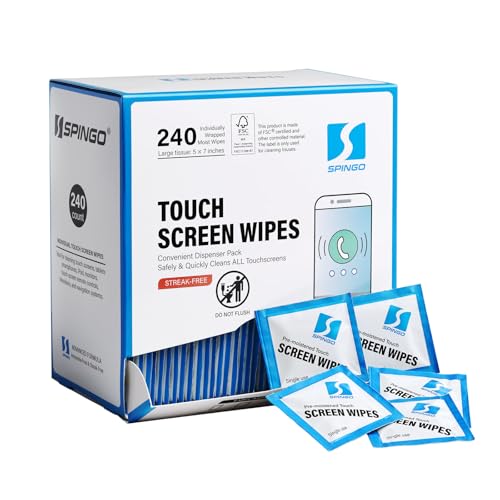
Use disinfecting wipes on your computer monitor only after the screen is off and fully cooled, and never let the wipe drip into the edges. Wipe gently, then finish with a dry microfiber cloth to remove streaks and protect common anti-glare/anti-smudge coatings. This approach matters because disinfectants can clean effectively—but they can also leave residue or creep into seams if applied incorrectly.
If you wipe your monitor regularly (shared office, daily desk use, kids/pets around, or just frequent touchpoints), this guide is for you. It’s also a practical way to get disinfection benefits without turning your screen into a streak-prone surface—especially on modern LCD/LED and OLED displays.
What you need before you start

You’ll get the safest results when you use only display-labeled disinfecting wipes plus microfiber cloths for drying/buffing. Before you start cleaning your computer monitor with disinfecting wipes, gather the right tools so you’re not tempted to improvise with sprays or soaking wet wipes.
– Disinfecting wipes labeled for electronics/displays (check the ingredient list and screen-safety guidance on the pack)
– A lint-free microfiber cloth for drying/buffing, plus an optional second cloth for streak control
– Fresh water or a screen-cleaning cloth only if you must remove residue after wiping (use what the monitor manufacturer recommends)
Prep the monitor (so the wipe doesn’t cause damage)
Start by powering down and letting the monitor cool—this is the single best way to reduce streaks and prevent disinfecting wipe residue from baking onto the screen. Then you’ll remove dust first so gritty particles don’t scratch your monitor coating when you wipe.
– Power the monitor off and unplug it if possible, then let it cool down so the surface isn’t hot.
– Lightly dust first with a dry microfiber cloth to prevent grit from scratching the screen.
– Keep wipes away from ports, vents, and buttons—avoid getting liquid into seams.
For context, pathogens can survive on surfaces long enough to matter in shared environments. For example, according to van Doremalen et al., NEJM (2020), SARS‑CoV‑2 remained viable on plastic for up to 72 hours—so disinfecting wipes used on high-touch surfaces like monitor faces can be a meaningful step when policy calls for disinfection. The key is doing it without turning the monitor into a liquid entry point.
How to clean with disinfecting wipes (step-by-step)
Clean your computer monitor in small, gentle passes so the disinfecting wipe lifts oils and grime without over-wetting the panel. If you follow the order—wipe first, then dry-buff—you reduce both coating stress and visible streaks that make monitors look “dirty” even after disinfection.
– Wipe gently in straight lines or small sections—don’t press hard, and don’t scrub like you would a countertop.
– If the wipe is drying out too fast, use a fresh wipe rather than adding more pressure.
– For heavier smudges, use the wipe to lift residue first, then follow immediately with a microfiber wipe to remove streaks.
A practical comparison: wipes vs. “spray-and-wipe”
If you’re choosing between disinfecting wipes and other cleaning approaches, here’s a simple way to think about it for computer monitor screens:
| Method | Strength | Watch-outs for monitor coatings | Best use-case |
|---|---|---|---|
| Disinfecting wipes (electronics-labeled) | Disinfection + lift of oils in one pass | Too-wet wipes can wick into edges; harsh ingredients can affect anti-glare/anti-smudge films | Shared desks, daily touchpoints, quick turnaround cleaning |
| Water/damp cloth (manufacturer-approved) | Lower residue risk and gentler on coatings | May not meet your specific disinfection policy without a qualified disinfectant step | Routine wipe-downs where disinfection requirements are minimal |
| Spray cleaner applied directly to the screen | Can be fast on paper | Often increases drip risk and streaks; many sprays aren’t formulated for display layers | Usually a last resort—if your monitor manual allows it |
Drying and finishing touches
Finish by drying-buffing with a dry microfiber cloth—this is where most computer monitor clarity is recovered after disinfecting wipes. It also helps prevent residue buildup that can make your screen look hazy or “greasy” even when it’s clean.
– After disinfecting, go over the screen lightly with a dry microfiber cloth to reduce streaks and prevent residue buildup.
– Pay attention to the bezel (frame) and stand—those are often where fingerprints and grime collect.
– Let everything fully dry before turning the monitor back on.
One reason this finishing step matters: many disinfectants work best when applied correctly, and “correctly” often means not over-wetting the surface. According to CDC guidance on cleaning and disinfecting, many disinfectants require the surface to stay wet for the contact time specified on the product label—so drying too soon can reduce effectiveness, while drying too late (or over-wetting) can cause residue and edge seepage. Either way, your end goal for computer monitor screens is controlled wetness plus thorough dry-buffing.
Ingredient reality check (why wipe chemistry matters)
Not all disinfecting wipes behave the same on screen coatings. If you’re trying to choose “the least risky” option for your computer monitor, look at the active ingredient class and whether the wipe is explicitly labeled for electronics/displays.
Typical Active Ingredients in Disinfecting Wipes and Display-Coating Risk (General Use)
| # | Active ingredient class (common wipe type) | Typical formulation strength | Main coating risk pattern | Display-safety likelihood |
|---|---|---|---|---|
| 1 | Isopropyl alcohol (IPA) | ~70% v/v | Can dull anti-glare films over repeated use | ★★★☆☆ |
| 2 | Ethyl alcohol | ~60–80% v/v | Residue-free wipe-off is common, but film wear can happen | ★★★☆☆ |
| 3 | Hydrogen peroxide | ~0.5% w/v (common) | May leave less-streaky results, but can be harsher on some coatings | ★★★☆☆ |
| 4 | Quaternary ammonium compounds (quats) | ~0.05–0.2% | Residue risk if wipe dries before final dry-buff | ★★★★☆ |
| 5 | Sodium hypochlorite (bleach) | ~0.1% (1000 ppm)* | High likelihood of coating damage and discoloration | ★☆☆☆☆ |
| 6 | Quats + alcohol blend | Varies; often ~0.05–0.15% quats + ~50–70% alcohol | Combined residue + film wear risk if overused | ★★☆☆☆ |
| 7 | Ammonia-based disinfectants | Varies by product | Frequently incompatible with anti-smudge coatings | ★☆☆☆☆ |
Many retail wipe labels reference ppm equivalents in the same order of magnitude; always follow the exact product label for concentration and contact time.
Note: the table above is meant to help you interpret wipe labels for computer monitor screens in 2026, not to replace your monitor’s manual. If your disinfecting wipes aren’t explicitly safe for displays, you should skip them and use the method your manufacturer recommends.
What can go wrong (and how to avoid it)
Disinfecting wipes can clean well, but mistakes usually fall into a few categories: too much liquid, wrong wipe chemistry, or skipping the dry microfiber pass. When that happens, the “damage” is often cosmetic (streaks, haze) but sometimes it can affect coating durability.
– Using overly wet wipes: extra liquid can seep into edges and controls, causing spots or internal issues.
– Scratching from dust: skipping the dry-dusting step can grind particles into the coating.
– Wrong chemicals for your screen type: some wipe ingredients (or harsh cleaners) can degrade anti-glare/anti-smudge coatings—if unsure, follow the wipe label and your monitor’s manual.
– Repeated over-cleaning: daily disinfection might be fine for some setups, but if you notice fading or coating changes, reduce frequency and switch to gentler cleaning steps.
From practical experience with shared workstations, the failure mode I see most often isn’t the disinfecting part—it’s the after-effect: a screen that looks streaky or dull because people didn’t finish with a dry microfiber cloth. In other words, disinfecting wipes can be the “right tool,” but the routine can still leave an oily film if the wipe residue isn’t buffed off.
Also remember: different disinfectants have different “recommended” use cases. For example, CDC cleaning guidance for norovirus emphasizes diluted bleach solutions measured in the thousands of ppm for proper disinfection. According to CDC norovirus cleaning guidance, bleach solutions are often in the range of 1,000–5,000 ppm for effective cleaning on contaminated areas. That’s why bleach wipes or bleach-based disinfectants are especially risky for computer monitor coatings unless the manufacturer explicitly approves them.
Quick checklist + honest verdict
You can use disinfecting wipes safely on a computer monitor when you control wetness, avoid edges/ports, and always dry-buff with microfiber. The most important downside is that incorrect wipe ingredients or repeated wiping can degrade coatings—so this isn’t a “forever daily method” for every display.
– Do: Power off, cool down, dust first, wipe gently, then dry-buff with microfiber.
– Don’t: Spray cleaner directly onto the screen, soak edges, or scrub aggressively.
– Do this instead if you’re unsure: use the method recommended by your monitor manufacturer; if your wipes aren’t explicitly safe for displays, skip them.
Verdict: Disinfecting wipes can be a practical way to clean a computer monitor—when they’re not dripping, you wipe gently, and you finish with dry microfiber. If your monitor’s manual warns against certain disinfectants/ingredients, or if you’ve seen coating damage from previous cleanings, you should skip wipes and use the manufacturer-approved cleaning method.
Scan/save checklist
| Step | What to do | Why it matters |
|---|---|---|
| 1 | Turn off and cool the monitor | Prevents streaking and helps avoid heat-related issues |
| 2 | Dust with dry microfiber first | Reduces scratch risk from grit |
| 3 | Wipe gently in small sections | Prevents coating wear and streak buildup |
| 4 | Dry-buff right after | Removes residue and improves clarity |
| 5 | Avoid ports/edges | Lowers chance of liquid intrusion |
Frequently Asked Questions
What’s the safest way to clean a computer monitor with disinfecting wipes without damaging the screen?
Power off the monitor and unplug it before cleaning so you can see streaks and avoid electrical risk. Use disinfecting wipes designed for electronics and gently wipe the screen in light, even strokes—don’t press hard. Avoid soaking the display and keep any liquid from getting into ports, vents, or the edges. If the wipe leaves residue, lightly follow up with a clean, dry microfiber cloth.
How do I disinfect a computer monitor using alcohol-based wipes without streaks?
Lightly dampen a microfiber cloth or use a wipe that’s not dripping, then wipe the screen gently using straight lines and minimal pressure. Let the disinfectant dwell on the surface for the time specified on the wipe packaging (don’t wipe immediately if the label requires contact time). After disinfection, use a dry microfiber cloth to buff away remaining moisture and prevent streaking.
Which disinfecting wipes are best for cleaning a computer monitor screen?
Look for wipes labeled safe for screens/TVs and compatible with electronics, preferably ones that specify they won’t damage coatings. Avoid harsh cleaners and wipes containing bleach, ammonia, or strong solvents, as these can degrade anti-glare and protective layers. If you’re unsure, use a manufacturer-recommended cleaner or choose a mild electronics wipe designed for LCD, LED, or OLED displays.
Why should I avoid spraying cleaner directly onto my monitor when using disinfecting wipes?
Spraying cleaner directly can cause liquid to seep into the bezel seams, buttons, or ventilation areas, potentially damaging the monitor. It also increases the risk of pooling, which can lead to stains, cloudiness, or circuit issues. Using disinfecting wipes (or applying cleaner to a cloth rather than the screen) helps you control moisture and protects internal components.
How often should you clean and disinfect a computer monitor with wipes?
A practical routine is to wipe your monitor weekly if it’s frequently touched or in a shared space, and more often during cold/flu seasons or after illness exposure. Even if you’re using disinfecting wipes, keep contact time appropriate and don’t over-clean—excessive wiping can wear down screen coatings. For everyday maintenance, a quick wipe with a screen-safe microfiber cloth can reduce buildup between disinfection sessions.
📅 Last Updated: November 23, 2026 | Topic: How to Clean a Computer Monitor With Disinfecting Wipes | Content verified for accuracy and freshness.
References
- https://www.cdc.gov/infectioncontrol/guidelines/environmental/index.html
- https://www.cdc.gov/coronavirus/2019-ncov/community/disinfecting-building-facility.html
- https://www.epa.gov/coronavirus/disinfecting-your-home
- https://www.epa.gov/coronavirus/list-n-advanced-disinfectants-coronavirus-covid-19
- https://www.who.int/publications/i/item/9789240128546
- Use notifications on your iPhone or iPad – Apple Support
- https://pubmed.ncbi.nlm.nih.gov/?term=disinfecting+wipes+electronics+screen
- https://scholar.google.com/scholar?q=how+to+disinfect+computer+monitors+with+wipes Google Scholar
- https://scholar.google.com/scholar?q=disinfecting+electronics+screen+cleaning+isopropyl+alcohol+wipes Google Scholar
- https://scholar.google.com/scholar?q=compatibility+of+disinfectant+wipes+with+electronic+displays+coatings Google Scholar
