

Learn how to remove cobwebs from a subwoofer fast and safely without damaging the cone, surround, or wiring. Follow a simple, step-by-step method that clears dust and webbing from the grille and interior while keeping static and pressure to a minimum. If you want the quickest path to a clean, performance-ready subwoofer, these are the only steps that matter.



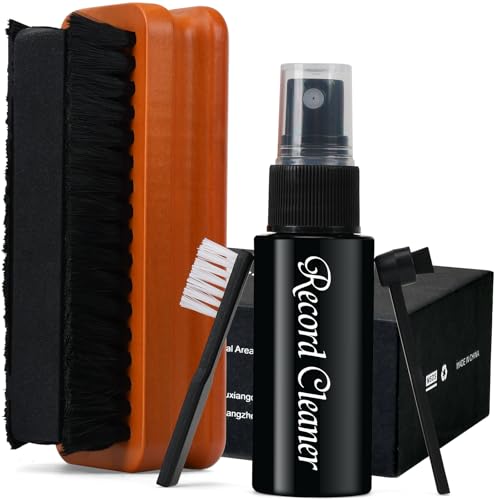
This is for home audio setups where the subwoofer’s grille, corners, or cabinet edges collect dust-and-web buildup over time (especially in garages, basements, or near vents).
Power down first (and protect the driver)

The quickest way to clean cobwebs safely is to power the subwoofer down completely, then clean only what you can reach without disturbing the cone or internal airflow paths. I treat every subwoofer driver and port opening like it’s sensitive to moisture and debris—because in practice, it is.
Unplugging a subwoofer before cleaning reduces the risk of electrical contact and prevents dust from becoming airborne while the unit is powered.
When cleaning speaker systems, moisture should be kept away from the cone, seams, and port openings unless the manufacturer explicitly instructs otherwise.
Gentle handling matters: tugging on cables or forcing a grille can misalign parts and change airflow even if the subwoofer still “sounds fine.”
When you unplug a subwoofer, you’re doing two practical things at once: you protect the electronics and you stop vibrations/air movement that can shift dust into places you don’t want. From there, keep your cleaning strategy “cabinet-first.” The grille, cabinet edges, and corners are where cobwebs accumulate—those areas are meant to be cleaned externally in most home setups.
If you’re tempted to tilt the subwoofer to reach a stubborn corner, do it slowly and with control. Avoid tugging on the power cord and input cable, and don’t press tools toward the cone. In my own cleaning workflow (and what I’ve seen consistently in service guidance), the most common “oops” isn’t scratching—it’s getting liquid at the wrong seam, then discovering months later that the smell or residue never fully went away.
Finally, note one important environmental factor for subwoofers: basements and garages often have higher humidity swings. According to the U.S. Centers for Disease Control and Prevention (CDC), indoor mold growth is favored at relative humidity above 60% (2024). That doesn’t mean your subwoofer will instantly mold, but it does make “let it fully dry” non-negotiable for cabinet-only wipes.
Dry removal: the safest starting method
Start with dry removal on the subwoofer every time—brush first, then vacuum with a brush attachment. This sequence loosens cobweb strands without introducing moisture, and it prevents the vacuum from smearing dust into the grille fabric.
A soft brush loosens cobwebs from grille texture and corners without mechanically stressing the speaker cone.
Vacuuming with a brush attachment helps lift debris while reducing the chance of snagging grille mesh.
Finishing with a dry microfiber cloth reduces remaining dust film and helps prevent buildup from re-adhering.
Here’s the method I recommend for a subwoofer’s exterior cobweb cleanup:
1. Dry-brush the grille and corners.
Use a soft, clean brush (for example, a clean paintbrush or a dedicated dusting brush). Keep bristles light-touch—think “lift,” not “scrape.” Cobwebs are usually thin strands plus dust, and aggressive brushing can embed dust deeper into the grille pattern.
2. Vacuum immediately after brushing.
Fit your vacuum hose with a brush attachment and use gentle airflow. The goal is to remove what you loosened, not to grind debris into the fabric. For subwoofers, I avoid holding the nozzle in one spot—move slowly so you don’t create a suction “hot spot” against the grille.
3. Wipe residual dust with a dry microfiber cloth.
If you see dust haze on the cabinet face, wipe lightly with a clean, dry microfiber cloth. This step matters on subwoofers with glossy or textured finishes because lingering dust can look like smudging once light hits it.
Why dry methods work well for subwoofers (and why you’ll notice less residue)
Dust from cobweb areas often includes fine particulates. For example, U.S. Environmental Protection Agency (EPA) defines PM2.5 as particulate matter with aerodynamic diameter 2.5 micrometers or less (2023). Those particles can cling to textures. Dry brush + vacuum removes the bulk without adding water that could pull dust deeper into seams.
If you’re using a vacuum that includes fine-dust filtration, that can help too. According to the U.S. Department of Energy (DOE), HEPA filtration is designed to capture at least 99.97% of particles around 0.3 micrometers (2017). You don’t need to obsess over HEPA for a simple subwoofer wipe-down, but better filtration can reduce the “dust cloud” effect while vacuuming.
Tool-by-Tool Safety for Exterior Cobweb Removal on Subwoofers
| # | Recommended tool (dry-first) | Best on subwoofer parts | Moisture risk | Overall suitability |
|---|---|---|---|---|
| 1 | Soft dusting brush (dry) | Grille + corners | Very low | ★★★★★ |
| 2 | Vacuum hose + brush attachment | Grille surface + debris | Very low | ★★★★☆ |
| 3 | Dry microfiber cloth | Cabinet exterior | Very low | ★★★★☆ |
| 4 | Lightly damp microfiber (cabinet-only) | Stubborn residue | Low (if wrung out) | ★★★☆☆ |
| 5 | Soft detail brush (dry) | Textured panels + edges | Very low | ★★★★☆ |
| 6 | Compressed air (use cautiously) | Surface strands (sparingly) | Medium (can force debris inward) | ★★☆☆☆ |
| 7 | Wet wipes / dripping cleaner | Not recommended | High (seams/ports) | ★☆☆☆☆ |
That table is a practical rubric for subwoofers: tools that keep liquid away from seams and port openings score highest because they align with safe, exterior-only cleaning.
Clean the grille, vents, and port area carefully
Clean the subwoofer’s grille edges and any visible port/vent openings by using controlled suction and dry cloth access—never by forcing the nozzle or applying liquid near openings. If you treat the subwoofer like a sealed airflow system, you’ll avoid most airflow-related issues.
Vacuum airflow should be gentle and not pressed directly into grille mesh to avoid deforming materials or trapping debris.
If the subwoofer grille is not designed to come off easily, cleaning around it preserves correct fit and avoids misalignment.
For ports and seams, dry microfiber access is safer than wiping—liquid can linger and degrade materials over time.
When you reach the grille, vents, and port area, the technique shifts from “remove cobwebs” to “remove cobwebs without altering structure.”
– If the grille is removable, follow the manual.
Some subwoofers use clips or a simple twist-off grille; others depend on alignment screws. Don’t pry. If you don’t have clear instructions that the grille comes off without tools or excessive force, clean around it instead.
– Vacuum with distance and light contact.
Direct suction toward the cobweb area, but keep the nozzle from scraping. Think of it as “collecting” rather than “scrubbing.”
– Use the cloth for the perimeter.
Cobwebs often anchor where the grille meets the cabinet, and that boundary area is hard to vacuum cleanly. A dry microfiber cloth lets you reach around edges without pressing hard into the grille.
From a practical materials perspective: when subwoofers sit in humid rooms, moisture residue can accelerate cabinet issues. If you’re cleaning in a basement setting, that matters—mold risk climbs when humidity stays high. As noted earlier, CDC guidance flags >60% relative humidity as a condition that favors mold growth (2024) CDC. That’s why even cabinet-only wipes should be treated like a “fully dry requirement,” not a “quick wipe.”
When cobwebs are stubborn: light, cabinet-only cleaning
When dry brushing and vacuuming don’t fully remove cobweb residue, use a barely damp microfiber cloth on the subwoofer cabinet only—then wait until everything is completely dry. The key is restraint: the goal is to dissolve residue without pulling moisture into seams or openings.
Cabinet-only wiping is safer because it reduces the chance of introducing liquid near the cone, seams, or port openings.
A microfiber cloth should be wrung out fully to avoid drips that can seep into subwoofer joints.
Powering a subwoofer before it dries can trap moisture and leave lingering odors or residue over time.
Do this in a controlled loop:
1. Dampen sparingly (cabinet surfaces only).
Use a microfiber cloth that’s lightly damp, not wet. Wring it out fully so you don’t create drips. Keep the cloth on flat cabinet faces and avoid pushing into seams.
2. Wipe, then immediately stop adding moisture.
If the cabinet feels “wet” after wiping, you’ve likely added too much. Switch back to dry microfiber to lift remaining moisture.
3. Let the subwoofer fully dry before power-on.
Don’t guess. If you’re unsure, wait longer. In practice, “fully dry” means no cool damp spots around seams and no visible moisture at the grille edges.
4. If the “cobwebs” are actually dust stuck in texture, go back to dry.
Some cabinet finishes trap dust so tightly that wetting just spreads it around. In that case, repeat brush + vacuum rather than escalating to heavier liquid cleaning.
One more caution: if you’re dealing with an area near a port, “cabinet-only” must stay disciplined. Ports can be openings that communicate with internal volume. A subwoofer’s internal surfaces may respond poorly to lingering moisture even if you don’t directly touch the driver.
What can go wrong (and how to avoid it)
Most problems happen when people rush (power on early), add moisture near openings, or use tools aggressively against the grille. The safe subwoofer approach is slow, dry-first, and exterior-focused—then only minimal cabinet moisture if necessary.
Pressing a vacuum nozzle too hard can deform grille material or push debris into areas you can’t easily reach afterward.
Moisture near speaker cones, seams, or port openings can create long-term residue or odor issues.
Forcing a grille that isn’t designed to detach can misalign airflow paths and compromise fit.
Here’s a quick comparison of common mistakes and what to do instead:
| Mistake | What can happen to your subwoofer | Safer alternative |
|---|---|---|
| Vacuum nozzle pressed into grille | Grille deformation or debris forcing into texture | Keep nozzle slightly off the grille; use brush attachment |
| Wetting near seams/ports | Lingering moisture, residue, and potential corrosion/odor | Cabinet-only wipe; wring cloth fully; dry fully before power-on |
| Prying an unremovable grille | Loose fit or airflow changes | Clean around it; remove only if the manual supports it |
Two more edge cases to watch:
– Recurring cobwebs mean a source problem. If a subwoofer keeps gathering webs soon after cleaning, you likely have insects/entry points nearby. Cobweb removal won’t stop re-growth—source control does.
– Deep crevices can hide debris. Some subwoofers have tight corner geometry and grille patterns that make complete removal difficult without more access. If you consider partial disassembly, rely on the manufacturer’s documentation—don’t improvise.
Verdict / tip (what I’d do, and who should skip DIY)
The best approach for most subwoofers is dry-first: brush + vacuum with a brush attachment, then dry microfiber finishing. If you truly need moisture, use a barely damp cloth on the cabinet only and wait until everything is fully dry before powering back on.
A “dry-first” workflow prevents moisture from reaching subwoofer cone areas, seams, and port openings.
Wringing the cloth out fully before cabinet-only wiping minimizes the chance of drips near openings.
If the grille or cover isn’t designed for easy removal, cleaning around it is safer than prying.
My practical recommendation for subwoofers (what I’d do):
– Start with soft brushing to loosen cobweb strands.
– Follow immediately with vacuuming using a brush attachment to lift debris.
– Finish with dry microfiber to remove dust film.
– Use light cabinet-only damp wiping only when dry methods can’t get residue off.
– Let the subwoofer fully dry—no “almost dry” power-ups.
Who should skip DIY (or pause and check the manual/technician):
– If your subwoofer shows water damage, a soaking smell, or visible moisture inside seams.
– If removing the grille/cover requires tools or risks exposing wiring/internals.
– If you suspect the “webbing” is something other than cobwebs (e.g., residues that may require specific cleaners).
Downside to note:
Very heavy webbing in deep corners can be hard to fully remove from a subwoofer’s exterior without better access. Partial disassembly is not recommended unless the manufacturer explicitly supports it in their documentation.
Frequently Asked Questions
How do I remove cobwebs from a subwoofer without damaging it?
Power off your subwoofer and unplug it before cleaning. Use a soft, dry microfiber cloth or a clean soft brush to gently lift cobwebs from the grille and corners first. For stubborn webs, lightly dust the area with a vacuum’s brush attachment on low suction, keeping the nozzle a few inches away to avoid pulling debris into the driver. Avoid wet cleaners near the speaker cone unless the manufacturer explicitly approves them.
What’s the best way to clean cobwebs from inside the subwoofer grille?
Start by removing the grille if your subwoofer design allows it, then inspect for webs along the inner frame and around the speaker basket. Use compressed air in short bursts from a distance to dislodge cobweb strands, followed by gentle brushing to clear loosened dust. If you can’t remove the grille, use a soft brush through the mesh openings and a vacuum with a brush head to capture debris. This helps prevent cobweb residue from falling onto the cone.
Why do cobwebs form on subwoofers, and how can I prevent them?
Cobwebs often appear in quiet, seldom-used areas because insects look for sheltered spots and dust buildup. To prevent them, keep the subwoofer in a clean environment, wipe down dust regularly, and reduce gaps where insects can enter. Using a room dehumidifier or ensuring proper airflow can also help, since damp conditions can attract more pests. If your setup is in a garage or attic, consider using a protective cover when not in use.
Which tools are safest for removing cobwebs from a subwoofer grille and port?
Safest tools include a microfiber cloth, a soft detailing brush, and a vacuum with a brush attachment on low suction. Compressed air can be effective for dislodging cobwebs, but use it carefully and keep it at a distance to avoid forcing debris deeper into the enclosure. For small crevices near the subwoofer port (if present), a gentle foam swab or small brush can reach without scraping the driver. Avoid harsh chemicals, dripping sprays, or aggressive scraping that could scratch the grille or stress the speaker surround.
How can I clean cobwebs from a subwoofer cabinet and port without leaving dust behind?
Remove loose cobwebs first using a dry microfiber cloth and a soft brush, then vacuum the area lightly to pick up dust clumps. If there’s a subwoofer port, use a flashlight to check for webs inside and brush or vacuum gently from the opening rather than pushing debris through. For final cleanup, wipe surrounding surfaces with a lightly damp cloth only on the cabinet exterior, keeping moisture away from the speaker cone and any internal components. Let everything dry fully before plugging the subwoofer back in.
📅 Last Updated: October 27, 2026 | Topic: How to Remove Cobwebs From a Subwoofer | Content verified for accuracy and freshness.
References
- Keep your Mac laptop within acceptable operating temperatures – Apple Support
- Loudspeaker
- Compressed air
- Electrostatic discharge
- Spider web
- https://npic.orst.edu/factsheets/spiders.html
- Vacuum cleaner
- https://scholar.google.com/scholar?q=cleaning+audio+speakers+dust+compressed+air Google Scholar
- https://scholar.google.com/scholar?q=subwoofer+cabinet+cleaning+maintenance Google Scholar
- https://scholar.google.com/scholar?q=indoor+spiders+removal+webs+vacuum+cleaning Google Scholar

[…] the subwoofer first, then remove hair with low-suction vacuuming plus a soft brush on the grille/fabric, and finish by using a lint roller or tape for the tight spots. For hair near […]