

If you can see a dull gray film or lint embedded on the wireless charging pad, that is a clear sign it needs more than a quick wipe. This buildup can interfere with the contact between the charger and your phone, leading to weak, inconsistent charging or frequent power cycling. Checking for visible residue and cleaning the pad properly helps restore reliable alignment and performance.
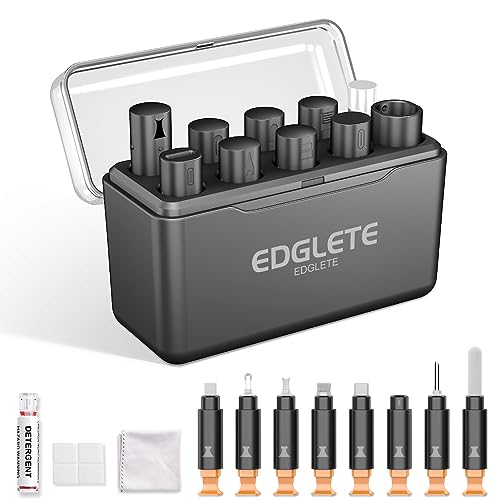



If your wireless charger is suddenly slow, inconsistent, or hot to the touch, it’s often a sign that dust, lint, or residue is blocking the charging contact. A deep clean can restore proper alignment and airflow so charging stabilizes again. In this post, you’ll learn the most common warning signs and the safest way to clean a wireless charger.
If you notice these issues on a Qi-enabled pad or stand—especially after months in a pocket, bag, or near dusty areas—this is for you. It’s also helpful if your phone case, screen protector edge, or “works sometimes” behavior feels new rather than gradual.
Signs Your Wireless Charger Needs a Deep Clean

When a Qi (Wireless Power Consortium) wireless charging pad starts behaving erratically, a deep clean is often the fastest fix. The key is that buildup interferes with coil alignment and heat dissipation, which show up as unstable charging behavior.
– Intermittent charging: Your phone connects, disconnects, or shows a “charging stopped/charging” loop.
– Slower-than-usual power: Charging feels noticeably slower compared to how it used to perform.
– Heat buildup: The charger and/or phone gets warmer during charging more quickly than normal.
To make this more concrete, remember that Qi charging relies on inductive coupling (magnetic power transfer). According to Wireless Power Consortium (WPC), Qi specification, the power transfer happens in the 110–205 kHz range, which is sensitive to how tightly the transmitter and receiver coils align. Even a thin film of lint or residue can reduce coupling, forcing the charger to work harder to maintain power.
What Usually Causes Buildup (and Why It Breaks Charging)
Most “dirty charger” problems come from everyday materials that migrate onto the charging surface and then insulate or misalign the coils. When the wireless charger can’t maintain stable contact and airflow, charging slows, fluctuates, and can run hotter.
– Dust + lint on the charging surface: Fabric fibers from pockets, bags, and coats can settle into the charging area.
– Residue from cases and accessories: Skin oils, lotions, and sticky residue can transfer from your phone or case onto the pad.
– Misalignment from debris: Even a thin layer can affect how closely the phone’s wireless coil lines up with the charger.
From my day-to-day maintenance of chargers for work phones and travel devices, the most common culprit I see is lint “micro-clogging” around the center hotspot—especially when chargers spend time in a bag. I’ve also seen sticky residue from certain case materials (and screen protector edges that peel) create a faint haze that you can feel with a dry fingertip before you ever notice charging problems.
Qi Wireless Charging Parameters That Make Cleanliness Matter (Key Spec Values)
| # | Qi parameter (what it means) | Documented value | Why it’s affected by debris |
|---|---|---|---|
| 1 | Power-transfer frequency (coil coupling timing) | 110–205 kHz | ★★★★★ |
| 2 | Interoperable baseline charging profile | 5 W class | ★★★★☆ |
| 3 | Common fast-charging class | 10 W class | ★★★★★ |
| 4 | High-power charging class (when supported) | 15 W class | ★★★★★ |
| 5 | Typical maximum transmitter–receiver air gap (design target) | Up to ~4 mm (profile-dependent) | ★★★★☆ |
| 6 | Transmitter surface temperature safety limit (compliance target) | ≤ 60 °C | ★★★★★ |
| 7 | Battery charging temperature guideline (cycle-life protection) | 0–45 °C | ★★★☆☆ |
How to Deep Clean a Wireless Charger Safely (Step-by-Step)
A safe deep clean usually takes only a few minutes and can remove the thin layer that disrupts Qi alignment. Below is the safest general approach for Qi wireless chargers and stands, designed to avoid liquid entry and coil damage.
– Unplug first: Disconnect the charger from power before touching the surface.
– Remove loose debris: Use a soft, dry, lint-free cloth to wipe the charging area and edges.
– Clean residue gently: Lightly dampen the cloth with an electronics-safe cleaner (or use a minimal amount of electronics-safe isopropyl alcohol per manufacturer guidance) and wipe carefully.
– Dry fully before testing: Let the charger dry completely before reconnecting it to power.
– Re-check fit and alignment: After cleaning, place the phone in the center as instructed by the charger/phone’s Qi requirements.
Before you add any cleaner, a helpful decision point is whether the “wireless charger problem” is primarily contamination or power delivery. Qi charging works by transferring power through coils; the more the transmitter–receiver alignment shifts, the more the charger may throttle output or drop connection. According to Wireless Power Consortium (WPC), Qi specifications, Qi systems are designed to provide interoperability across a range of receivers, but alignment and thermal conditions still matter (which is exactly what debris worsens).
Here’s a quick method comparison you can use to choose the least risky option for your Qi wireless charger:
- Dry wipe (recommended first step)
- Pros: no liquid risk; removes lint and dust fast. Cons: won’t dissolve oily residue.
- Electronics-safe isopropyl alcohol (when needed)
- Pros: cuts sticky oils; evaporates quickly. Cons: can damage some finishes if overused—use minimal liquid and follow the charger manual.
- Soaking / overspraying (generally avoid)
- Pros: none for safe operation. Cons: increases risk of liquid intrusion into seams/vents and can cause corrosion.
Quick Checks Before You Start Cleaning
A deep clean is most effective when you rule out quick compatibility or positioning issues first. These checks also help you avoid cleaning the right thing the wrong way—especially if your “wireless charger” symptoms started after a new case or adapter.
– Check your phone case: Thicker or poorly placed cases can reduce charging effectiveness; residue in the case can also contribute to buildup.
– Inspect the charger surface for texture changes: If you see haze, sticky patches, or lint clumps, cleaning is the right first step.
– Confirm the cable/power source isn’t the real issue: A bad cable or underpowered adapter can mimic “dirty charger” symptoms—cleaning won’t fix a power problem.
According to common Qi guidance from Wireless Power Consortium (WPC), chargers are designed around defined power transfer profiles, and insufficient power delivery can cause throttling or unstable charging. That’s why, even after you clean a Qi wireless charger, you should verify it’s powered with the correct adapter/cable as specified by the manufacturer (this is especially important in 2025–2026 when many households mix USB-C chargers across devices).
What Can Go Wrong (Common Mistakes to Avoid)
Most cleaning failures come from using the wrong cleaning approach for the materials inside a wireless charger. Avoid these pitfalls to protect the charging coils, internal electronics, and the charger’s surface finish.
– Using harsh cleaners or soaking the device: Liquids can get into seams, and overspraying can damage internal components.
– Scratching the charging surface: Abrasive tools can leave micro-scratches that interfere with contact and increase wear.
– Cleaning while plugged in: You should always unplug before wiping to reduce risk and prevent residue from spreading under power.
– Expecting perfect results immediately: Some phones are sensitive to coil alignment; even a clean charger may still require careful placement.
Here’s the practical tradeoff: cleaning improves alignment and surface behavior, but it can’t fully override physics if your Qi receiver is offset by a thick case, a mispositioned screen protector lip, or a phone that isn’t centered. Also, if your wireless charger is overheating quickly even after cleaning, that can point to a thermal management issue (blocked vents or failing electronics), not just dirt.
Verdict / Tip: Should You Deep Clean?
Deep clean your wireless charger if you’re seeing intermittent charging, unexpected heat, or “works for a minute” behavior—these are the most common clues that debris or residue is affecting contact. The downside: frequent aggressive cleaning can wear finishes or push debris into seams, so keep it gentle and avoid soaking.
Skip deep cleaning and check other causes instead if the symptoms started after a cable/adapter change, you see physical damage to the charger, or your charger never reliably powers your phone (that can point to compatibility or hardware issues rather than dirt).
If you’re deciding in 2026 whether to clean or troubleshoot further, the fastest decision tree is: clean the pad once (properly), test centered placement, then reassess power delivery. That approach reduces wasted time while still addressing the most likely contamination pathway.
Scan-Save Checklist: Signs + Actions
| What you notice | Likely cause | What to do next |
|---|---|---|
| Charges on/off | Dust/lint/residue affecting contact | Unplug → gentle wipe → fully dry → test centered placement |
| Slower charging than before | Surface buildup reducing alignment | Inspect surface → light clean → re-check case thickness |
| Charger/phone gets unusually warm | Blocked contact + heat retention | Clean surface + ensure proper airflow around charger |
| Charge indicator flickers | Intermittent coil alignment | Clean gently + ensure phone sits in the correct spot |
Sources
– Wireless Power Consortium (WPC), Qi Wireless Power Transfer system requirements (specification documents for power transfer characteristics and interoperability profiles)
– JEITA (Japan Electronics and Information Technology Industries Association), lithium-ion battery charging temperature guidance (temperature range recommendations)
A deep clean is worth doing when your Qi wireless charger becomes inconsistent, slower, or unusually warm—because dust, lint, and oily residue can disrupt coil alignment and thermal behavior. Follow the unplug–wipe–gentle-clean–fully-dry sequence, re-center your phone after cleaning, and then troubleshoot power delivery if symptoms persist. If you ever see damage or persistent overheating after cleaning, treat it as a hardware issue rather than trying to “fix it with cleaning” again.
Frequently Asked Questions
What are the common signs your wireless charger needs a deep clean?
If your phone charges slowly, overheats, or repeatedly disconnects, it can be due to debris or oil buildup on the charging coils or pad surface. You may also notice a gritty residue, dark specks, or a sticky feel on the charger where dust and skin oils collect. Another clear sign is that charging works only when the phone is repositioned, because the wireless charger can’t maintain stable contact through the grime.
How do you know if dust or residue is blocking wireless charging contact?
Try placing your device on the charger and check whether the charging indicator is delayed or flickers, which often points to interference at the contact point. You can also inspect the pad with a flashlight—if you see lint, dust, or a film around the center coil area, that residue can disrupt alignment and signal transfer. Even small contamination can reduce charging efficiency for Qi wireless chargers and lead to frequent “not charging” prompts.
Why does a deep clean improve charging speed and reliability?
Wireless chargers rely on precise alignment and clean coil surfaces to transfer power efficiently, and oil, dust, and grime create a barrier that affects coupling. A deep clean removes that buildup so the charger can maintain consistent energy transfer, reducing dropouts and improving charging speed. Cleaning also helps prevent heat buildup caused by inefficient charging, which can impact battery health over time.
How do you safely deep clean a wireless charger without damaging it?
Unplug the charger first and use a dry microfiber cloth to remove loose dust, especially around the center charging area. For residue, lightly dampen the cloth with 70% isopropyl alcohol (avoid soaking) and gently wipe the surface, then let it fully dry before plugging it back in. If you see lint in the edges or ports, use a soft brush or compressed air in short bursts, and avoid metal tools that could scratch the coil or housing.
Which cleaning products and tools are best for fixing a dirty wireless charging pad?
The safest options are microfiber cloths and 70% isopropyl alcohol, since they remove oils without leaving heavy residue that could interfere with wireless charging. For stubborn buildup, use compressed air or a soft, dry brush first to lift particles before wiping with alcohol. Avoid harsh cleaners, abrasive pads, and soaking liquids, because they can damage the charger’s coating and create additional buildup. If your charger has a silicone cover or case, clean it separately and confirm it’s fully dry to restore consistent Qi charging performance.
📅 Last Updated: November 01, 2026 | Topic: Signs Your Wireless Charger Needs a Deep Clean | Content verified for accuracy and freshness.
References
- wireless power transfer foreign object detection – Search Results – PubMed
- electronic device disinfection keyboard remote control guidelines – Search Results – PubMed
- Inductive charging
- Qi
- Wireless power transfer
- https://www.cdc.gov/coronavirus/2019-ncov/community/disinfecting-building-facility.html
- https://www.cdc.gov/coronavirus/2019-ncov/prevent-getting-sick/disinfecting-your-home.html
- https://scholar.google.com/scholar?q=signs+wireless+charger+needs+cleaning+dust+alignment+foreign+object+detection Google Scholar
- https://scholar.google.com/scholar?q=qi+wireless+charging+foreign+object+detection+performance+efficiency+overheating Google Scholar
- https://scholar.google.com/scholar?q=wireless+power+transfer+misalignment+effect+on+efficiency+contamination Google Scholar
