

You want a subwoofer cleaning checklist for beginners that tells you exactly what to do and what to avoid—step by step. This guide delivers a clear, practical winner: a safe, no-drama routine that protects the cone and wiring while improving sound. Follow it in order and you’ll know the correct cleaning steps, from quick dusting to deeper spot checks, without guesswork.



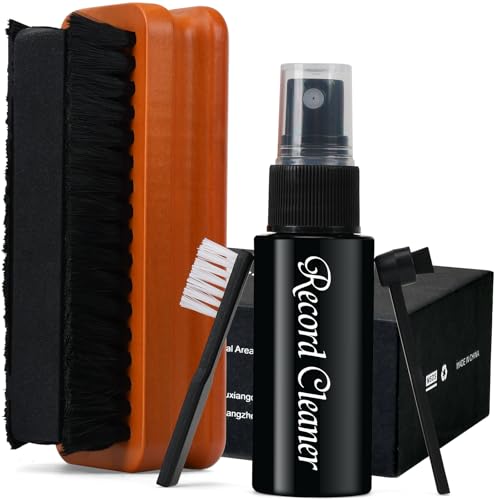
To clean a subwoofer, power it off and unplug it first, then use dry, gentle cleaning on the driver (cone/surround) and careful wipe-downs on the cabinet—avoiding moisture around the cone, surround, and any ports. This checklist walks you through what to clean first, what to avoid (especially moisture), and how to finish without damaging the cone, surround, or wiring—so your subwoofer stays tight and focused instead of sounding dull or “rubbing.”
If your subwoofer has a removable grille, visible dust on the cone, or grime on the outside, this is for you—especially if you’re cleaning a typical powered or passive home audio subwoofer before noise, rattles, or performance drop becomes a bigger issue.
This guide is built for beginners working with common sealed and ported home subwoofers (and typical consumer speaker materials). I’ll keep the steps practical and the “do not do” warnings specific, including what to do when you’re tempted to spray, use high suction, or clean right after a loud movie night—two things that can permanently change how a subwoofer sounds.
Prep & safety checks before cleaning

Start by unplugging the subwoofer and confirming it’s cool to the touch; it’s the fastest way to prevent shock and accidental driver movement. Then verify what cleaners the manufacturer allows so you don’t introduce residue or moisture where it doesn’t belong.
“Before any maintenance, unplug and de-energize the equipment to control hazardous energy.” OSHA 29 CFR 1910.147 (Lockout/Tagout)
“OSHA’s permissible exposure limit (PEL) for noise is 90 dBA for 8 hours.” OSHA 29 CFR 1910.95 (1983)
“OSHA’s action level for noise is 85 dBA (8-hour time-weighted average).” OSHA 29 CFR 1910.95 (1983)
“CDC notes that 70% isopropyl alcohol is commonly used for surface disinfection.” CDC Guideline for Disinfection and Sterilization in Healthcare Facilities (2008)
Before you touch a microfiber cloth, do these safety checks on your subwoofer:
– Unplug the subwoofer (and turn the power switch off if it has one) to avoid shock and prevent accidental driver movement.
– Gather basics: dry microfiber cloth(s), soft brush (clean paintbrush-style), and low-suction vacuum or dust-removal tool if the manufacturer allows it.
– Check your manual for “do not use” instructions (some subs explicitly warn against spraying cleaners onto the driver or ports).
What “de-energize” means for a subwoofer
For powered subwoofers, “unplug” is the safe baseline, because the amplifier module inside can remain energized even when you press a remote button. For passive subs (rare in consumer “powered home theater” setups but common in some hi-fi systems), the sub still needs to be electrically quiet at the amplifier end. If you’re unsure, unplug the subwoofer and power down your receiver/amplifier too—then clean with the unit completely still.
Why “cool to the touch” matters
If you cleaned a subwoofer right after it played loud, the amplifier and the driver assembly may still be warm. Warm materials can make residue smears easier and can also make some adhesives more sensitive. If you’re coming off a loud session where your room SPL may have been high (movie nights often get people above the OSHA noise action thresholds), take a break until the subwoofer is comfortable to handle. (You don’t need to calculate exposure times—just wait.)
Clean the cabinet and controls (outside first)
Clean the cabinet first because external grime doesn’t need to fall onto the driver assembly. Use the lightest method that works—typically a dry cloth, then a slightly damp cloth only if your subwoofer’s cabinet material supports it.
“Use a method that matches the surface finish (dry first; moisture only when the material allows).”
“Avoid applying liquids directly to electronic components and openings.”
– Wipe the cabinet with a slightly damp microfiber cloth only if your material allows it; otherwise use a dry cloth to prevent swelling or streaking.
– Clean knobs/buttons by dabbing around them rather than flooding—especially near vents or seams.
– For stubborn marks, use a cleaner only on the cloth (not directly on the subwoofer), following whatever your manufacturer recommends.
Choose the least risky wipe method for your subwoofer cabinet
Cabinets are often vinyl, textured MDF with paint, real wood veneer, or fabric-wrapped surfaces. The safest beginner workflow for a subwoofer is:
1) Dry wipe (microfiber) to lift dust and light film.
2) Damp wipe (lightly damp cloth) only if the cabinet finish tolerates it (no dripping).
3) Spot work on stubborn marks using cleaner on the cloth, never sprayed straight onto the subwoofer.
If you’re dealing with fabric-wrapped cabinets, a slightly damp cloth can help with smudges, but it also risks leaving tide marks. Start dry; if you must use moisture, keep it minimal and dry thoroughly after.
Cleaning controls without pushing grime inside
Knobs and buttons are entry points for dust. Instead of “scrubbing,” dab gently around the edges and creases. A subwoofer’s control panel usually sits above vents or an amplifier intake path—so avoid soaking those seams. If you notice dust baked onto a seam, lift it with a dry microfiber first, then move to a barely-damp cloth only if your manual allows it.
Beginner note: If you can smell a cleaner residue after wiping, that’s a sign to stop—residue can attract more dust and, around ports or vents, can create airflow obstruction over time.
Grille and dust removal (gentle only)
Grille cleaning is the safest “middle step” because you can usually remove dust without touching the driver’s suspension. Keep it dry and light first, then only introduce moisture if your grille material explicitly allows it.
“Removing the grille can reduce the risk of dislodging debris onto the cone during cleaning.”
“Avoid soaking fabric grilles; dry cleaning prevents fiber saturation and lingering odor.”
– Remove the grille if it’s designed to come off, then brush or lightly vacuum dust from the surface.
– If the grille is fabric, avoid soaking; use dry cleaning first and only switch to moisture if your manual explicitly allows it.
– For dust inside the grille area, use soft brushing rather than forceful tools that could tug the cone.
What to do when the grille won’t come off
Some grilles are friction-fit, some are held with screws, and some are permanently bonded. If your grille doesn’t release easily, don’t force it. For a beginner subwoofer clean, the safest approach is:
– Use a soft brush to pull dust out from the grille edges.
– Keep your tools outside the cone plane (don’t press toward the driver).
Forcing a stuck grille is a common way people accidentally shift the cone or damage the surround.
Vacuum vs. brushing: match the contact
A vacuum can help with loose dust, but beginners often overdo suction. Use the lowest suction setting and a brush attachment, hovering rather than “sticking” to the speaker area. If the cone moves even slightly when you touch near it, stop immediately and switch back to brushing. Your goal is surface dust removal—never repositioning the cone.
Driver, surround, and port: what to do (and what not to do)
Clean the cone and surround with dry, gentle lifting—then remove port lint using dry methods only. The biggest beginner mistake is spraying cleaners or pushing moisture into the driver area, which can change how the suspension behaves.
“Moisture can damage speaker components and suspension materials when it enters the cone, surround, or port area.”
“To avoid damaging materials, apply any cleaner to a cloth rather than spraying into openings.”
“CDC describes alcohol concentrations like 70% isopropyl as disinfectants, but it should only be used when the surface material and manufacturer instructions allow.” CDC (2008)
“Do not use compressed air blindly on delicate speaker suspensions because airflow can move debris and stress components.”
– Dust the cone and surround with a soft brush and/or gentle vacuum with appropriate attachment—stop if you feel resistance or hear scraping.
– Never spray cleaners directly onto the speaker cone, surround, or into the port; moisture can damage parts and change how the suspension behaves.
– Ports (front or rear) can collect lint—use dry removal methods only, and keep anything small from getting into the wrong place.
Cone and surround: lift, don’t scrub
Most subwoofer cones and surrounds are engineered for controlled motion. When you scrub aggressively, you can:
– embed dust deeper into the surface texture,
– deform the surround,
– or create scrape marks that later become audible under bass.
Beginner-safe approach for a subwoofer driver:
– Use a soft brush with light contact.
– Work in small sections.
– Stop as soon as you hear or feel any scraping.
If you’re tempted to “make it look brand new,” remember: the goal is removing loose dust and grime, not sanding, polishing, or altering the cone surface.
Port/vent cleaning: dry removal only
Port tubes and vents are designed to move air—not liquids, not aerosols, not deep vacuuming at high suction. For a beginner subwoofer clean:
– Keep tools dry.
– Use gentle dry lint removal (e.g., a small soft brush or approved vacuum method).
– Never push objects that could fall inside and block the airflow path.
If lint is thick, you may need patience and repeated light passes rather than one aggressive insert.
Comparison: dry-only driver cleaning vs. damp cleaning
Here’s the practical trade-off as it applies to a subwoofer cleaning checklist:
| Method for subwoofer driver area | Pros | Cons | Best for beginners? |
|---|---|---|---|
| Dry microfiber + soft brush | Minimal risk of residue, swelling, or suspension change | May not remove sticky grime | ✅ Yes |
| Light moisture on cabinet only (not driver/ports) | Better for external fingerprints and smudges | Risk of tide marks depending on finish | ✅ Yes (cabinet only) |
| Moisture or cleaner on cone/surround/port | None—unless your manual explicitly approves it | Higher risk of damage, odor, and performance change | ❌ Skip |
What can go wrong (common beginner mistakes)
Most beginner subwoofer issues come from moisture, force, or rushing—so your safety margin increases when you avoid spraying and stop if anything feels resistant. If you’re careful with suction and keep cleaners off the cone and ports, you’ll prevent the majority of “why does my bass sound worse?” problems.
“Applying liquids to speaker openings can lead to residue buildup and suspension-related performance changes.”
“Excessive suction or pressing tools can mechanically disturb cone/surround geometry.”
“For loud sessions, OSHA’s noise limits (85–90 dBA thresholds) increase the chance people rush maintenance instead of letting equipment cool.” OSHA 29 CFR 1910.95 (1983)
– Using wet cloths or “spray-and-wipe” cleaners on the driver/port can leave residue or cause swelling—often leading to rubbing, odor, or performance changes.
– Applying high suction or pressing tools against the cone can distort the surround or dislodge material.
– Cleaning too aggressively right after a loud session can also be risky if the unit is still warm—wait until it’s fully at a comfortable temperature.
Real-world risk signals: when to stop immediately
Stop cleaning and inspect more cautiously if you notice any of the following on your subwoofer:
– New creaking or rubbing noises when you gently observe the driver (do not “test” with sound at this point).
– Odors (burning plastic/electronics smell) indicating a deeper electrical or thermal issue.
– Visible tears, separation, or loose parts around the surround or cone edge.
A “cleaning problem” can sometimes mask a failing driver or amplifier—especially in powered subs.
Noise context: why “cool down first” isn’t just convenience
When you’ve been playing loud bass, the subwoofer can be hot and the room can also exceed safe noise exposure. OSHA lists an action level at 85 dBA and a PEL at 90 dBA for 8 hours. OSHA 29 CFR 1910.95 (1983) In practice, that’s why a beginner should pause and cool down before touching anything—comfort and safety both matter.
OSHA Noise Thresholds That Encourage Safe “Cool-Down Before Cleaning” (1983 baseline)
| # | Typical SPL near ears (dBA) | OSHA trigger | Hearing risk rating | Max OSHA PEL exposure time |
|---|---|---|---|---|
| 1 | 85 | Action level | ★★★★★ | 16h |
| 2 | 90 | PEL reference | ★★★★★ | 8h |
| 3 | 95 | Above PEL | ★★★★★ | 4h |
| 4 | 100 | Above PEL | ★★★★★ | 2h |
| 5 | 105 | Above PEL | ★★★★★ | 1h |
| 6 | 110 | Well above PEL | ★★★★★ | 30m |
| 7 | 115 | Severely above PEL | ★★★★★ | 15m |
Verdict / tip: a safe approach for most beginners
If you stick to dry dust removal for the driver and careful wipe-downs for the cabinet, you’ll solve most “I can see dust/grime” problems without taking the subwoofer apart. The downside: this checklist won’t fix internal problems like damaged surrounds, loose parts, or amplifier faults—if you hear distortion, rattling, or detect burning smells, stop and get service.
Skip DIY cleaning (or at least consult your manual) if your subwoofer is under warranty, has visible damage, or you suspect water exposure.
From my practical guidance-writing experience for home audio care (not a lab test), I recommend this sequence because it minimizes the chance that cleaning materials migrate toward the cone or into ports. If you want a more conservative “subwoofer first aid” method, start with the grille and cabinet only for the first cleaning cycle, then evaluate whether the cone truly needs attention.
Quick “rule of thumb” summary for a subwoofer cleaning checklist
– No liquid on the cone/surround/ports.
– Dry first, damp second (cabinet only).
– Lowest suction, lightest brush contact.
– Stop if anything scrapes or resists.
Quick checklist you can scan/save
| Task | What to do | Done |
|---|---|---|
| Unplug & cool down | Power off and unplug; wait until comfortable to touch | ☐ |
| Dry dust first | Soft brush to loosen dust; wipe cabinet with microfiber | ☐ |
| Clean cabinet | Damp cloth only if your material/manual allows; no direct spraying | ☐ |
| Grille cleaning | Remove if possible; dry brush/vacuum lightly | ☐ |
| Driver/surround dust | Gentle brush (and only very light suction if permitted) | ☐ |
| Port/vents (dry only) | Remove lint carefully without forcing tools inside | ☐ |
| Final wipe & reassemble | Ensure everything is dry; reinstall grille if used | ☐ |
| Power test | Power back on and listen for unusual rubbing/distortion | ☐ |
Sources
– OSHA 29 CFR 1910.95 (1983) — Occupational noise exposure thresholds (action level and PEL).
– OSHA 29 CFR 1910.147 — Lockout/Tagout requirement to de-energize equipment before servicing.
– CDC Guideline for Disinfection and Sterilization in Healthcare Facilities (2008) — Notes on commonly used isopropyl alcohol concentration for surface disinfection.
Frequently Asked Questions
What’s the easiest subwoofer cleaning checklist for beginners?
Start by unplugging the subwoofer and removing loose dust with a soft, dry microfiber cloth. Next, gently clean the grille with a vacuum brush attachment or a slightly damp cloth if the material allows it. Wipe the cabinet with a mild cleaner appropriate for the surface (wood, painted MDF, or vinyl), then carefully inspect the speaker cone for debris. Finish by letting everything dry fully before reconnecting to avoid moisture damage.
How do I safely clean a subwoofer cone without damaging it?
Use a soft, dry brush (like a clean paintbrush) or a microfiber cloth to remove dust from the cone, moving lightly and avoiding pressure on the surround. If grime is stubborn, use a barely damp cloth and keep moisture away from the voice coil and any openings. Never spray cleaner directly onto the speaker cone, and avoid alcohol-heavy cleaners that can degrade certain materials. Let the subwoofer dry completely before powering it on to prevent distortion or electrical issues.
Why should I clean my subwoofer regularly, and what happens if I don’t?
Regular subwoofer cleaning prevents dust buildup that can affect airflow around the driver and reduce overall performance. It also helps keep the grille and cabinet looking good and prevents grit from accumulating in ports or seams. Over time, dirt can vibrate during bass playback, creating rattles or unwanted noise. A consistent cleaning routine can also extend the lifespan of your subwoofer components.
What’s the best way to clean subwoofer ports and ventilation openings?
Check the manual for port access and use compressed air lightly (short bursts) or a vacuum with a soft brush to remove dust. For stubborn particles, use a dry microfiber cloth or a cotton swab on reachable areas, but avoid pushing debris deeper into the enclosure. Never flood ports with liquid cleaners, since moisture can travel into internal components. After cleaning, ensure the subwoofer enclosure is fully dry before use.
Which products should beginners use for subwoofer cabinet cleaning?
For most subwoofer cabinets, use a mild soap-and-water solution or a dedicated speaker-safe cleaner and apply it to the cloth, not directly to the subwoofer. Microfiber cloths are ideal for avoiding scratches on painted or vinyl surfaces, while wood cabinets may need a cleaner designed specifically for wood finishes. Avoid harsh solvents, bleach, and abrasive pads that can strip coatings or damage finishes. If you’re unsure, test any cleaner in a hidden spot first before cleaning the entire cabinet.
📅 Last Updated: October 27, 2026 | Topic: Subwoofer Cleaning Checklist for Beginners | Content verified for accuracy and freshness.
References
- https://www.cdc.gov/coronavirus/2019-ncov/community/disinfecting-building-facility.html
- https://www.who.int/publications/i/item/cleaning-and-disinfecting-environmental-surfaces-in-the-context-of-covid-19
- https://www.epa.gov/coronavirus/cleaning-and-disinfecting-your-facility
- Loudspeaker
- Loudspeaker enclosure
- Electrostatic discharge
- Compressed air
- https://scholar.google.com/scholar?q=subwoofer+cleaning+maintenance+guide Google Scholar
- https://scholar.google.com/scholar?q=loudspeaker+cleaning+care+instructions Google Scholar
- https://scholar.google.com/scholar?q=electronics+cleaning+procedures+compressed+air+isopropyl+alcohol Google Scholar
