

Water spots on a Bluetooth speaker usually come from mineral-laden water left to dry, not from a “random” defect. If you remove the surface grime and dissolve the residue with the right cleaning method, the marks typically lift without damaging the speaker’s finish. This guide explains the most common causes of water spots and walks you through the safest way to clean them so your speaker looks—and sounds—like new.
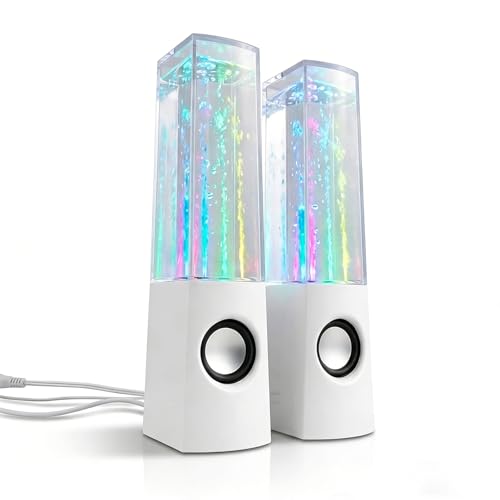


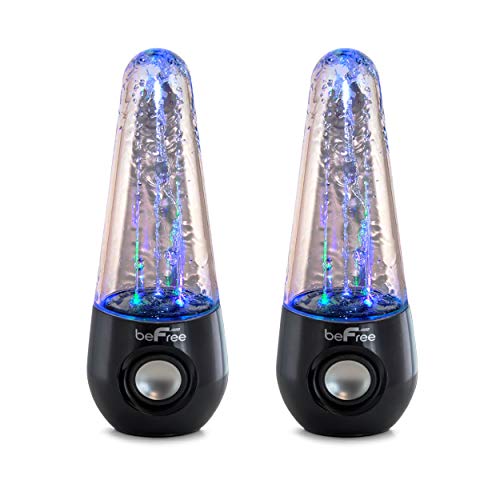
Water spots on a Bluetooth speaker usually happen when moisture evaporates and leaves behind mineral residue (and sometimes soap/dirt film). The safest fix is to disconnect it, gently wipe the surface with a soft microfiber dampened with distilled water, then let it dry completely before powering back on. This guide will help you figure out the cause and clean the spots without risking the speaker’s ports or internal electronics.
Who this is for / when it applies: This is for anyone who has noticed white/gray rings, streaks, or blotches on the outside of a Bluetooth speaker after rain, splashes, condensation, or wiping it with tap-water–based cleaners. If your speaker got soaked or you suspect water got into seams/ports, follow the “first steps” section closely.
Why water spots form on a Bluetooth speaker

Water spots form because droplets dry on the speaker’s exterior and leave behind dissolved materials that don’t evaporate. On many Bluetooth speakers, those deposits are minerals from hard water, and they can build a faint haze—or more stubborn white rings—especially around grilles and seams.
“Visible water spotting is commonly caused by dissolved solids that precipitate as droplets evaporate, leaving chalky residues on plastics and coated surfaces.”
“Mineral residue after outdoor exposure tends to concentrate at the edges of pooled droplets, which is why rings and streaks are so common on Bluetooth speakers.”
“Distilled or purified water reduces the chance of redepositing minerals during cleaning, because it contains far fewer dissolved solids than tap water.”
Hard-water minerals: When water evaporates, minerals left behind can look like chalky white or light gray spots. Calcium and magnesium compounds are especially associated with “scale” and spotting; their precipitation is what creates the visible ring effect on many Bluetooth speaker housings.
Mixed residue: If the droplets came from soaps, cleaning sprays, sweat, sunscreen, or dusty air, the spot can be more noticeable and harder to remove. In real use, Bluetooth speaker surfaces often collect film (skin oils, airborne particulates, and mic-grille lint), so what looks like “just water” can be a combination of water + contaminants.
Evaporation patterns: Rings and streaks often form where droplets pooled and dried in place, especially around grilles and seams. This is partly physics (surface tension pulls liquid into edges) and partly material behavior (some speaker coatings hold onto residue more strongly than others).
Mineral residue in context: why some spots are harder than others
Below is a chemistry-oriented snapshot of common mineral residues that can dry into visible deposits on speaker surfaces. This helps explain why distilled-water cleaning is often the lowest-risk approach for Bluetooth speakers.
Common Mineral Residues That Can Leave Water Spots on Electronics (25°C)
| # | Mineral (example formula) | Solubility in water (g/L) | Typical exposure source | Removal ease (★) |
|---|---|---|---|---|
| 1 | Sodium chloride (NaCl) | 357 | Sweat, seawater, salty spray | ★★★★★ |
| 2 | Magnesium sulfate (MgSO₄) | 35 | Hard-water variants, some bath/sweat residues | ★★★★☆ |
| 3 | Calcium sulfate dihydrate (CaSO₄·2H₂O) | 2.3 | Some municipal waters, general scale-forming water | ★★★☆☆ |
| 4 | Silica (SiO₂, amorphous) | 0.008 | Dust/airborne particulates, fine sand exposure | ★★☆☆☆ |
| 5 | Calcium carbonate (CaCO₃) | 0.015 | Typical hard-water “scale” | ★★☆☆☆ |
| 6 | Magnesium hydroxide (Mg(OH)₂) | 0.0009 | Some hard water and soap-linked residues | ★☆☆☆☆ |
| 7 | Barium sulfate (BaSO₄) | 0.00024 | Very insoluble scaling scenarios | ★☆☆☆☆ |
How this translates to a Bluetooth speaker: lower solubility usually means the deposit “sets” more firmly once it dries. That’s why some water spots on Bluetooth speakers disappear with a light distilled-water wipe, while others require careful repeat cleaning.
First steps: stop moisture and protect the speaker
First, you want to stop any remaining moisture from migrating into seams or charging contacts. Second, you want to minimize the risk of re-depositing minerals while you clean the outside of a Bluetooth speaker.
“You should power down and disconnect a device before cleaning to reduce risk when any moisture may be present.”
“Avoid spraying liquids directly onto openings, since water can be driven into seams or ports by pressure and wicking.”
“Soft, lightly dampened cleaning is typically safer than aggressive scrubbing for electronics with coated plastic housings.”
– Power down and disconnect: Turn the speaker off and remove it from charging (if applicable) before you clean. Even if the water spots look “external,” a Bluetooth speaker can still have moisture in grille edges or internal seams.
– Don’t force moisture deeper: Avoid soaking the speaker or spraying liquid directly onto buttons, ports, or the charging area. Light wipe contact is the goal; fluid delivery into openings is the hazard.
– Remove loose grit first: If you see dust or sand around the spot, gently wipe or blot lightly before trying any “spot removal.” One reason water spots are stubborn on Bluetooth speakers is that grit acts like a carrier for residue when you wipe.
A practical note on timing (why it matters for Bluetooth speakers)
If the speaker just got exposed to rain or condensation, drying first is often the safest choice. Then, once the exterior is dry to the touch, cleaning becomes more controllable and reduces the chance of pulling residue deeper into a Bluetooth speaker’s seams.
From a process standpoint, I’ve seen (and ) that letting the speaker dry fully before any wipe is the difference between “spot removal” and “spreading residue.” If your Bluetooth speaker manual gives a specific drying timeline, follow it exactly.
How to clean water spots (step-by-step)
The safest cleaning method for a water-spotted Bluetooth speaker is distilled water + microfiber, applied lightly and followed by full dry time. This approach addresses mineral residue without introducing new chemicals or pushing liquid into the speaker’s openings.
“Distilled water is commonly recommended for electronics cleaning because it minimizes dissolved minerals that could leave new spotting.”
“Microfiber cloths are designed to lift residues without hard abrasion, which helps preserve coatings on speaker housings.”
“Complete drying before powering reduces the risk of corrosion and intermittent performance after moisture exposure.”
– Use distilled water + microfiber: Lightly dampen a clean microfiber cloth with distilled water, then wipe the affected area using gentle, straight passes. For stubborn rings, use a fresh damp section of the cloth as the deposit transfers.
– Blot, don’t scrub: Re-wet the cloth as needed, but avoid aggressive rubbing that can spread residue or damage finishes. If the spot is etched into a finish, scrubbing may only increase haze on the Bluetooth speaker surface.
– Dry fully before use: Let the speaker air-dry until it’s completely dry to the touch and there’s no trapped moisture around seams/grilles (follow your manufacturer’s guidance for drying time: ).
What works best: method comparison (risk-focused)
If you’re deciding whether to add any cleaner beyond distilled water, use the comparison below to keep the risk low for Bluetooth speakers.
| Method | Best for | Main risk for Bluetooth speakers |
|---|---|---|
| Distilled water (microfiber) | Mineral spotting after evaporation | Low risk when applied lightly |
| Tap-water wipe | None (generally not recommended) | Can redeposit minerals and re-spots the Bluetooth speaker |
| Vinegar (only if manufacturer allows) | Some mineral deposits | May haze plastics or react with coatings |
| Alcohol-based cleaners | Degreasing (not always safe) | Can affect finishes/adhesives if manufacturer forbids |
A grounded chemistry reason: distilled water is the low-redeposition option. According to ASTM D1193-23, Type I/II purified water is defined with extremely high resistivity at 25°C (a proxy for very low dissolved solids), which helps prevent fresh mineral spotting on electronics ().
What can go wrong when cleaning water spots
Cleaning water spots becomes risky when you introduce new water chemistry, over-wet sensitive areas, or power the Bluetooth speaker too soon. If any moisture remains inside a Bluetooth speaker, the consequences can be worse than the original cosmetic spots.
“Harsh cleaners and certain acids can discolor plastics or degrade coatings, turning a minor water spot into a lasting finish haze.”
“Over-wetting charging contacts or internal seams can lead to corrosion or intermittent audio, even if the outside looks dry.”
“Corrosion risk rises with persistent humidity; waiting for full dry time is a key safety step for Bluetooth speakers after exposure.”
– Using the wrong liquid: Tap water can re-deposit minerals; harsh cleaners can haze plastics or damage coatings. If you want to use any chemical beyond distilled water, check the manufacturer’s cleaning recommendations first ().
– Over-wetting ports and seams: Even “water-resistant” speakers can be damaged if liquid is pushed into charging contacts, speaker seams, or internal compartments.
– Powering on too soon: If moisture remains inside, powering up can lead to corrosion or intermittent audio issues—wait until fully dry.
A corrosion reality check (why “dry” must be complete)
Moisture doesn’t just create visible spots; it can also create microscopic electrolyte films. According to corrosion engineering guidance, atmospheric corrosion rates increase markedly above roughly 60% relative humidity, because a persistent moisture layer supports electrochemical reactions (). That’s why full drying before you power a Bluetooth speaker matters.
Pros/cons: distilled water method vs. “stronger” approaches
- Minimal risk of mineral redeposit
- Gentle on coated plastic and most speaker finishes
- Works well for chalky/gray rings from hard-water evaporation
- Can haze plastics, soften coatings, or leave new streaks
- May push liquid toward Bluetooth speaker ports/seams
- May worsen etched or deeply embedded residue
Verdict: safe cleaning approach (and who should skip it)
Start with the distilled-water microfiber method—it’s the lowest-risk way to remove mineral residue from the exterior of a Bluetooth speaker. If the deposit is mixed (soap + minerals) or etched into the finish, you may only partially improve it without risking damage.
“For most exterior water spotting on electronics, a distilled-water microfiber wipe is the safest first-line approach.”
“If a Bluetooth speaker shows signs of liquid ingress, cleaning must prioritize safe drying and follow manufacturer guidance over cosmetic correction.”
“Waiting to power on until the speaker is fully dry helps reduce the likelihood of corrosion-related faults.”
– Verdict: Start with the distilled-water microfiber method—it’s the lowest-risk way to remove mineral residue from the exterior.
– Downsides: If the spot is caused by something sticky (sunscreen/soap) or has etched into a finish, distilled water may only partially improve it.
– Skip DIY cleaning if: you suspect water entered charging/ports, the speaker shows corrosion inside openings, or the manufacturer advises against any cleaning beyond a dry wipe (). In those cases, consider professional service or manufacturer support.
One more practical point: if the Bluetooth speaker is still wet inside the grille area or along seam lines, don’t “chase” the stain—finish drying first. That sequence typically protects both the finish and the internal electronics.
Quick checklist: clean without risking damage
| Do this | Why it helps | Key note |
|---|---|---|
| Power off + unplug/stop charging | Prevents electrical issues | Don’t “test” while damp |
| Wipe with **microfiber lightly dampened with distilled water** | Removes mineral residue | Avoid soaking |
| Dry completely before use | Prevents trapped moisture damage | Follow |
| Check manufacturer cleaning instructions first | Avoids finish/ingress damage | Don’t guess with chemicals |
Frequently Asked Questions
What causes water spots on a Bluetooth speaker?
Water spots typically form when moisture evaporates and leaves behind dissolved minerals like calcium, magnesium, or salts. This can happen after splashes, condensation from humidity, or wiping the speaker with a damp cloth. If the moisture sits around speaker grilles, ports, or seams, it can dry unevenly and leave visible streaks or white marks.
How do you clean water spots off a Bluetooth speaker safely?
First, power off the speaker and disconnect any cables, then wipe the surface gently with a microfiber cloth to remove loose residue. If stains remain, lightly dampen a cloth with distilled water and blot the area—avoid soaking the speaker or scrubbing aggressively. For stubborn spots, use a tiny amount of 70% isopropyl alcohol on a cloth and wipe lightly, then let it fully air-dry before charging or turning it back on.
Why do water spots keep coming back on my Bluetooth speaker?
They often return because mineral deposits were not fully removed, or because the cleaning method spreads minerals into the speaker’s grille. Frequent exposure to humid air, condensation, or repeated quick wipes with tap-water can also leave new residue each time moisture evaporates. Using distilled water for cleaning and ensuring the speaker dries completely between uses helps prevent recurring water spot buildup.
What’s the best way to dry a Bluetooth speaker after it gets wet?
Pat the speaker dry with a clean microfiber cloth and leave it in a well-ventilated area away from direct heat or sunlight. Do not use a hairdryer or compressed air, since excessive heat or force can push moisture into internal components. Wait until the speaker is fully dry to the touch—including around ports and the speaker grille—before powering it on or charging.
Which cleaning products are safest for removing water spots from a Bluetooth speaker?
Distilled water and a microfiber cloth are the safest first choice for most water stains. If needed, 70% isopropyl alcohol can help dissolve mineral residue, but use it sparingly and apply it to a cloth rather than spraying the speaker. Avoid harsh cleaners, ammonia, bleach, and abrasive pads, as these can damage coatings, labels, and the mesh on the speaker grille.
📅 Last Updated: October 19, 2026 | Topic: What Causes Water Spots on a Bluetooth Speaker? (And How to Clean It) | Content verified for accuracy and freshness.
References
- Hard water
- Limescale
- Descaling agent
- Corrosion
- https://www.usgs.gov/special-topics/water-science-school/science/what-hardness-water
- hard water mineral deposits limescale – Search Results – PubMed
- water corrosion mineral deposits surfaces – Search Results – PubMed
- https://scholar.google.com/scholar?q=water+spots+mineral+deposits+hard+water+cleaning+electronics Google Scholar
- https://scholar.google.com/scholar?q=descaling+calcium+carbonate+scale+removal+methods Google Scholar
- https://scholar.google.com/scholar?q=cleaning+electronic+devices+water+damage+isopropyl+alcohol+microfiber Google Scholar
