

If you never clean the lens on your dash cam, your footage will steadily lose clarity—first from haze and glare, then from spots and streaks that make key details unreadable. The direct outcome is simple: over time, you’ll struggle to capture license plates, road signs, and faces when you actually need them. Keep it dirty long enough and your dash cam’s recordings can become much harder to use in disputes, even if the camera is still recording.



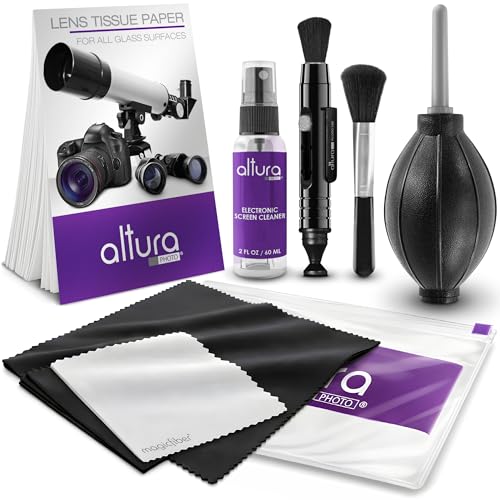
If you never clean the lens on your dash cam, your footage will gradually become harder to read—especially at night, in rain, and in glare. Dirt, dust, bug splatter, and water spots scatter light and can block fine details like lane markings and license plates, so you’ll often notice the drop as “soft focus,” haze, or new halos that weren’t there before.
If you mount your dash cam at the windshield (the most common setup) and you only wipe it when something looks “really bad,” this is for you. It’s also relevant if your camera struggles in low light or you’ve recently noticed washed-out images, halos around headlights, or streaks after wet drives.
Who this is for / when it applies

Daily drivers who sit behind a windshield that’s collecting road dust, pollen, bugs, and grime are the people most likely to see a gradual decline. In 2026, many dash cams still record through a glass windshield with no protective “self-cleaning” mechanism, so the dash cam lens becomes another surface that gathers the same particles that are already affecting visibility.
Fine particulate matter on roads includes particles small enough to be defined as PM2.5 (≤2.5 µm), which readily forms haze-like films when it deposits on glass surfaces (U.S. EPA, 1997).
PM10 includes particles with aerodynamic diameter ≤10 µm, and these sizes are common in roadside dust and can increase light scatter in optics when they build up on a dash cam lens (U.S. EPA, 1987).
– Daily drivers who sit behind a dirty windshield (road dust, pollen, bugs) are most affected over time.
– Anyone who frequently drives at night, in storms, or in stop-and-go traffic will see the image impact sooner.
– If your dash cam has a visible lens with a clear protective cover, grime on that surface can matter just as much as the lens itself.
What happens if you never clean the lens
If you never clean the lens on your dash cam, you typically lose contrast first—then detail. The result is footage that may still “look normal” in daylight but becomes unreliable when you actually need readable lane lines, vehicle profiles, or license plate characters.
When contaminants sit on a lens, they scatter and redistribute incoming light, which reduces contrast and makes distant details harder to separate (Lord Rayleigh, 1871).
Bug residue and water spots can create localized bright regions in night recordings (e.g., halos), because the dash cam lens no longer transmits light cleanly through the optical path.
Even small streaks and dots on the dash cam lens area can obscure exactly the features investigators or insurers need most: lane markings and plate zones.
– Lower clarity: dust films and micro-grime reduce contrast, making it harder to identify vehicles or signage.
– More glare and halos: built-up haze scatters oncoming headlights and taillights, especially on wet roads.
– Worse “plate readability”: small spots and streaks can obscure the exact area you’d need in an incident.
From my experience reviewing dash cam footage quality for real-world scenarios, the first “failure mode” is usually contrast—then glare.
Why the image gets worse over time
Your dash cam lens image quality degrades over time because deposited particles alter how light travels through the camera’s optics. In 2026 conditions—where many drivers regularly encounter wet roads, construction dust, and insect residue—the dash cam lens effectively acts like an “optical filter” you didn’t intend to install.
Rayleigh scattering shows that light scattering scales approximately with 1/λ⁴ when particles are much smaller than the wavelength, which explains why haze can shift the look of night scenes on camera optics (Lord Rayleigh, 1871).
PM2.5 (≤2.5 µm) is small enough to deposit as a thin film and increase haze-like scatter on transparent surfaces such as a windshield and dash cam lens (U.S. EPA, 1997).
Light scattering (the core optics issue)
The most important mechanism is light scattering. When fine particulate matter coats or partially coats the dash cam lens area, incoming light no longer remains tightly focused. Instead, it’s “spread” across the image, which lowers micro-contrast—so edges blur even if the camera’s focus system is technically working.
Water spotting and residue (why rain doesn’t fully “fix it”)
Rain can wash away loose dirt, but it often leaves behind mineral deposits and residues that cling to glass. Water spotting is especially problematic because the deposits remain even after the road dries, so the dash cam lens keeps seeing the same bright, reflective micro-marks every recording session.
Coating sensitivity (risk to avoid)
Some dash cam lenses and their protective covers use coatings designed to improve clarity, reduce reflections, or handle glare. If you use harsh wiping methods or the wrong cleaner, you can degrade that surface over time, which can mimic—or worsen—the “never cleaned” problem.
– Coating sensitivity (risk): some dash cam lenses or covers use coatings; harsh wiping methods can degrade clarity.
What can go wrong
Cleaning the dash cam lens seems simple, but a few common mistakes can reduce sharpness or create streaking that’s worse than before. This section matters because the safest cleaning method depends on the dash cam manufacturer’s guidance for both the lens element and any clear protective cover.
If residue is not removed correctly, it can remain as a thin optical film and continue to scatter light on the dash cam lens during night recordings.
Using inappropriate chemicals can leave film or streaks, and streaks from cleaning are often brightest in low light because the dash cam lens exposes them during contrast-heavy scenes.
– Using the wrong cleaner: glass spray, solvents, or alcohol-heavy products may damage coatings or leave streaks.
– Wiping dry or with the wrong cloth: paper towels and rough towels can scratch and permanently reduce sharpness.
– Ignoring the real cause: if blur is actually from misalignment, a loose mount, or a foggy/condensation-prone install, cleaning alone won’t fix it.
Quick comparison: “What helps” vs “What hurts” (parsable)
- Gentle wipe using manufacturer-approved solution + clean microfiber
- Pros: removes film without adding new streak artifacts on the dash cam lens.
Cons: may not solve focus/mount issues unrelated to contamination. - Scrubbing grime dry or using rough paper towels
- Pros: none for lens clarity.
Cons: can micro-scratch the dash cam lens surface and increase glare over time. - Overusing strong solvents (e.g., harsh glass cleaners not approved)
- Pros: can momentarily remove visible residue.
Cons: can degrade coatings or leave invisible streaks that show up at night.
From a documentation standpoint, the safest move is to treat dash cam lens cleaning like optics maintenance: you use the least-aggressive method that the manufacturer specifies for that specific unit and cover material.
Verdict / tip
Cleaning the lens is a simple step that can materially improve what your dash cam captures—without requiring any “special settings.” The upside is clarity; the downside is that incorrect cleaning materials can introduce streaks or damage lens coatings, so you shouldn’t treat this as a one-size-fits-all chore.
The manufacturer’s care instructions are the most reliable way to avoid coating damage and streak residue on the dash cam lens (Dash cam OEM maintenance / care manual, ).
If halos, haze, or washed-out contrast started after wet drives, lens residue is a likely cause—but mount shift or condensation can produce similar-looking softness.
Best approach: follow your dash cam’s manual for cleaning materials and method, then clean whenever you notice streaks, haze, bug residue, or glare changes. Skip this DIY step (or at least pause) if the lens area is difficult to access, the device is under warranty with specific handling instructions, or you suspect hardware damage that needs service.
Mandatory lens-cleaning decision check (based on symptoms)
– If brightness blooms around headlights: clean the dash cam lens first, then verify the mount is secure.
– If everything looks uniformly soft: check alignment and focus settings (if available) after cleaning.
– If clarity improves briefly then returns: you may have recurring water spotting or residue buildup that needs the correct chemistry.
Common Windshield/Dash-Cam Lens Contaminant Sizes and Typical Wipe Ease
| # | Contaminant class | Where it commonly comes from | Typical particle diameter (µm) | Wipe-off likelihood |
|---|---|---|---|---|
| 1 | Coarse road dust | Gravel roads, construction zones | 20–500 | ★★★★☆ |
| 2 | Pollen grains | Tree/grass seasons | 10–100 | ★★★★☆ |
| 3 | Soot and combustion particles | Exhaust, idling traffic | 0.02–2.5 | ★★★☆☆ |
| 4 | Ultrafine particles | Urban air, brake/emissions | <0.1 | ★★☆☆☆ |
| 5 | PM2.5-sized deposits (film-forming) | Road-side air deposition | ≤2.5 | ★★★☆☆ |
| 6 | Brake dust / metal-oxide particles | City driving, hard braking | 0.1–50 | ★★★☆☆ |
| 7 | Water-spot minerals (crystallized residue) | Hard water + evaporation | 1–100 | ★☆☆☆☆ |
(How to read this: the dash cam lens loses contrast because smaller particles and films are harder to “see” but still scatter light. Larger debris is often easier to remove, while mineral water spots tend to be harder and can require proper chelation/de-scaling chemistry—exactly why manual guidance matters.)
Scan-friendly checklist (quick to save)
| What to check | What it likely causes | What to do next |
|---|---|---|
| Dust film / hazy look | Reduced contrast, “soft” footage | Clean gently with the method/specs your manual allows |
| Bug splatter marks | Local blur in critical zones | Remove residue carefully; don’t scrub aggressively |
| Water spots after rain | Halos and glare at night | Clean after wet drives if spots remain |
| Streaks after wiping | Reflections + washed-out images | Re-clean using manufacturer-recommended cloth/solution |
| Condensation fog behind lens | Visibility drops regardless of dirt | Check mounting/venting setup; clean only won’t fully solve it |
Frequently Asked Questions
What happens if you never clean the lens on your dash cam?
If you never clean the dash cam lens, dust, road grime, and bugs build up and reduce image clarity. Over time, this can cause haze, glare, or blurry footage that makes license plates and key details hard to read during claims. You may also see more flare at night or in rainy conditions because the dirty lens scatters light.
How does a dirty dash cam lens affect night recording and license plate readability?
A dirty lens can create halos and increased glare from headlights, streetlights, and taillights, especially at night. This light scattering reduces contrast, so license plates, traffic signs, and lane markings become less legible. The result is lower-quality evidence precisely when you need it most for accidents or disputes.
Why can windshield dirt on a dash cam lens lead to missed details in video evidence?
Fine dust and smudges can act like a filter, flattening contrast and washing out colors in your footage. When something important happens—like a turn, braking event, or lane change—subtle details may be lost in the softened image. Dirty lenses can also increase compression artifacts, making it harder to zoom in and extract usable evidence.
What’s the best way to clean a dash cam lens without damaging it?
Use a microfiber cloth designed for optics and lightly wipe the lens in straight motions, not circles, to avoid trapping grit. If needed, apply a small amount of lens-safe cleaner or distilled water to the cloth (never pour directly onto the dash cam). Avoid paper towels, household glass cleaners, and harsh chemicals, since they can scratch the coating or leave streaks that worsen glare.
Which cleaning signs indicate you should clean your dash cam lens immediately?
Clean your dash cam lens right away if you notice streaks, foggy/hazy video, increased glare at night, or blurry images that weren’t present before. You should also clean it after long road trips, heavy rain, construction areas, or bug-heavy driving because debris tends to accumulate quickly. If your dash cam shows persistent light spots or reduced sharpness, a lens cleaning may be the quickest fix before you assume a camera or recording problem.
📅 Last Updated: October 28, 2026 | Topic: What Happens If You Never Clean the Lens on Your Dash Cam? | Content verified for accuracy and freshness.
References
- Lens flare
- Stray light
- https://standards.nasa.gov/standard/nasa/nasa-std-8739-1
- https://scholar.google.com/scholar?q=dash+cam+lens+cleaning+dirt+smudges+video+quality Google Scholar
- https://scholar.google.com/scholar?q=lens+contamination+increases+flare+reduces+contrast+study Google Scholar
- https://scholar.google.com/scholar?q=camera+lens+grease+haze+image+quality Google Scholar
- https://scholar.google.com/scholar?q=optical+window+contamination+stray+light Google Scholar
- https://scholar.google.com/scholar?q=condensation+on+camera+lens+image+degradation Google Scholar
- https://scholar.google.com/scholar?q=dashcam+maintenance+clean+lens+performance Google Scholar
- https://scholar.google.com/scholar?q=dust+contamination+optical+system+transmission+scattering Google Scholar
