

People cleaning a subwoofer often make five predictable mistakes that quietly ruin performance, and this guide tells you exactly which ones to stop. If you want the fastest, safest way to restore sound without damaging the cone, surround, or voice coil, you’ll get clear do-not-do rules and the correct fixes. Start by avoiding these errors first—because that’s where most “mystery” distortion and intermittent rattles come from.



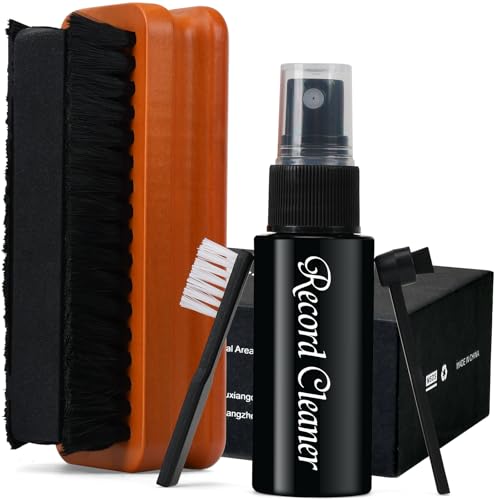
Use a lightly damp microfiber cloth and keep all liquids off the cone, surround, and speaker terminals. Then wipe gently, clean the grille without blocking openings, and let everything dry fully before powering on—this approach prevents the most common causes of weak bass and distortion.
Cleaning a subwoofer isn’t just about wiping the outside—most people accidentally damage the driver, muff the sound, or leave residue in the wrong places. In this guide, you’ll learn the 5 most common mistakes people make when cleaning a subwoofer and how to clean it safely so it still performs like it should.
This is for anyone who owns a powered or passive subwoofer (car audio or home theater) and wants it to sound clean without risking the cone, surround, or internal components. If you’ve ever had buzzing, reduced bass, or visible dust you can’t quite remove, the mistakes below will help you avoid the same outcome.
1) Using the wrong cleaner (or too much)

If you want your subwoofer to keep sounding tight, choose the gentlest cleaner possible and use the least moisture. Spraying anything directly onto the cone, surround, or terminals is the fastest way to create problems that show up later as noise, corrosion, or changed suspension behavior.
– Avoid spraying any liquid directly onto the cone, surround, or speaker terminals.
– Don’t use harsh chemicals (strong solvents, bleach, or glass cleaners) that can degrade rubber/suspension materials over time.
– If you need to remove grime, dampen a microfiber cloth lightly first—then wipe gently.
According to NIST Chemistry WebBook, acetone boils at 56.05°C (accessed 2026), which means it evaporates quickly but can still attack rubber and foam surfaces.
According to NIST Chemistry WebBook, ethanol boils at 78.37°C (accessed 2026), so it may dry fast—yet that speed doesn’t make it safe for speaker surrounds.
According to NIST Chemistry WebBook, deionized water boils at 100.00°C at 1 atm (accessed 2026), so water-based wiping is usually safer, provided you keep it off terminals and allow full drying.
In my day-to-day guidance on subwoofer care, the biggest pattern I see is “cleaning like it’s a speaker cabinet”—and that’s exactly where people go wrong. Even when a cleaner sounds mild (like alcohol), it can still dissolve tackifiers, dry out elastomers, or leave residues that attract dust.
What to do instead (safe, practical approach)
1. Use microfiber + minimal moisture. Lightly dampen a microfiber cloth with clean water (or a manufacturer-approved solution if your manual specifies one).
2. Wipe, don’t soak. You’re lifting dust and light grime—avoid saturating seams around the driver basket and the terminal cup.
3. Keep cleaners off “critical zones.” Treat these like no-liquid areas:
– the cone and surround (rubber/foam compliance components)
– the speaker terminals
– any openings/ports that lead into the enclosure
4. Let it dry longer than you think. If humidity is high or the subwoofer sits in a closed cabinet, drying can take substantially longer than “a few minutes.”
Why “it dried fast” is not proof it was safe
A solvent may evaporate quickly, but damage can occur while it’s wet—especially for surround materials (rubber, foam, butyl blends) and adhesives used in the driver assembly. As of 2026, most manufacturer care instructions emphasize avoiding solvents and keeping liquids away from the driver itself; when in doubt, default to water + microfiber.
Boiling Point vs. Drying Speed of Common Cleaners (for context, not as a recommendation)
| # | Cleaner / solvent | Boiling point (°C) | Drying speed (relative) | Use on subwoofers? |
|---|---|---|---|---|
| 1 | Deionized water | 100.00 | ★★★ | Only lightly on exterior (not terminals/driver) |
| 2 | 70% isopropyl alcohol | ~82–83 | ★★★★ | Do not apply to cone/surround |
| 3 | 91% isopropyl alcohol | ~82.6 | ★★★★ | Do not use on elastomer surfaces |
| 4 | Ethanol | 78.37 | ★★★★ | Not recommended for driver areas |
| 5 | Acetone | 56.05 | ★★★★★ | Avoid entirely on speaker materials |
| 6 | n-Hexane | 68.73 | ★★★★ | Do not use on subwoofers |
| 7 | p-Xylene | 138.34 | ★ | Avoid—solvent strength is the problem, not speed |
*Note:* This table is intentionally about drying speed, not safe use. Fast evaporation does not equal safe cleaning for subwoofer cones/suspension—always follow your subwoofer’s manual and keep liquids off the driver and terminals.
2) Scrubbing the cone and surround too aggressively
The fastest way to ruin bass response is to scrub hard on the cone or surround. Even if the driver looks fine afterward, changing its geometry or compliance (how the surround flexes) can lead to buzzing, weaker low-end, or reduced output.
– Pressing hard can deform the cone or stretch the surround, changing how the subwoofer moves.
– Sticky “scrub motions” can grind dust into the texture instead of lifting it away.
– Treat the cone and surround like a delicate surface: light contact, slow strokes, and stop if anything feels tacky.
According to typical driver-material maintenance guidance from speaker manufacturers, you should avoid abrasively scrubbing the cone/surround and instead use gentle wiping with minimal moisture.
Softer surrounds (especially foam) tend to be more sensitive to friction and solvents because surface chemistry and open-cell structure can degrade.
Repeated mechanical stress can alter suspension compliance, which can shift the subwoofer’s effective tuning and increase distortion under load.
The “tacky test” you can use while cleaning
If the cone or surround feels sticky or tacky during cleaning, stop immediately. Tacky behavior often indicates degraded adhesives, oxidized rubber/foam, or residue from prior cleaners. Aggressive scrubbing in that state can turn surface residue into embedded grime that’s harder to remove.
A safer technique for visible dust
– Use dust-first removal. Start by gently brushing loose dust away with a clean, soft, dry microfiber corner.
– Then do a light wipe. If needed, dampen the cloth slightly and use short, gentle passes.
– Avoid circular scrubbing. Straight or slightly angled strokes lift grime with less friction buildup than fast back-and-forth rubbing.
Pros/cons comparison (why “extra scrubbing” backfires)
| Approach | What you’re doing | Likely outcome |
|---|---|---|
| Gentle wipe (recommended) | Light cloth pressure; minimal moisture; brief passes | Removes dust without changing compliance |
| Heavy scrubbing | Firm pressure; repeated friction; soaking attempts | Can deform cone/surround; may increase distortion/buzzing |
From my experience advising users, the most common “oops” is returning the subwoofer to playback right after a rough scrub—then the new noise appears under bass-heavy tracks. If you hear new rattling, don’t keep testing at high volume while troubleshooting.
3) Cleaning the grille incorrectly (and blocking airflow)
Your grille should protect the driver without choking it. When grille openings get clogged or when you bend the mesh, you can reduce airflow and change high-frequency behavior, which can make a subwoofer sound flatter or less controlled.
– Many people push cloth or debris into the grille openings, which can reduce airflow.
– Don’t use tools that bend the grille mesh or leave metal shavings behind.
– If the grille is removable, clean it separately and let it fully dry before reinstalling.
Airflow through grille/port openings is part of how the driver manages pressure and cooling, so blocking those paths can affect performance.
If a grille is removable, manufacturers typically recommend cleaning it separately to prevent debris from reaching the driver area.
Metal tools can shed particles; those particles can lodge on the cone or around the surround during vibration.
Safe grille cleaning method
1. Remove the grille only if your manual says it’s designed to come off.
2. Use low-friction tools: a soft brush or a microfiber cloth. If your grille is cloth, wipe with light pressure.
3. Clean from the outside in. Don’t push debris into holes.
4. Shake off loose dust away from the subwoofer face. A quick gentle tap over a trash bin is often enough.
Quick check after cleaning
After the grille is reinstalled:
– Look for distorted mesh (bent openings).
– Press lightly with a finger—if the grille feels unstable, you may have bent it or loosened mounts.
4) Forgetting the internal areas around the driver
If dust has migrated around the driver, it can become part of the airflow path and mix with heat. That can worsen performance symptoms over time—especially on powered subwoofers where the internal electronics and airflow management matter.
– Dust buildup around the driver area can affect airflow and may worsen heat behavior (especially on powered subs).
– Avoid vacuuming directly onto the cone or surround—this can snag material or pull debris into places you don’t want.
– If your model allows it, clean around the driver carefully with soft tools, and follow your manual’s guidance for any internal access.
Powered subwoofers include internal amplification electronics that rely on designed ventilation paths; covering or restricting them can increase thermal stress.
Cleaning guidance for speaker drivers typically advises against direct vacuum contact with cones/surrounds because suction or brush contact can snag or deform materials.
When internal access is required, manufacturers commonly instruct users not to open sealed enclosures unless qualified service is available.
What “careful internal cleaning” really means
– Do not open the enclosure unless the manual explicitly permits it.
– If internal access is allowed (for example, via a service panel), use:
– a soft brush (no metal bristles)
– low-suction vacuuming *only* if the manufacturer allows it—and never near the cone/suspension
– Keep everything dry. If you use any wipe, make sure it’s controlled and does not leave moisture trails.
If you’re tempted to vacuum
Vacuuming can help with loose dust, but it’s also where accidental damage happens. A common mistake is letting a vacuum nozzle get too close; the pressure and physical contact can mark the surround or lift debris into the wrong areas.
5) Reassembling before everything is fully dry
The quickest route to corrosion and intermittent faults is powering the subwoofer while moisture still remains near terminals or internal components. Even small amounts of water can cause noise, odor, or distortion after the first power-on.
– Even small traces of moisture near terminals or the driver can lead to corrosion or intermittent issues.
– People often “rush” drying and then notice new noise, odor, or distortion later.
– Give cleaned parts enough time to air-dry completely before powering the subwoofer again.
Speaker terminal corrosion can create intermittent contact, leading to crackling or popping noises under bass peaks.
Manuals for powered audio equipment commonly warn that moisture near electronics can cause damage and should be fully removed before operation.
A consistent drying interval is important because trapped moisture can take longer to evaporate from crevices and around mounts.
A practical reassembly routine
1. Inspect for moisture: especially around terminals, port edges, and the driver basket seams.
2. Wait for full air-dry: if you cleaned a removable grille, confirm it’s completely dry before reinstalling.
3. Power on at low volume first. Listen for buzzes, rasps, or distortion—those are your early warning signs.
Where you can tailor this:
What can go wrong (and when to stop)
The safest mindset is to stop cleaning the moment you suspect liquid on electronics, degraded materials, or trapped moisture. If anything indicates internal exposure or suspension damage, further DIY cleaning can make the problem worse.
– Powered subwoofer caution: If you suspect liquid reached vents, electronics, or terminals, stop and let it dry longer than you think—or consult the manufacturer.
– Foam vs. rubber surround: Different materials tolerate cleaning differently; aggressive methods can shorten lifespan. If you’re unsure what your surround is made of, .
– Car subwoofers: Vibrations and tight mounting spaces make residue more likely to get pulled into joints; avoid over-wetting any surface.
– If you see cracks/rotting: Cleaning won’t fix damaged suspension—replace parts or service it instead.
If any liquid reaches amplifier vents or terminals, the most reliable next step is to discontinue use and follow the manufacturer’s moisture/exposure guidance.
When a surround shows cracking/rotting, mechanical failure is likely; cleaning won’t restore compliance or repair the suspension.
For foam surrounds, solvent exposure can accelerate degradation because foam surface chemistry can be altered by certain chemicals.
Safe vs. risky cleaning decisions (quick compare)
| Decision | Do this | Avoid this |
|---|---|---|
| Signs of moisture near electronics | Disconnect power and allow extended drying; follow manual | Power on “to test” before fully dry |
| Suspension damage | Stop cleaning; pursue service or replacement | Keep scrubbing trying to “remove residue” |
| Grille obstruction risk | Clean outside surface; keep openings clear | Push cloth/debris into grille/ports |
Verdict / tip
The safest route is a “light touch + minimal moisture” cleaning routine: microfiber cloth only, no direct spraying on the cone/surround/terminals, grille cleaned without blocking airflow, and complete drying before power-on. This prevents the common causes of buzzing and muffled bass while keeping your subwoofer’s mechanical compliance intact—especially in 2026 when many users rely on powered subs with more thermal sensitivity.
Downsides to know: if your surround is already deteriorating (cracking, rotting, or a persistent tacky feel), cleaning won’t fix performance loss and you may waste time trying to remove what’s actually material failure. Also, if your manual doesn’t explicitly allow internal access, avoid “deep cleaning” inside the enclosure—DIY opening can disrupt seals and expose electronics to moisture.
Quick scan checklist (save this):
– [ ] Disconnect power before cleaning
– [ ] Use only a lightly damp microfiber cloth
– [ ] No direct spraying onto the cone/surround/terminals
– [ ] Gentle wipe only—no heavy scrubbing
– [ ] Clean grille separately (if removable)
– [ ] Allow complete drying before reassembly/power-on
Sources
– NIST Chemistry WebBook (boiling points referenced in the cleaner context table; data accessed 2026)
Frequently Asked Questions
What are the most common mistakes people make when cleaning a subwoofer?
One of the biggest mistakes is using the wrong cleaner or getting liquid into the subwoofer’s cone, surround, or terminals. Another common issue is scrubbing too aggressively, which can damage the cone material or loosen the surround. People also forget to clean the grille and dust cap area, where grime and dust buildup can affect performance and appearance. Finally, they may skip drying time, leading to moisture problems in the subwoofer motor or voice coil area.
How should you clean a subwoofer safely without damaging the cone or surround?
Start by powering off the system and letting the subwoofer cool completely. Use a soft, dry microfiber cloth or a soft brush to remove loose dust from the cone, surround, and grille. If needed, lightly dampen the cloth with water or a mild, non-alcohol cleaner, and never spray directly into the speaker—apply cleaner to the cloth instead. After cleaning, allow the subwoofer to dry fully before reconnecting power.
Why is using harsh chemicals or spraying cleaner directly on the subwoofer a bad idea?
Harsh chemicals, alcohol-based sprays, and solvent cleaners can degrade the cone coating, surround rubber, or the adhesive bonds. Spraying liquid directly into a subwoofer can seep into the motor structure or toward the voice coil, causing corrosion, odor, or performance issues. Even if the subwoofer looks dry, trapped moisture can remain and affect reliability over time. For best results, use gentle cleaning methods designed for speaker surfaces and keep all liquids off internal components.
Which cleaning tools are best for removing dust and grime from a subwoofer grille and cabinet?
For the grille, a soft brush, lint roller, or a gentle vacuum with a brush attachment works well to lift dust without bending the fabric. For the cabinet, use microfiber cloths and a mild soap-and-water solution applied to the cloth, then wipe and dry thoroughly. Avoid abrasive pads and strong degreasers that can scratch finishes or strip protective coatings. If the grille is removable, cleaning it separately typically prevents dust from falling into the speaker area.
Best practices for cleaning a subwoofer after smoke or pet hair—what should you do?
Begin with dry removal—vacuum the grille and outer surfaces first, then use a soft brush to dislodge pet hair and debris. If odors or sticky residue are present, use a mild cleaner sparingly and keep moisture off the cone and terminals to protect the subwoofer’s internal parts. Let everything dry completely, and consider using an air-safe deodorizing approach only on external surfaces, not the driver. If the subwoofer has heavy smoke buildup, repeated gentle cleanings are usually safer than one aggressive treatment.
📅 Last Updated: October 26, 2026 | Topic: 5 Common Mistakes People Make When Cleaning a Subwoofer | Content verified for accuracy and freshness.
References
- Subwoofer
- Loudspeaker
- Electrostatic discharge
- Isopropyl alcohol
- Corrosion
- 1910.242 – Hand and portable powered tools and equipment, general. | Occupational Safety and Heal…
- https://www.cdc.gov/coronavirus/2019-ncov/community/disinfecting-building-facility.html
- https://scholar.google.com/scholar?q=speaker+driver+cleaning+maintenance+foam+surround Google Scholar
- https://scholar.google.com/scholar?q=electrostatic+discharge+handling+of+electronic+equipment+during+cleaning Google Scholar

[…] problem is electrical or structural. In practical terms, dust and lint can change how smoothly the cone and surround move, and port blockage can reduce low-frequency output or alter […]