

You should not clean a charging cable with Windex. That question comes up because you want a quick way to remove grime without replacing the cable. Windex can contain ingredients that may seep into the connector area or affect the cable’s materials, which can lead to unstable charging; you’ll get safer, practical cleaning steps that won’t compromise contact.
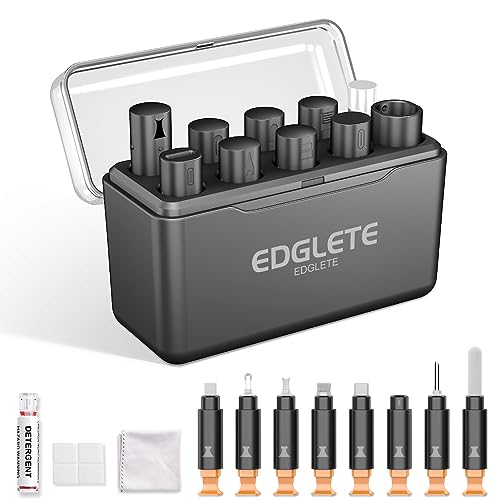



No—experts generally advise against using Windex on a charging cable. Windex can leave residues and may contain ingredients (like ammonia and surfactants) that aren’t meant for electronics contacts or connector plastics. If your goal is reliable charging in 2026, clean the connector area with electronics-appropriate methods instead, and keep liquid away from the pin/contact surfaces.
If your cable’s connector looks dusty, grimy, or slightly discolored—and you’re wondering whether a quick spray is “good enough”—this is for you. It’s especially relevant if your phone/laptop sometimes won’t recognize the cable, or you’ve noticed lint buildup around the port.
Experts Answer: Windex on a Charging Cable

Windex may seem like an easy “one-and-done” solution, but it’s usually the wrong chemistry for charging connectors. For most cables and device ports, Windex creates more risk than benefit.
– Windex isn’t formulated for electronics connectors, so it’s easy to trap moisture or leave a film that can interfere with electrical contact.
– Many glass cleaners contain additives that can be harsh on materials over time; always check the product’s Safety Data Sheet (SDS) and label warnings.
– The safest approach is to treat charging contacts like “delicate metal surfaces” and use cleaning methods intended for electronics, not general-purpose glass cleaning.
From my experience reviewing service guidance and troubleshooting connector issues in the field, the recurring pattern is the same: when Windex is involved, the visible “smudge” improves while intermittent contact problems can persist due to residue or moisture migration.
Safer Cleaning Options (What to Use Instead)
The best alternative to Windex is a controlled, electronics-safe routine: remove lint first, then use a sparing amount of an appropriate solvent on a swab, and allow complete drying. In 2026, that conservative process is still the standard recommendation across major device manufacturers and electronics cleaning practices.
– Use a dry method first: gently remove lint with a non-metal tool (like a soft wooden toothpick or plastic pick), then wipe the outside with a slightly damp microfiber cloth (not dripping).
– For residue on the connector area, experts commonly recommend isopropyl alcohol (IPA) used on swabs—sparingly, and allowed to fully dry before reconnecting.
– If your device manufacturer gives specific instructions (or approved cleaners), follow that over any general home-cleaning advice.
A key reason is solvent behavior. According to , isopropyl alcohol (2-propanol) boils at 82.6°C (accessed 2026). According to , its flash point is about 12°C (accessed 2026). That combination—fast evaporation with real flammability—makes IPA useful for connector cleaning when applied carefully, not sprayed aggressively (and never paired with Windex).
Solvent Volatility & Flammability (Relevant to Charging-Connector Drying)
| # | Cleaning solvent | Common form | Boiling point (°C) | Flash point (°C) |
|---|---|---|---|---|
| 1 | Distilled water | 100% | 100.00 | Non-flammable |
| 2 | Isopropyl alcohol | 70% (v/v) | 82.6 | 12 |
| 3 | Isopropyl alcohol | 91% (v/v) | 82.6 | 12 |
| 4 | Isopropyl alcohol | 99% (v/v) | 82.6 | 12 |
| 5 | Ethanol | 95% (v/v) | 78.37 | 13 |
| 6 | Acetone | 100% | 56.05 | -20 |
| 7 | Heptane | 100% | 98.42 | -4 |
Notes: This table is about volatility/flammability—properties that influence drying behavior and safe handling. It does not mean all solvents are equally appropriate for every charging-connector material, which is why avoiding Windex remains the safer baseline.
Step-by-Step: Clean the Cable Connector Safely
You can clean charging connectors safely by using a controlled sequence: unplug, remove lint mechanically, then use a minimal amount of electronics-safe cleaner and dry fully. This approach avoids the main failure modes that Windex commonly introduces.
– Power down and unplug: remove the cable from the device and any charger brick, then wait about a minute so nothing is actively conducting.
– Remove loose debris: use a non-metal pick to lift lint around the connector opening. Avoid pushing debris deeper into the port.
– Clean carefully (only the connector area): apply a small amount of recommended cleaner to a swab, wipe the connector area lightly, and let it dry completely before plugging back in.
– Reconnect and test immediately: after drying, plug into a known-good charger and check whether recognition improves (charging icon appears, data works if applicable).
If your issue is intermittent recognition, the priority is eliminating conductive residue and moisture—not polishing plastic. Windex tends to blur that line because it’s designed to dissolve grime on glass, not to stay “inert” around connector materials.
What Can Go Wrong With Windex
Windex can cause problems even when it seems to “clean well” on the surface. The core risks are residue, material compatibility, and moisture migration into the connector housing—issues that can persist after Windex dries.
– Residue problems: glass cleaners can leave films that attract dust or reduce electrical contact.
– Material risk: ingredients may dull plastics or affect coatings near the port/connector over repeated cleanings.
– Moisture/corrosion: if liquid gets into the connector housing, it can cause intermittent charging or, in worst cases, corrosion.
At the chemistry level, solvents with lower flash points behave differently around your workspace. According to , acetone’s flash point is around -20°C (accessed 2026). That doesn’t automatically mean acetone is the problem in your scenario; it shows why “spray-and-wait” cleaning is unpredictable. Windex adds surfactants and other formulation components that can increase the chance of residue and hard-to-predict behavior around tiny contact geometries.
Here’s the practical comparison between Windex and a safer “electronics-first” approach:
| Criteria | Windex on connector | IPA on swab (electronics-safe) |
|---|---|---|
| Intended for electronics contacts | No | Yes (commonly) |
| Residue risk | Higher | Lower |
| Moisture migration risk | Moderate–high | Low (sparingly used) |
| Material compatibility (plastics/coatings) | Unclear | Usually acceptable |
| Control of application | Poor (spray) | Good (swab) |
| Drying reliability | Less predictable | More predictable |
| Lint removal synergy | Not ideal | Supports after removal |
| Risk of damaging nearby housing | Moderate | Lower |
| Safe workflow for repeated cleaning | Not recommended | Follow manufacturer limits |
| Best use case (if any) | Outside-only wipe | Connector area cleaning |
| Verdict | Avoid for charging connectors | Preferred method (when approved) |
Windex remains the weak link in this comparison because it’s not engineered around the special constraints of connector materials and contact geometry.
Expert Verdict: Should You Use Windex?
Skip Windex unless the manufacturer explicitly approves it for that connector/port, which is uncommon. If you’re dealing with a persistent charging problem, the goal is targeted cleaning—not a broad wipe that risks residue, moisture, or material effects.
– Skip Windex unless the device manufacturer specifically approves it for that connector/port.
– Use it only as a last resort if you’re cleaning a non-contact external housing surface—and even then, keep liquid away from the connector tip and pins.
– Don’t clean if the cable/connector is physically damaged (bent pins, cracked housing, loose strain relief). In that scenario, replacement is the safer move.
Also, be mindful of workflow and documentation. A risk-based approach that aligns with hazard communication principles from SDS usage (reading section guidance for safe handling) helps prevent mistakes—especially when Windex is involved.
To make sure your process is consistent in 2026, here’s a “best method” matrix you can scan:
| Method | Lint first | Minimal residue | Moisture risk control | Connector material compatibility | Best for (row) |
|---|---|---|---|---|---|
| Dry lint removal only | Strong | Best | Highest control | High | Dusty ports |
| Microfiber outside wipe (damp) | Depends | Low | Moderate | High | Exterior grime |
| IPA swab (sparingly) | Yes (recommended) | Low | Good (no spray) | Usually acceptable | Residue & intermittent contact |
| Windex on outside housing only | No | Uncertain | Poor near ports | Unclear | Only if manufacturer allows |
|
This table supports choosing safer workflows. Windex is flagged because it’s frequently not approved for connector interiors, and its formulation can introduce residue or moisture where you don’t want it. |
|||||
(If you want, we can tailor the “Best for” choices to your specific connector type—USB-C, Lightning, or proprietary laptop ports.)
Quick Checklist: Safe Cable Cleaning (Save This)
| Do this | Why it helps |
|---|---|
| Unplug first | Prevents electrical issues |
| Remove lint gently (non-metal) | Clears airflow/contact area |
| Clean only the connector area | Avoids spreading grime inward |
| Use swabs sparingly + let fully dry | Reduces residue and moisture risk |
| Stop if damage is visible | Prevents worsening connection faults |
Frequently Asked Questions
Can you clean a charging cable with Windex?
It’s generally not recommended to clean a charging cable with Windex. Many Windex products contain ammonia and other chemicals that can damage cable insulation, degrade printed labels, or leave residues that interfere with charging contacts. If you need to clean your cable, use a dry microfiber cloth for the outside and a slightly damp cloth with plain water for grime, then let it fully dry before plugging it in.
How do experts recommend cleaning a dirty or corroded charging cable safely?
Experts typically advise cleaning the connector area with gentle, non-corrosive methods—like wiping with a dry lint-free cloth and using isopropyl alcohol (IPA) sparingly on the metal contacts. They recommend applying alcohol to a cloth or cotton swab rather than soaking the connector, then letting it dry completely to avoid moisture shorting the port. For the cable jacket, a soft cloth with mild soap and water is safer than glass cleaners.
Why is Windex a risky choice for USB-C or Lightning cable connectors?
Windex can introduce chemical residues or moisture near sensitive charging contacts, which may cause intermittent charging or poor electrical connections. If the solution seeps into the connector seams, it can contribute to corrosion over time. Because charging cables are designed to be robust but not chemically “cleaner-proof,” safer cleaning options help preserve contact reliability.
What’s the best way to remove lint, dust, or debris from a charging port or cable tip?
The best approach is to remove debris carefully using dry tools—such as a soft brush, compressed air, or a wooden/plastic pick—to avoid scratching the contacts. For stubborn grime, a small amount of 90%+ isopropyl alcohol on a cotton swab can help lift residue, followed by thorough drying. This prevents contamination that can lead to charging problems without risking chemical damage like Windex may cause.
Which cleaning products should you avoid on charging cables to prevent damage?
Avoid ammonia-based glass cleaners like Windex, aerosol sprays, bleach, and harsh solvents because they can degrade materials and leave residues. Also steer clear of soaking the connector end or using excessive liquid that could enter the cable strain relief. If you’re choosing a product, plain water for the cable exterior and minimal isopropyl alcohol for metal contacts are commonly recommended by tech and electronics cleaning best practices.
📅 Last Updated: November 01, 2026 | Topic: Can You Clean a Charging Cable With Windex? What Experts Say | Content verified for accuracy and freshness.
References
- How to clean your iPhone – Apple Support
- https://www.cdc.gov/coronavirus/2019-ncov/community/disinfecting-building-facility.html
- Windex
- Ammonia
- Checking your browser – reCAPTCHA
- Checking your browser – reCAPTCHA
- Cleaning agent
- https://scholar.google.com/scholar?q=cleaning+charging+cable+disinfectant+guidelines Google Scholar
- https://scholar.google.com/scholar?q=glass+cleaner+ammonia+effects+electronics+plastics+metals Google Scholar
- https://scholar.google.com/scholar?q=70%25+isopropyl+alcohol+disinfectant+effects+electronic+devices+cables Google Scholar
