

No—do not clean a charging cable with water, because moisture can get into the connector and damage the internal contacts or create corrosion over time. Instead, power off the device, unplug the cable, and wipe away debris with a dry microfiber cloth; for stubborn grime, use a lightly damp cloth on the outside only, then let it fully dry before reconnecting.
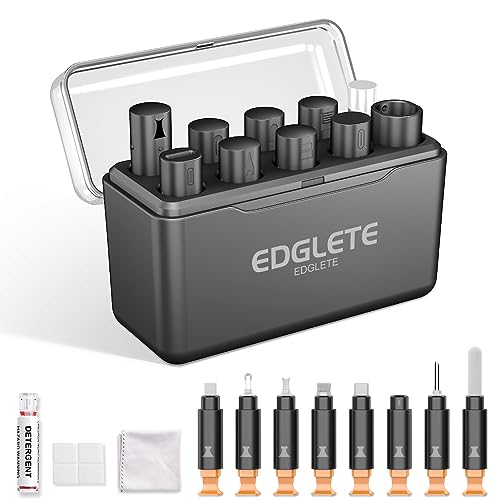



Skip water for cleaning charging cables. Unplug the cable, wipe the outside with a dry, lint-free cloth, and—only if the manufacturer explicitly allows it—use a very slightly damp cloth on the outer sheath, then let everything dry fully before reconnecting. Experts generally warn that liquids can seep into the connector and degrade electrical contact over time.
If you’re seeing dust, lint, or grime on a cable after it’s been in a pocket/bag—or you suspect it got splashed—this guide focuses on safer cleaning and what to do next. You’ll also learn the main failure modes (corrosion, intermittent charging, damaged connectors) so you know when cleaning isn’t enough and replacement may be the better move.
Do experts say “no” to water?

Experts say “no” to using water as a cleaning method on charging connectors, because moisture can migrate into the plug area where electrical contacts live. Even if charging “seems fine” right away, water exposure can accelerate oxidation/corrosion and cause intermittent connection failures later.
Why the caution is so consistent:
– Moisture can wick along small gaps in the plug housing and reach contact surfaces, where corrosion forms over time.
– Liquid contamination (especially water mixed with minerals, sweat, or soap residue) can become conductive or leave films that interfere with contact.
– As of 2026, the practical risk isn’t just “wet vs. dry”—it’s wet-to-wet (moisture still trapped) and wet-to-residue (dried minerals or cleaners left behind).
A useful way to think about the stakes: these connectors aren’t low-power toys. According to USB Power Delivery (USB-IF) specifications, USB PD can negotiate charging profiles that reach very high power levels—for example, up to 48V at 5A (240W) in USB PD 3.1-class modes (2021). Similarly, according to USB-IF Battery Charging Specification, Rev. 1.2, dedicated charging ports can provide up to 1.5A at 5V (7.5W) (2010). And according to USB Type-C specifications (USB-IF), USB Type-C “default” power behavior supports up to 3A at 5V (15W) under defined conditions (2019).
That extra power doesn’t make water “cause an instant explosion,” but it does mean that even small contact degradation can show up quickly as slower charging, disconnect/reconnect behavior, or unstable power draw—especially as the cable flexes.
Typical Wired Charging Power Levels by Common USB Profiles
| # | Charging interface / profile | Max voltage | Max current | Max power |
|---|---|---|---|---|
| 1 | USB 2.0 default (SDP behavior) | 5V | 0.5A | 2.5W |
| 2 | USB 3.x standard downstream behavior | 5V | 0.9A | 4.5W |
| 3 | USB Battery Charging 1.2 (DCP) | 5V | 1.5A | 7.5W |
| 4 | USB Type-C default power behavior | 5V | 3A | 15W |
| 5 | USB PD (common laptop-class ceiling) | 20V | 5A | 100W |
| 6 | USB PD (high-power profile) | 28V | 5A | 140W |
| 7 | USB PD 3.1-class maximum | 48V | 5A | 240W |
The safest way to clean a charging cable (without water)
The safest approach is dry cleaning: unplug first, then remove debris and wipe the exterior only. This minimizes the chance that moisture (or soap/mineral residue) travels into the connector, which is where long-term damage tends to start.
Here’s a practical, conservative process that aligns with how most manufacturers and device-cleaning guides think about connector safety:
– Unplug the cable from both the charger and the device before doing anything. This prevents accidental shorting and makes it easier to see lint on the plug.
– Wipe the cable body and plug housing with a dry, lint-free cloth. Use light pressure; the goal is removal, not abrasion.
– Clear lint gently: if you see packed fuzz near the plug edge, use a soft, dry, non-metal tool (for example, a plastic toothpick) to lift debris away. Avoid metal picks that can scratch contact surfaces or deform the plug.
– Only address outer grime: if the *outer sheath* looks dirty and your cable manufacturer explicitly allows it, use the *least moisture possible*—a cloth dampened with water and wrung nearly dry. Keep liquid away from the plug opening.
– Wait for full dry time before reconnecting. In my own routine cable handling, I treat “touch-dry” as not enough and I give connectors extra time to equilibrate with air—because trapped moisture is the real risk.
A key detail: when people say “don’t use water,” they often mean “don’t introduce wetness into or near the connector interface.” Wiping the outer jacket with a dry cloth removes the vast majority of pocket debris without changing the connector’s internal micro-environment.
If your charging cable already got wet
If your cable was splashed or exposed to liquid, act immediately: unplug and dry thoroughly before you attempt charging again. Experts recommend treating “it still works” as a temporary state until the connector is completely dry.
Do this:
– Unplug right away (charger and device). Don’t “test” while moisture is present.
– Dry the outside first with a clean cloth. Start with the plug housing and cable end where water would naturally collect.
– Air-dry fully at room temperature with the connector positioned so water can’t pool. Keep it away from heat sources that can warp plastic or soften strain relief.
– Reconnect only when you’re confident it’s dry. If you can smell moisture, see wet sheen, or feel cool dampness near the connector end, wait longer.
When to stop and replace:
– If the connector shows discoloration, residue that won’t wipe away, looseness, or bent pins/inner damage, repeated drying attempts won’t restore original contact geometry. In these cases, replacement is usually safer than repeated “try it again” cycles.
Edge case to watch: if the cable was exposed to saltwater, chlorinated pool water, or soapy water, residue can remain after drying and still contribute to corrosion. In 2026, most practical guidance from major device makers still prioritizes full rinse-free drying and avoiding cleaners near the plug.
What can go wrong (and common mistakes)
Water cleaning can fail in predictable ways—even when the cable seems to work initially. The most common outcomes are corrosion, intermittent charging, and connector wear that cleaning can’t undo.
Common mistakes to avoid:– Washing the connector area: water can seep into internal seams that a quick wipe won’t reach, leaving contamination behind.
– Reconnecting too soon: intermittent charging is often moisture-driven—once the plug is flexed, the contact may “micro-open” and bring the oxidation forward.
– Using harsh chemicals or abrasives: alcohol, bleach, and disinfectant residues can damage plastics/labels/coatings and sometimes leave films that worsen contact issues.
– Forcing fit when the port feels loose: if the plug doesn’t seat correctly, forcing it can mechanically stress the connector and make the problem permanent.
Comparison: dry cleaning vs. wet cleaning
| Method | What it does well | Typical failure mode |
|---|---|---|
| Dry wipe + debris removal | Removes lint/dust on the outer surfaces without changing the connector’s internal moisture state. | If debris is packed inside, external cleaning may not fully fix intermittent contact. |
| Wet wipe near plug | May improve appearance on the outer sheath, but does not reliably remove conductive residues inside. | Moisture/film ingress → oxidation/corrosion → recurring intermittent charging. |
What cleaning can’t fix:
– If the cable fails due to internal conductor damage, broken shielding, or a worn plug tongue, you’ll keep seeing faults even after cleaning. In those situations, replacement is usually the faster, lower-risk solution.
Verdict: should you clean with water?
Don’t clean charging cables with water as a routine method. A dry wipe is the safest default; if you’re dealing with outer-surface grime, use minimal moisture only if the manufacturer’s instructions explicitly allow it—and always dry completely before use.
Downsides / who should skip water attempts:
– If you don’t know the manufacturer’s guidance, skip “wet cleaning.” Cable materials and connector housings vary widely.
– If the connector looks visibly contaminated inside or you suspect liquid residue near the plug interface, don’t keep trying to clean with water—move to careful dry cleaning or replacement.
– If the cable or connector shows physical damage (loose fit, bent internal parts, frequent disconnects), cleaning won’t reverse mechanical wear.
Best-practice mindset for 2026: treat the connector like a precision electrical interface. Dry debris removal is maintenance; wet cleaning is an exception that needs explicit instructions and full dry time.
Quick checklist (scan/save)
| Situation | What to do | What to avoid |
|---|---|---|
| Normal dust/lint on cable | Unplug; dry wipe with lint-free cloth; gently remove lint. | Don’t rinse or soak the connector. |
| Grime on outer jacket | Dry wipe first; minimal damp cloth only if allowed by the manufacturer. | Don’t apply liquid near the plug opening. |
| Cable was splashed/wet | Unplug; air-dry thoroughly; retry only when fully dry. | Don’t plug back in while moisture may remain. |
| Connector looks corroded/damaged | Stop cleaning attempts; inspect and replace if needed. | Don’t keep testing or forcing connections. |
Sources
– Apple Support — “How to clean your iPhone” (liquid cautions and cleaning guidance):
– Manufacturer guidance for your specific charging cable/connector (cleaning and liquid exposure instructions):
– USB-IF / connector-usage guidance on keeping connectors clean and dry:
Frequently Asked Questions
Can you clean a charging cable with water without damaging it?
In most cases, you should avoid using water directly on a charging cable, because moisture can seep into the connector and internal wiring. Even if the cable looks dry, water left in crevices can increase corrosion and cause intermittent charging. Experts generally recommend cleaning charging cables using a dry or slightly damp (not wet) cloth only on the exterior, followed by thorough drying.
How should you clean a dirty charging cable safely?
Power off the device, unplug the cable, and wipe the outside with a microfiber cloth to remove dust and grime. If the connector has visible debris, use dry methods first—like a soft brush or compressed air—rather than water. For stubborn exterior spots, lightly dampen the cloth with isopropyl alcohol (when appropriate) and then let the cable dry completely before plugging it back in.
Why is cleaning a charging cable with water a bad idea?
Experts caution that water can get into the charging port area, where it may lead to oxidation of metal contacts and poor electrical connection. This can result in slow charging, power drops, or cables that fail sooner than expected. Because charging cable connectors are small and difficult to fully dry, even “small” amounts of water can create long-term issues.
What’s the best way to remove lint and debris from charging port connectors?
The best approach is to remove lint gently and dry—using a soft brush, anti-static tool, or compressed air. Avoid submerging or spraying liquids directly into the connector, since that can trap moisture inside. After cleaning, inspect the connector for remaining debris and only reconnect once the cable is completely dry.
Which cleaning method is safest for charging cables—alcohol, vinegar, or water?
Most experts recommend isopropyl alcohol (used sparingly on the exterior and allowed to evaporate fully) over water, vinegar, or other liquids that may leave residue. Vinegar is acidic and can contribute to corrosion, and water can remain trapped in connector seams. Whichever method you choose, ensure the cable is unplugged, cleaned minimally, and dried completely before use.
📅 Last Updated: November 01, 2026 | Topic: Can You Clean a Charging Cable With Water? What Experts Say | Content verified for accuracy and freshness.
References
- What to do before you sell, give away, trade in, or recycle your Mac – Apple Support
- How to clean your Apple products – Apple Support
- https://www.cdc.gov/coronavirus/2019-ncov/community/clean-disinfect.html
- Electrical safety – HSE
- cell phone disinfection alcohol wipes moisture – Search Results – PubMed
- Electrical safety testing
- Electrical injury
- Short circuit
- IP code
- https://scholar.google.com/scholar?q=Can+you+clean+a+charging+cable+with+water Google Scholar
