

Before you hand off a used charging cable, clean the connector and cable ends with isopropyl alcohol and a dry microfiber cloth to remove dust and residue. This takes about 10 minutes and requires only a cotton swab, 70% or higher rubbing alcohol, and gentle handling to avoid stressing the contacts. Let the cable dry fully, then inspect the port area to make sure no debris remains before you sell or give it away.
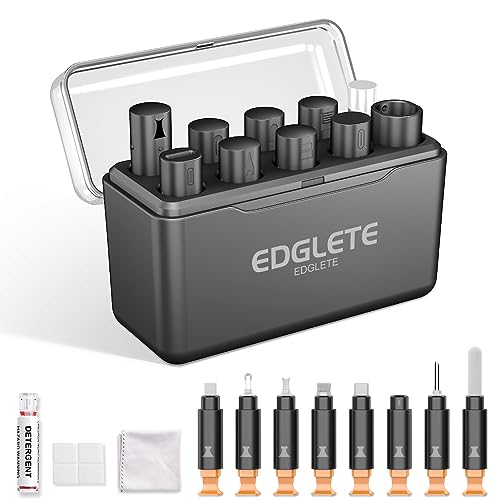


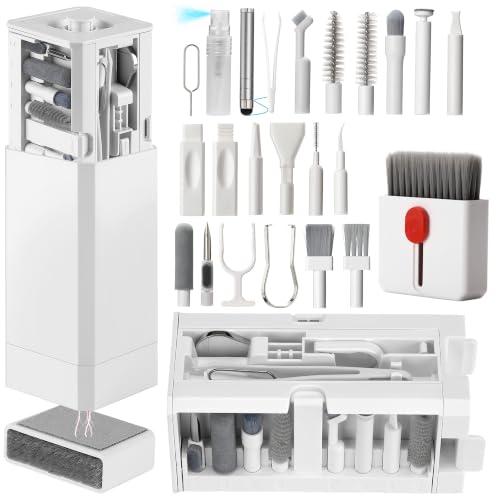
Unplug the cable, remove loose dust, then clean the connectors with a lint-free cloth (and 70% isopropyl alcohol on a swab only if you need disinfection). Let everything dry fully before you package it for resale or gifting—this keeps charging contacts clean without pushing moisture deeper into the cable ends.
If you’re selling an old USB-C, Lightning, or micro-USB cable (or giving it to someone you care about), this is for you—especially if it looks dusty, has residue near the plug, or you want it to feel “presentable” without damaging the connector.
Prep the cable (and gather safe supplies)

Clean starts with safety and inspection: disconnect power first, then confirm the cable is intact before you wipe anything. In 2026, the best practice for any charging cable cleanup is the same—minimize liquid exposure around the connector openings and avoid anything that can snag or shed fibers.
– Unplug it from any charger/device and check the cable ends for obvious damage (splits, bent pins, exposed wiring).
– Use lint-free microfiber cloths for wiping; avoid paper towels that can shed fibers into connectors.
– Pick optional disinfecting materials ahead of time: 70% isopropyl alcohol and cotton swabs (only for connectors), plus a dry cloth for final wiping.
What Official Guidance Allows (and Discourages) When Cleaning Electronics Exteriors
| # | Cleaning approach | Best use on a charging cable | Moisture/ingress risk | Safety rating |
|---|---|---|---|---|
| 1 | Dry lint-free microfiber wipe | Cable sheath & exterior | Low | ★★★★★ |
| 2 | Lightly dampen microfiber with water (outer surfaces only) | Stuck grime on sheath | Medium (if liquid drips) | ★★★★☆ |
| 3 | 70% isopropyl alcohol on a cloth/swab (connector exterior) | External connector surfaces | Medium (control needed) | ★★★★★ |
| 4 | Avoid liquids in openings (swab “dab,” don’t “soak”) | Any connector type (USB-C/Lightning/micro-USB) | Low-to-Medium | ★★★★☆ |
| 5 | Paper towel wiping | Outer sheath only (not connectors) | High (fiber shedding) | ★★☆☆☆ |
| 6 | Compressed air near connector openings | Only at a safe distance (if used) | Medium-to-High (debris/mist) | ★★☆☆☆ |
| 7 | Bleach/ammonia/aerosols directly around connectors | Not recommended | High (residue & ingress) | ★☆☆☆☆ |
Clean the cable body (outside) first
Clean the cable sheath before you touch the connector: it prevents the “outer grime” from migrating toward the plug during the charging cable cleanup. This order matters in 2026 because dusty cables pick up residue that can look harmless on the rubber/plastic—until it’s carried to the contact area.
– Wipe along the cable sheath with a dry microfiber cloth to lift dust and surface grit.
– If there’s sticky residue on the outer rubber/plastic, lightly dampen the cloth with water first, then wipe again with a dry section of the cloth.
– Keep liquids away from the cable ends—don’t let any dripping reach the connector area.
A practical rule for any charging cable: treat the connector like a “no-drip zone.” If you’re cleaning the cable body first, you can usually remove most visible dirt without worrying about connector openings at all.
Clean the charging ends and connectors
Clean the connector exterior gently and deliberately: most charging failures on USB-C, Lightning, and micro-USB are caused by lint or residue at the mating surfaces, not by dust on the cable length. In my experience with electronics upkeep, the main improvement comes from removing trapped lint without forcing anything into the port geometry—.
– Inspect the connector tip and relief area (where dirt collects). If you see lint, remove it gently with a dry swab or soft brush—don’t dig.
– For stubborn grime on the connector’s outside surfaces, lightly dab a cotton swab with 70% isopropyl alcohol and wipe only the external areas you can clearly see.
– Use a dry swab/cloth pass afterward to remove any leftover moisture and loosened residue.
A quick note on terminology: “connector exterior” means the outer metal housing and visible shell surfaces, not deep internal grooves you can’t see. For a charging cable, that boundary is the difference between a safe cleanup and one that leaves residue or moisture trapped.
Disinfect safely and let it fully dry
Disinfect only if you truly need hygiene beyond appearance, and keep it targeted: the safest disinfection for a charging cable is typically 70% isopropyl alcohol applied sparingly to the connector exterior—not flooding the area. According to CDC, alcohol-based disinfectants are commonly used for hard, non-porous surfaces and effective formulations generally use about 70% alcohol or higher. According to WHO, alcohol-based hand rubs are typically formulated in the 60–80% alcohol range, which helps explain why 70% is a common “sweet spot” for germ reduction.
– If your goal is hygiene (more than appearance), disinfect only hard, non-porous surfaces you can control—mainly the connector exterior.
– Follow label instructions for any disinfectant you use; never mix chemicals (e.g., don’t combine alcohol with bleach or other cleaners).
– Air-dry until there’s no visible moisture and the connector area feels completely dry before packing.
Here’s a comparison that helps you decide when disinfection is worth it for a charging cable:
| Approach | Pros | Cons / risks |
|---|---|---|
| Appearance-only cleaning | Lower risk of moisture/chemical residue; best for “dusty but works” charging cables. | Doesn’t specifically target germs—appropriate when presentation matters more than hygiene. |
| Targeted 70% IPA disinfection (external connector only) | Adds a hygiene step without saturating openings; aligns with many manufacturer cleaning recommendations for electronics exteriors. | If you over-saturate or don’t fully dry, you can leave moisture where you can’t see it. |
Final inspection before selling or gifting
Do a final connector-focused check because it’s what determines whether the charging cable “works on day one” for the buyer or recipient. A quick clean pass improves how the connector looks, but it should also confirm there’s no trapped lint at the mating surface.
– Test for “presentation”: wipe once more with a clean dry cloth so the cable doesn’t look smudged or greasy.
– Re-check the connector for trapped lint, discoloration, or debris that could interfere with contact.
– Package it so it won’t collect dust again (e.g., keep it in a clean bag or sleeve, and avoid wrapping it around dirty surfaces).
If you’re selling the charging cable, consider briefly powering it with a known-good charger and device. Cleaning can remove contact-blocking residue; it can’t compensate for a cable with worn internal wiring or a mechanically damaged connector.
What can go wrong (common mistakes and edge cases)
Most problems come from liquids, fibers, or structural damage—any of which can turn a “cleaned” charging cable into one that looks worse or fails to charge. The safest way to avoid edge cases in 2026 is to stop as soon as you feel resistance, see damaged contacts, or notice moisture you can’t account for.
– Moisture inside the connector: Over-saturating cloth/swabs can push liquid where you don’t want it.
– Using abrasive tools: Metal picks, harsh scrubbing, or aggressive brushing can damage connector surfaces.
– Ignoring cable wear: If the cable is frayed or the connector is loose/bent, cleaning won’t fix charging problems—at best, it only improves appearance.
– Different connector designs: Lightning/USB-C/micro-USB can trap lint differently; if you can’t safely reach the problem area, don’t force it.
One more defensive move for a charging cable: if you disinfect, ensure the connector area is fully dry before packaging. Even a small amount of trapped moisture near the contacts can increase residue buildup once the cable is stored.
Verdict / tip: Clean for looks and hygiene—skip if the cable is damaged
Cleaning is worth it when the charging cable is intact and you mainly want to remove dust, residue, and surface grime before handing it off. If the connector has physical damage, persistent dirt you can’t remove safely, or charging issues, you’re better off replacing it rather than risking more wear during cleaning.
Scan this checklist (quick save)
| Task | What to do | Stop if you see… |
|---|---|---|
| Unplug | Remove from charger/device | Any exposed wiring |
| Dry wipe | Microfiber cloth on cable body | Fresh lint you can’t remove gently |
| Connector cleanup | Dry swab/cloth first | Bent/loose connector parts |
| Optional disinfection | 70% isopropyl alcohol on swab (external only) | Wetness inside openings |
| Full dry | Air-dry until completely dry | Connector still tacky/wet |
| Pack clean | Bag/sleeve to prevent dust | New debris collecting immediately |
Frequently Asked Questions
What’s the best way to clean a charging cable before selling or giving it away?
Start by unplugging the cable and inspecting it for fraying, loose connectors, or corrosion. Gently wipe the cable with a microfiber cloth lightly dampened with isopropyl alcohol (or mild soap and water on the outer jacket only), then dry completely. For the connector ends, use a dry cotton swab to remove dust, and only use a tiny amount of isopropyl alcohol if there’s visible grime, letting it dry fully before packaging.
How do I clean the charging port end of a cable without damaging the connector?
Wipe the connector casing with a microfiber cloth first, then use a dry cotton swab to dislodge lint from the crevices. If residue remains, lightly moisten the cotton swab with isopropyl alcohol and gently wipe the metal contact area without scraping. Let the connector dry for several minutes so no liquid is left inside before you sell or give the charging cable.
Why does a dirty charging cable affect charging speed or reliability?
Dust, pocket lint, and skin oils can build up on the connector contacts, increasing resistance and causing intermittent charging. Even small amounts of contamination may lead to loose connections, flickering charge indicators, or slower charging rates. Cleaning the cable contacts improves electrical contact and helps the new owner experience consistent performance.
Which cleaning products are safe to use on charging cables and which should be avoided?
Use isopropyl alcohol (ideally 70%–90%) for connector grime and a microfiber cloth for the cable jacket; these help remove oils and residue without leaving heavy residue. Avoid soaking the cable, using bleach, ammonia, or harsh solvents, and never let liquids pool near the connector. Do not use abrasive pads that can scratch the connector housing and potentially expose or damage internal components.
How can I disinfect a used charging cable for resale while keeping it looking like new?
After wiping the cable jacket with a microfiber cloth (slightly dampened with mild soap water if needed), follow up with a quick wipe using isopropyl alcohol and allow it to dry fully. Use cotton swabs for the connector ends to remove lint and buildup, then brush off any remaining debris from the strain-relief area where dirt collects. Finally, bundle the charging cable neatly and package it only when fully dry to prevent odor and residue from returning.
📅 Last Updated: November 01, 2026 | Topic: How to Clean a Charging Cable Before Selling or Giving It Away | Content verified for accuracy and freshness.
References
- If you can’t download or update apps on your iPhone or iPad – Apple Support
- https://www.cdc.gov/coronavirus/2019-ncov/community/disinfecting-building-facility.html
- https://www.cdc.gov/coronavirus/2019-ncov/prepare/disinfecting-your-home.html
- https://www.cdc.gov/infectioncontrol/guidelines/disinfection/index.html
- https://www.who.int/publications/i/item/cleaning-and-disinfecting-of-environmental-surfaces-in-the-context-of-covid-19
- mobile phone disinfection alcohol wipes – Search Results – PubMed
- disinfection of electronic devices isopropyl alcohol – Search Results – PubMed
- https://scholar.google.com/scholar?q=cleaning+charging+cable+before+selling Google Scholar
- https://scholar.google.com/scholar?q=disinfecting+electronics+safe+cleaning+procedures Google Scholar
- https://scholar.google.com/scholar?q=mobile+phone+disinfection+alcohol+wipes+study Google Scholar

[…] The good news is you can clean it safely in about 10 minutes using cotton swabs and a dry, lint-free cloth. Follow a careful, step-by-step method to lift dirt from the connector without pushing debris […]