

Are you ready to sell or give away a mouse pad that looks worn or smells a little off? You can clean it safely and effectively in about 10–20 minutes using warm water, mild soap or detergent, and a soft cloth—then let it dry completely before packing. With the right steps for fabric or hard surfaces, you will remove oils, dust, and residue without damaging the texture that helps your cursor track accurately.



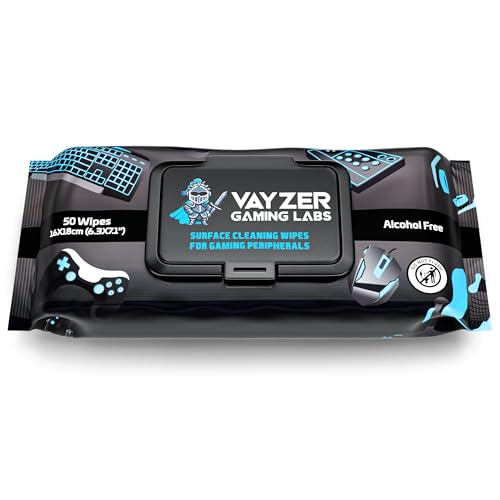
Use a gentle clean with minimal water contact, then air-dry the mouse pad flat until it’s fully dry. Start by identifying whether your mouse pad is cloth/fabric or hard/rigid, then follow the safest method for that material so you don’t loosen the edges or damage the backing—especially important in 2026 when more people resell used gear online.
If you’re selling on a marketplace, giving it to a friend, or just trying to remove grime/oils so the pad feels “new,” this is for you. It’s especially useful if you don’t know how the previous owner cleaned it—or if you’ve noticed stains, stickiness, or a dull surface.
Prep: identify the pad type and gather materials

First, figure out your mouse pad’s material so you can choose the right cleaning steps and water exposure level. That single decision prevents most resale-damage scenarios like peeling edges, warped bases, or degraded coatings—problems I’ve seen happen when someone treats every mouse pad like it’s washable.
– Check whether the pad is cloth/fabric (soft, stitched edges) or hard (rigid surface like plastic/metal/glass).
– Remove loose debris first (hair, dust) using your hand or a dry microfiber cloth.
– Get mild supplies ready: mild dish soap or gentle detergent, clean cloths/microfiber towel, and access to clean running water (only if your pad type supports rinsing).
To keep decisions simple, here’s a quick “fit” view of cloth vs hard mouse pad care:
| Mouse pad material | Best cleaning approach | Main risk |
|---|---|---|
| Cloth/fabric mouse pad | Gentle spot-clean + controlled rinse/wipe (if allowed) | Soaking backing/edges and lingering odor |
| Hard/rigid mouse pad | Wipe dust → mild soap water → wipe plain water | Coating/print damage from soaking or harsh chemicals |
Clean a cloth/fabric mouse pad (most common)
A cloth mouse pad should be cleaned gently and mostly “by wiping,” not soaked, because many backings aren’t meant for full immersion. The goal is to lift oils and light grime while keeping the stitching and the underside intact.
– Spot-treat stains with a small amount of mild soap and a soft cloth/brush, working gently in circles; avoid saturating the backing.
– If your pad allows washing (many do, but not all): lightly rinse the surface, then wipe with a clean damp cloth to remove soap residue.
– For oily areas (hands/desk contact), repeat gentle cleaning rather than using harsh chemicals—scrubbing too aggressively can damage the fabric.
Why soap (and why mild): Mouse pads collect skin oils and desk residue, which are typically grease-like films. Mild dish soap is designed to cut grease using surfactants (a chemistry term for ingredients that help lift oils so water can carry them away), but strong degreasers or bleach can degrade dyes, coatings, or the feel of the surface. If your cloth mouse pad has printed graphics, aggressive scrubbing can also blur them over time.
Clean a hard/rigid mouse pad (plastic, metal, glass)
A hard mouse pad usually cleans faster because grime sits on a non-porous surface, but it still needs careful handling around edges and any printed coating. In practice, you’ll get the best resale look by dusting first, then using mild soap, then wiping off all residue.
– Wipe the surface first with a slightly damp microfiber cloth to remove dust that can scratch.
– Use mild soap water on the surface, then wipe clean with a cloth dampened with plain water.
– If your hard pad has any coating or print: avoid soaking edges and avoid strong cleaners unless the manufacturer explicitly approves them.
For hard mouse pads, residue is the most common “looks clean but feels off” issue. Even after rinsing, a thin soap film can slightly alter friction and tracking feel. That’s why wiping with plain water after the soap step matters.
Deodorize, disinfect lightly, and dry safely
The best way to remove odor from a used mouse pad is thorough drying—not heavy disinfecting. As a general rule in 2026, if you try to disinfect before the pad is truly clean and dry, you can trap smells in the backing or around seams.
– If odors remain, use a light soap-and-water pass first; once clean, let it air out before trying any “disinfecting” step.
– Air-dry flat and thoroughly—do not rush with heat, which can warp surfaces or degrade rubber backing.
– Once fully dry, press gently with a clean towel to remove lingering surface moisture (don’t re-wrap until it’s dry).
A note on disinfecting (only when appropriate)
If you’re disinfecting at all, use manufacturer guidance first. Many mouse pads have coatings, stitching adhesives, or rubberized layers that can be sensitive to alcohol strength or oxidizers. For context on what “strong enough” disinfecting often means: the CDC notes that alcohol-based hand sanitizers typically use at least 60% alcohol, and many disinfection applications use 70% alcohol for effective microbial inactivation on surfaces. CDC (Centers for Disease Control and Prevention), hand sanitizer and disinfecting guidance noting alcohol concentrations
Also, don’t skip hand hygiene after handling a used mouse pad. The CDC recommends washing hands with soap and water for at least 20 seconds—a practical step when you’re preparing items for resale or handing them off. CDC, handwashing guidance (20-second recommendation)
Common Disinfectant Strengths Used in Surface Hygiene Guidance (Selected Examples)
| # | Disinfectant type | Concentration commonly cited | Typical surface guidance scope | Higher = more aggressive |
|---|---|---|---|---|
| 1 | Soap & water (cleaning only) | 0% disinfectant active | Removes oils/grime (not a disinfectant) | ★☆☆☆☆ |
| 2 | Isopropyl alcohol | 70% (v/v) | Disinfection of small areas (when compatible) | ★★★☆☆ |
| 3 | Ethanol alcohol | 70% (v/v) | Disinfection of small areas (when compatible) | ★★★☆☆ |
| 4 | Bleach (sodium hypochlorite) | ~0.5% (5000 ppm)* | Hard, nonporous disinfection (when used correctly) | ★★★★☆ |
| 5 | Bleach (dilute level) | ~0.1% (1000 ppm)* | Hard, nonporous disinfection (when used correctly) | ★★★☆☆ |
| 6 | Hydrogen peroxide | 3% (w/w) | Disinfection (when compatible) | ★★★☆☆ |
| 7 | Quaternary ammonium compounds (quats) | Varies by product label | Hard, nonporous disinfection (label-dependent) | ★★☆☆☆ |
Concentrations depend on dilution and bleach product strength; verify with the disinfectant label or official guidance before mixing.
What can go wrong (and edge cases to watch)
The biggest risk when cleaning a used mouse pad is water/chemicals getting into the backing and edges, causing loosening, warping, or sticky residue. If you avoid soaking and keep drying complete, you prevent most resale problems.
– Backing damage: Aggressive soaking (especially on pads with rubber) can loosen adhesives or warp the base. If you’re unsure, use less water and more wiping.
– Color bleeding/staining: Bright dyes can run. Test a tiny hidden spot first and stop if you see color transfer.
– Warping or shrinkage: Hot water or drying with heat can change the pad’s shape.
– Stale odors/mildew: If the pad isn’t fully dry—especially around seams—moisture can cause lingering smell.
– “Disinfecting” risks: Strong disinfectants (or alcohol you’re unsure about) can damage coatings/prints. Only use disinfectants if the manufacturer’s guidance allows it.
A practical “don’t guess” rule: if the mouse pad manufacturer warns against washing or specifies a special cleaning method, follow that exact document. For example, many branded pads specify whether you can rinse, how much water is acceptable, and whether drying must be flat.
Verdict: a safe resale-clean method (with downsides) + checklist
The safest resale-clean method for most mouse pads is gentle soap, minimal water contact, careful wipe-down, and air-dry flat until fully dry. This approach maximizes “looks clean” outcomes while minimizing the two common failure points: backing separation and lingering tackiness.
– Best overall approach: gentle soap, minimal water pressure, thorough wipe-down, and air-dry flat.
– Downsides: this won’t fully “reset” every age-related issue (deep set-in stains, severe wear/texture changes). If the surface is already damaged, buyers may still notice—even if the mouse pad is clean.
– Skip this if: your pad has exposed electronics/lighting, a fragile or questionable backing, or a manufacturer warning against washing. In those cases, follow the exact manufacturer instructions instead.
Quick scan checklist (save this):
| Step | Do this | Avoid this |
|---|---|---|
| Remove debris | Dry wipe with microfiber | Rubbing grit into the surface |
| Choose method | Use cloth-pad vs hard-pad steps | One-size-fits-all soaking |
| Clean | Mild soap + gentle wiping | Bleach/harsh cleaners |
| Rinse (only if suitable) | Light rinse/wipe to remove soap | Soaking edges/backing |
| Dry | Air-dry flat until fully dry | Heat, compressed drying, early wrapping |
| Final check | Smell + touch test for tackiness | Selling if still damp |
Sources:
– CDC (Centers for Disease Control and Prevention), handwashing guidance (20-second recommendation)
– CDC (Centers for Disease Control and Prevention), guidance on alcohol content for sanitizers/disinfection (alcohol concentration thresholds)
Cleaning a mouse pad before selling or giving it away is mostly about restraint: choose the correct method for cloth vs hard, use mild soap, avoid saturating edges/backing, and air-dry flat until completely dry. If you follow that workflow in 2026, you’ll usually get the clean, “ready for a new desk” look buyers expect—without trading one problem (grime) for another (warping, peeling, or lingering odor).
Frequently Asked Questions
How do I clean a mouse pad before selling it or giving it away?
First, remove loose debris by shaking it out and wiping the surface with a dry cloth. If it’s machine-washable, follow the label and use cold water with a gentle detergent, then air-dry completely. For non-washable or delicate pads, spot-clean with a damp cloth and mild soap, then let it dry fully to prevent odor or damage.
What’s the best way to deep-clean a desk mat or extended mouse pad with stains?
Start by mixing a small amount of mild dish soap with warm water, then gently scrub stained areas using a soft brush or microfiber cloth. Rinse by wiping with clean water until the soap residue is gone, since residue can affect mouse tracking. After cleaning, dry the pad flat with good airflow for several hours (or overnight) before packaging.
Which cleaning method works best for different mouse pad materials (cloth, gel, and leather)?
Cloth mouse pads usually respond well to gentle hand-washing or machine washing on a cold, delicate cycle. Gel or memory-foam backed pads should be spot-cleaned only, because soaking can loosen adhesives and warp the base. For faux leather or leather mouse pads, use a damp cloth with a tiny amount of mild cleaner, avoid soaking, and dry immediately to maintain the finish.
Why is it important to fully dry a mouse pad before handing it to someone else?
A damp mouse pad can develop a musty smell and encourage mold or mildew, especially if it’s stored in a sealed bag. Moisture can also degrade the backing material and cause uneven wear that affects mouse tracking. Air-dry completely—checking that the entire surface and edges are dry—before you sell or give it away.
How can I remove mouse grease and odors without damaging the surface?
Wipe the mouse pad with a slightly damp microfiber cloth, then clean the surface with a mild soap solution and gentle circular scrubbing to lift oil and buildup. For persistent odors, let it air out in a ventilated area after cleaning; you can also use a light vinegar-water solution for spot treatment (then rinse-wipe with plain water). Avoid harsh chemicals or soaking unless the manufacturer explicitly says it’s safe.
📅 Last Updated: November 04, 2026 | Topic: How to Clean a Mouse Pad Before Selling or Giving It Away | Content verified for accuracy and freshness.
References
- https://www.cdc.gov/coronavirus/2019-ncov/prevent-getting-sick/disinfecting-your-home.html
- https://www.cdc.gov/coronavirus/2019-ncov/community/disinfecting-building-facility.html
- https://www.who.int/publications/i/item/cleaning-and-disinfection-of-environmental-surfaces-in-the-context-of-covid-19
- Disinfectant
- Laundry
- cleaning disinfection environmental surfaces laundry – Search Results – PubMed
- https://www.epa.gov/coronavirus/disinfectants-coronavirus-covid-19
- https://scholar.google.com/scholar?q=how+to+clean+mouse+pad+disinfect Google Scholar
- https://scholar.google.com/scholar?q=cleaning+disinfection+soft+surfaces+laundry+guidelines Google Scholar
- https://scholar.google.com/scholar?q=fomite+transmission+cleaning+textiles+disinfectants Google Scholar
