

Worried about ruining your trackpad by using vinegar? Experts advise against it—vinegar’s acidity can wear down the delicate coatings that keep the surface smooth and responsive. Use a lightly damp microfiber cloth with distilled water (or the manufacturer’s recommended cleaner) and dry immediately.


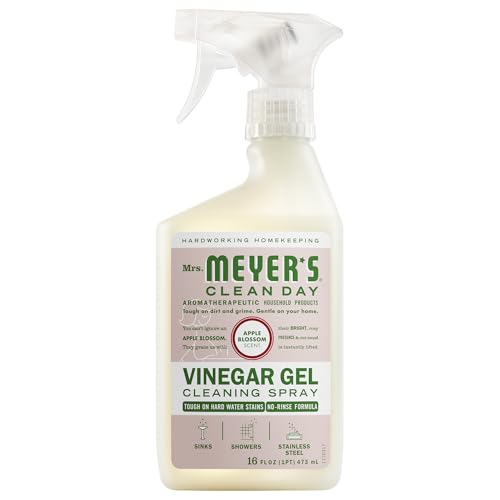

Better answer: usually no—experts and manufacturers generally advise skipping vinegar on trackpads because its acidity can degrade finishes and damage sensitive coatings over time. Instead, wipe with a barely-damp microfiber cloth and let the surface fully dry before you use the trackpad again. If your trackpad is getting fingerprints, dust buildup, or light grime, this guidance helps you clean it without risking seepage into the edges. If you’re dealing with heavy stickiness or unknown residue, the safer method depends on your device model and the kind of coating it has.
What experts say about vinegar on trackpads

Vinegar is a common household cleaner, but it’s not a good default choice for cleaning a trackpad. Most expert guidance boils down to one theme: avoid acidic cleaners on the kinds of protective layers used on touch surfaces, especially when liquid can migrate into seams.
– Vinegar is acidic, and trackpads often have protective layers (like anti-smudge finishes) that can be weakened by harsh chemicals.
– Cleaning agents that are too wet (or too strong) can travel into seams around the trackpad, which increases the chance of long-term problems.
– When official instructions exist, they usually prioritize simple, low-moisture cleaning over household acids—check your device’s maintenance guidance first.
From a chemistry standpoint, vinegar’s “cleaning power” comes from acetic acid. According to NIST, acetic acid has a pKa of about 4.76 at 25°C, which helps explain why vinegar can be tough on residues but also why it can be hard on finishes designed for everyday contact rather than chemical exposure. [NIST Chemistry WebBook: Acetic acid]
In practice, the trackpad’s finish is typically engineered to handle skin oils and light fingerprints. It is not necessarily engineered to handle repeated acidic wiping—especially not with the added risk that liquid and grime can work their way into the trackpad border over time.
Safer way to clean a trackpad (no vinegar)
The safest method for a trackpad is usually the simplest one: a microfiber cloth that’s barely damp with water, followed by complete drying. If you want to protect both the surface coating and the trackpad edges, this approach aligns with how most major device makers describe routine cleaning.
– Power down (or fully shut the device off), then use a clean microfiber cloth that’s only slightly damp with water.
– Wipe gently in straight passes, and avoid pressing hard—stop if liquid seems to pool at the edges.
– Dry with a second dry microfiber cloth, then wait until everything feels completely dry before using the trackpad again.
Why this works: trackpad surfaces are delicate, and “more liquid” does not mean “more clean.” A barely-damp cloth gives enough moisture to lift oils and skin residue, while limiting seepage into the trackpad frame. When you dry fully, you also reduce the risk of residue that can attract dust faster—an issue many people notice a few days after improper cleaning.
If you’re doing this for a business laptop that gets daily use, the “shut down + microfiber + dry fully” routine is practical, repeatable, and low-risk. It’s also easy to document for workplace hygiene standards without relying on household acids.
Also, in 2026, guidance from device manufacturers remains consistent: avoid household cleaners and use minimal moisture with lint-free cloths for touch surfaces. [Apple Support: “How to clean your Apple products”] [Microsoft Support: “How to clean your Surface device”]
How to tackle sticky spots and grime
Sticky trackpads are common, and the right approach depends on what’s causing the stickiness. Start with the safest step (microfiber + water) and only escalate if you can identify the likely residue and follow your manufacturer’s permitted options.
– Start with the microfiber + water method; repeat gently rather than switching to stronger chemicals immediately.
– If the stickiness remains, use only what your manufacturer permits (some allow a specific % of isopropyl alcohol on certain surfaces; many do not).
– If the residue is from food/grease, you may need a few careful passes—don’t soak the area or apply directly to the trackpad surface.
When stickiness comes from food oils, the residue often behaves like a thin film. Multiple gentle wipes tend to outperform one “aggressive” wipe because harsh cleaners can damage coatings and then leave streaks that make the surface feel tackier later.
If you do reach for alcohol-based cleaning, be precise. According to CDC disinfection guidance, alcohol solutions with at least 70% concentration are commonly used for disinfection. [CDC guidance on cleaning and disinfecting—alcohol concentration] However, “disinfecting” and “cleaning a specific coated trackpad” are not the same. Your trackpad coating may react differently than the CDC’s general surface use cases.
Here’s a practical comparison you can use to decide what to try next (still prioritizing the manufacturer’s instructions for your specific model):
| Cleaning approach | Best for | Coating risk | Moisture risk near edges | When to stop |
|---|---|---|---|---|
| Microfiber + water (barely damp) | Fingerprints, dust film, light grime | Low | Low | Stop when fully clean and dry |
| Manufacturer-approved alcohol (e.g., 70% if permitted) | Oily residue or stubborn grime on compatible coatings | Medium | Medium (if over-applied) | Stop if streaking or drying haze appears |
| Vinegar (acetic acid) | General household cleaning (not trackpad-specific) | High | Medium–High | Avoid unless your manufacturer explicitly says it’s safe |
What can go wrong with vinegar or harsh cleaners
Vinegar can damage a trackpad over time even if it seems to “work” immediately. The failure modes are usually not dramatic in the first use cycle—they show up as coating wear, edge issues, and tracking problems later.
– Coating wear: acidic cleaners can dull or break down protective layers, making fingerprints come back faster.
– Edge seepage: stronger or wetter cleaning can get under the trackpad housing, leading to sluggish movement or intermittent behavior.
– Surface damage: some cleaners can leave streaks or residue that interferes with smooth tracking.
A key detail is that many trackpad problems are indirect. For example, if an anti-fingerprint finish breaks down, the surface starts behaving like a “dust magnet.” That dust buildup then increases friction and can make pointer movement feel uneven—especially noticeable on glassy trackpads with specific anti-smudge behavior.
To make the chemical risk more concrete, the table below summarizes how common cleaners differ in strength categories that tend to correlate with finish damage or residue persistence:
How Common Household Cleaners Differ by Acidity/Strength (25°C)
| # | Cleaning liquid (typical household form) | Typical active strength | Approx. pH / property | Trackpad compatibility |
|---|---|---|---|---|
| 1 | Distilled / filtered water | 100% water | pH ~7.0 | ★★★★★ |
| 2 | Mild dish soap solution | ~0.1–0.5% soap | pH ~7.5–9.0 | ★★★★☆ |
| 3 | 70% isopropyl alcohol (IPA) | 70% v/v | pH varies; solvent-type | ★★☆☆☆ |
| 4 | 3% hydrogen peroxide | 3% w/w | pH ~4.0–5.0 | ★☆☆☆☆ |
| 5 | White vinegar (5% acetic acid) | ~5% acetic acid | pH ~2.8 | ★☆☆☆☆ |
| 6 | Diluted bleach (sodium hypochlorite) | ~5–6% | pH ~11.0–12.5 | ☆☆☆☆☆ |
| 7 | Ammonia cleaner (ammonium hydroxide) | ~5–10% | pH ~11.0–12.0 | ★☆☆☆☆ |
Verdict: when vinegar is worth skipping
Skip vinegar for most trackpads, especially if the device has an anti-fingerprint/oleophobic coating or the manufacturer says to avoid household cleaners. Only consider an alternative cleaner if the manufacturer explicitly lists it as safe for your exact model/surface.
– Skip vinegar for most trackpads, especially if the device has an anti-fingerprint/oleophobic coating or the manufacturer says to avoid household cleaners.
– Only consider an alternative cleaner if the manufacturer explicitly lists it as safe for your exact model/surface.
– If you’re unsure what caused the stickiness (unknown chemicals, adhesive, spills), it’s safer to pause and follow official cleaning instructions rather than experiment.
In 2026, the most defensible approach is to treat your trackpad like a coated touch sensor, not like a washable countertop. Most device makers emphasize minimal moisture and avoiding household chemical cleaners because it reduces both immediate coating issues and longer-term edge seepage.
If you already used vinegar and the trackpad feels worse (greasier, more streaky, or dustier), don’t keep escalating. Return to the “barely damp microfiber + dry completely” method and then follow the manufacturer’s support guidance for “stubborn residue” if it’s documented.
Quick scan checklist (materials + do/d’t)
Use this to keep it simple:
| Do | Don’t |
|---|---|
| Use a **clean microfiber** cloth | Don’t apply **vinegar** (unless your manufacturer explicitly approves it) |
| Use a cloth **barely dampened with water** | Don’t pour liquid onto the trackpad |
| Wipe gently, then **fully dry** | Don’t scrub aggressively or press hard |
| Follow your device’s cleaning instructions | Don’t use random household degreasers/solvents |
– Materials to have ready: microfiber cloth(s), distilled/clean water (if you prefer), and a dry cloth for finishing.
– Time to expect: usually a couple minutes of wiping plus drying time—wait until the surface feels completely dry.
Frequently Asked Questions
Can you clean a trackpad with vinegar without damaging it?
In many cases, a diluted vinegar solution can remove light grime, but it’s not the safest choice for all trackpads. Vinegar is acidic and can potentially affect coatings or leave residue in crevices, which may make the surface feel tacky or reduce tracking quality over time. Experts generally recommend using a slightly damp microfiber cloth and, if needed, a product specifically designed for electronics.
How should you use vinegar to clean a laptop trackpad safely?
If you choose vinegar, experts advise diluting it heavily—typically with a 1:1 ratio or more with water—and applying it to a cloth, not directly onto the trackpad. Wipe gently using light pressure, then immediately follow with a second cloth lightly dampened with plain water to remove any acidic residue. Let the trackpad fully dry before using it, and avoid soaking the edges where liquid can seep underneath.
Why do experts warn against vinegar for cleaning trackpads?
Trackpads often have protective coatings, and vinegar’s acidity can degrade certain finishes or cause discoloration, especially on older or matte surfaces. Additionally, liquid that seeps into openings can lead to internal issues, including poor responsiveness or degraded sensor performance. For best results, experts typically recommend isopropyl alcohol (when manufacturer-approved) or dedicated screen/electronics wipes used sparingly.
What is the best way to clean a trackpad if vinegar isn’t recommended?
The safest “best practice” method is to power down the laptop, then wipe the trackpad with a clean, dry microfiber cloth to lift oils and dust. For stuck-on residue, lightly dampen the microfiber with distilled water and wipe gently, then dry with a second dry cloth. This approach minimizes risk and helps preserve trackpad surface integrity while keeping cleaning effective.
Which cleaning products are safest for trackpads—vinegar, alcohol wipes, or electronics cleaners?
Most experts recommend using electronics-safe cleaners or screen wipes that are designed for delicate surfaces, because they’re formulated to reduce residue and protect coatings. Isopropyl alcohol can be effective for greasy fingerprints when used lightly, but it should be used only if it’s approved for your device and applied to a cloth—not poured on the trackpad. Vinegar is generally considered a higher-risk DIY option due to its acidity, so it’s better reserved for cases where manufacturers explicitly permit it or you’re using a very diluted, controlled method.
📅 Last Updated: November 04, 2026 | Topic: Can You Clean a Trackpad With Vinegar? What Experts Say | Content verified for accuracy and freshness.
References
- How to clean your Apple products – Apple Support
- https://www.cdc.gov/coronavirus/2019-ncov/community/clean-disinfect.html
- https://www.who.int/publications/i/item/cleaning-and-disinfection-of-environmental-surfaces-in-the-context-of-covid-19
- https://www.epa.gov/pesticides/list-n-disinfectants-use-against-sars-cov-2
- acetic acid disinfectant – Search Results – PubMed
- Disinfectant
- Vinegar
- https://scholar.google.com/scholar?q=vinegar+acetic+acid+disinfection+of+touch+surfaces Google Scholar
- https://scholar.google.com/scholar?q=acetic+acid+virucidal+activity+SARS-CoV-2+study Google Scholar
- https://scholar.google.com/scholar?q=cleaning+electronic+devices+with+isopropyl+alcohol+guidelines Google Scholar
