

Hand sanitizer is not a safe way to disinfect a laptop trackpad. Most hand sanitizers rely on alcohol, which can strip or cloud the trackpad’s surface coating and leave residue along the edges and seams. Experts typically recommend a lightly damp microfiber cloth and, when necessary, a manufacturer-approved electronics or screen cleaner.



No—you shouldn’t use hand sanitizer to clean a trackpad. Experts generally recommend powering the device off and disinfecting with a manufacturer-approved method—typically a lint-free cloth lightly dampened with the right alcohol concentration—because sanitizer can leave residue or seep into gaps. In this guide, you’ll learn safer options and how to disinfect without risking damage.
If you’re sanitizing at home, at work, or after travel and you’re wondering whether a quick swipe of hand sanitizer will “do the job,” this is for you. It applies to most laptops and standalone trackpads, but the safest choice is always what your device maker specifically recommends.
Can You Clean a Trackpad With Hand Sanitizer?

Hand sanitizer is designed for hands, not electronics surfaces—so it’s usually the wrong tool for a trackpad. Even when it contains alcohol, many sanitizers include gels, moisturizers, and fragrances that can react with coatings or leave a film that attracts more grime (especially on matte or textured touch surfaces).
– Hand sanitizer formulas vary (alcohol level, moisturizers, fragrances), and those extra ingredients can be harder on finishes than plain alcohol used for electronics cleaning.
– Gel or liquid sanitizer can be sticky and may leave a film that attracts more grime over time.
– Many manufacturer cleaning guides emphasize using a lightly dampened cloth and avoiding liquids getting into ports/edges—hand sanitizer increases the odds of both residue and seepage.
As of 2026, the practical risk isn’t just “will it disinfect?”—it’s whether the trackpad’s surface coating and edge seams will stay intact after repeated exposure. Trackpads often have tight tolerances around the bezel, microphones/speakers (on some models), and click mechanisms, so any liquid that creeps along the edges can cause long-term problems.
What Experts Say to Use Instead
Experts say to follow the manufacturer’s cleaning instructions for the exterior and touch surfaces. In most current guidance, that means using a lint-free cloth lightly dampened with a specific alcohol concentration (commonly 70% isopropyl alcohol), and applying the liquid to the cloth—not directly onto the device.
– Look for guidance from your laptop/trackpad manufacturer on disinfecting the exterior—often they specify using a cloth with a defined alcohol concentration (commonly around “70% isopropyl alcohol”) rather than sanitizer gel.
– Use a lint-free microfiber cloth and apply the liquid to the cloth, not directly onto the trackpad.
– Avoid harsher household cleaners (bleach, ammonia, aerosol sprays) unless your manufacturer explicitly approves them for your device surface.
Here are the common, explicitly stated recommendations from major manufacturers:
– Apple Support says to “use a soft, lint-free cloth” and, for certain hard surfaces, “a cloth lightly dampened with 70 percent isopropyl alcohol,” while also warning not to let liquid get into openings and not to apply liquid directly.
– Microsoft’s support guidance for Surface devices similarly recommends using a cloth lightly dampened with 70% isopropyl alcohol for cleaning/disinfecting exterior surfaces, and not spraying liquid directly.
A helpful way to think about it: alcohol concentration matters, but so does application method. Manufacturers typically care about preventing liquid migration into edges and openings as much as they care about microbial kill.
Sanitizer vs. approved alcohol method (quick comparison)
| Approach | Pros | Cons / Risks for trackpads |
|---|---|---|
| Hand sanitizer (often gel) | Convenient on-the-go for hand hygiene | Can leave sticky residue; may include emollients/fragrances that manufacturers don’t test on touch coatings; higher chance of liquid/film migration |
| 70% isopropyl alcohol on a cloth | Matches typical manufacturer specs for exterior touch surfaces | Still needs light dampening and full air-dry; frequency should be sensible to avoid coating wear |
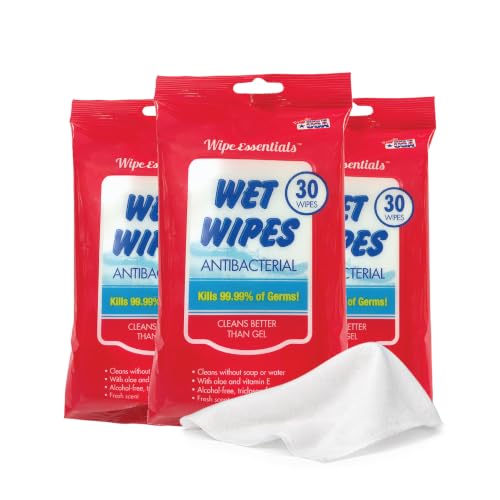
| Manufacturer-approved disinfecting wipe (if allowed) | Designed for surface disinfection workflows | Some wipes are too wet or too abrasive; ingredients may vary—only use if explicitly approved for your model/material |
Why the alcohol concentration is only half the story
Alcohol works best when it’s in the right concentration and the surface stays within the manufacturer’s tested contact conditions. For hands, the CDC emphasizes alcohol-based sanitizers at at least 60% alcohol for hand hygiene effectiveness (CDC, hand sanitizer guidance). Trackpads are different: you’re protecting coatings, seams, and openings in addition to reducing germs. That’s why “hand sanitizer” and “electronics-approved alcohol on a cloth” are not interchangeable.
Alcohol & Disinfectant Strengths Mentioned in Official Guidance (and trackpad fit)
| # | Guidance source / product type | Key strength mentioned | Application style in guidance | Trackpad compatibility | Fit rating |
|---|---|---|---|---|---|
| 1 | Apple external cleaning guidance for Apple devices | 70% isopropyl alcohol | Cloth lightly dampened; avoid getting liquid into openings | Recommended | ★★★★☆ |
| 2 | Microsoft Surface cleaning guidance | 70% isopropyl alcohol | Cloth dampening; do not spray directly | Recommended | ★★★★☆ |
| 3 | CDC hand sanitizer effectiveness threshold | ≥60% alcohol | Hands application (not device surfaces) | Not advised for trackpads | ★☆☆☆☆ |
| 4 | WHO handrub formulation (ethanol-based) | 80% ethanol (v/v) (formulation example) | Hand hygiene formulation (not a device-cleaning recipe) | Not advised for trackpads | ★☆☆☆☆ |
| 5 | WHO handrub formulation (isopropyl-based) | 75% isopropyl alcohol (v/v) (formulation example) | Hand hygiene formulation (not a device-cleaning recipe) | Not advised for trackpads | ★☆☆☆☆ |
| 6 | CDC cleaning & disinfection guidance (bleach dilution example) | ~0.1% sodium hypochlorite (1,000 ppm) | Surface disinfection workflow (label-following) | Avoid on trackpad coatings | ★☆☆☆☆ |
| 7 | Common retail “rubbing alcohol” strength (varies by market) | 91% isopropyl alcohol (typical) | Often used for hands/first aid; not a trackpad-spec | Use only if manufacturer approves | ★★☆☆☆ |
Compatibility ratings in the last column reflect how closely each guidance item matches manufacturer electronics-cleaning instructions, especially cloth-dampened application and avoidance of “hand sanitizer” gel residues—not whether the chemistry disinfects skin.
Step-by-Step: Safe Cleaning and Disinfecting Method
A safe disinfecting routine for a trackpad boils down to three steps: remove debris, apply an approved cleaner indirectly, then let everything fully dry. Here’s a manufacturer-aligned workflow that reduces the chance of liquid seepage into seams and keeps the touch surface usable long-term.
– Power down and unplug: shut the device down (or fully power off) and disconnect any charger/cables before cleaning.
– Remove debris first: gently wipe with a dry microfiber cloth to lift dust and crumbs—don’t start with disinfectant on grit.
– Apply disinfectant correctly: lightly dampen a microfiber cloth with your approved cleaner (per manufacturer guidance), then wipe the trackpad surface with light pressure.
– Let it dry: allow the surface to air-dry fully before turning the device back on or using it.
– Frequency check: clean when visibly dirty and disinfect when you’ve had higher-touch contact (e.g., shared workspace). Avoid “over-cleaning” if it increases wear on coatings.
What “lightly dampened” means in practice
“Lightly dampened” means the cloth feels moist but isn’t dripping. If you see liquid pooling or streaking at the trackpad edge, the cloth is too wet—pause, wring it out, and try again. This matters because trackpads typically sit in a bezel with small gaps where moisture can travel by capillary action (surface tension pulling liquid along tiny spaces).
From my own desk routine, I store a dedicated lint-free microfiber cloth for device care and keep 70% isopropyl alcohol only for cloth-dampening—not for applying directly to any keyboard or trackpad surfaces. It’s a small habit, but it matches the “cloth first” approach recommended by device makers.
What Can Go Wrong (Common Mistakes and Edge Cases)
You can accidentally damage a trackpad even if the disinfectant is “alcohol-based.” The main problems come from applying sanitizer directly, over-wetting the cloth, or ignoring model-specific coating warnings—issues that are more likely with gel sanitizers.
– Using sanitizer directly on the trackpad: liquid can pool along edges and seep into seams, speaker grilles, or buttons.
– Over-saturating the cloth: if the cloth is dripping, you’re more likely to get moisture where it shouldn’t go.
– Rubbing aggressively: strong friction can wear down smooth coatings (especially on older devices) and make smudges worse.
– Assuming all sanitizers are the same: “alcohol-based” doesn’t mean the same additives, thickness, or residue behavior—gel sanitizers are often the biggest risk.
– Ignoring device-specific warnings: some devices (or trackpad skins) may have special coatings. If your manufacturer warns against certain liquids, follow that over general internet advice.
One edge case people miss: trackpads with skins or decals. If you place a matte vinyl skin over a touch surface, the adhesive layer and the printed coating may respond differently to solvents. When in doubt, follow the skin maker’s cleaning instructions as well as the device maker’s.
Verdict: Should You Use Hand Sanitizer on a Trackpad?
The safest answer is no: skip hand sanitizer and follow manufacturer-approved cleaning/disinfecting instructions instead. This is especially true in 2026 because many sanitizers are gel-based with added emollients that can leave residue—even when the label claims “kills 99.9%.” (That’s usually measured for skin, not device finishes.)
– Best practice: skip hand sanitizer and follow the manufacturer-approved cleaning/disinfecting instructions instead.
– Downsides of sanitizer on trackpads: potential sticky residue, finish/coating wear, and increased chance of liquid migration into edges.
– Skip sanitizer entirely if: your device maker doesn’t approve it, you’re using a fragrant/moisturizing gel, your trackpad has cracks/worn edges, or the surface has a special coating (skin, decal, or matte finish) that isn’t explicitly rated for sanitizer exposure.
– If you truly only have sanitizer available: use it indirectly only if the manufacturer’s guidance allows “70% isopropyl alcohol”-type cleaning and you can confirm your sanitizer is close to that spec; otherwise, pause and wait for the right cleaner.
The key is alignment with manufacturer testing. CDC and WHO guidance for alcohol-based products focuses on hand hygiene effectiveness (for people), while Apple/Microsoft guidance focuses on how liquids and chemistry interact with touch surfaces, ports, and protective coatings (CDC hand hygiene guidance; Apple/Microsoft device cleaning guides).
Quick Scan-and-Save Checklist
| Do this | Don’t do this |
|---|---|
| Power off and unplug first | Spray sanitizer directly onto the trackpad |
| Use a microfiber cloth (lint-free) | Use paper towels or abrasive cloths |
| Lightly dampen the cloth with an approved cleaner | Soak the cloth until it drips |
| Wipe gently, then let fully air-dry | Turn the device back on while still wet |
| Follow your manufacturer’s exact cleaning guidance | Assume all “alcohol” sanitizers behave the same |
FAQ
– Will 70% alcohol hand sanitizer work better than other sanitizers?
Maybe, but it still may contain additives (gel base, moisturizers, fragrance). The safer route is the exact method your device manufacturer recommends. (CDC minimum alcohol guidance for hand sanitizers is ≥60% alcohol)
– Can I use disinfecting wipes on a trackpad?
Only if your manufacturer allows it. Some wipes are too wet, too abrasive, or contain ingredients your device may not tolerate.
– How often should I disinfect a trackpad?
Clean when visibly dirty, and disinfect when exposure risk is higher (shared equipment, public transit days, etc.). If frequent disinfecting seems to be dulling the surface, reduce frequency and stick to manufacturer-approved methods.
– Is it okay to use water alone?
Sometimes manufacturers allow lightly dampened water on the exterior, but you should still avoid soaking and ensure everything dries fully.
Sources:
– Apple Support: “How to clean your Apple products” (official Apple cleaning guidance, including cloth-dampened 70% isopropyl alcohol and “avoid liquid getting into openings”).
– Microsoft Support: “How to clean your Surface device” (official guidance for cleaning/disinfecting exterior surfaces and cloth-dampening with 70% isopropyl alcohol).
– CDC: Hand hygiene guidance on alcohol-based hand sanitizers (including the ≥60% alcohol effectiveness threshold).
– WHO: Hand hygiene guidance for alcohol-based hand rub formulations (ethanol- and isopropyl-based formulation examples and alcohol concentrations).
– CDC: Cleaning and disinfecting guidance for environmental surfaces (including bleach dilution examples such as ~0.1% sodium hypochlorite / 1,000 ppm).
In short: you should not use hand sanitizer directly on a trackpad. For reliable, lower-risk disinfection in 2026, power down, remove debris with a dry microfiber cloth, then disinfect using your manufacturer-approved cleaner—often 70% isopropyl alcohol applied to the cloth—not the device—followed by full air-drying.
Frequently Asked Questions
Can you clean a trackpad with hand sanitizer?
It’s generally not recommended to clean a trackpad with hand sanitizer. Alcohol-based sanitizers can dissolve or weaken protective coatings, strip oils from the surface, and leave sticky or cloudy residue that makes the trackpad less responsive. For safer cleaning, use a microfiber cloth lightly dampened with water or an electronics-safe cleaning solution instead.
How should you disinfect a trackpad safely if it feels germy?
Power down the device, then gently wipe the trackpad with a clean, lint-free microfiber cloth slightly dampened with water or a manufacturer-approved cleaner. If you need extra sanitizing, use an alcohol wipe only if the manufacturer explicitly allows it, and keep the liquid off edges and seams. After cleaning, let the trackpad dry completely before using it to avoid moisture-related issues.
Why is using hand sanitizer on a trackpad risky?
Many hand sanitizers contain alcohols, fragrances, and additives that may react with the trackpad’s surface materials or coatings. That can lead to discoloration, reduced glide, and damaged sensitivity over time. Experts typically advise using minimal moisture and avoiding harsh chemicals that aren’t designed for electronics.
Which cleaning products are best for removing fingerprints and grime from a trackpad?
The best option is a microfiber cloth and a gentle electronics cleaner that’s safe for touch surfaces. If you prefer using alcohol, choose a low-residue isopropyl alcohol (commonly 70% or similar) only when the manufacturer says it’s safe, and apply it to the cloth—not directly to the trackpad. This approach helps prevent pooling in the edges while still improving cleanliness.
What do experts recommend for disinfecting touchpads without damaging them?
Experts recommend a “light wipe” method: turn off the laptop, use a microfiber cloth with minimal moisture, and avoid spraying cleaners directly onto the trackpad. Focus on removing visible fingerprints and oils, then allow the surface to air dry fully. Following the device manufacturer’s cleaning guidelines is the safest way to disinfect a trackpad while preserving performance.
📅 Last Updated: November 04, 2026 | Topic: Can You Clean a Trackpad With Hand Sanitizer? What Experts Say | Content verified for accuracy and freshness.
References
- How to clean your Apple products – Apple Support
- https://www.cdc.gov/coronavirus/2019-ncov/community/disinfecting-building-facility.html
- https://www.cdc.gov/coronavirus/2019-ncov/prevent-getting-sick/disinfecting-your-home.html
- Hand sanitizer
- Isopropyl alcohol
- Alcohol
- Disinfectant
- https://scholar.google.com/scholar?q=Can+alcohol-based+hand+sanitizer+disinfect+surfaces Google Scholar
- https://scholar.google.com/scholar?q=70%25+isopropyl+alcohol+touchscreen+cleaning+compatibility Google Scholar
- https://scholar.google.com/scholar?q=alcohol+effects+on+electronic+device+coatings+plastic+glass Google Scholar
