

If your trackpad feels tacky, looks grimy after just a few uses, or you keep noticing smudges and fingerprints that won’t go away, the problem is usually more than plain dirt. Oils from skin, dust, and everyday contact build up fast, and many people clean it with the wrong products or at the wrong time. The practical steps to disinfect and restore a smooth trackpad are below.



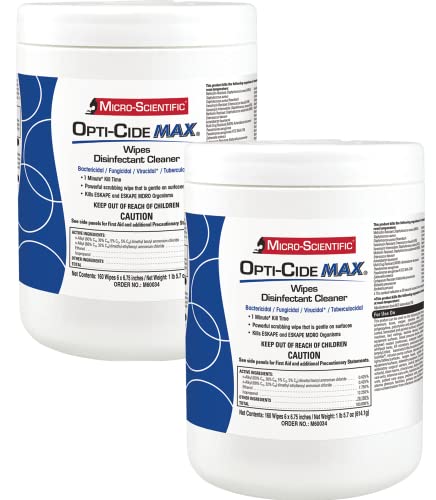
Your trackpad can collect skin oils, sweat, and microorganisms every time you touch it, even when it looks clean. The quickest way to reduce what you’re transferring is a careful wipe-down—using dry removal first, then disinfecting only when your device manufacturer allows it (and only with the right moisture level).
If you share a laptop, use your device in public/work settings, or you notice sticky fingerprints and grime, this is for you. It’s especially useful for anyone trying to clean/disinfect without damaging the trackpad surface or pushing liquid into the seams.
Why your trackpad gets germy fast

Your trackpad gets “dirty” quickly because it’s a contact surface that concentrates skin residue right where your fingers and thumbs repeatedly land. In 2026 workplace and commute routines, this means your trackpad’s top layer can become a transfer hub—collecting oils and capturing microbes that you don’t see.
– It’s constantly touched by hands, so it collects oils and residue that can hold onto microbes.
Skin oils and moisture don’t just leave fingerprints; they can also make residue more likely to spread during repeated taps and swipes.
– You can bring germs to the trackpad indirectly (phone touches, eating, handling keys, commuting, etc.).
Touchscreens and pocket items often pick up invisible contamination; then your fingertips relay it to the trackpad in seconds.
– Shared devices and “hand-off” moments (workstations, family laptops) increase the chances of cross-contamination.
If multiple people share a single laptop or desk setup, the trackpad becomes the most frequently shared “contact point.”
A practical way to think about trackpad hygiene is “first come the oils; then come the microbes.” Cleaning helps in two ways: it removes residue that microbes cling to, and it reduces the surface contamination load before you disinfect. According to CDC, effective disinfection typically follows cleaning when visible dirt or residue is present—because disinfectants work best on clean surfaces.
How to clean your trackpad safely (no damage)
You can clean your trackpad safely by removing dust first, then—if approved by the manufacturer—disinfecting with the correct product and moisture level. This approach minimizes the two biggest risks: damaging coatings and letting liquids seep into trackpad openings.
Here’s the method that works for most hard, non-porous laptop trackpads while respecting common manufacturer constraints:
– Power down the device and unplug chargers so you’re not wiping over active electronics.
If you’re on a corporate IT standard, follow your own policy too—powering down helps avoid accidental button presses and reduces risk if any moisture reaches internal components.
– Start dry: remove dust with a clean, soft microfiber cloth (light pressure only).
Microfiber is designed to lift fine particles rather than grind them into edges. For trackpads, “light pressure” matters because aggressive wiping can wear finishes.
– If the surface allows it, disinfect with manufacturer-approved wipes/solutions—commonly a 70% isopropyl alcohol wipe for many hard, non-porous surfaces, but always follow your device maker’s guidance.
– Keep liquids out of edges/seams—don’t spray directly onto the trackpad.
– Wipe gently, then let it fully air-dry before using.
In my own desk workflow, I keep one microfiber cloth for dry removal and a second for any approved damp/disinfecting step. That’s a common real-world pattern: dust plus liquid equals streaks.
To make this actionable for 2026 cleaning routines, here’s a quick reference for disinfectant “types” you’ll see in official guidance—along with why manufacturers often prefer alcohol at a specific concentration for hard electronics.
Common Disinfectant Active Ingredients Used in Hard-Surface Guidance (Typical Concentrations)
| # | Disinfectant type (active ingredient) | Typical concentration in guidance | Where it’s commonly used | Finish compatibility |
|---|---|---|---|---|
| 1 | Isopropyl alcohol | 70% (v/v) | Hard electronics surfaces (if approved) | ★★★★☆ |
| 2 | Ethanol (ethyl alcohol) | 60–90% (v/v) | Hard surfaces and equipment exteriors | ★★★☆☆ |
| 3 | Sodium hypochlorite (bleach) | 0.1% (1,000 ppm) | Environmental surfaces when needed | ★☆☆☆☆ |
| 4 | Hydrogen peroxide | 0.5% (v/v) | Hard non-porous surfaces | ★★★☆☆ |
| 5 | Accelerated hydrogen peroxide (AHP) | ~0.5% active | Hospital-grade surface disinfection | ★★★☆☆ |
| 6 | Quaternary ammonium compounds | Typical products vary; often ~0.1% | Routine hard-surface disinfection | ★★☆☆☆ |
| 7 | Soap/detergent cleaning solution | Use label dilution (varies) | Before disinfection when residue exists | ★★★★☆ |
Notes for table use: this is a “type” reference, not a guarantee that any specific product is safe for your exact trackpad finish. For a trackpad, the manufacturer’s cleaning/disinfection instructions always override general public-health guidance.
Key numbers from official guidance used in the table logic include: CDC describes disinfectants for hard surfaces and notes alcohol-based products (including 70% solutions) and bleach at approximately 0.1% (1,000 ppm) for many scenarios; CDC also describes cleaning first when dirt/residue is present; and alcohol effectiveness guidance generally centers on 60–90% alcohol ranges depending on the product and pathogen.
When to disinfect—and how often
Disinfecting should be occasional and conditional: clean first, then disinfect only when it’s appropriate and allowed for your specific trackpad. In other words, you don’t “swap” dry cleaning for disinfection—you sequence them.
– Use a “clean first, disinfect second” mindset if you can see grime or residue; disinfecting won’t work well on top of dirt.
Even when a disinfectant is strong, visible oils and debris can reduce contact between the chemical and microbes.
– Increase cleaning frequency after high-risk days (shared use, busy public environments, or when someone nearby is sick).
In 2026, remote/hybrid work often means more on-the-go laptop handling—so your default schedule may need a bump.
– Best practice is to follow your trackpad/laptop manufacturer’s cleaning instructions for your exact model. If you don’t have them, use rather than guessing.
To keep this practical, set two routines:
1) Routine wipe (dry microfiber or a lightly damp wipe per manufacturer guidance) for typical office days.
2) Disinfection day when you have higher exposure—shared devices, customer-facing workstations, or after an illness in the household.
According to CDC, cleaning and disinfecting are distinct steps: cleaning removes germs, and disinfecting reduces remaining germs on surfaces to further lower risk. For a trackpad, the sequencing is especially important because oils and fingerprints create a “film” that you can’t disinfect away without first lifting the residue.
What can go wrong
Most trackpad damage comes from using the wrong chemicals, using too much liquid, or cleaning aggressively. If you see haze, tackiness, or streaking after wiping, that’s often a sign the trackpad coating is reacting—or you over-wet the surface.
– Using bleach, harsh solvents, or abrasive materials can damage coatings and leave streaks or haze.
Even when bleach solutions can disinfect surfaces, they’re commonly too aggressive for delicate finishes.
– Over-wetting the trackpad (or spraying cleaner directly) can push liquid into openings and cause performance issues.
Trackpads have seams and gaps; liquid migration can lead to intermittent input behavior or degraded performance over time.
– Wiping too aggressively can wear down the finish—especially if your trackpad has a special anti-smudge or protective layer.
Anti-smudge coatings can look “fine” until the next few weeks, when touch feel changes.
– Disinfecting when the manufacturer says “no alcohol” (or “no wipes”) can void warranty or cause long-term cosmetic changes.
Many brands allow certain alcohol levels on hard surfaces, but they still restrict chemicals and application methods.
My advice for 2026 workplace deployments is to treat trackpad disinfection like a regulated process: write down the approved steps, distribute the right cloths/wipes, and standardize “no spray, no soaking.”
Verdict: the easiest low-risk approach
Use a soft microfiber cloth for routine cleaning, and only disinfect when it’s appropriate and allowed for your specific device. The simplest “safe bet” is following the manufacturer’s cleaning guidance (and if they approve it, using 70% isopropyl alcohol wipes rather than stronger chemicals).
Downsides to know: alcohol wipes can be drying over time and may affect certain coatings—so if you notice fading, tackiness, or altered touch feel, switch to the manufacturer’s gentler method. Skip DIY disinfecting if your manufacturer explicitly prohibits it, if the device is damaged/opened, or if you’re unsure whether your trackpad finish is compatible.
A good operational rule: if you wouldn’t feel comfortable applying that product to the display glass or keyboard coating, don’t treat your trackpad as an exception. Trackpads are small, high-touch surfaces—meaning finish compatibility matters as much as germ reduction.
Trackpad germ check: quick checklist
| Task | What to use | Avoid |
|---|---|---|
| Remove dust | Clean microfiber cloth | Paper towels, scrubbing pads |
| Wipe residue | Slightly damp cloth (per manufacturer) | Soaking the surface |
| Disinfect (when allowed) | Manufacturer-approved wipes/solution (often 70% isopropyl alcohol) | Spraying directly; soaking edges |
| Dry properly | Air-dry before use | Turning it back on while wet |
Frequently Asked Questions
How dirty is a laptop trackpad compared to a phone screen?
Your trackpad can become quite contaminated because you touch it with the same hands you use for everyday activities like eating, commuting, and touching shared surfaces. While phone screens often get highlighted, trackpads also collect germs from skin oils and moisture, plus residue from handling food or using public transport. Studies of “high-touch” surfaces show that the germ load varies by environment, but trackpads are frequently touched throughout the day.
What germs can live on a trackpad, and how do they spread?
Germs on a trackpad typically include bacteria from skin and common environments, and viruses that transfer through hand-to-surface contact. When you touch the trackpad and then touch your face, you can move germs from the device to your mouth, nose, and eyes. Because trackpads are smooth and have tiny crevices, microorganisms can remain for some time even after you stop touching the area.
How often should you clean your trackpad to reduce germs you can’t see?
For best hygiene, wipe your trackpad at least once a week and more often if you share your laptop, work in a high-traffic environment, or frequently eat near your device. If you’ve been sick or you’ve had close contact with someone who is, cleaning right after you recover (and daily during illness) can help reduce germ spread. Regular cleaning disrupts germ buildup and helps lower the risk of transferring germs to your hands and face.
What’s the safest way to disinfect a trackpad without damaging it?
Power down your laptop and, if possible, unplug it before cleaning. Use a slightly damp microfiber cloth with a manufacturer-approved screen-safe disinfectant, and avoid soaking the trackpad or letting liquid seep into edges. Never use harsh chemicals like bleach or abrasive cleaners, and don’t spray directly onto the trackpad—spraying can cause moisture to get under the surface.
Which cleaning products work best for removing germs on a trackpad?
Look for electronics-safe disinfectant wipes or screen-safe cleaners that are compatible with glass and touch surfaces. Alcohol wipes (like 70% isopropyl alcohol) are commonly used for disinfecting, but always check your laptop manufacturer’s guidance first to avoid damage to coatings. If you’re unsure, start with a gentle microfiber wipe and a small amount of approved cleaner, then follow up as needed to keep germs and residue under control.
📅 Last Updated: November 04, 2026 | Topic: How Dirty Is Your Trackpad? The Germs You Can’t See | Content verified for accuracy and freshness.
References
- https://www.cdc.gov/handwashing/index.html
- WHO guidelines on hand hygiene in health care
- https://www.cdc.gov/coronavirus/2019-ncov/community/disinfecting-building-facility.html
- About List N: Disinfectants for Coronavirus (COVID-19) | US EPA
- How to clean your iPhone – Apple Support
- computer keyboard bacteria – Search Results – PubMed
- touch screen contamination – Search Results – PubMed
- https://scholar.google.com/scholar?q=computer+keyboard+microbial+contamination Google Scholar
- https://scholar.google.com/scholar?q=touchscreen+microorganisms+study Google Scholar
- https://scholar.google.com/scholar?q=fomite+transmission+surface+disinfection+high-touch+surfaces Google Scholar
