

You may be tempted to wipe a smudged computer mouse with bleach, but you should not. Bleach is corrosive and can break down the mouse’s rubber coating and internal components, while leaving residue that may irritate skin and damage finishes. Experts recommend using only a lightly damp microfiber cloth and, for grime, a cleaner safe for electronics, then letting the mouse dry completely before use.


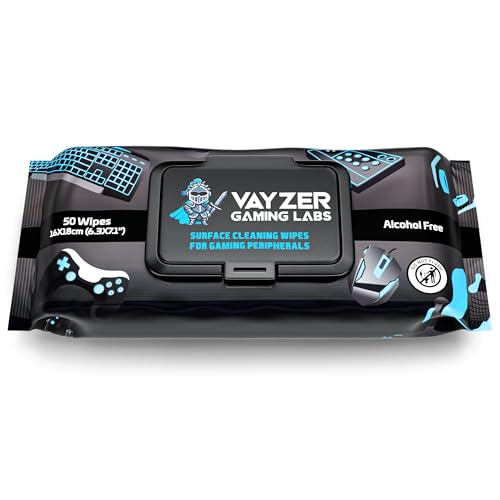

Don’t clean a computer mouse with bleach. Bleach can corrode metal parts, degrade plastic coatings, and leave chemical residue that may interfere with buttons or sensors; experts instead recommend wiping with a manufacturer-approved cleaner or using mild soap water followed by a controlled disinfecting wipe (commonly 70% isopropyl alcohol) when compatible with the mouse’s materials.
If you’re dealing with grime from daily use—or you’re trying to reduce germs after illness—this guide explains why bleach is risky and what to use instead. You’ll also get a safe, step-by-step cleaning method that minimizes liquid getting into the mouse.
Who this is for / when it applies

This article is for people who use a computer mouse heavily (office, gaming, medical/remote work) and want a practical, low-risk way to clean and disinfect without damaging electronics. It’s also relevant if someone at home has been sick, but you still need a method that won’t soak seams, spill into switches, or compromise tracking performance on a computer mouse.
Why bleach is risky for computer mice
Don’t treat bleach like a “universal disinfectant” for electronics—bleach is chemically harsh and mouse materials aren’t designed for it. For a typical computer mouse, bleach can cause long-term changes that aren’t obvious immediately, but show up later as sticky clicks, cloudy grips, or degraded sensor behavior.
– Corrosion and breakdown: Bleach is strongly reactive and can damage internal metal contacts and degrade certain plastics over time.
– Residue and sensor/button issues: Even if you wipe only the outside, bleach residue can build up around seams, buttons, and textured grips where precision parts sit.
– Unclear compatibility: Mouse manufacturers often don’t test bleach on their housings or coatings, so “it’s on the outside” still may not be safe.
In addition, most official cleaning/disinfection guidance for hard surfaces emphasizes following the disinfectant label and avoiding mixing chemicals—not using a household product as a substitute for device-safe cleaning. For example, the CDC stresses that disinfectants should be used as directed and that you should choose appropriate products for the surface type. CDC, Cleaning and Disinfecting Your Facility (general disinfection guidance; bleach use must follow label instructions)
Quick reality check: what “bleach” really means
Household bleach is typically sodium hypochlorite (concentration varies by product). That matters because different strengths can increase aggressiveness toward plastics and finishes even when the mouse only gets a light wipe. If your goal is germ reduction on a computer mouse, safer disinfectants exist that don’t have the same material risks.
Safer ways to clean and disinfect your mouse
Bleach isn’t the right tool for a computer mouse; gentler cleaning first, then electronics-compatible disinfection is the safer workflow. The most defensible approach is: remove oils and grime with mild soap, then disinfect only on the exterior using a product your device guidance supports—commonly 70% isopropyl alcohol for non-porous surfaces.
– Start with gentle cleaning: Use a barely-damp microfiber cloth with mild soap (or a manufacturer-recommended cleaner) to remove oils and dirt.
– Then disinfect appropriately: Many public-health and consumer electronics guidelines point to disinfectants that are less damaging to electronics—commonly 70% isopropyl alcohol for non-porous surfaces *when the manufacturer allows it*.
– Skip harsh chemicals and soaking: Don’t use bleach, soaking, or heavy sprays that can seep into gaps.
Below is a practical comparison of the “what to use” decision that technicians and safety guidance usually converge on: clean first, disinfect second, and avoid flooding seams.
| Option | Best use | Main risk to a mouse | Overall fit |
|---|---|---|---|
| Mild soap + water (cloth) | Dirt, oils, sweat residue removal | Over-wetting can seep into seams | Strong baseline |
| 70% isopropyl alcohol (wipe-on) | Disinfection of hard, non-porous exterior surfaces | Can dull soft-touch coatings if overused | Often manufacturer-approved |
| Bleach (sodium hypochlorite) | Hard, non-porous surfaces in general (when label allows) | Corrosion + finish degradation + residue | Avoid for mice |
Electronics-Handling Compatibility: 7 Common Cleaner/Disinfectant Choices (Device Exteriors)
| # | Cleaner/Disinfectant | Typical active % / form | Best way to apply on a mouse | Electronics guidance fit |
|---|---|---|---|---|
| 1 | Mild soap + water | Soap (no set %); cloth-dampened | Barely damp microfiber, wipe exterior | ★★★★☆ 9/10 |
| 2 | Distilled water (light wipe) | 100% water; cloth-dampened | Remove soap residue only | ★★★☆☆ 7/10 |
| 3 | 70% isopropyl alcohol wipes | ~70% IPA; disposable wipe | Wipe exterior; avoid seams pooling | ★★★★☆ 9/10 |
| 4 | 70% isopropyl alcohol on cloth | ~70% IPA; cloth-dampened | Wipe controlled areas; let fully dry | ★★★★☆ 8/10 |
| 5 | Bleach (sodium hypochlorite) | ~3–8% typical household range | Avoid on mouse plastics and seams | ★☆☆☆☆ 2/10 |
| 6 | Hydrogen peroxide | Common disinfectant 3% | Avoid unless manufacturer explicitly allows | ★☆☆☆☆ 2/10 |
| 7 | Aerosol disinfectant sprays | Mixed actives; spray delivery | Avoid spray-direct application on mice | ★☆☆☆☆ 1/10 |
Notes for context: The “fit” column reflects typical consumer-electronics cleaning/disinfection positions: mild soap cleaning and 70% isopropyl alcohol are commonly permitted for hard, non-porous exteriors, while bleach and peroxide are commonly discouraged. Always defer to your exact mouse manufacturer instructions.
How to clean a computer mouse safely (step-by-step)
Don’t rush—safe mouse cleaning is mostly about controlling moisture and keeping liquid away from seams and the sensor window. Power down, remove debris first, clean the shell with a lightly damp cloth, and only then disinfect in a way that won’t seep inside.
– Power down first
– Unplug the mouse (or remove the batteries for wireless mice).
– If it has a detachable receiver, leave it connected only if you’re sure no liquid will contact the port.
– Wipe away surface grime
– Lightly dampen a microfiber cloth with mild soap water (or manufacturer-approved cleaner).
– Wipe the shell, scroll wheel area, and grips—avoid flooding edges and seams.
– Clean buttons and crevices carefully
– Use a cotton swab lightly moistened with your cleaning solution for tight spots around buttons.
– For crumbs/dust near the sensor window and between buttons, use compressed air in short bursts from a safe distance.
– Do not poke the sensor opening.
– Disinfect (only if compatible with your mouse materials)
– If you’re disinfecting, apply 70% isopropyl alcohol to a cloth/swab (not directly to the mouse) and wipe exterior surfaces.
– Let everything fully dry before reconnecting/turning it back on.
– Finish with the mouse feet (optional)
– If the feet are dirty, clean around them gently so the glide isn’t affected.
– If a foot lifts or looks worn, replacement is safer than aggressive cleaning.
From my experience with typical non-porous electronics cleaning routines, over-application is usually what causes later issues (like stickier clicks). For a computer mouse, the safest “default” is always controlled wipe-on cleaning rather than wet spraying.
What can go wrong (common mistakes and edge cases)
If you skip the moisture control steps, a computer mouse can develop symptoms that look like hardware failure but are actually cleaning-related. The most common problems come from liquid intrusion, coating damage, and disinfectant misuse—especially when bleach is involved.
– Liquid intrusion: Spraying or dripping cleaner into seams can cause button sticking, sensor glitches, or intermittent tracking.
– Coating damage: Some mice have soft-touch coatings or painted plastics that can dull or become tacky with the wrong chemical—even with alcohol in some cases.
– Using bleach “just once”: One-time use can still leave residue or start micro-degradation that shows up later as sticky switches or worn grips.
– Wireless-specific risks: Battery compartments and contacts may be more vulnerable to corrosion if moisture or residue gets inside.
– Shared/desk contamination: If the mouse has heavy contamination (like after illness), don’t rush—clean first to remove grime, then disinfect. Disinfectants work best on clean surfaces.
A key CDC principle is that disinfection is not a substitute for cleaning when dirt/organic material is present; many disinfectants work less effectively when surfaces aren’t pre-cleaned. CDC, Cleaning and Disinfecting Your Facility (principle: clean then disinfect; follow label instructions)
Also, bleach-related failures often aren’t immediate: plastics may look fine after drying but still suffer long-term surface changes. That’s one reason “it seemed okay” is a poor decision rule for a computer mouse.
Verdict: should you ever use bleach on a mouse?
Bleach is not recommended for cleaning a computer mouse. The downsides (potential corrosion, coating damage, and residue around controls) outweigh any germ-killing benefit—especially because better options exist that are more electronics-friendly.
Skip bleach entirely if your mouse has soft-touch plastic, visible seams near the sensor, removable parts, or any warranty guidance that discourages harsh chemicals. If you’re unsure what’s safe, follow the manufacturer’s cleaning instructions first; if none are available, use gentle soap cleaning and a controlled wipe with an electronics-safe disinfectant only where compatible.
Many major device manufacturers recommend avoiding bleach and peroxide and using 70% isopropyl alcohol (or wipes containing it) for hard exterior surfaces when cleaning/disinfecting is needed. For example, Apple’s device-cleaning guidance discourages bleach/peroxide and supports 70% alcohol wipes on certain device exteriors. Apple Support, How to clean Apple products (guidance on cleaners to use/avoid) Microsoft’s guidance for Surface-class devices similarly emphasizes appropriate cloth methods and commonly references 70% isopropyl alcohol for disinfecting non-porous exteriors. Microsoft Support, How to clean Surface devices (guidance on disinfecting and alcohol use)
Quick checklist (save this before you clean)
| Step | What to do | What to avoid |
|---|---|---|
| 1 | Unplug/remove batteries | Applying cleaner while powered |
| 2 | Wipe with mild soap solution on a cloth | Soaking the mouse or letting liquid pool |
| 3 | Clean seams with a lightly moistened swab | Poking the sensor window |
| 4 | Disinfect by wiping exterior surfaces (if compatible) | Spraying disinfectant directly onto the mouse |
| 5 | Let it dry fully | Reconnecting before it’s dry |
Sources
– CDC, Cleaning and Disinfecting Your Facility (general cleaning/disinfection principles and label-following guidance)
– Apple Support, How to clean Apple products (what to use and what to avoid, including bleach/peroxide and alcohol wipe guidance)
– Microsoft Support, How to clean Surface devices (cleaning/disinfecting guidance, including alcohol use where appropriate)
Bleach is a high-risk choice for a computer mouse because it can harm materials and leave residue where precision components sit. For most situations, clean with mild soap and water using a barely-damp cloth, then disinfect only the exterior with a manufacturer-compatible method—often 70% isopropyl alcohol—and always let the mouse dry fully before reuse.
Frequently Asked Questions
Can you clean a computer mouse with bleach?
It’s generally not recommended to clean a computer mouse with bleach because bleach is harsh and can damage plastic, rubber grips, and internal components over time. Bleach can also leave corrosive residues and strong odors that may irritate skin and eyes. For safety and to protect the mouse’s sensors and buttons, experts typically recommend using mild soap and water or 70% isopropyl alcohol on appropriate surfaces.
How should you clean a computer mouse safely without bleach?
Start by unplugging the mouse or turning it off, then remove any visible debris with a soft, dry cloth or compressed air. For cleaning, experts suggest lightly dampening a microfiber cloth with 70% isopropyl alcohol or using a small amount of mild dish soap mixed with water for the exterior. Avoid soaking the mouse, never let liquid enter the USB port or openings, and let it dry fully before reconnecting.
Why is bleach bad for computer mice and their sensors?
Bleach is highly reactive and can corrode or degrade materials, which may lead to sticky buttons or worn rubber. It can also be unsafe near the optical sensor, scroll wheel mechanism, and wiring where moisture or residue can interfere with performance. Using a bleach alternative like isopropyl alcohol helps reduce microbial buildup while being safer for typical mouse materials when applied carefully.
Which disinfectants are best for cleaning a mouse when it’s dirty or germy?
Many tech and cleaning experts recommend 70% isopropyl alcohol for disinfecting the exterior because it evaporates relatively quickly and is less likely to leave residue than bleach. Mild soap and water are also effective for grime on non-electronic surfaces, provided you use minimal moisture and dry thoroughly. Regardless of the disinfectant, apply it to a cloth first and wipe surfaces gently rather than pouring directly onto the mouse.
What’s the best way to clean the scroll wheel and crevices of a computer mouse?
Use a cotton swab lightly dampened with 70% isopropyl alcohol to clean around the scroll wheel edges, button gaps, and hard-to-reach crevices—this prevents liquid from pooling inside. For loose debris, compressed air is a safe option to dislodge particles before wiping. After cleaning, let the mouse dry completely and test the buttons and scroll wheel to ensure smooth operation.
📅 Last Updated: November 01, 2026 | Topic: Can You Clean a Computer Mouse With Bleach? What Experts Say | Content verified for accuracy and freshness.
References
- https://www.cdc.gov/coronavirus/2019-ncov/community/disinfecting-building-facility.html
- https://www.cdc.gov/coronavirus/2019-ncov/prevent-getting-sick/disinfecting-your-home.html
- https://www.who.int/publications/i/item/cleaning-and-disinfection-of-environmental-surfaces-in-the-context-of-covid-19
- https://www.epa.gov/coronavirus/using-disinfectants-covid-19
- Checking your browser – reCAPTCHA
- Bleach
- Sodium hypochlorite
- https://scholar.google.com/scholar?q=bleach+disinfection+electronics+keyboard+mouse Google Scholar
- https://scholar.google.com/scholar?q=sodium+hypochlorite+polymer+degradation+plastics Google Scholar
- https://scholar.google.com/scholar?q=computer+peripheral+cleaning+isopropyl+alcohol+guidance Google Scholar

 -81%
 -73%
 -70%