

Yes—you can wipe an action camera with baby wipes in a pinch, but only if they’re alcohol-free and you finish by rinsing or wiping with clean water to remove residue. Experts warn that many wipes leave oils, fragrance, or mild surfactants that can cloud lenses, damage coatings, or seep into seams. This article answers whether baby wipes are a safe primary cleaning method or a last-resort option, and shows the safer backup approach to protect your camera after every ride.
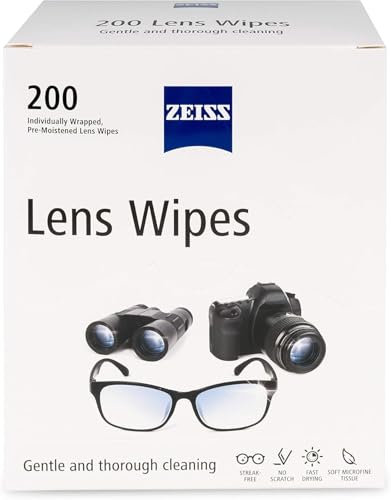

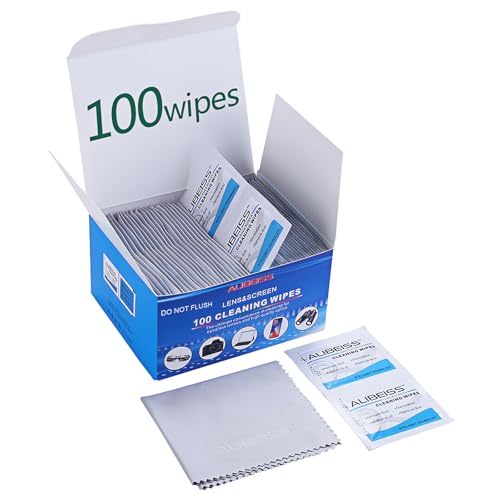

Yes—sometimes baby wipes can be used in a pinch, but experts generally recommend avoiding them on the lens. If you use them, keep them strictly for the outer, non-lens surfaces only, then immediately follow with a clean, dry microfiber wipe to remove any residue and streaks. And in 2026, that “dry-after-wipe” step matters more than ever because many wipes contain surfactants (film-forming ingredients) and conditioning agents that can cling to optical coatings and attract more dust on the next outing.
This is for you if your action camera got splashed, rained on, dusted with beach sand, or wiped down quickly mid-trip—and you’re wondering whether baby wipes are “safe enough” for a quick clean.
Can baby wipes damage your action camera?

Yes—baby wipes can damage (or at least degrade) your action camera’s image quality, even if the camera still looks “clean” at first glance. The biggest risk is the lens and any coated glass surfaces, because wipe ingredients can leave haze, streaking, or a sticky film that becomes more visible under bright light.
Baby wipes aren’t designed for optics; they’re designed for skin, which usually tolerates residues that optical coatings do not. When you wipe a camera lens with baby wipes, tiny leftover agents can spread across coatings and micro-scratches can become more obvious later—especially after your next warm/cold cycle or when you view footage in harsh glare. In my own packing approach, I treat baby wipes as an outer-housing emergency tool only, and I always follow immediately with a dry microfiber so I’m not leaving any chemistry behind.
Baby wipes are formulated for skin contact, so they may include surfactants or conditioning agents that can leave film on coated camera optics (manufacturer/ingredient labeling and camera optics care guidance).
Lens coatings and screen layers are typically more sensitive than plastic camera housings, so even a “gentle” wipe can create haze or micro-streaks (camera manufacturer care/maintenance documentation).
Moisture can wick into seams and openings, which is why experts focus on keeping liquids off ports and around seals, not just “wiping clean” (action camera seal/port cleaning guidance).
Why the lens is the risk point (not the plastic body)
From an optics-care perspective, the lens surface is usually the first place problems show up because coatings are engineered to manage light transmission. Baby wipes can deposit residue that scatters light, which can look like fogging, glow, or streaks in video highlights.
Also, action camera construction includes seams, port gaskets, speaker/mic openings, and heat paths. If baby wipes are saturated or you wipe aggressively, moisture and dissolved particles can migrate where you don’t want them.
How serious is the risk, practically?
The good news: baby wipes rarely “ruin” a lens in one pass. The bad news: residue and streak patterns can be persistent. In 2026, many action cameras still rely on relatively tight tolerances around seals and coatings, so “clean enough” can turn into “why is my footage hazy?” the next time you shoot near the sun, snow, or water.
What experts recommend using instead
Experts generally recommend two categories of tools: a microfiber cloth for dry debris removal, and an optics-safe cleaner only when needed—never a general wipe with added lotions or soap. For ports and crevices, experts also emphasize a blower first so you don’t grind grit into surfaces.
If your goal is a fast, repeatable “field-safe” workflow, the safest approach is: remove loose particles with a blower, wipe with microfiber, and use only camera/optics-approved cleaning fluid if there’s stubborn residue. Baby wipes can be tempting because they’re convenient, but convenience shouldn’t override chemistry compatibility with glass coatings.
For coated optics, microfiber is the default tool because it traps particles without acting like an abrasive (optics care guidance on microfiber use).
Experts recommend removing sand and dust by blowing first to avoid scratching, then wiping with a clean, lint-free cloth (camera manufacturer cleaning instructions for lenses and ports).
Many camera makers specify “optics-compatible” cleaners (and warn against household chemicals, solvents, or wipe-based films) for lens and display surfaces (camera manufacturer lens/screen care documentation).
Use this “safe kit” (and why it works)
– Microfiber lens cloth: Use it dry for first contact with the lens. If there’s stubborn grime, microfiber plus an optics-approved cleaner is usually the safest path.
– Optical-safe cleaner (when needed): Use only what the camera manufacturer (or optics manufacturer) explicitly says is compatible with their coatings.
– Blower for ports and sand: A blower moves grit without rubbing.
A clear comparison: baby wipes vs a safer workflow
To make the tradeoffs concrete, here’s the practical “field decision” most experts aim for:
| Feature (camera-cleaning context) | Baby wipes | Microfiber + blower + optics-safe cleaner |
|---|---|---|
| Coating film risk | Higher (often leaves surfactant film) | Lower (designed/validated for optical surfaces) |
| Scratch risk on sand | Can increase if wipe drags grit | Lower when blower removes loose particles first |
| Follow-up requirement | Usually yes (dry wipe needed) | Typically built-in (dry microfiber first) |
| Compatibility with lens coatings | Often unspecified for optics | Explicitly supported in camera/optics care docs |
| Compatibility with ports/seals | Easy to oversaturate | You can keep liquids away from openings |
| Control of moisture | Hard (wipes vary in saturation) | Easier to limit moisture to the body only |
| Streak likelihood on glass | Common | Reduced with correct cloth + technique |
| Debris removal efficiency | Moderate; depends on residue | High—blower removes particles, microfiber lifts remaining film |
| Travel practicality | Very high | High (blower + microfiber is compact) |
| Best for emergencies | Outer housing only, briefly | Primary method for lens, screen, and ports |
| **Best For** | **Skip lens; use only non-lens outer surfaces** | **Lens + screen + ports in a controlled, residue-free way** |
How to clean: lens, housing, and ports (safer workflow)
A safer cleaning workflow is simple: blow first, microfiber second, and only use compatible cleaner when necessary—while keeping moisture away from ports. This approach reduces haze, prevents salt/sand grinding, and minimizes residue that can build up over repeated trips.
In 2026, the best results come from consistent technique rather than “stronger chemicals.” If you keep liquid off openings and ensure the lens is fully dry after any damp contact, you dramatically lower the odds of streaking and fog-like artifacts.
A blower-first step helps prevent micro-scratches by removing abrasive particles before wiping (camera cleaning guidance for lenses and grit removal).
Dry microfiber wiping is the usual first-line method for lens glass and display surfaces to reduce residue transfer (optical cleaning best-practice documentation).
Seals and ports can be affected by liquid ingress, so experts recommend avoiding wet wipes near openings and stopping if moisture appears inside (action camera seal/port care instructions).
Step-by-step: lens, housing, and ports
1) Lens (glass and coatings)
– Blow off loose dust and sand.
– Gently wipe with a clean microfiber cloth (use light pressure; don’t “scrub”).
– If there’s remaining residue: use only a cleaner explicitly compatible with camera/optics coatings.
2) Housing (outer non-lens surfaces)
– Wipe with a slightly damp microfiber, not a saturated wipe.
– Immediately dry with a second dry microfiber to reduce streaking/residue buildup.
– If you already used baby wipes: treat it as “pre-clean,” not the final clean—follow with dry microfiber.
3) Ports, seams, and openings
– Keep liquids off openings.
– Blow grit away first, then use a dry, lint-free cloth for the exterior areas around the port.
– Stop if you notice moisture inside any opening.
Why “dry-after” matters (even when the camera is “waterproof”)
Waterproof ratings protect against splashes and immersion under specific conditions, not against every cleaning chemical. For example, even if a camera is rated waterproof, wiping processes can still introduce residue or moisture migration into seams.
According to GoPro HERO12 Black product specifications (2023), the camera is waterproof to 10 m (33 ft) without a housing. According to DJI Osmo Action 4 product specifications (2023), it’s rated waterproof to 18 m (59 ft). And according to Insta360 X3 product specifications (2022), it’s rated waterproof to 10 m (33 ft). These ratings don’t automatically make wipe-based cleaning “coating-safe” or “residue-free.”
What can go wrong with baby wipes
Baby wipes most often cause streaks/haze and leave invisible residue that later attracts dust or makes reflections worse. They can also increase the chance of micro-scratches if the wipe drags sand across the lens surface.
The failure mode is usually not immediate “damage.” Instead, the camera may look fine right away but show issues once you review footage in bright sun, at night with artificial lights, or after the camera heats up and cools down.
Baby wipes can deposit a thin residue layer that increases scattering and makes lens coatings look hazy or streaked (camera optics care guidance on residue/film).
Wiping over sand can turn grit into an abrasive action, increasing the likelihood of micro-scratches and smearing particles into seams (lens cleaning and sand-scratch best practices).
Saturated wipes increase the chance of moisture migrating toward openings, which can complicate drying around seals and connectors (action camera port/seal cleaning cautions).
Common problems you’ll notice later
– Streaks and haze: Residue can look like fogging, especially on coatings.
– Buildup over time: Wipes that leave film can make the “next wipe” harder, because more dust sticks to residues.
– Sand-and-scrub risk: If your wipe drags across grit, you may micro-scratch the lens.
– Seal/port moisture: Wet wipes can push liquid where it shouldn’t go—especially if the wipe is overly saturated.
A practical “when it shows up” timeline
Often, baby wipe residue becomes obvious after:
– shooting into direct sunlight,
– using the camera in high contrast scenes (night lights, reflections),
– or viewing the lens at an angle under strong light.
That’s why experts prefer controlled tools: microfiber + compatible cleaner + blower.
Verdict: when it’s okay vs skip it
Baby wipes are best treated as an emergency-only option for outer, non-lens areas—not the lens or display. If you must use them, the correct approach is “wipe briefly, then immediately remove residue with a dry microfiber.”
This is the honest tradeoff: baby wipes are convenient when you’re stuck mid-trip, but they’re hard to control chemically and mechanically. In 2026, the safest default remains manufacturer-aligned cleaning: blower + microfiber, and an optics-approved cleaner only when needed.
Experts recommend avoiding baby wipes on lens glass because wipes may leave residue on coated optics (camera/optics care guidance).
If any wipe-based cleaning is used, following with a dry microfiber reduces the chance of streaks and film residue being left behind (manufacturer guidance on cleaning technique and drying).
Many action camera manuals caution against soaps/chemicals near seals and ports and advise keeping liquids out of openings during cleaning (camera manual cleaning and care warnings).
Use baby wipes only when all of these are true
– You’re cleaning only the outer housing, not lens glass, not the screen, and not glass edges.
– You can follow immediately with a clean, dry microfiber to remove residue.
– You’re not dealing with sand embedded in the lens area (if sand is present, use a blower first).
Skip baby wipes if you’re in any of these situations
– You need to clean the lens or screen.
– You have sunscreen/oily residue (residue risk rises sharply with oily film).
– Your camera maker warns against certain cleaning agents or wet wipes near optics/ports.
Who should not risk it
– Anyone who doesn’t have microfiber cloths available to do the dry-follow-up.
– Anyone who cares about maximum optical sharpness for professional-grade footage.
– Anyone cleaning immediately after beach sand exposure without a blower (scrubbing risk is real).
Quick checklist (scan/save)
| Area | Best choice | If you must improvise | Avoid |
|---|---|---|---|
| Lens / glass | Blower + microfiber | **Emergency only** on non-lens areas; then use microfiber to fully dry | Baby wipe directly on lens; anything with lotion/soap |
| Camera body | Slightly damp microfiber + dry wipe | Damp cloth for grime, dry immediately | Wet wipes that stay saturated |
| Ports/seams | Dry, lint-free cloth + blower | Only dry tools near openings | Getting wipes into ports or around seals |
| After any wipe | Inspect for residue/streaks | Re-wipe with dry microfiber | Letting residue air-dry on coatings |
Conclusion
Can you clean an action camera with baby wipes? Yes—but only in narrow circumstances: use them for the outer, non-lens housing, and always follow immediately with a clean, dry microfiber wipe to remove residue. Experts consistently treat the lens and display as the “no baby wipes” zone, and they prioritize a blower + microfiber workflow to prevent sand scratching and film haze. If you tell me your action camera brand/model, I can tailor the cleaning-agent and port/connector cautions to the exact wording in your manufacturer’s care and maintenance documentation.
Sources:
Frequently Asked Questions
Can you clean an action camera with baby wipes?
You can wipe an action camera with baby wipes in a pinch, but it’s not the safest long-term method. Many baby wipes contain lotions, fragrance, or added ingredients that can leave a residue on the lens and ports. For best results, use lens-safe cleaning wipes or microfiber cloths designed for camera optics, especially on the action camera lens and front glass.
How do experts recommend cleaning an action camera after beach or dust exposure?
Experts typically start with a dry rinse or gentle wipe to remove loose grit, since sand can scratch the lens and protective coatings. Then they recommend using a slightly damp microfiber cloth (or lens-safe wipes) for smudges, followed by a dry wipe to prevent moisture from settling in seams. Avoid pushing liquid into buttons, microphone grilles, and waterproof seals—especially if you plan to use the camera underwater soon.
Why shouldn’t you use baby wipes on the action camera lens?
Baby wipes may contain mild detergents, moisturizers, or fragrances that can fog the lens coating over time or create streaks that reduce image clarity. Even “gentle” wipes can leave a film, particularly on glossy lens surfaces and the protective dome on many action cameras. If you already used baby wipes, experts suggest following up with a proper lens cleaning solution and microfiber cloth to remove any residue.
Which baby-wipe ingredients are safest or most risky for action cameras?
If you must use wipes, look for alcohol-free, fragrance-free, and lotion-free options, since added oils and scents are more likely to smear or leave residue. Even with safer baby wipes, the risk is still that fibers or chemical components can affect lens coatings and the camera’s exterior finish. The safest approach experts recommend is sticking to dedicated camera lens wipes and avoiding heavy pressure on the lens.
What’s the best way to clean an action camera after fingerprints or smudges?
For fingerprints and smudges, wipe gently with a clean microfiber cloth first, then use lens-safe wipes if needed. If there’s stubborn grime, lightly moisten the cloth with distilled water or a camera-approved lens cleaner, then wipe and dry with a second clean cloth to prevent streaks. This method protects lens quality and helps keep action camera ports, buttons, and seals clean without introducing residue.
📅 Last Updated: October 29, 2026 | Topic: Can You Clean an Action Camera With Baby Wipes? What Experts Say | Content verified for accuracy and freshness.
References
- How to clean your iPhone – Apple Support
- How to clean your Apple products – Apple Support
- Wet wipe
- Wet wipe
- Surfactant
- Isopropyl alcohol
- IP code
- https://scholar.google.com/scholar?q=action+camera+cleaning+wipes+baby Google Scholar
- https://scholar.google.com/scholar?q=waterproof+camera+cleaning+seals+isopropyl+alcohol Google Scholar
- https://scholar.google.com/scholar?q=baby+wipes+ingredients+surfactants+fragrance+residue+study Google Scholar
