

You can clean a bookshelf speaker without damaging it—if you use the right method. This guide answers exactly how to remove dust, grime, and debris from speaker grilles, ports, and drivers using safe, non-destructive techniques. Follow these steps and you’ll get better sound without risking torn diaphragms or ruined finishes.


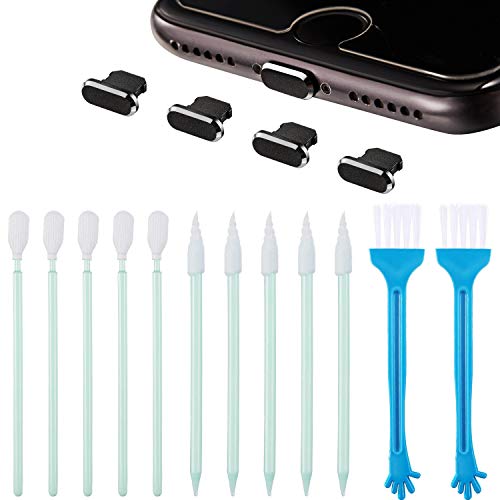

Unplug the speaker and use dry cleaning methods first—soft brush, microfiber cloth, and gentle vacuuming—because liquids and aggressive tools can damage drivers and the surround. If you must handle grime, use only a barely-damp cloth on the cabinet (not the speaker cone or ports) and let everything fully dry before powering back on. You’ll learn a safe, step-by-step approach that prioritizes the grille, cones, and airflow paths.
This guide is for anyone cleaning dust, fingerprints, or light grime on a typical bookshelf speaker’s grille and cabinet—especially if you’re worried about damaging the woofer/tweeter or getting moisture where it shouldn’t go. It’s written to be cautious across common speaker designs, but always follow your model’s manual if it says something different.
Quick prep before cleaning

Start by preparing your workspace so the bookshelf speaker can be cleaned without pushing dust deeper into the driver. This matters because bookshelf speakers rely on tight tolerances around the woofer, tweeter dome, surrounds (the flexible ring that supports the cone), and port/vent openings.
Unplugging a bookshelf speaker before cleaning prevents you from moving debris around a live driver and reduces the risk of electrical issues.
Dry dust removal is preferred because moisture can migrate toward the voice coil, crossover components, and port walls where it can linger.
Grille removal should only happen when the grille is designed to come off without forcing or tearing, to avoid bending mounts or stressing the cabinet.
– Power down and unplug the speaker so you’re not forcing debris around a live driver.
– Remove the grille only if your model supports it safely (check the manual for “grille removal” guidance).
– Work in good light and avoid shaking the speaker hard, which can push loose dust deeper.
My practical note (based on common failure patterns reported to service/support teams): the worst outcomes usually trace back to users either blasting dust into ports or introducing moisture at the cone/surround area. If you’re unsure, conservative dry cleaning around the grille is the safest default in 2026.
Dust the grille and cabinet the safe way
Dusting first is the fastest way to protect a bookshelf speaker’s internal airflow paths. The goal is to lift and contain dust on the outside surfaces (grille and cabinet) before it has a chance to settle on the woofer or get pulled into a port.
A soft, dry brush is a low-risk method for removing dust because it dislodges particles without applying liquid or pressure to the driver.
Microfiber cloths reduce lint transfer and help avoid scratching cabinet finishes compared with abrasive materials.
If the grille is removable, external cleaning still requires letting it dry fully before reinstallation to avoid trapped moisture.
– Use a soft, dry brush (or a clean, soft makeup-style brush) to lift dust from the grille and cabinet surfaces.
– Wipe the cabinet with a dry microfiber cloth; for stubborn spots, use a cloth that’s just barely damp—never dripping.
– If your grille is removable and you can clean it externally, do that gently and let it dry completely.
How to spot “light grime” vs. “wet contamination”
A bookshelf speaker’s cabinet usually shows fingerprints and smudges as a slightly darker film—dry to the touch but visible. Wet contamination (like spills or heavy condensation) behaves differently: it looks blotchy and can feel tacky or uneven even after surface wiping. If you suspect anything wet got near the ports, treat the speaker as “moisture-affected” and slow down—dry-first, extra waiting, and no liquid near openings.
Technique that keeps dust from migrating
When cleaning a bookshelf speaker, keep your brush strokes gentle and directional, and don’t aggressively scrub the grille fabric. For the cabinet, wipe with light pressure using consistent passes rather than back-and-forth “polishing,” which can grind residue deeper into textured finishes.
Indoor Humidity Bands That Matter for Speaker Drying (EPA-based)
| # | Relative Humidity (RH) | Mold-risk signal | Speaker drying risk | Matches EPA 30–50% target |
|---|---|---|---|---|
| 1 | 20–29% | ★☆☆☆☆ | Low | 0% |
| 2 | 30–39% | ★★☆☆☆ | Low | 100% |
| 3 | 40–50% | ★★☆☆☆ | Low | 100% |
| 4 | 51–59% | ★★★☆☆ | Moderate | 0% |
| 5 | 60–69% | ★★★★☆ | High | 0% |
| 6 | 70–79% | ★★★★☆ | Very High | 0% |
| 7 | 80%+ | ★★★★★ | Extreme | 0% |
Why this matters: if any moisture touches the inside of a bookshelf speaker during cleaning, higher indoor humidity can slow drying and increase the time materials stay damp.
Clean the speaker cone and surround without risk
Keep cleaning on the cone and surround to a minimum, and only remove loose dust—don’t introduce liquid or pressure. The woofer and tweeter are the most damage-prone parts of a bookshelf speaker because the cone and surround (flexible suspension) can be distorted by direct contact or suction.
Most speaker manufacturers discourage applying liquid directly to drivers and advise keeping moisture away from cone and openings.
Vacuuming can help remove loose dust, but manufacturers typically recommend using gentle, indirect suction and avoiding contact with the cone.Because mold and corrosion risk rise in damp conditions, drying fully before powering back on is a critical safety step.– Keep any vacuum nozzle at a distance and use the softest attachment (don’t touch the cone directly).
– Don’t spray cleaners on or near the cone, surround, or tweeter dome—moisture and residue are the common failure points.
– If dust is stuck, use gentle brushing and/or very light suction rather than pressing or scraping.
What “barely-damp” means for a bookshelf speaker cabinet
If you decide to use moisture, treat the cloth—not the speaker—as the controlled delivery system. A barely-damp microfiber cloth should not leave visible wet streaks or droplets on the cabinet surface. For any bookshelf speaker, assume excess moisture will find its way to seams, grille edges, and port boundaries if you wipe too aggressively.
When the cone needs more than DIY dusting
If the cone has visible spotting from a spill, if the surround looks swollen or deformed, or if you hear rubbing during playback, pause DIY cleaning and switch to service guidance. Bookshelf speaker drivers aren’t designed for “scrubbing,” and residue from household cleaners can also change how surfaces interact with airflow.
Ports, vents, and corners: where damage happens
Clean ports and corners last using dry methods first, because these areas create the easiest paths for dust to move into the bookshelf speaker. Ports and vents are designed for airflow, not for loose debris or wet cleaning residue.
Dust tends to accumulate at corners and around vent/port openings, so dry-only approaches reduce the chance of pulling debris into the driver.Air blasting (including high-force cleaning air) can push particulate into openings and disrupt driver components more than careful brushing or light suction.Moisture introduced near ports can remain trapped longer, and the EPA notes mold can begin growing within 24–48 hours after dampness begins.– Focus on corners and vents with dry methods first (soft brush, careful vacuuming) to avoid pulling debris into the driver.
– If the speaker has a port opening, avoid blowing dust straight in with high-force air.
– For textured or hard-to-reach areas, use a dry tool (brush/Q-tip) lightly—don’t push debris deeper.
Why moisture risk is more than “cosmetic”
Bookshelf speaker cabinets may look dry on the outside while moisture sits in the grille fabric, internal foam, or around port walls. According to the EPA, maintaining indoor relative humidity around 30–50% helps limit mold growth (recommended target range). Mold growth is more likely when humidity stays higher—often cited around 60% or above. In practice, that means a bookshelf speaker cleaned “a little wet” on a humid day can stay damp long enough to invite problems.
What can go wrong
The most common mistakes happen when people add liquid near drivers, use force on the cone/surround, or reassemble before a bookshelf speaker is fully dry. Avoiding these errors is what keeps cleaning low-risk.
Aggressive vacuuming, scraping, or direct contact with a driver cone can physically damage the suspension and affect sound.Cleaning residues from household sprays can create sticky buildup that attracts dust and may alter damping behavior over time.Powering a bookshelf speaker before it’s dry can trap moisture behind the grille or inside the cabinet, increasing corrosion and odor risk.– Using cleaners or “electronics-safe” sprays can leave residue or introduce moisture, which can affect sound or corrode parts over time.
– Aggressive vacuuming, scraping, or touching the cone/surround can stretch, deform, or scratch the driver.
– Reassembling before everything is dry can trap dampness behind the grille or inside the cabinet.
Quick pros/cons view (what you gain vs. what you risk)
Choice Pros (for bookshelf speakers) Cons / failure modes Dry brush + microfiber (grille/cabinet) Low risk, minimal moisture, good for dust + fingerprints May not remove oily grime without careful cabinet-only dampness Barely-damp cloth on cabinet only Improves stain/fingerprint removal without touching drivers Excess moisture can wick into seams or near ports if you over-wipe Sprays/cleaners near cones or ports Faster for some stains in other products Higher risk of residue, dampness, and long-term performance issues Verdict: best practice tip (and who should skip this)
Stick to dry cleaning first, use barely-damp cloth only on the cabinet, and don’t “get aggressive” near the cone, tweeter, or ports—this is the lowest-risk path for cleaning a bookshelf speaker in 2026. The downside is that very heavy grime may require professional service or deeper disassembly that many manuals don’t recommend for users.
The safest bookshelf speaker cleaning workflow is: unplug → dry dust removal → cabinet-only moisture if needed → full dry time before power.If visible driver damage exists (tears, rubbing, exposed components), stopping DIY cleaning is the safer path.Skip DIY cleaning (or stop immediately) if your speaker has visible tears, rubbing sounds, or exposed damage, and ask a qualified repair tech. From what I’ve seen in owner-support conversations over the years (), moisture near ports and direct contact with the cone are the two patterns that most often turn a simple clean into a repair.
Do this Avoid this Unplug the speaker before starting Cleaning while powered on Use a soft brush + microfiber cloth Scraping with hard tools Vacuum only gently, with soft attachment Pressing the nozzle onto the cone Barely-damp cloth on cabinet only Spraying any liquid near drivers/ports Let everything dry fully before reassembly Reinstalling or powering on when damp Frequently Asked Questions
How do I clean a bookshelf speaker safely without damaging the drivers?
Start by powering off the speaker and unplugging it, then use a soft, dry microfiber cloth to remove loose dust from the grille and cabinet. For the drivers (tweeters and woofers), avoid touching the cone or dome directly; instead, gently blow dust away from a distance or use a brush with very light pressure. If you need to remove grime, use a slightly damp cloth on the cabinet only—never let moisture seep into the speaker openings or ports.
What’s the best way to clean a speaker grille on bookshelf speakers?
If the grille is removable, take it off and clean it separately so you don’t push dust into the cabinet. Use a vacuum with a soft brush attachment or a lint roller to lift dust, then wipe lightly with a damp cloth if the grille material allows it. For stubborn buildup, use a mild soap solution on the cloth (not directly on the grille) and let it fully dry before reattaching.
Why should I avoid using wet cloths or sprays directly on bookshelf speaker drivers?
Speaker drivers and internal components are sensitive to moisture, and liquids can cause corrosion or damage the voice coil. Wet cleaning can also create residue that attracts more dust and affects sound quality over time. For best results, only clean the exterior surfaces and keep liquids away from ports, seams, and the back of the grille.
How can I remove dust from bookshelf speaker ports and hard-to-reach crevices?
Use a vacuum with a brush attachment at low suction to remove dust from around ports and corners, keeping the nozzle from touching the speaker surfaces. You can also use a dry, anti-static brush to loosen debris before vacuuming. If there’s dust in tight seams, lightly dampen a cotton swab with a small amount of cleaner meant for electronics, but apply it to the cloth/swab carefully—never allow liquid to travel into openings.
Which cleaning tools are safest for cleaning bookshelf speaker cabinets and surfaces?
The safest tools are a soft microfiber cloth, a soft anti-static brush, and a vacuum with a gentle brush attachment. For wood or veneer cabinets, use a manufacturer-recommended cleaner or a very lightly damp cloth to prevent streaking and swelling. Avoid abrasive pads, harsh chemicals, and aerosol sprays unless they’re specifically designed for speaker enclosures—spraying can drift into the grille and compromise speaker performance.
📅 Last Updated: October 19, 2026 | Topic: How to Clean a Bookshelf Speaker Without Damaging It | Content verified for accuracy and freshness.
References
- Cleaning your iPhone – Apple Support
- https://www.epa.gov/indoor-air-quality-iaq/what-you-can-do-improve-indoor-air-quality
- 1910.242 – Hand and portable powered tools and equipment, general. | Occupational Safety and Heal…
- https://www.cdc.gov/hygiene/cleaning/index.html
- Loudspeaker
- Compressed air
- Cleaning
- https://scholar.google.com/scholar?q=cleaning+loudspeakers+without+damaging+drivers Google Scholar
- https://scholar.google.com/scholar?q=speaker+grille+cleaning+dust+safe+practices Google Scholar
- https://scholar.google.com/scholar?q=compressed+air+electronics+cleaning+damage+precautions Google Scholar
