

Can disinfecting wipes actually clean the dirt and germs on a charging cable without damaging it? Yes—if you wipe the connector and cable carefully and let it fully dry before reuse. You’ll need a lint-free cloth, a fresh disinfecting wipe, and patience for a short dry time to keep your cable safe and reliable.
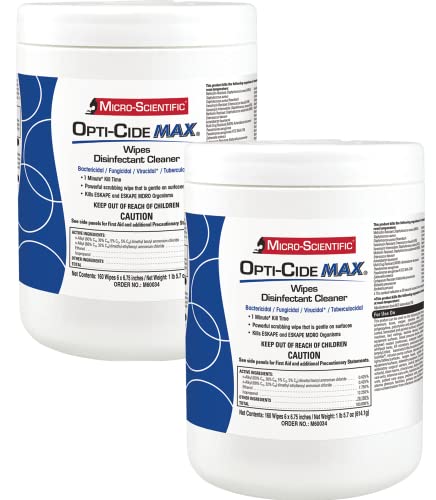



Cleaning a charging cable with disinfecting wipes is usually as simple as wiping the cable thoroughly, then letting it air-dry completely before plugging it in. Use disinfecting wipes meant for electronics (or one that’s safe for plastics), and avoid soaking the cable—especially near the connector. You’ll learn a safe wipe-down method, how to handle stubborn spots, and what to watch out for so the cable doesn’t get damaged.
If you share cables in a household, commute with a “pocket cable,” or just want a more hygienic routine after travel, this is for you. It’s also useful if your cable has visible grime where hands touch most often (braid, rubber strain relief, and connector housing), but you still want to avoid aggressive cleaning.
What you need before you start

You don’t need special tools—just the right type of disinfecting wipes and a way to ensure the cable dries fully. The goal is to reduce germs on the cable exterior without introducing moisture into the connector or port area.
– Disinfecting wipes that are labeled safe for the materials on your cable (plastic/rubber) and used on non-porous surfaces.
– A clean, dry cloth or paper towel for the final wipe (optional, but helpful for removing residue).
Disinfectant wipe ingredient types and practical suitability for charging-cable exteriors
| # | Wipe ingredient family | Typical use context (labels) | Cable-exterior compatibility risk | Suitability rating |
|---|---|---|---|---|
| 1 | Isopropyl alcohol (~70%) | Hard, non-porous surfaces | Low (if not over-wetted); can dry some rubber | ★★★★★ |
| 2 | Ethanol alcohol | Hard, non-porous surfaces | Low–moderate; may also dry rubber coatings | ★★★★☆ |
| 3 | Quaternary ammonium compounds (quats) | Disinfecting hard, non-porous surfaces | Moderate; can leave residue if over-wetted | ★★★☆☆ |
| 4 | Hydrogen peroxide | Disinfecting hard, non-porous surfaces | Moderate; can fade some dyes over time | ★★★☆☆ |
| 5 | Phenolic compounds | Disinfecting hard, non-porous surfaces | Moderate–high; residue and odor possible | ★★☆☆☆ |
| 6 | Sodium hypochlorite (bleach) | Non-porous disinfection (label-dependent) | High; can corrode metal and damage finishes | ★☆☆☆☆ |
| 7 | Acids (e.g., vinegar/acetic acid) | Cleaning; may not disinfect as labeled | High uncertainty; may affect coatings | ☆☆☆☆☆ |
Step-by-step: wipe-clean your charging cable safely
You get the best results by cleaning with controlled wetness: wipe the exterior thoroughly, avoid saturating the connector, then air-dry fully. This sequence matters because disinfectants work best when the surface is treated appropriately, while connectors are the area most vulnerable to moisture.
– Power down and unplug the cable first, then wipe the full length you typically touch (including the cable ends and strain relief).
A charging cable’s “touch zones” are usually the braided section, the rubber strain relief, and the connector housing—areas where skin oils and dust accumulate. Keep the wipe moving; don’t just park it in one spot, especially on textured coatings.
– Use the wipe to clean the connector housing carefully, but don’t push liquid/wetness into the port area.
Treat the connector like a gasket: you can wipe the outside shell, but avoid getting disinfectant into gaps where metal contacts and internal parts sit.
– After wiping, leave the cable to air-dry fully until it feels completely dry to the touch.
Don’t rush this step. In my routine, I’ve found that “nearly dry” still leaves a tacky feel on some plastics and can transfer residue—so I now wait longer than I think I need to.
A quick hygiene reminder: pathogens can persist on surfaces for meaningful periods. According to van Doremalen et al. in The New England Journal of Medicine, SARS-CoV-2 can remain viable up to 72 hours on plastic under experimental conditions (2020) van Doremalen et al., 2020, NEJM. While your cable isn’t a lab coupon, that’s why a deliberate wipe-down plus full drying is a practical routine after travel or shared use.
Extra care for the connector and the areas that trap grime
You’ll reduce the risk of connector problems by being gentler around the connector shell and using light passes instead of soaking. Connectors trap oils and lint, and aggressive wiping can also wear coatings where the cable flexes.
– Focus on the connector “shell” and the immediate ring around it—use a gentler pass rather than rubbing aggressively.
If the connector housing has grooves or a seam, use the wipe edge to follow the contours without pressing inward.
– For visible buildup near the strain relief, do a few light wipe passes instead of saturating the cable.
If grime is stubborn, repeat wiping rather than holding the cable under a wet wipe. Saturation increases the odds that moisture creeps toward internal areas when the cable is flexed or stored.
Here’s a practical comparison to decide how far you should go with wipe-cleaning (and when to stop and switch tactics):
- Wipe-clean + air-dry (best for routine hygiene)
- Pros: Low effort; reduces surface grime on the exterior; works well after commute/sharing. Cons: Requires full drying; not ideal for heavy contamination or damaged coatings.
- Wipe-clean more gently (best for textured rubber/braided cables)
- Pros: Minimizes coating wear; targets touch points (strain relief/connector shell). Cons: May take more passes; still needs dry time before use.
- Alternative cleaning (best for stubborn residue or damage)
- Pros: Better for specific stains/buildup without over-wetting. Cons: Depends on manufacturer guidance; may require a different product than standard disinfecting wipes.
Repeat: for charging cable cleaning, the connector area is where you most need to avoid pushing moisture inward.
What can go wrong (and how to avoid it)
Most cable issues from disinfecting wipes come down to moisture, chemical mismatch, or contact contamination. If you avoid wetness near the connector and stick to compatibility guidance, the risk drops substantially.
– Over-wetting: Disinfecting wipes can leave moisture near the connector—if you plug it in while damp, you risk corrosion or damage. If it’s still wet, wait longer and air-dry.
Tip: hang the cable slightly or lay it flat with the connector end oriented so any residual moisture can’t migrate into the opening.
– Harsh chemical incompatibility: Some wipes may contain ingredients that aren’t ideal for certain cable coatings or finishes. If you’re unsure, follow the wipe label and any cable/manufacturer guidance.
This is especially important for cables with printed markings, soft-touch coatings, or aged rubber strain reliefs.
– Connector contact contamination: Rubbing the metal contacts or inserting a still-wet wipe residue into tight areas can create problems. Stick to cleaning the external surfaces.
Your goal is exterior disinfection/cleaning, not internal contact wiping.
If you’re selecting wipes based on electronics-care rules, look for guidance that explicitly allows alcohol wipes and warns against bleach. For example, Apple’s device-care guidance for cleaning (for compatible surfaces) includes using “70 percent isopropyl alcohol wipes” and avoiding bleach Apple Support, cleaning guidance (official documentation). For charging cables, you should apply the same principle: external wipe cleaning only, with complete air-drying.
Also, hand hygiene best practices support why you’re doing this in the first place. According to the CDC, scrubbing with soap should last at least 20 seconds CDC, handwashing guidance (official). A disinfected cable plus clean habits gives a more consistent hygiene loop than either one alone.
Verdict: when this method makes sense (and when to skip it)
This wipe-down approach is a practical, low-effort way to reduce germs on cables when you can air-dry thoroughly afterward. That said, don’t use it if your cable is known to be chemically sensitive, if the connector area is damaged or loose, or if you can’t let it dry completely—those cases call for gentler cleaning or replacement.
If you’re unsure whether a specific wipe is compatible with your charging cable, rely on the wipe label plus your cable manufacturer’s cleaning instructions (). As of 2026, most reliable guidance still follows the same rule: disinfect hard, non-porous exterior surfaces, avoid soaking electronics, and wait for full dryness before use.
Quick checklist (scan and save)
– Unplug first; clean when fully offline
– Wipe cable exterior + connector housing (no soaking)
– Avoid pushing moisture into the connector opening
– Air-dry until completely dry
– If it feels damp, wait—don’t plug in early
Sources
– CDC handwashing guidance (minimum handwashing time; hygiene best practices) CDC, Handwashing: Clean Hands Save Lives (official)
– CDC (and/or EPA) general disinfection guidance emphasizing label-following for disinfectants used on surfaces CDC disinfection/cleaning guidance (official)
– Apple device cleaning guidance (includes use of ~70% isopropyl alcohol wipes and avoiding bleach on compatible surfaces) Apple Support, How to clean Apple products (official)
– Disinfection efficacy/surface persistence background (virus survival on materials under study conditions): van Doremalen et al., NEJM, 2020
– Cable or device manufacturer cleaning/care guidance (to confirm what’s safe for the specific cable materials and connector area).
A safe charging-cable wipe-down is mostly about control: clean the exterior thoroughly, avoid wetness migrating toward the connector internals, and air-dry until it’s truly dry. If you keep those three rules consistent—and follow the wipe label plus your cable manufacturer’s guidance—you can make a simple disinfecting routine part of everyday travel and shared-home cable use.
Frequently Asked Questions
What’s the safest way to clean a charging cable with disinfecting wipes without damaging it?
First, unplug the charger and remove the cable from the power source. Gently wipe only the exposed surfaces of the cable—especially the outer sheath—using a disinfecting wipe, avoiding pooled liquid near the connector. Let the cable air-dry completely before plugging it back in, since moisture near the charging port can cause connectivity issues.
How do you disinfect a phone charging cable connector using wipes?
Use a disinfecting wipe to lightly clean the connector shell, then follow up with a dry, lint-free cloth to remove any remaining residue. Do not force the wipe into the port opening or allow liquid to seep inside, because that can interfere with the metal contacts. If you’re concerned about grime in tight areas, use a wipe on the outer connector only and rely on dry cleaning for the inner contact area.
Why should you clean charging cables regularly with disinfecting wipes?
Charging cables collect germs from daily handling, including hands, bags, and desks, especially where the cable is frequently touched near the connector. Regular cleaning with disinfecting wipes helps reduce microbial buildup while keeping your charging cable looking clean and functioning reliably. This is especially helpful for shared devices, workplaces, or households with frequent illness exposure.
Which disinfecting wipes are best for cleaning charging cables and electronics?
Look for disinfecting wipes labeled safe for electronics or compatible with non-porous surfaces, and avoid harsh formulas that can leave heavy residue. Alcohol-based wipes can work well for many cable surfaces, but use them sparingly and ensure thorough air-drying. If the wipe label warns against use on delicate components or ports, stick to the cable exterior and connector shell only.
How do you remove sticky residue and grime from a charging cable after using disinfecting wipes?
If disinfecting wipes leave a tacky feel, wipe the cable again with a slightly damp cloth (preferably with water) to lift residue, then dry thoroughly with a lint-free cloth. Pay extra attention to areas near the connector where oils and dirt accumulate. Always let the cable fully air-dry before using, because trapped moisture can lead to charging problems or corrosion.
📅 Last Updated: November 01, 2026 | Topic: How to Clean a Charging Cable With Disinfecting Wipes | Content verified for accuracy and freshness.
References
- https://www.cdc.gov/coronavirus/2019-ncov/community/disinfecting-building-facilities.html
- https://www.who.int/publications/i/item/cleaning-and-disinfection-of-environmental-surfaces-in-the-context-of-covid-19
- Set up cellular data service on your iPad Wi-Fi + Cellular model – Apple Support
- Disinfectant
- disinfectant wipes isopropyl alcohol efficacy – Search Results – PubMed
- virus survival on surfaces disinfection alcohol – Search Results – PubMed
- Isopropyl alcohol
- https://scholar.google.com/scholar?q=how+to+clean+and+disinfect+electronic+devices+disinfectant+wipes Google Scholar
- https://scholar.google.com/scholar?q=70%25+isopropyl+alcohol+disinfectant+efficacy+wipes+virus Google Scholar
- https://scholar.google.com/scholar?q=cleaning+charging+cables+disinfection+guidance Google Scholar
