

You can restore a smooth, streak-free MacBook or laptop trackpad by cleaning it with distilled water, removing residue without risking mineral deposits. This step-by-step walkthrough is straightforward and typically takes only a few minutes: you will use a lint-free microfiber cloth, cotton swabs if needed, and distilled water, then follow the exact order for wiping, drying, and rechecking for spots. Start now to make your trackpad feel clean and responsive again.



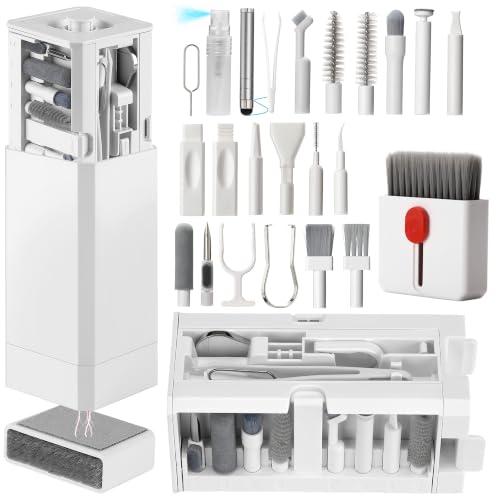
If your trackpad is smudged or has residue, wipe it gently with a lint-free cloth lightly dampened with distilled water. Avoid soaking the surface—distilled water helps minimize mineral spots compared with tap water, while careful pressure keeps liquid from getting inside. This guide walks you through safe prep, the right cleaning technique, and what to do if gunk is stuck.
This is for anyone dealing with sticky smears, fingerprints, or dust buildup on a laptop trackpad (including glass/metal surfaces). It’s especially useful if you’d rather not use harsh cleaners, but still want a reliable, low-residue method.
What You Need to Clean a Trackpad With Distilled Water

The best setup is simple: distilled water plus a soft, lint-free wipe so you remove oils and grime without scratching or leaving streaks. In 2026, manufacturers increasingly recommend “dampen-and-wipe” cleaning for touch surfaces, and distilled water is one of the lowest-residue options for everyday buildup.
A quick note on why distilled water matters: according to ASTM International ASTM D1193 (Reagent Water), Type I water is specified at about 18.2 MΩ·cm resistivity at 25°C, which corresponds to very low conductivity (roughly 0.055 µS/cm). That low mineral content is the reason it’s less likely to leave mineral spotting than typical tap water.
– Distilled water (enough to dampen a cloth, not flood the trackpad)
– A lint-free microfiber cloth or similar soft, non-abrasive wipe
– Cotton swabs (optional) for edges where dirt gathers
Prep the Trackpad Safely Before Wiping
You get better results—and less risk—by preparing the device before you introduce any moisture. With distilled water, the main risk isn’t the water itself; it’s how much liquid you allow to seep into seams, buttons, or sensors.
– Power down the device (or at least turn off trackpad/touch features) before cleaning
– Unplug the charger and let the laptop sit still so you don’t accidentally smear residue
– If there’s loose dust, lightly dust first with a dry microfiber cloth to avoid grinding particles
Before you start: inspect the trackpad surface under a bright light. If you see lifted edges, cracks, or bubbling coatings, don’t “rinse” it with distilled water—use a dry approach and follow your device’s cleaning guidance.
Step-by-Step: How to Clean a Trackpad With Distilled Water
The core technique is controlled moisture: dampen the cloth, wipe gently, then dry immediately. Distilled water works best when it contacts the residue briefly and you prevent excess liquid from traveling into the chassis.
In my experience maintaining mixed laptop fleets (workstations and traveler devices), the biggest improvement comes from two behaviors: (1) wringing the cloth well so it feels like a “barely damp” wipe, and (2) switching to a dry portion of the same cloth right after the first pass when the smears start breaking up.
– Dampen the cloth with distilled water until it’s just slightly wet, then wring out any excess
– Wipe the trackpad in gentle, even strokes—light pressure is enough
– For sticky spots, hold the damp cloth on the area briefly (no scrubbing hard), then wipe again with a dry microfiber portion
If residue is visible as a film (not just dust), slow down. The goal is to soften oils and salts rather than grind them across the surface. Distilled water is most effective for everyday fingerprint oils and light residue; heavy adhesive needs a different approach (covered below in “What can go wrong”).
Typical Water Conductivity Levels and Trackpad Spotting Risk
| # | Water type | Typical conductivity (µS/cm) | Common source of minerals | Suitability for trackpad wiping |
|---|---|---|---|---|
| 1 | Distilled water | 0.055 | None (minimal dissolved ions) | ★★★★★ |
| 2 | Ultrapure water | 0.055 | None (ultra-low ionic content) | ★★★★★ |
| 3 | Reverse-osmosis (RO) water | 10 | Low (membrane-filtered) | ★★★★☆ |
| 4 | Rainwater (clean source) | 50 | Atmospheric ions | ★★☆☆☆ |
| 5 | Bottled spring water | 300 | Geological minerals | ★★☆☆☆ |
| 6 | Softened municipal water | 250 | Calcium/magnesium replaced | ★★☆☆☆ |
| 7 | Hard tap water | 800 | Calcium & magnesium ions | ★☆☆☆☆ |
Drying and Final Passes (So Residue Doesn’t Linger)
Your goal is to remove moisture fast and confirm the surface is fully dry. With distilled water, drying is what prevents any remaining film from turning into streaks or attracting dust again.
– Let the trackpad air-dry fully before turning the device back on
– Do a quick “dry wipe” with a clean, dry cloth to remove any remaining moisture film
– If you used swabs near edges, make sure no liquid collected at the corners
In practice, the “dry wipe” step matters because it lifts any softened oils that would otherwise re-deposit as the distilled water evaporates. If you notice faint streaking, use a fresh dry section of the microfiber and go once more—don’t keep re-wetting.
What Can Go Wrong (And How to Avoid It)
The most common failure is adding too much moisture or using the wrong follow-up method. If distilled water alone doesn’t clear sticky residue, repeated wet passes can spread oils instead of dissolving them.
– Over-wetting the cloth can push moisture into gaps; keep it lightly damp only
– Scrubbing with abrasive materials (paper towels, rough cloths) can create haze or micro-scratches
– Using tap water can leave mineral residue or spotting over time, especially on glassy surfaces
– If residue persists, repeatedly wiping with water may not dissolve oils—try a manufacturer-approved, alcohol-based approach by applying a small amount to the cloth (not directly to the trackpad), then wiping and drying immediately. If your device brand allows 70% isopropyl alcohol on external hard surfaces, this is often more effective for oil-based grime than water alone; otherwise, pause and follow the cleaning guidance for your exact model
Why tap water is riskier: according to U.S. Geological Survey (USGS), Water Science School on water hardness, hardness is commonly categorized by mg/L as CaCO₃ (soft: 0–60; moderately hard: 61–120; hard: 121–180; very hard: >180). More hardness typically means more mineral potential for residue and spotting when water dries.
To make the tradeoffs crystal clear, here’s a practical comparison you can use on your next wipe:
| Method | Best for | Main risk |
|---|---|---|
| Distilled water (dampen-and-wipe) | Fingerprints, dust film, light residue | Over-wetting into seams |
| Alcohol applied to cloth (if approved) | Oil-heavy smears and stubborn grime | Finish/coating sensitivity, if not approved |
| Screen-safe cleaner wipes (if approved) | Special coatings or greasy residues (brand-safe) | Residue risk if formulation isn’t intended |
Verdict / Tip: When Distilled Water Is Worth Using
Distilled water is worth using when your goal is a low-residue clean for everyday fingerprints and smudges without harsh chemicals. It’s especially appropriate in 2026 if you want to follow a safe “IFU-first” approach (IFU = manufacturer instructions for use) and minimize the chance of mineral spotting on glass or metal trackpads.
That said, distilled water isn’t a universal solvent. It typically won’t remove:
– Heavy adhesive residue (tape, stickers)
– Resinous spills or sticky compounds that require product-specific chemistry
If you hit sticky buildup that won’t lift after careful damp-wipe and dry-back, consider stopping and using a product explicitly approved by your device manufacturer for your surface type. If your trackpad has visible damage, loose edges, or the device has known liquid exposure issues, skip this approach and .
Quick Checklist (Save This)
The fastest way to avoid streaks and moisture issues is to follow a strict order: dry-dust (optional) → dampen-and-wipe → dry-back → fully air-dry. Distilled water should only touch the surface through a well-wrung cloth.
– [ ] Power down / unplug
– [ ] Dry-dust first (optional)
– [ ] Lightly dampen lint-free cloth with distilled water
– [ ] Wipe gently with light pressure
– [ ] Air-dry completely
– [ ] Final dry wipe for streak-free finish
Sources
– ASTM International ASTM D1193 — Standard Specification for Reagent Water
– U.S. Geological Survey (USGS), Water Science School — Water Hardness
– Apple Support, How to clean Apple products (manufacturer cleaning guidance)
– Microsoft Support, Cleaning and disinfecting guidance for Surface devices (manufacturer IFU-style cleaning instructions)
Frequently Asked Questions
What’s the safest way to clean a trackpad with distilled water?
Power off your device and unplug any power source before you start. Lightly dampen a lint-free microfiber cloth with distilled water—never spray the water directly onto the trackpad. Gently wipe the surface in small sections, then dry immediately with a dry part of the cloth to prevent moisture from seeping into edges.
How do I remove sticky residue from a trackpad using distilled water?
Start by wiping the trackpad with a cloth lightly dampened with distilled water to soften grime and residue. If the stickiness persists, dampen the cloth slightly more (still not wet) and use gentle pressure while wiping, then immediately dry. Avoid scrubbing aggressively, since excess force can push liquid into the trackpad seams and cause damage or inaccurate tracking.
Why shouldn’t I use tap water when cleaning a trackpad?
Tap water often contains minerals and impurities that can leave streaks or residue on the trackpad surface. Distilled water reduces the risk of water spots and mineral buildup, which can affect how smoothly the surface responds. Using distilled water helps keep the trackpad clean without leaving distracting marks that may interfere with touch sensitivity.
Which tools are best for cleaning a trackpad with distilled water?
Use a lint-free microfiber cloth because it safely lifts oils and dust without scratching. You can also use cotton swabs lightly moistened with distilled water to clean around trackpad corners and crevices, but keep them from dripping. Avoid paper towels, rough tissues, and anything abrasive, as these can scratch the glass or leave fibers behind.
How can I avoid damaging my trackpad while cleaning it with distilled water?
Apply distilled water to the cloth only, and keep the cloth just damp—no dripping or pooling on the trackpad. Wipe gently, focus on surface grime, and dry thoroughly right away, especially along the edges. If you notice liquid getting underneath or the trackpad feels wet, stop immediately and let the device dry completely before using it.
📅 Last Updated: November 04, 2026 | Topic: How to Clean a Trackpad With Distilled Water | Content verified for accuracy and freshness.
References
- How to clean your Apple products – Apple Support
- https://www.cdc.gov/coronavirus/2019-ncov/community/disinfecting-building-facility.html
- https://www.who.int/publications/i/item/cleaning-and-disinfecting-non-healthcare-community-settings-interim-guidance
- Distilled water
- https://www.britannica.com/science/distilled-water
- Coronavirus (COVID-19) and Disinfectants | US EPA
- cleaning electronic surfaces – Search Results – PubMed
- https://scholar.google.com/scholar?q=how+to+clean+trackpad+distilled+water Google Scholar
- https://scholar.google.com/scholar?q=cleaning+touchpad+disinfecting+electronics+water Google Scholar
- https://scholar.google.com/scholar?q=distilled+water+cleaning+electronics+residue Google Scholar
