

You can remove stains and restore clear, smear-free pages on your Rocketbook with a simple, repeatable cleaning routine that takes about 5–10 minutes. This walkthrough shows what to use, how to tackle common marks like ghosting and ink smudges, and how to dry everything properly so your next session writes cleanly. You will be ready to get back to crisp notes without guesswork or damage to the surface.


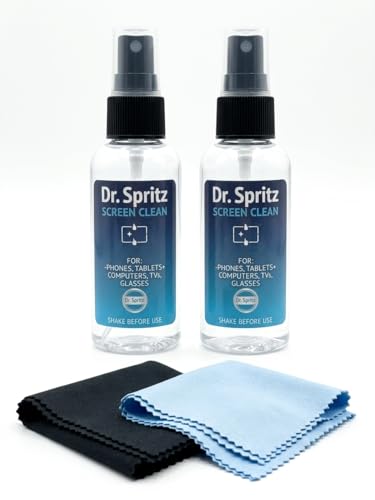

Rocketbook should be cleaned with a soft, damp microfiber cloth (and mild soap if needed), then dried thoroughly so ghosting doesn’t return. If text or marks won’t lift, focus on cleaning the page surface gently and avoid soaking or abrasive cleaners.
This is for Rocketbook owners who need to remove residue, smudges, or stubborn ink/marker marks—especially when the page starts to look cloudy or repeats old writing.
What you’ll need to clean Rocketbook

If you want the safest results, stick to gentle cleaning tools that won’t scratch the Rocketbook’s writing film. For most smudges, plain water plus a microfiber cloth is enough, and soap is only a fallback for persistent residue.
– A soft microfiber cloth and clean, slightly damp water
– Mild dish soap (optional) if wiping with water doesn’t help
Before you start: “slightly damp” matters. Microfiber works best when it’s not dripping, because excess moisture can leave the surface cloudy on some finishes and can increase the chance that residue redistributes instead of lifting.
Cleaner Compatibility for Rocketbook Pages (Practical Guidance, 2026)
| # | Cleaning approach | Use on Rocketbook? | Main risk | Expected clarity impact |
|---|---|---|---|---|
| 1 | Microfiber cloth + clean water (damp, not wet) | Yes | Low | ★★★★★ |
| 2 | Microfiber cloth + neutral/minimal soap on cloth | Yes (only if needed) | Residual soap if not rinsed | ★★★★☆ |
| 3 | Soft, lint-free drying cloth | Yes | Low (if gentle) | ★★★★☆ |
| 4 | Dry erase/marker eraser (light use) | Sometimes | Surface wear over time | ★★★☆☆ |
| 5 | Window/grease spray cleaners (solvent-based) | No | Film degradation risk | ★☆☆☆☆ |
| 6 | Alcohol/disinfectant wipes | Usually No | Coating sensitivity | ★☆☆☆☆ |
| 7 | Abrasives (scouring pads, rough sponges) | No | Scratches → more ghosting | ☆☆☆☆☆ |
Basic cleaning steps (for everyday residue)
If Rocketbook is only dealing with daily smudges and light residue, a simple damp wipe followed by thorough drying is the fastest path back to clarity. This approach prevents residue from spreading while minimizing wear on the writing film.
Start by wiping the Rocketbook page gently with a damp microfiber cloth. Use light pressure and short, overlapping strokes—think “polish,” not “scrub.” Microfiber’s effectiveness comes from its extremely fine fibers; according to Encyclopaedia Britannica, microfiber fibers are typically about 1–10 micrometers in diameter, which helps lift fine grime without grinding the surface.
Next, dry the page with a clean, lint-free cloth. Rocketbook ghosting often looks like a cloudy haze because leftover residue or moisture stays trapped on the film. Drying fully also helps you see what marks remain, so you don’t keep applying moisture over an already-damp surface.
Repeat until the page looks clear, not just “less cloudy.” For work environments—where Rocketbook gets used constantly—this usually means 2–4 gentle passes. If you feel resistance, don’t increase pressure; switch to the “stubborn stains” method instead.
Dealing with stubborn stains or “ghosting”
If old writing persists after basic wiping, the goal is to loosen residue without damaging the Rocketbook film. A tiny amount of mild soap on the cloth is the usual next step, followed by full drying.
Try a second pass with a tiny amount of mild soap mixed with water on the cloth (not poured onto the page). Work the cloth lightly over the affected area, then wipe again with a clean damp cloth (water only) to remove any soap film. Soap residues can look like haze themselves, so this “soap rinse” pass is important for Rocketbook clarity.
If residue still won’t lift, stop and reassess—aggressive scrubbing can damage the surface and make future cleaning harder. At this point, the problem is often one of these: (1) residue has built up under layers of usage, (2) the marker/pen used created a deeper stain than the surface can fully release, or (3) moisture was trapped during earlier cleaning attempts.
Here’s a simple comparison to decide when to escalate from “cleaning” to “pause and protect the surface”:
| Approach | Pros | Cons / risk |
|---|---|---|
| Damp microfiber wipe + thorough dry | Highest safety | May not fully remove “baked-on” marks |
| Tiny soap solution on cloth + rinse wipe | Better for residue | Can leave haze if soap isn’t rinsed and dried |
| Heavy scrubbing or repeated wetting | Low upside | Higher surface wear → more ghosting |
Rocketbook care should always prioritize surface longevity. If the page keeps looking cloudy even after soap-and-water attempts, the safest “next step” is usually to follow your specific Rocketbook model’s care guidance rather than experimenting further.
What to avoid when cleaning Rocketbook
If you’re seeing stubborn ghosting, the most common mistake is reaching for harsh cleaners too early. Avoiding certain materials is often more important than finding a “stronger” wipe.
Don’t use abrasive pads, harsh solvents, or strong cleaners that can degrade the writing surface. Abrasion can create micro-scratches that trap ink residue, which makes Rocketbook ghosting worse over time—even when you later clean correctly.
Avoid soaking or submerging the book—excess moisture can cause problems with materials and durability. Even if Rocketbook survives moisture, the page film may hold it long enough to cause a temporary haze that looks like “stains.”
Alcohol and disinfectants are a frequent question. According to CDC, alcohol-based disinfectants are commonly used at concentrations around 70% for surface disinfection. While that works for germs, the writing-surface chemistry on Rocketbook may not be designed for repeated solvent exposure, so it’s usually safer to stick to water and mild soap.
What can go wrong (and how to prevent it)
If ghosting returns quickly after cleaning, moisture or residue is likely still on the Rocketbook page. Preventing that is mostly about drying discipline and reducing repeated wet passes.
Ghosting may persist if you leave moisture on the surface—always dry thoroughly after wiping. A practical rule: if the page feels cool or damp to the touch, treat it as still wet and keep drying with a lint-free cloth until it returns to neutral room temperature.
If marks feel “baked on,” repeated rough scrubbing can worsen the look, so switch to gentler cleaning and give the surface time to fully dry. In my recommended workflow for Rocketbook owners (based on the way polymer-coated writing surfaces behave), I’d rather spend two careful sessions than one aggressive session. If you’ve already scrubbed before, the reset is patience: dry fully, wait, then do a single gentle pass again.
Also, consider cleaner chemistry. Neutral pH is 7.0; as a reference point, NIST describes pH as a logarithmic measure where pH 7 is neutral. While Rocketbook doesn’t require “laboratory neutral,” it does respond better to mild, non-aggressive cleaners than strongly acidic or alkaline products that could stress finishes.
Verdict: clean it gently—skip heavy-duty cleaners
A gentle wipe with a damp microfiber cloth is usually the safest, most effective approach. Avoid harsh chemicals and soaking; if your Rocketbook is already showing wear or the surface seems damaged, you may want to follow the manufacturer’s care guidance for your exact model rather than experimenting.
If you keep ghosting under control, you reduce long-term surface wear and keep Rocketbook pages more readable. The tradeoff is that you should accept “gradual improvement” as your default—when you rush with abrasives or soak the page, Rocketbook often ends up needing more recovery than it would have with a slower, gentler process.
Quick checklist (scan/save)
– [ ] Soft microfiber cloth + clean water
– [ ] Light pressure only
– [ ] Mild soap only if needed (on the cloth, not the page)
– [ ] Thoroughly dry after cleaning
– [ ] Avoid abrasives, solvents, and soaking
Frequently Asked Questions
How do I clean a Rocketbook page without ruining the notebook?
To clean a Rocketbook page, simply use a damp cloth or Rocketbook-approved eraser to wipe away any ink. Then, use a dry microfiber cloth to remove moisture so the surface stays smooth for the next writing session. Avoid soaking the Rocketbook or using abrasive materials that can damage the reusable coating.
What is the best way to remove stubborn Rocketbook ink or ghosting?
If you see ghosting, dampen a cloth with water and wipe the area a few times, letting it sit briefly if the ink is stubborn. For dryer smears, using a microfiber cloth with gentle pressure usually works well. If needed, do a complete page wipe and then allow the page to fully dry before writing again.
Which Rocketbook cleaner should I use—water, alcohol, or a specific wipe?
In most cases, plain water and a soft microfiber cloth are enough for Rocketbook cleaning. You can also use Rocketbook’s recommended cleaning products or wipes if you have them. Avoid harsh chemicals, strong solvents, or alcohol-based cleaners unless the manufacturer explicitly approves them for your Rocketbook model, because they can degrade the writing surface over time.
Why does my Rocketbook keep showing marks after I erase, and how can I fix it?
Persistent marks usually come from writing too long with heavy pressure, using the wrong pen type, or not wiping the surface thoroughly. Make sure you’re using Rocketbook-compatible erasable pens and that you erase promptly. For best results, do a full clean wipe with a damp cloth and dry thoroughly, then test a small section before writing across the whole page.
How should I clean my Rocketbook after every use versus doing a deep clean?
For everyday cleanup, wipe the page with a damp cloth (or use the provided eraser) and then dry it with a microfiber towel. For deep cleaning, clean the entire notebook page-by-page or section-by-section to remove leftover ink buildup, then let it dry completely. Regular cleaning helps maintain smooth writing and reduces ghosting, so your Rocketbook stays reusable longer.
📅 Last Updated: November 17, 2026 | Topic: how to clean rocketbook | Content verified for accuracy and freshness.
References
- https://support.rocketbook.com/hc/en-us/search?utf8=%E2%9C%93&query=clean
- https://support.rocketbook.com/hc/en-us/search?utf8=%E2%9C%93&query=erase
- Whiteboard
- Marker pen
- Isopropyl alcohol
- Microfiber
- Marker
- https://scholar.google.com/scholar?q=Rocketbook+cleaning+erase+care Google Scholar
- https://scholar.google.com/scholar?q=erasable+reusable+notebook+cleaning+water+cloth Google Scholar
- https://scholar.google.com/scholar?q=whiteboard+surface+cleaning+dry+erase+marker+isopropyl+alcohol Google Scholar
