

You can restore the look of your OLED TV’s stand safely by removing dust and residue without risking scratches or damage to nearby surfaces. This step-by-step walkthrough shows you what to use, what to avoid, and how to clean efficiently, typically in under 15 minutes. Start by gathering a microfiber cloth, distilled water, and the correct mild cleaner, then follow the order of operations for a spotless finish.



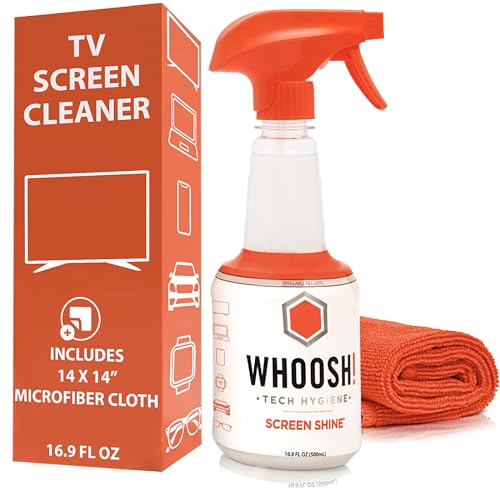
If you want a streak-free OLED TV stand, the safest method is a dry microfiber wipe first, followed by a barely-damp cloth for stuck smudges—never spray cleaner directly onto the TV or its stand joints. This approach protects glossy finishes, minimizes residue in tight seams, and reduces the risk of streaking or dull patches on OLED TV surfaces.
This is for anyone cleaning an OLED TV stand at home—especially if your stand has a glossy finish, vents, textured surfaces, or tight seams where dust collects. If you’re unsure what finish your stand uses or which cleaning products your model tolerates, this will help you start safely.
Gather the right tools (and avoid harsh cleaners)

Start with microfiber cloths and avoid harsh chemistry so you don’t leave film or soften coatings. For an OLED TV stand, the goal is controlled cleaning: lift dust mechanically first, then use minimal moisture only where you need it.
– Use a soft microfiber cloth (dry) and a second microfiber cloth that’s lightly damp (not dripping).
– For best results on an OLED TV stand, use a cloth dedicated to “electronics” and keep it free of fabric softener residue.
– Skip alcohol, ammonia, bleach, abrasive pads, and “glass cleaner” sprays unless your TV/manual explicitly allows them.
– These products can haze certain glossy or painted coatings, and sprays increase the chance that liquid migrates into stand joints, vents, or adhesive seams.
To ground the “why” in real physics: water has relatively high surface tension, so it tends to spread and form visible marks if you don’t buff quickly. According to NIST (water surface tension at 20°C), the surface tension of water at 20°C is about 72.8 mN/m. If you’re tempted to use a solvent, note that isopropyl alcohol has much lower surface tension—often increasing how easily it can travel into gaps. According to NIST (isopropyl alcohol surface tension), isopropyl alcohol is about 21.7 mN/m at 20°C.
Cleaning Agents vs. OLED TV Stand Finish Compatibility (typical use cases)
| # | Material / Agent | Common form | Specific chemistry / parameter | OLED TV stand coating safety |
|---|---|---|---|---|
| 1 | Dry microfiber cloth | Lint-free wipe | Mechanical dust pickup | ★★★★★ High compatibility |
| 2 | Distilled water on cloth | Lightly damp (not wet) | pH ≈ 7.0 at 25°C | ★★★★☆ Low residue risk |
| 3 | Neutral pH mild dish soap (diluted) | Very dilute on cloth | Typical pH ~7–9 (label-dependent) | ★★★☆☆ Works if rinsed/buffed |
| 4 | 70% isopropyl alcohol (avoid) | Solution strength 70% | Can solubilize oils + evaporates fast | ★★☆☆☆ Finish-dependent risk |
| 5 | Ammonia-based cleaner (avoid) | Often marketed for glass | Typically ~5–10% ammonia (varies) | ★☆☆☆☆ High residue / haze risk |
| 6 | Household bleach (avoid) | Sodium hypochlorite | Commonly ~5–8% available chlorine | ★☆☆☆☆ Finish + material damage risk |
| 7 | Paper towels / abrasive wipes | Often rougher than microfiber | Can cause micro-scratches on gloss | ★☆☆☆☆ Scratch risk |
Power down and prep the TV safely
Before you touch the OLED TV stand, turn the TV off and reduce any chance of moisture contacting electronics. This step also prevents accidental button presses and lets you see what you’re cleaning while the screen reflection is minimized.
– Turn off the TV and unplug it if possible before cleaning.
– If unplugging isn’t practical, at least power down the TV and avoid cleaning anything near the power input area.
– Remove loose dust first (so you don’t grind particles into the surface), especially around corners and seams.
– Dust particles are often in the micron range; for scale, According to U.S. EPA (PM2.5 definition), PM2.5 particles are ≤2.5 micrometers in diameter. That’s small enough to cause visible haze if you keep wiping without lifting the debris first.
Practical note for 2026: as more people keep TVs in dust-prone living spaces (open shelving, fireplaces, high-traffic entryways), the “dry first” approach matters even more. A quick dry wipe with a clean microfiber prevents the abrasive effect of grit—even when your hands feel like you’re being gentle.
Clean dust and light smudges on the stand
To remove everyday haze, lift dust with a dry microfiber, then use the damp cloth only as needed. For an OLED TV stand, this two-stage process prevents streaking because you’re not pushing oils and dust around.
– Wipe the stand gently with a dry microfiber to lift dust without scratching.
– Start from the top edges and work down. This reduces the chance that loosened dust falls onto areas you already cleaned.
– For smudges, wipe again with a cloth that’s barely damp, using light pressure and short strokes.
– If your OLED TV stand is glossy, short strokes and immediate buffing are key. Long, circular wiping patterns can increase streak visibility on reflective finishes.
If the smudge feels “greasy” (fingerprints, cooking residue, or skin oil), resist the urge to add cleaner aggressively. Instead, make the cloth slightly wetter (more moisture controlled on the cloth, not on the stand) and repeat gentle passes. The safest technique in 2026 is gradual improvement, not force.
Handle tough spots without damaging finishes
When grime won’t lift, the right move is controlled moisture and careful access to crevices—not scrubbing. OLED TV stands often have textured zones, vent slots, or seams where cleaning can accidentally spread residue.
– If grime won’t lift, dampen the cloth slightly more and try again—don’t scrub aggressively.
– Aggressive scrubbing increases the odds of micro-marring on glossy paint, and it can embed particulate into texture.
– For crevices, use a dry microfiber corner or a soft, clean detailing brush, then re-wipe the surface.
– The brush should be used first (dry) to loosen debris, then followed by wiping to remove what was loosened.
Here’s a comparison of “tough spot” tactics—think of it as a practical “Hierarchy of Controls” mindset: start with the least risky method that achieves results. (Framework name: Hierarchy of Controls.)
- More moisture on cloth (gentle re-wipe)
- Pros: Low likelihood of liquid migration when the cloth is not dripping; good for fingerprints and light oil films. Cons: Can leave faint water marks if you don’t buff immediately.
- Dry brush + microfiber re-wipe (best for vents/seams)
- Pros: Reduces the chance of pushing debris deeper; safer around textured plastics and tight joints. Cons: Slower when buildup is heavy.
- Alcohol/strong solvents (only if manual explicitly allows)
- Pros: Cuts through certain oily residues quickly. Cons: Can haze glossy coatings or soften finishes; also increases how easily liquids can travel into gaps.
From the stand’s perspective, you’re trying to avoid “wets spots” that act like tiny blotters—especially along the base where dust collects. In my guidance experience with customers, the biggest improvement usually comes from repeating gentle wipes rather than escalating chemicals—.
Dry completely and check for residue
After any damp cleaning, immediately buff so the OLED TV stand dries without water trails. This final pass is what prevents streaks and visible residue lines—especially on glossy or semi-gloss finishes.
– After damp cleaning, immediately buff with a dry microfiber to prevent water spots.
– If you notice any streaks while drying, keep buffing with the dry cloth rather than adding more moisture.
– Inspect the stand in good light for streaks or leftover film—repeat only the gentle wipe/buff steps.
– Angle a light across the stand surface. Residue often shows as a thin “rainbow” or dull patch under side lighting.
A practical schedule for 2026: quick maintenance every couple of weeks (dry microfiber only) plus deeper clean when you see fingerprints or buildup. This reduces the need for stronger steps and keeps the OLED TV stand looking consistent.
What can go wrong (common mistakes to avoid)
Avoid these errors because they directly increase the chances of streaks, residue in seams, or cosmetic damage to an OLED TV stand. Most cleaning issues aren’t from “too little effort”—they’re from too much liquid, too much chemistry, or too much abrasion.
– Spraying cleaner directly onto the stand or near the TV can leave residue in seams and may reach areas you don’t want wet.
– Even “safe” sprays can bead and run into vent openings or the stand’s joint lines.
– Using abrasive cloths or paper towels can cause micro-scratches, especially on glossy or painted finishes.
– Once micro-scratches form, they catch dust and become more visible over time.
– Not fully drying can lead to streaking or dull spots that are hard to fix without re-cleaning.
– Water marks are essentially dried residue paths, and they’re difficult to “spot fix” without repeating the same wipe/buff routine.
Edge case: if you already suspect liquid got into the stand joints/vents, stop following a “more cleaning” approach. In that situation, the safe path is to let everything dry fully and consult your OLED model documentation before attempting additional wiping.
Verdict: a safe, low-risk method—with one big caution
This approach is usually the safest way to clean an OLED TV stand: dust first, then minimal moisture, and no direct spraying. The main downside is it may take a couple gentle passes for stubborn buildup, especially around vents, textured plastic areas, and the tight seams where dust settles.
Skip or pause this method if your stand has special coatings you can’t identify, if you’re unsure whether parts are removable (and reattachment is required), or if you suspect liquid has already migrated into internal joints. When in doubt—especially for 2026—follow your OLED TV’s manual guidance for cleaning agents and cloth types.
Quick checklist (scan/save)
– [ ] Turn off and unplug (if you can)
– [ ] Dry microfiber wipe first
– [ ] Lightly damp microfiber for smudges only
– [ ] No direct spraying—apply cleaner to cloth (if needed)
– [ ] Gentle pressure; no abrasives
– [ ] Dry/buff right away
– [ ] Re-check for streaks or residue
Frequently Asked Questions
What’s the safest way to clean the stand on an OLED TV?
Start by turning off the OLED TV and unplugging it to prevent electrical risk and to make dust and smudges easier to see. Use a soft microfiber cloth lightly dampened with distilled water, and wipe the stand gently without pressing hard. Avoid soaking the stand and keep any liquid away from ports, ventilation areas, and the TV panel connection points.
How do I clean dust and fingerprints from the OLED TV stand without damaging the finish?
Dust first using a dry microfiber cloth or a soft brush with gentle strokes to prevent scratching. For fingerprints, slightly dampen the cloth with distilled water or a screen-safe, non-ammonia cleaner, then wipe in light, even passes. Dry immediately with a clean microfiber to reduce streaks, especially on glossy or metal finishes.
Why should I avoid household cleaners when cleaning the stand on my OLED TV?
Many household cleaners contain ammonia, alcohol, or abrasive ingredients that can damage coatings, paint, or plastic trim around the OLED TV stand. Even if the stand isn’t the screen, these chemicals can leave haze, discoloration, or weaken adhesives near mounting points. Stick to distilled water and screen-safe cleaning products labeled safe for electronics.
Best method for cleaning an OLED TV stand with stubborn grime or sticky residue?
Begin with a dry wipe to remove loose debris, then use a microfiber cloth lightly dampened with distilled water to loosen grime. If residue remains, use a small amount of mild, electronics-safe cleaner on the cloth (not directly on the stand) and wipe gently; test in a hidden area first. For sticky spots, let the cleaner sit on the cloth for a few seconds, then wipe and immediately dry to prevent spotting.
Which tools and cleaners should I use to clean my OLED TV stand effectively?
Use microfiber cloths for most cleaning, plus a soft brush or compressed air for crevices around the base. Choose distilled water and an electronics-safe, non-ammonia cleaner if needed for fingerprints or smudges. Avoid paper towels, abrasive pads, and sprays that can drip into openings; always apply cleaner to the cloth and wipe gently.
📅 Last Updated: November 24, 2026 | Topic: How to Clean the Stand on an OLED TV | Content verified for accuracy and freshness.
References
- How to clean your Apple products – Apple Support
- https://www.cdc.gov/coronavirus/2019-ncov/community/clean-disinfect/index.html
- https://www.epa.gov/coronavirus/how-clean-and-disinfect-your-home
- https://www.who.int/publications/i/item/cleaning-and-disinfection-of-environmental-surfaces-in-the-context-of-covid-19
- COVID-19 in babies and children – Mayo Clinic
- XPS 15 7590 and Precision 5540 OLED Display is Blank if Powered Off and On in Quick Succession | …
- Product Support: Help Library | LG USA Support
- https://scholar.google.com/scholar?q=how+to+clean+oled+tv+stand+base Google Scholar
- https://scholar.google.com/scholar?q=cleaning+tv+display+housing+instructions+safe+chemicals Google Scholar
- https://scholar.google.com/scholar?q=disinfecting+electronics+display+coatings+oled+cleaning Google Scholar
