

You’ve just powered down your OLED TV, noticed smudges and fingerprints, and want to disinfect the screen without risking damage. With the right supplies—clean, screen-safe microfiber cloths, distilled water or an approved electronics cleaner, and a soft, dry cloth for the frame—you can sanitize safely in about 10 to 20 minutes and leave no residue behind. Follow a careful, step-by-step wipe pattern and your TV will look clean while staying protected.



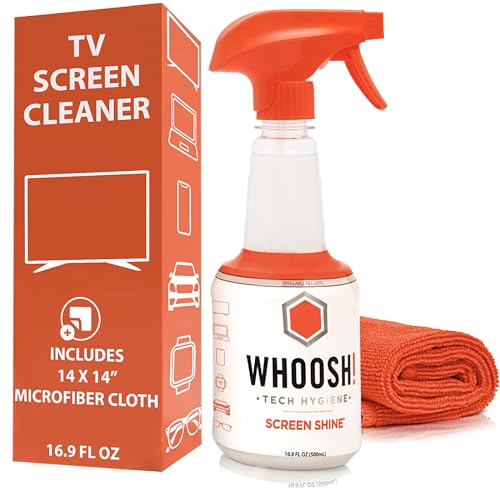
To disinfect and sanitize an OLED TV safely, use a microfiber cloth and a screen-safe cleaner (or lightly misted 70% isopropyl solution) rather than soaking the display. Power the TV off, unplug it, and avoid liquids around the edges, vents, and ports—this prevents moisture from getting inside the panel or electronics. In this guide, you’ll learn what to use, what to avoid, and a practical routine you can follow without damaging the screen.
This is for anyone cleaning an OLED TV at home—especially households with kids, pets, or frequent shared use—where you want germ-reducing cleaning without compromising screen coating or internal components. If you’re unsure which products your TV manufacturer approves, treat this as a general method and cross-check your owner’s manual first.
Prep Before Cleaning (Turn Off, Unplug, Cool Down)

A safe OLED TV disinfecting routine starts with power removed and the screen fully cooled. This prevents both electrical risk and streaks caused by cleaning while the panel is warm.
Start by turning the TV off using the remote or the power button, then unplug the power cable from the wall outlet. For most OLED TVs, waiting a few minutes is enough, but if the room is warm or you’ve been watching for hours, give it more time so the screen surface temperature drops. I generally aim for “cool to the touch” before I even open a microfiber pack—because warm screens wipe differently and can leave uneven haze.
Next, remove loose dust before you disinfect anything. Use a clean, dry microfiber cloth and make light, single-direction passes to lift dust off the OLED panel. Dust acts like tiny abrasives; if you apply liquid over it, you can grind residue into the coating rather than remove it. As of late 2026, this “dry first” step remains the highest-leverage habit for reducing streaks on sensitive flat panels.
Finally, improve visibility. Use overhead light plus a desk lamp at an angle or screen-corner flashlight mode on your phone. You’re looking for fingerprints, smears, and areas of higher touch contact. When you can see them clearly, you press less hard—which matters because OLED layers and protective films are easily stressed by aggressive wiping.
Use the Right Cleaning Tools and Liquids
The right tools make disinfection safer because they limit moisture and prevent chemical damage. For an OLED TV, microfiber plus a screen-safe solution is the core approach—no soaking, no direct spraying, and no “kitchen chemistry.”
Prefer manufacturer-recommended screen cleaners whenever possible (many TV brands include a compatible product line or specific ingredient guidance in the manual). If you don’t have that option, a common alternative is 70% isopropyl alcohol used carefully. According to the World Health Organization, common hand-rub formulations often use about 75% v/v isopropyl alcohol for germ reduction (WHO, 2009). That doesn’t automatically mean “pour it on a TV,” but it does explain why alcohol solutions in the ~70–75% range are frequently used for disinfection routines.
Use alcohol as a transfer medium, not as a flood. Apply liquid to the cloth—lightly—rather than directly to the OLED TV. This reduces the chance of drips slipping into bezel seams or traveling toward vents and port openings. The practical target is “cloth damp, screen dry-ish,” not wet.
Choose microfiber designed for screens (often labeled as “screen” microfiber or “electronics-safe”). Microfiber’s fine fibers trap debris without scratching the protective top layer as easily as paper towels. Avoid rough cloths, paper towels, and textured wipes, which can leave micro-scratches that show up as dullness under glare.
If you’re deciding between methods, here’s a quick comparison of what’s typically safer for an OLED TV:
Quick context for decision-making: according to the U.S. Centers for Disease Control and Prevention, alcohol-based products used for germ reduction generally fall in the 60%–95% alcohol range (CDC, 2023). That’s a helpful benchmark for potency, but for an OLED TV you still must apply it to the cloth and keep liquid away from seams and ports.
Common Alcohol Strengths Used in Germ-Reducing Products (Practical OLED TV Relevance)
| # | Cleaning agent (typical concentration) | Where you’ll see it | When it’s useful for an OLED TV | OLED-safe likelihood |
|---|---|---|---|---|
| 1 | Distilled water (cloth-dampened) | Screen care & electronics manuals | Light smudges when the manual allows water | ★★★★★ |
| 2 | 60% alcohol (IPA or ethanol) | Many sanitizers & gels | General germ reduction targets | ★★★★☆ |
| 3 | 70% isopropyl alcohol | Common disinfection routines | Targeted disinfecting when used sparingly | ★★★★☆ |
| 4 | 75% isopropyl alcohol | Hand-rub formulations (WHO-style) | Disinfection-strength alcohol, minimal exposure | ★★★☆☆ |
| 5 | 80% ethanol | Hand-rub formulations (WHO-style) | Germ reduction strength if the cloth is very lightly damp | ★★★☆☆ |
| 6 | 90% alcohol | Some specialty wipes | More streak risk; use only if explicitly screen-safe | ★★☆☆☆ |
| 7 | Bleach / ammonia (not for screens) | Hard-surface disinfection | Never for the OLED panel | ★☆☆☆☆ |
Note: OLED TV coating compatibility varies by manufacturer, so treat the “OLED-safe likelihood” as practical, not a substitute for your OLED TV’s owner’s manual.
Step-by-Step: Disinfecting Without Damaging the OLED Panel
A safe OLED TV disinfection routine cleans gently and keeps moisture out of the TV’s edge seals. If you want fewer germs without risking coating damage, you wipe lightly with a microfiber cloth and use the smallest amount of liquid possible.
1) Remove dust first. With the OLED TV powered off and unplugged, use a dry microfiber cloth for a quick dust pass. This prevents you from dragging particles across the screen, which can dull the OLED surface over time.
2) Wipe the screen with gentle, straight passes. Lightly wipe using microfiber only—no scrubbing. Work in small sections (for example, top-left to bottom-right) so you don’t repeatedly go over the same area with pressure. Avoid circular rubbing if you’re seeing smears; linear passes typically reduce streak buildup on OLED TVs.
3) Disinfect by dampening the cloth, not the screen. If you’re disinfecting (not just cleaning), lightly dampen the cloth with screen-safe cleaner or—where approved—very lightly misted 70% isopropyl alcohol. Keep the cloth damp enough to transfer moisture to fingerprints, but not so wet that liquid gathers at the bezel. The key technique is one controlled wipe, then assess. You usually don’t need multiple wet passes.
4) Separate cleaning for the bezel and remote. Many people wipe only the screen and forget the TV frame, stand, and remote—where germs and oils actually accumulate. Clean the bezel/stand with the appropriate cloth and minimal moisture, then wipe the remote separately. Let the remote and TV air-dry fully before plugging the OLED TV back in.
5) Air-dry completely before powering on. Even “small” moisture can migrate. In late 2026, I still see the same pattern: if you rush and power on while moisture is present near seams, you can get odd residue or haze that looks like streaking but isn’t just surface dirt.
Don’t Cross These Lines (What to Avoid on OLED TVs)
The fastest way to damage an OLED TV is to cross a few high-risk boundaries. If you remember “no direct spray, no harsh chemicals, no soaking,” you’ll avoid most problems.
Avoid spraying cleaner directly onto the OLED panel—especially near the edges. Direct spray can travel under the thin protective layer or creep into bezel seams. Also avoid spraying near vents, speakers, and ports; even when the screen is safe, the TV’s internal electronics are not meant for liquid exposure.
Don’t use harsh chemicals. Avoid bleach, ammonia, abrasive cleaners, and “all-purpose” solvents unless your OLED TV manual explicitly allows them. These products can damage coatings, discolor panel areas, or leave residues that become permanent under certain brightness levels.
Avoid “soak-and-wipe” cleaning. With OLED TVs, excess wetness increases the likelihood of liquid intrusion. OLED panels are sensitive to moisture patterns; even if the screen looks fine, trapped moisture near the frame can cause lingering issues later.
If you want a simple “do not” rule: never add enough liquid that you can see it pooling anywhere on the OLED TV. If you notice liquid runoff, stop immediately, switch to a dry microfiber, and let it dry longer before continuing.
What Can Go Wrong (Common Mistakes and Edge Cases)
OLED TV cleaning goes wrong most often due to over-wetting, cleaning too soon after the TV has heated up, or dragging dust. Fixing these issues is usually straightforward, but recognizing the cause determines whether the “problem” is reversible.
Streaks or haze are common. They usually come from over-wetting the microfiber cloth, cleaning while the OLED TV is still warm, or wiping residue after dust has been ground in. The best corrective step is simple: use a clean, dry microfiber pass after the screen has fully dried. If streaking persists, repeat with lighter pressure and less liquid.
Inside-the-TV issues can happen if liquid runs into bezel seams or toward port openings. Symptoms can include lingering fogging near the edges, unusual residue, or in worst cases, performance faults. Prevention is behavioral: keep cloth damp-not-dripping, avoid the bottom edge and side port areas, and never tilt the TV during cleaning.
Remote and accessories are another edge case. Many remotes have gaps around buttons and textured plastics that trap moisture. Wipe with a lightly damp microfiber cloth and dry immediately; never submerge the remote, and don’t spray liquid into button crevices.
Finally, if your OLED TV edges or bezel look damaged (cracks, peeling trim, compromised seals), pause. Late 2026 cleaning advice still applies: don’t try to “push through” when physical wear indicates liquids could enter more easily than normal.
Verdict: A Safe Routine—Plus Who Should Skip It
A safe approach is simple: microfiber first, minimal moisture second, and no direct spraying—especially for OLED screens. This method reduces the risk of damage while still achieving a practical disinfecting/sanitizing clean, but it won’t replace any manufacturer-specific guidance for your exact model.
If you’re using 70% isopropyl alcohol, keep it minimal and apply to the cloth, not the OLED TV panel. Also remember that alcohol evaporates, but it doesn’t eliminate the risk of moisture migration into edges and ports. According to PubChem, isopropyl alcohol boils at about 82.6°C, which explains why it can dry quickly—but “fast drying” isn’t the same as “no liquid entry risk” (PubChem, 2024).
Skip or pause this process if your TV manual explicitly forbids alcohol-based products, if you notice peeling coatings, or if the bezel/edges look damaged. In those cases, use the manual’s approved method or contact support for OLED TV-specific compatibility.
Quick Checklist (Scan & Save)
– [ ] Power off + unplug the TV
– [ ] Let the screen cool
– [ ] Dry microfiber wipe (remove dust)
– [ ] Lightly dampen microfiber (no direct spray)
– [ ] Gentle wipe—minimal pressure
– [ ] Wipe bezel/stand separately
– [ ] Clean remote separately; don’t soak
– [ ] Air-dry fully before plugging back in
Frequently Asked Questions
What’s the safest way to disinfect an OLED TV screen without damaging the coating?
Power off your OLED TV and unplug it, then let the screen cool so cleaning solutions don’t spread unevenly. Use a microfiber cloth lightly dampened with distilled water or a manufacturer-approved screen cleaner; wipe gently in straight lines and avoid pressing hard. Skip alcohol-heavy sprays and harsh chemicals because many can harm OLED screen coatings and lead to discoloration or streaking.
How do I sanitize an OLED TV remote and reduce germs safely?
Remove batteries from the remote first, then use a disinfectant wipe or cloth lightly moistened with 70% isopropyl alcohol (or a remote-safe cleaner) while preventing liquid from entering buttons and openings. Wipe all surfaces thoroughly, including the back and button areas, then let it air-dry completely before reinstalling batteries. For OLED TV accessories, follow the label directions closely to ensure effective disinfection without excess moisture.
Why should I avoid spraying cleaner directly onto my OLED TV screen?
Spraying cleaner directly increases the risk of liquid seeping into edges, bezels, or vents, which can cause internal damage. It can also run across the screen, leaving residue that attracts dust and makes streaks more visible. For safe OLED TV cleaning, always apply liquid to a microfiber cloth first, then wipe the screen gently.
What’s the best cleaning solution for sanitizing an OLED TV at home?
For most OLED TV screens, distilled water is the safest starting point, and a screen-cleaner designed for flat panels can work well when used sparingly. If you need disinfection, use only products specifically labeled safe for screens or lightly dampen the cloth with 70% isopropyl alcohol—never soak the screen. Always test on a small, hidden area first, and avoid bleach, ammonia, and abrasive cleaners that can damage the display surface.
Which steps should I follow to disinfect an OLED TV safely without streaks or residue?
Start with a dry microfiber pass to remove dust, then lightly wipe with a cloth dampened with distilled water or a screen-safe cleaner; use minimal pressure and let the screen dry before turning the TV back on. Clean surrounding surfaces too—like the bezel and stand—using a slightly damp cloth, and disinfect the remote separately. Finally, sanitize your hands or wear gloves during the process, and avoid re-touching the screen after cleaning to keep it germ-free longer.
📅 Last Updated: November 24, 2026 | Topic: How to Disinfect and Sanitize an OLED TV Safely | Content verified for accuracy and freshness.
References
- https://www.cdc.gov/coronavirus/2019-ncov/community/disinfecting-building-facility.html
- https://www.cdc.gov/coronavirus/2019-ncov/prevent-getting-sick/disinfecting-your-home.html
- https://www.who.int/publications/i/item/cleaning-and-disinfection-of-environmental-surfaces-in-the-context-of-covid-19
- About List N: Disinfectants for Coronavirus (COVID-19) | US EPA
- Disinfection and Sterilization Guideline | Infection Control | CDC
- How to clean your Apple products – Apple Support
- Disinfectant
- Isopropyl alcohol
- https://scholar.google.com/scholar?q=disinfecting+tv+screen+isopropyl+alcohol+guidance Google Scholar
- https://scholar.google.com/scholar?q=oled+display+cleaning+disinfection+ethanol+isopropanol+surface+damage Google Scholar

[…] off an OLED TV screen without damaging the delicate coating? Use the right microfiber, a screen-safe cleaner (or distilled water in a pinch), and gentle, straight passes to lift oils rather than grind them […]