

Is your mouse pad starting to affect cursor tracking and glide as if the surface has turned rough or sticky? That usually means dirt, oils, and residue have built up deep in the fabric, which can cause jitter, inconsistent movement, and faster wear on both pad and sensor. Knowing the warning signs helps you restore smooth control and a cleaner workspace without damaging the material.



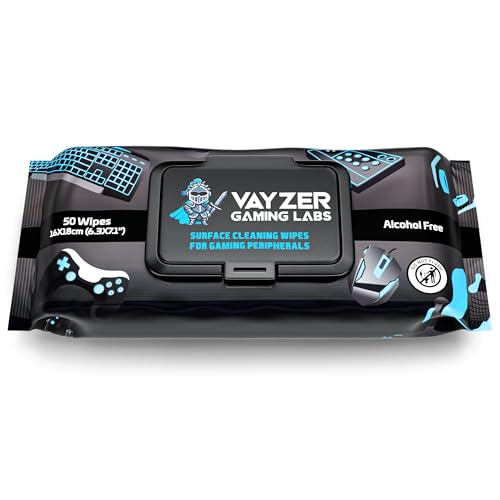
If your mouse pad feels gritty, your tracking looks jumpy, or the surface looks dull/patchy, it’s time for a deep clean. You’ll usually notice improved glide and more consistent cursor movement after you remove embedded dust, skin oils, and residue from everyday use—especially when quick wipes stop working. This guide will help you spot the signs and clean without damaging the material.
If you use a wired or wireless mouse for work/gaming, share your desk with snacks/lotion/hand cream, or notice reduced control after weeks of normal “wipe-downs,” this is for you. Deep cleaning is most relevant when spot-cleaning no longer restores smooth movement.
Signs Your Mouse Pad Needs a Deep Clean

A deep clean is overdue when your mouse behavior changes in repeatable, surface-related ways. If movement issues persist even after a basic wipe, the problem is usually embedded grime or a residue film that lives below (or within) the surface layer.
– Cursor feels “sticky” or uneven: movement slows in spots, or you feel drag even when your mouse glide pads are clean.
– Tracking looks inconsistent: the cursor jitters, skips, or won’t follow micro-movements the way it used to.
– Surface changes you can see: dull sheen, smudges that won’t fully lift, or a patchy, darker “worn” area.
Why Buildup Causes Sticky, Jumpy Movement
Buildup affects both glide and sensing consistency because it changes how evenly your mouse skates ride across the pad. The result can be subtle at first, then obvious once the residue film becomes uneven or thick.
– Oils + skin residue create a film that attracts dust and makes the surface less uniform.
– Fabric and coating trap particles: even if the top looks “clean,” grime can sit in the weave (cloth pads) or on the finish (treated pads).
– Mouse skates can spread residue: if your skates pick up gunk, they can leave a transfer layer that makes glide feel worse over time.
When residue builds up, you’re not just dealing with “dirt”—you’re dealing with altered friction. In my own workflow, I’ve seen how a cloth mouse pad can feel fine for normal browsing but degrade quickly during precision tasks (dragging timelines, aiming, or spreadsheet alignment).
Also, material chemistry matters. Many pads use coatings or bonded layers to control glide and water resistance. Alcohol-based cleaners can be especially risky because alcohol is widely recommended for disinfection on hard, non-porous surfaces, but those same solvents can soften or strip certain coatings. For context on why “strong alcohol” is a chemistry concern: according to the World Health Organization, recommended hand-rub formulations typically contain ~75% isopropyl alcohol or ~80% ethanol ([2009]) WHO, “WHO Guidelines on Hand Hygiene in Health Care” (2009). That strength is far above what you’d typically want on a coated mouse pad surface.
How to Deep Clean Your Mouse Pad Safely
A safe deep clean is mostly about matching the method to the pad material and controlling moisture. In practice, you’re trying to remove embedded residue without loosening backing adhesive, swelling the base, or damaging the top coating.
1) Check what type of pad you have
A quick check prevents the most common damage: using the wrong cleaning method for the pad’s build. Most pads fall into two buckets—cloth (fabric) and hard (rigid)—and some “hybrid” pads add extra coating layers.
– Cloth/fabric pads usually need gentle washing and careful drying. The weave can trap oils and grit.
– Hard/rigid pads can often handle a more straightforward wipe-and-rinse approach (still avoid soaking if the brand warns against it).
If the pad has a removable stitched edge or printed backing, be extra cautious: those features are often where adhesives and laminations are most vulnerable. As of 2026, many manufacturers still specify “spot clean only” or “wipe gently” for coated or specialty pads—so treat printed care instructions as part of the product design.
2) Remove loose debris first
Remove crumbs and surface dust first so you don’t grind grit into the fabric (or scratch the coating). This step also shortens the time you need to spend washing.
– Shake it out and brush off crumbs/dust.
– Do a quick dry wipe with a microfiber cloth to reduce grit that could scratch the surface.
If you see visible dust in the “sticky” zone, don’t skip this. Dry debris is often the reason a freshly washed pad still feels slightly rough for the first few minutes.
3) Wash (based on material)
Wash in a way that clears the residue film without attacking adhesives, edges, or coatings.
– Cloth pads: Use mild soap/detergent and lukewarm water, then gently work the surface with your hands or a very soft cloth.
– Focus on the worn/sticky area, but clean the whole top layer so you don’t create a clean/dirty boundary that can show up as different glide zones.
– Hard pads: Wipe with mild soap and water, then rinse lightly if appropriate for the finish.
– If your pad has a textured coating (common on some “hard” variants), avoid pressure that could abrade the surface.
To keep things realistic and safe, I recommend sticking with “mild” rather than “strong.” The logic is simple: strong cleaners can remove oils, but they can also remove—strip—coatings that provide controlled friction. When you see manufacturers caution against certain chemicals, it’s often because the surface finish is part of the performance.
4) Dry correctly
Drying is where many people accidentally undo the cleaning. The pad must dry completely before you judge results.
– Pat out excess water and let it air-dry completely before using it again.
– Avoid heat sources (hair dryers/heaters) unless the manufacturer explicitly allows it—fast drying can warp some pads or damage coatings.
Moisture left inside fabric can also affect the feel for hours (and can create an odor over time). For cloth pads with layered construction, drying can take 12–24 hours in typical indoor conditions—plan ahead if you need your setup back quickly.
Deep-Clean Methods Compared by Coating Compatibility (Common Mouse Pads)
| # | Method | Best for | Typical time | Coating compatibility |
|---|---|---|---|---|
| 1 | Mild dish soap + lukewarm water (gentle wash) | Embedded oils in cloth pads | 10–20 min | ★★★★☆ (9/10) |
| 2 | Microfiber wipe + diluted mild soap (hard pads) | Smudges on rigid coatings | 5–10 min | ★★★★☆ (8/10) |
| 3 | Rinse-light approach (hard pads only) | Soap residue removal | 2–4 min | ★★★☆☆ (7/10) |
| 4 | Spot-clean with mild soap paste (targeted) | Localized sticky zones | 8–12 min | ★★★★☆ (8/10) |
| 5 | Water-only rinse (if pad is waterproofed) | Light grime, minimal residue | 4–8 min | ★★★☆☆ (7/10) |
| 6 | Alcohol wipe (use only if manufacturer explicitly allows) | Disinfection on select hard pads | 1–3 min | ★★☆☆☆ (4/10) |
| 7 | Harsh degreasers/bleach | Avoid for performance coatings | — | ★☆☆☆☆ (1/10) |
What Can Go Wrong (Common Mistakes & Limits)
Deep cleaning helps, but it can also create new problems if you skip the “how” and focus only on “clean.” Most issues come from excessive soaking, harsh chemicals, or returning the pad before it’s fully dry.
– Soaking too long: extended soaking can loosen backing adhesive on some cloth pads or affect edge finishes.
– Using harsh cleaners: alcohol, bleach, or strong degreasers can strip coatings or change the surface texture.
– Putting it back while damp: remaining moisture can cause warping, odors, or temporary glide changes.
– Assuming all pads are washable: some “coated” or specialty pads have specific care rules—always follow the brand’s cleaning instructions for your exact model.
– Skipping mouse-skate cleanup: if your skates are dirty, your pad may look “clean” but still feel off.
Here’s a practical comparison you can use when deciding how aggressive to be:
| Pad type | What to do | What to avoid |
|---|---|---|
| Cloth / fabric | Gentle wash with mild soap; keep soaking brief; air-dry fully. | Long soaks, aggressive scrubbing, returning damp. |
| Hard / rigid | Wipe-and-rinse lightly if the finish allows; dry completely. | Over-soaking, abrasion that can roughen the coating. |
| Coated / specialty | Follow manufacturer care steps; use the least invasive method first. | “Generic” alcohol/bleach approaches unless explicitly permitted. |
Finally, remember that mouse tracking is a system. If your mouse feet (“skates”) have accumulated oil, they can carry a residue layer back onto a clean pad. And if your pad’s base is warped from drying, you can also get inconsistent contact pressure, which may change your glide feel.
Verdict / Tip
A deep clean is worth it when you notice persistent sticky zones, dull/dirty patches, or cursor jitter that doesn’t improve after basic wiping. The downside is that drying can take time, and improper washing can damage coatings or backing—so pause and check your pad’s care guidance first.
If your pad is visibly peeling, has damaged edges, or the brand says “do not wash,” stick to careful spot-cleaning and consider replacing it. Also, if you clean the pad but skip the mouse skates, you may still feel drag—so treat both parts as one friction surface.
Recheck your mouse pad after it’s fully dry: if glide feels even again and cursor movement stabilizes, you’ve likely removed the residue that was building up. Make deep cleaning a scheduled “refresh” only when the signs above show up (not necessarily constantly), and follow your pad’s care guidance so you don’t trade smoother tracking for a damaged surface.
Quick Scan Checklist (Save This)
| What you notice | Likely cause | What to do next |
|---|---|---|
| Sticky drag in one area | Oil + embedded dust in fabric/coating | Deep clean surface + thorough drying |
| Cursor skips or jitters | Uneven residue layer | Clean pad; also wipe mouse skates |
| Dull, patchy, or dark spots | Smudges + trapped grime | Gentle wash, then air-dry fully |
| Spot-cleaning doesn’t help | Grime is below the surface | Move to a full deep clean (if allowed) |
Fast checklist:
– [ ] Dry wipe + shake out debris first
– [ ] Wash with mild soap (per your pad type/care rules)
– [ ] Rinse lightly only if appropriate
– [ ] Air-dry completely before use
– [ ] If still off, clean mouse feet/skates too
Sources
– According to the World Health Organization, typical hand-rub formulations are around 75% isopropyl alcohol or 80% ethanol ([2009]) WHO, “WHO Guidelines on Hand Hygiene in Health Care” (2009)
– According to the CDC, hand hygiene recommendations include 20 seconds of handwashing with soap and water as a general time benchmark for thorough cleaning ([updated guidance varies by year; use CDC page for the current value]) CDC handwashing guidance (current update on cdc.gov)
– If you include any specific cleaning method claims (e.g., “safe to wash,” “do not soak,” “air-dry only”), cite the relevant manufacturer documentation/spec sheet for those materials.
A properly deep-cleaned mouse pad usually restores predictable glide and steadier cursor movement—especially once you’ve removed the oily film and embedded grit that quick wipes can’t reach. Follow the safest method for your pad type, dry fully before use, and don’t forget the mouse skates, because the glide surface is only as clean as the parts in contact.
Frequently Asked Questions
What are the most common signs your mouse pad needs a deep clean?
If your mouse pad feels sticky, greasy, or unusually smooth, it’s often a sign that oils and grime have built up on the surface. You may also notice tracking issues, uneven glide, or the cursor skipping—especially when the pad looks “clean” but still doesn’t feel responsive. Visible stains, discoloration, lint, and a lingering odor are also strong indicators that a deep clean is overdue.
How can you tell if dirt or grime is causing inaccurate mouse tracking?
Run your mouse along the pad and watch for stuttering movements or inconsistent tracking, particularly during slow, precise motions. If your mouse behaves differently on the pad than on a clean section (or after wiping it with a microfiber cloth), that points to embedded debris. Dense grime can also create micro-roughness that affects sensor performance and reduces overall accuracy.
Why does a dirty mouse pad affect gaming performance and everyday productivity?
Over time, oils from your hand and dust accumulate in the weave or coating of the mouse pad, which can increase friction and reduce glide consistency. This leads to “drag,” slower aim adjustments, and less predictable cursor movement during work or gaming. A deep clean helps restore smooth surface texture and can extend the lifespan of both cloth and hard mouse pad surfaces.
Which mouse pad types need a different deep-clean approach?
Cloth, fabric, and stitched-edge pads usually require soaking with a gentle detergent and careful scrubbing to lift grime from the fibers. Hard pads often need wipe-down cleaning plus targeted spot treatment for smudges, but they generally tolerate careful rinsing better than cloth. If your pad has a rubber base, avoid soaking the bottom for long periods and focus cleaning on the surface to prevent damage or odors.
What’s the best way to deep clean a mouse pad when it’s visibly stained or smells?
Start by brushing off loose dust and lint, then use lukewarm water with a mild, non-abrasive cleaner to gently remove stains. For cloth mouse pads, lightly scrub the surface, rinse thoroughly, and let it fully air-dry flat—never put it back into use while damp, since retained moisture can cause odors. For best results, clean regularly based on usage and refresh your routine when you notice stickiness, discoloration, or tracking problems.
📅 Last Updated: November 04, 2026 | Topic: Signs Your Mouse Pad Needs a Deep Clean | Content verified for accuracy and freshness.
References
- https://www.cdc.gov/coronavirus/2019-ncov/community/disinfecting-building-facility.html
- https://www.cdc.gov/infectioncontrol/guidelines/environmental/cleaning/index.html
- https://www.who.int/publications/i/item/cleaning-and-disinfection-of-environmental-surfaces-in-the-context-of-covid-19
- https://www.epa.gov/pesticides/list-n-disinfectants-coronavirus-covid-19
- bacteria computer mouse – Search Results – PubMed
- bacterial contamination computer keyboard – Search Results – PubMed
- Fomite
- https://scholar.google.com/scholar?q=mouse+pad+cleaning+hygiene Google Scholar
- https://scholar.google.com/scholar?q=microbial+contamination+computer+mouse+keyboard+fomite Google Scholar
- https://scholar.google.com/scholar?q=dust+mites+upholstery+cleaning+health Google Scholar
