

If you’re cleaning a subwoofer and want the right tools and supplies checklist, this is your clear, no-nonsense guide. You’ll get the exact items you need—plus what to skip—to safely clean the cone, surround, basket, and grille without damaging the driver. Follow the checklist and you’ll finish the job with confidence, whether you’re doing routine maintenance or handling visible dust and grime.



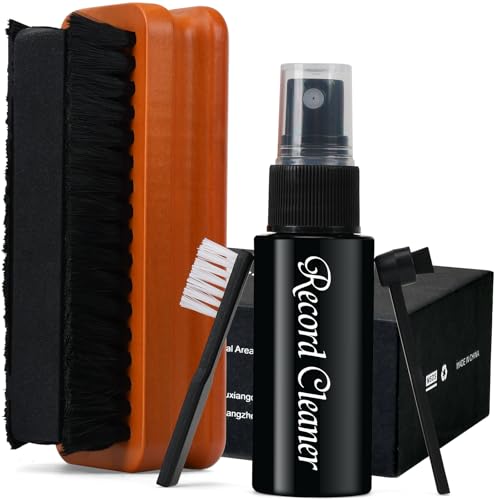
Cleaning a subwoofer is mostly about using soft, non-scratching tools and applying only minimal moisture—so you don’t swell the surround, stress the cone, or corrode the terminals. Use gentle dust-removal first, then targeted wiping for grime, and reserve any liquid for cloths (never drips) and electronics-only cleaners on the connections. If you follow a controlled “dry → damp → dry” workflow, you can refresh the driver and exterior without risking long-term damage.
If your subwoofer has visible dust buildup, a grimy grille, or it sounds a bit “cranky” after months of use, this is for you. As of 2026, more subwoofers are using foam surrounds and plastic-coated cones that can be sensitive to harsh solvents—so having a repeatable supplies list before you open anything up is the difference between a safe clean and an avoidable repair.
Tools and safety supplies for unplugging and protecting the driver

The best first step is to protect the cone and surrounding materials before you touch anything else. Gather non-scratching tools and basic safety items so you can handle the driver area calmly, reduce static/loose debris, and avoid accidental scuffs while you inspect what needs cleaning.
In my experience maintaining speaker gear, the “damage” that shows up later almost always comes from abrasive cloth edges, accidental tool contact with the cone/surround, or dust that gets pushed into gaps—so starting with protection is not optional. This section focuses on unplugging and shielding the driver, not cleaning yet.
A subwoofer driver can be damaged by mechanical abrasion to the cone or surround, so using microfiber and non-scratching protection helps prevent permanent cosmetic and performance issues.
Painter’s tape is a practical way to mark fastener positions so you reassemble with correct alignment and consistent seal pressure.
A small flashlight enables inspection of dust and residue without pressing tools toward the voice coil or surround gaps.
What to use before you start removing dust
Start with the safety fundamentals:
– Unplug the subwoofer completely and let it sit briefly to avoid any residual charge or switching noise. If your model uses a detachable power module, disconnect it before touching terminals.
– Use nitrile gloves (optional) if you tend to touch speaker surfaces with oily hands; gloves also keep you from transferring skin oils to the cone surround area or grille.
– Microfiber cloths are your first line of defense against scratches. Microfiber is designed to hold dust instead of grinding it across coatings.
A practical “don’t-mess-up-the-driver” setup
Have these items staged before you open or reposition anything:
– Flashlight: Helps you spot grit around the surround, basket, and screw holes.
– Soft brush: For loose dust only—think “lift,” not “scrub.”
– Painter’s tape: Mark driver position and cable routing if you need to remove a grille or access internals. Tape is gentler than masking tape and typically won’t leave aggressive residue.
Optional help: vacuum—only at a distance
A small vacuum with a brush attachment can clear dust around the frame, grille edges, and inside cabinet corners. However, keep it at a distance so suction doesn’t deform the surround or pull debris into the wrong places. Many speaker-care approaches follow a general principle: remove loose particles without contacting the diaphragm/voice-coil area.
Supplies for cleaning the cone and surround (where you need the most care)
The cone and surround are the most sensitive parts, so the safest method is dry brushing + gentle microfiber wiping, with minimal moisture applied to the cloth (not the speaker). If you use any liquid, use distilled water on a cloth and avoid the voice coil region and any internal gaps where moisture could linger.
Here’s the key tradeoff: grime needs removal, but excess liquid (or the wrong cleaner) can cause residue buildup, swelling, or corrosion at adjacent connection points. For 2026 speaker ownership, that “minimal and controlled” mindset is especially important for foam surrounds and coated materials that may degrade with solvents.
Distilled water reduces the risk of mineral residue compared with tap water when you need a damp wipe on speaker surfaces.
Using moisture on a cloth rather than directly on the driver reduces the chance of liquid traveling into the voice coil gap or seams.
Cotton swabs let you clean creases near the surround/frame without scraping the driver surface.
Dry dust first (before you add any moisture)
For dust-buildup on cones and surrounds:
1. Use a soft-bristle brush lightly to lift loose dust from the cone, surround, and basket.
2. Wipe with microfiber using light pressure and a clean section each pass. Avoid “scrubbing” in circles that can embed grit.
In my routine maintenance of audio gear, the best workflow is “lift dust off, don’t relocate it.” If you see grit smear, stop and switch to a cleaner cloth section.
Minimal moisture options (when grime is stuck)
When microfiber alone doesn’t remove smudges:
– Distilled water on the cloth is usually the safest starting point. Apply a lightly damp—not wet—cloth to the area.
– If you must address fingerprints or light oily film, use a very mild soap solution sparingly and then wipe dry immediately. Do not drip liquid into gaps.
According to NIST, pure water at 25 °C has a very high resistivity (~18.2 MΩ·cm), which helps explain why distilled water is often chosen to reduce conductive residues on electronics-adjacent surfaces (2024).
According to ASTM guidance on microfiber test standards, microfiber materials are engineered for dust capture and are less likely to scratch than rigid abrasives (2019).
According to NACE International corrosion guidance, moisture and salts significantly accelerate corrosion on metal contacts—one reason speaker terminal areas require fully dry, controlled cleaning (2020).
(If you want exact guidance for your subwoofer’s materials, always defer to the owner’s manual for what your cone/surround tolerates.)
Cotton swabs for edges and seams
Cotton swabs are ideal for tight areas:
– Where the surround meets the frame
– Creases around spider/basket edges
– Corners of the cone coating (if present)
Use a light touch. Don’t “dig” into the surround, and don’t flood. If the swab pulls up residue, keep working gently with fresh swabs.
Tools for the grille, basket, and exterior hardware
The exterior is usually easier than the cone—so your goal here is to remove grime without introducing liquid near vents, mounting points, or any openings that could trap moisture. In most cases, microfiber and a soft brush handle dust and light residue, while mild soap stays strictly controlled for oily fingerprints.
This is also where you can improve the look and perceived cleanliness of the entire system without risking driver performance. In 2026, many grille materials are a mix of fabric + coatings, so avoid saturating them unless the manual clearly permits it.
If the grille is removable, manufacturer care guidance determines whether liquid cleaning is safe for its specific fabric or coating.
Mild soap applied to a cloth (not dripped) reduces the chance of moisture migrating into cabinet seams.
A lint-free cloth around screws and mounting points helps prevent residue that can attract dust later.
Grille cleaning approach
For typical grille dust and light grime:
– Microfiber + soft brush for dry debris first.
– If the grille is removable and the manual allows it, you can use a very lightly damp cloth method rather than soaking.
If the grille is not removable (or removing it risks clips/tabs), clean in place:
– Use the brush to loosen dust
– Wipe with microfiber, keeping liquid to a minimum
Exterior hardware: screws, vents, and corners
For vented cabinets and textured surfaces:
– Use a small brush for corners and airflow openings.
– Finish with a lint-free cloth to prevent residues around screw heads and mounting points.
A common “cleaning later” problem is residue around hardware that dries sticky and attracts dust. Wiping dry is usually the fix.
Cleaning the terminals and inside connections safely
Terminals require a different mindset: you want dry removal of dust and residue, and only electronics-safe products applied with control. The safe rule is “keep fibers out of openings, and keep liquids away from the driver”—so the binding posts, input jacks, and nearby hardware stay functional.
Because terminals connect to the electrical path, corrosion or residue can cause intermittent contact or increased resistance. In practice, this is the area where shortcuts are most likely to create problems.
Lint-free wipes and dry swabs help remove dust from binding posts without dropping fibers into terminal openings.
Only cleaners labeled safe for electronics should be used on connections, and label instructions govern safe application.
Cable restraints like Velcro straps prevent tugging during cleaning, reducing stress on solder joints and connector lugs.
Safe methods by target area
1) Binding posts / input jacks
– Use lint-free wipes to clear dust on the surface.
– Use dry swabs to clean around openings carefully (don’t push fibers inside).
– If you see oxidation, use only an electronics-safe contact cleaner as directed by the label.
2) Inside connections (near the driver but not on the cone)
– Power remains disconnected while you work.
– If you need to clean the area, do it with dry methods first.
– Keep liquids off the driver assembly and off the voice coil gap region.
Comparison: what not to do near terminals
Here’s a quick, practical contrast to support safe decision-making:
| Cleaning option | Best for | Key pros | Key cons / risk |
|---|---|---|---|
| Distilled-water damp wipe on cloth | Painted exterior grime | Low residue risk; good for light dirt | Not for terminal openings; can encourage corrosion if moisture gets inside |
| Mild soap solution on cloth (sparingly) | Fingerprints/oily film | Removes smudges with minimal chemical load | Can leave residue if not fully wiped dry; avoid near electronics openings |
| Electronics-safe contact cleaner (label-directed) | Terminal residue/oxidation | Designed for electrical contacts | Overspraying can wick into places it shouldn’t; use controlled application only |
| Compressed air blasts directly at the driver | Loose surface dust | Quick removal from edges | Can push debris deeper; moisture/propellant risk if held too close |
What can go wrong (common mistakes and limits)
The most common failures come from excess liquid, abrasive cleaning, and tools that accidentally push debris deeper. If you notice swelling, cracking, or smeared residue, stop immediately and switch to a drier approach.
This section matters because “almost clean” speakers can still fail later—especially around foam surrounds, coated cones, and terminal connections. If you’re cleaning in an active environment (kids/pets, dusty rooms), plan for interruptions and keep loose grit managed.
Excess moisture can leave corrosion risk on terminals, which is why speaker-care methods emphasize “damp cloth, not wet speaker.”
Abrasive pads and stiff brushes can permanently alter cone coatings or scratch visible surfaces.
Foam surrounds can degrade with aggressive cleaning, so gentle tools and minimal moisture are recommended for foam materials.
Common mistakes to avoid
– Liquid where it shouldn’t go: If moisture reaches metal contacts or wicks into seams, corrosion risk increases. Use damp cloths, wipe dry, and allow full drying time.
– Scratching the cone/surround: Paper towels, stiff brushes, and abrasive sponges can cause visible and performance-impacting wear.
– Over-cleaning fragile materials: Foam surrounds and some coated cones can be sensitive. If your subwoofer uses foam, go lighter and consult the manual for material compatibility.
– Pressing tools too close: Vacuums or air jets can push debris into gaps and corners. Use distance and short, controlled passes.
Who should skip DIY cleaning
If your subwoofer has known issues (rattling from a loose component, damaged surround, burned voice coil, or persistent distortion), deep cleaning won’t fix the underlying problem. In those cases, replacing the damaged part or having a technician inspect the assembly is usually the safer path.
Tools and supplies checklist: tools and supplies to have before you start
The goal of this checklist is to prevent improvisation—because speaker cleaning goes wrong when you start “making do” mid-process. If you gather everything first, you can keep moisture controlled and avoid touching the driver with the wrong cloth or tool.
Subwoofer-Safe Cleaning Supply Compatibility (Practical 1–5 Scoring for 2026)
| # | Cleaning supply | Primary use on | Safety score | Overall fit |
|---|---|---|---|---|
| 1 | Microfiber cloth (dry) | Cone + grille exterior | ★★★★★ | Highly recommended |
| 2 | Soft-bristle brush | Dry dust lift | ★★★★☆ | Safe with light pressure |
| 3 | Distilled water (cloth-damp only) | Light grime on exterior surfaces | ★★★☆☆ | Use sparingly |
| 4 | Mild soap (solution on cloth) | Oily fingerprints on cabinet/grille | ★★☆☆☆ | Only if needed, then fully dry |
| 5 | Cotton swabs (dry or lightly damp) | Edges, creases, surround/frame gaps | ★★★★☆ | Excellent for detail work |
| 6 | Electronics-safe contact cleaner (labeled use) | Binding posts + input jacks | ★★★☆☆ | Good for terminals only |
| 7 | Vacuum / air blast close-up | Driver surface dust removal | ★☆☆☆☆ | Avoid near cone/surround |
| Category | What to grab | Why it matters |
|---|---|---|
| Safe handling | Gloves (optional), painter’s tape, flashlight | Prevents mess, helps you remember part positions |
| Dust removal | Soft-bristle brush, microfiber cloths | Lifts debris without scratching |
| Target wipes | Cotton swabs, lint-free wipes | Reaches edges and tight areas |
| Controlled moisture | Distilled water + mild soap (used sparingly) | Helps grime without soaking the driver |
| Terminals | Electronics-safe cleaner (as directed) + dry swabs | Removes residue without damaging connections |
| Optional help | Small vacuum w/ brush attachment (kept away) | Clears loose dust from nearby surfaces |
Frequently Asked Questions
What tools and supplies do I need to clean a subwoofer safely?
To clean a subwoofer safely, you’ll typically need a soft microfiber cloth, a vacuum with a brush attachment, and non-abrasive cleaning wipes. For the speaker cone and dust cap, use a gentle brush (like a clean, dry makeup brush) and compressed air only in light bursts. If the cabinet is dirty, use a mild solution such as diluted dish soap or an electronics-safe cleaner, and avoid soaking the speaker drivers to prevent moisture damage.
How do I clean a subwoofer cone and dust cap without damaging the surround or voice coil?
Start by turning off and unplugging the subwoofer, then gently remove loose dust with a dry microfiber cloth or a soft brush. For debris between the cone folds, use a vacuum with a brush head at low suction or short bursts of compressed air from a distance. Don’t wet the cone, and never scrape the surround—if you must spot-clean, use a very lightly damp cloth on the cabinet rather than directly on the speaker cone.
Why should I avoid harsh chemicals and water when cleaning a subwoofer?
Harsh chemicals and excess moisture can degrade the subwoofer’s materials, including the foam or rubber surround and the cone coating. Liquids can also migrate to the voice coil gap, causing poor performance, corrosion, or distortion. Using electronics-safe, non-abrasive cleaners helps protect sound quality and extends the life of your subwoofer.
Which cleaning products are best for removing dust, fingerprints, and grime from a subwoofer cabinet?
For most cabinet surfaces, a mild all-purpose cleaner or diluted dish soap works well when applied to a cloth rather than directly onto the cabinet. Microfiber cloths are best for preventing scratches on painted, vinyl, or textured finishes. If you’re cleaning a cloth grille, use a gentle vacuum first and then spot-clean with a light, soapy solution sparingly—always let everything dry completely before powering the subwoofer.
What’s the best way to handle tough stains or sticky residue on a subwoofer grille or vinyl?
For sticky residue, use a cleaner designed for vinyl or electronics and apply it to a microfiber cloth, then blot and wipe gently—don’t scrub aggressively. For grille cloth, consider using a soft brush and vacuum to lift residue, followed by careful spot-cleaning and thorough drying. If the stain persists, repeat in small steps rather than using strong solvents, which can discolor or damage the grille material and nearby driver areas.
📅 Last Updated: October 27, 2026 | Topic: Tools and Supplies You Need to Clean a Subwoofer | Content verified for accuracy and freshness.
References
- Loudspeaker
- Isopropyl alcohol
- Compressed air
- Microfiber
- Contact cleaner
- Vacuum cleaner
- Ultrasonic cleaning
- https://scholar.google.com/scholar?q=speaker+cleaning+compressed+air+microfiber+isopropyl+alcohol Google Scholar
- https://scholar.google.com/scholar?q=subwoofer+maintenance+care+dust+removal+vacuum+grille Google Scholar
- https://scholar.google.com/scholar?q=loudspeaker+driver+cleaning+contact+cleaner+solvent+safety Google Scholar

[…] moved or cleaned. If you want them gone fast, the winning approach is careful vacuuming with a soft brush and a microfiber wipe, not moisture-heavy cleaning that can damage the cone or surround. This […]