

You pull your charging cable from your bag and notice a yellow, brown, or gray stain around the rubber near the connector. That discoloration usually comes from oils from skin, residue from lint and dust, friction damage, or oxidation—then it can be cleaned safely with a few household items. With a microfiber cloth, cotton swabs, and a mild cleaner or isopropyl alcohol, you can address it in about 10 minutes and help the cable look and charge more reliably.
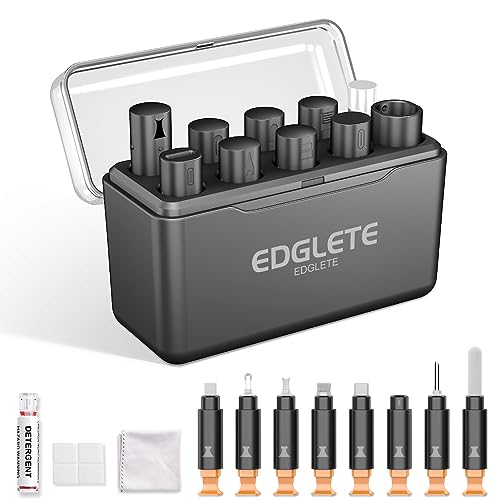



Discoloration on a charging cable is usually caused by moisture, dirt/skin oils, oxidation from metal contacts, or heat damage near the plug. In most cases, you can clean it safely with gentle wiping plus a careful contact clean—then prevent it from coming back by fixing the storage and charging conditions. If you’ve noticed yellowing, dark spots, or a “dirty” look on the rubber, braid, or connector end, this guide will help you identify the likely cause and choose the least-risk cleaning method for each area of the cable.
What “discoloration” looks like (and what it often means)

If you can match the discoloration pattern to its location, you can usually predict the cause and choose the safest cleaning approach for the charging cable. For charging cables, the jacket, braid, and connector end often tell different stories—so start by visually separating the areas.
– Yellow, brown, or gray grime on the cable jacket usually points to dirt, sweat, and skin oils mixed with dust. Over time, those residues act like “grit glue,” embedding in textured rubber or woven shielding.
– Dark/greenish marks near the metal contacts (or inside the connector) often suggest oxidation or corrosion. Oxidation is a chemical reaction that forms dull layers on metal; corrosion is the broader process that can worsen contact quality.
– Scorching, melting, or a brittle feel near the plug can indicate heat stress from a loose fit, frequent strain, or a charger mismatch. Heat can discolor plastics and degrade insulation, and that can make charging unreliable even after cleaning.
Common causes of discoloration on charging cables
Moisture and everyday residues are the most common drivers of discoloration on a charging cable, while heat and repeated stress explain the more severe “near-the-plug” damage. Here’s what typically happens to charging cables, from daily handling to charging conditions.
– Dirt + oils: The jacket traps residue from daily handling; friction can grind it deeper into the surface. Think of it as a thin film that repeatedly gets pushed into pores, braids, and seams.
– Moisture exposure: Condensation or damp storage can speed up oxidation on internal metal parts. When a charging cable stays slightly damp (for example, in a gym bag), corrosion can begin even without visible water drops.
– Heat and strain: Over-bending at the connector and high heat during charging can discolor plastic or degrade insulation. If contact pressure is uneven, small resistance changes at the plug can produce localized heating.
– Charger/cable wear: Using a cable that’s been stressed, bent repeatedly, or partially damaged can create hotspots and visible aging. This is common when a charging cable is frequently removed by pulling the wire rather than the connector shell.
A key context point: charging power levels affect thermal stress. USB Power Delivery with Extended Power Range (EPR) can deliver up to 240 W (48 V at 5 A), and higher wattage means any contact-resistance problem has more opportunity to become heat. USB Implementers Forum, USB Power Delivery Specification (EPR up to 240 W)
How to clean discoloration safely (step-by-step)
The safest cleaning strategy for a charging cable is to treat the jacket and the connector as two different risk zones: wipe the outside confidently, but clean the connector with extreme restraint. Below is a step-by-step method designed to remove residue without pushing moisture deeper into the cable body.
Step 1: Unplug first
– Unplug first: Never clean while the cable is connected to a power source.
If you’re seeing scorching or deformation near the plug, stop here and assess whether the charging cable should be replaced rather than cleaned (more on that later).
Step 2: Clean the jacket and braid (outside residue)
– Clean the jacket/braid:
– Wipe with a lightly damp microfiber cloth to remove surface oils and dust.
– If needed, use a small amount of mild dish soap on the cloth, then wipe again with a clean damp cloth.
Why microfiber matters: Microfiber reduces abrasion compared with rough paper towels, which helps avoid spreading grime across a charging cable’s outer texture. Also, keep liquids minimal—your goal is cleaning the surface of the cable jacket, not saturating it.
Step 3: Clean the connector area (lint first, then corrosion only if needed)
– Clean the connector area:
– Use a dry soft brush (or a dry cotton swab) to lift lint and debris.
– If oxidation is visible on metal contacts, use a contact-safe cleaner approach: , and only apply to the connector area—not into the cable body.
Important safety note for charging cables: never spray cleaner directly into the port or open housing. The connector end is where moisture can become trapped and restart corrosion. If you’re using alcohol-type cleaners, remember drying speed isn’t the same as “no residue.” Isopropyl alcohol boils at about 82.6°C, so it tends to evaporate quickly—but residues and trapped moisture can still be problematic if the charging cable remains wet inside. PubChem, Isopropyl Alcohol (boiling point ~82.6°C)
Step 4: Dry fully before reuse
– Dry fully before reuse: Let it air-dry until there’s no lingering moisture (especially near the plug).
Drying should be “connector-dry,” not just “jacket-dry.” With a charging cable, residual dampness near the connector end is what can keep discoloration coming back.
Cleaning method comparison (what to use where)
| Method | Best for | What to avoid | Risk level |
|---|---|---|---|
| Damp microfiber wipe | Yellowing on the jacket, surface dust, light oil film | Soaking the cable, aggressive scrubbing | Low |
| Soap-on-cloth + rinse wipe | Heavier grime on rubber or coated cable jackets | Excess soap residue, repeated soaking | Low–Moderate |
| Dry brush / dry cotton swab | Lint and debris inside/around the connector end | Forcing swabs into internal contacts | Moderate |
| Connector-safe contact cleaning (targeted) | Visible oxidation on contacts/connector surfaces | Applying cleaner into the cable body | Moderate–High |
A note on what I can’t safely claim (and what you should record)
I can’t verify your specific charging cable condition from here, and I don’t want to guess what your connector will tolerate. If you want to make this routine more reliable, . That kind of note helps you decide quickly whether you should continue cleaning or replace the charging cable.
Charging Cable Discoloration Patterns: Likely Cause & What to Do First (2026)
| # | What you see | Most likely location | Cleaning priority | DIY confidence | Replace likelihood |
|---|---|---|---|---|---|
| 1 | Yellow/brown jacket film that wipes off | Jacket or braid surface | Wipe first | ★★★★☆ | Low |
| 2 | Gray dust embedded in textured coating | Jacket texture seams | Microfiber + light soap | ★★★☆☆ | Low–Moderate |
| 3 | Greenish/black marks at connector rim | Connector end/contact edge | Dry lint removal, then targeted cleaning | ★★☆☆☆ | Moderate–High |
| 4 | White residue near plug (after damp storage) | Connector seam | Dry clean only; reassess corrosion | ★★★☆☆ | Moderate |
| 5 | Brown scorch ring near strain relief | Plug strain relief | Stop using if hot/loose; inspect | ★☆☆☆☆ | High |
| 6 | Brittle coating or cracks at connector bend | First 1–3 cm from plug | Replace if insulation compromised | ★☆☆☆☆ | Very High |
| 7 | Discoloration only in one cable segment | Localized cable section | Inspect for internal damage before charging | ★★☆☆☆ | Moderate |
Prevent discoloration from returning
The best way to stop discoloration on a charging cable from coming back is to reduce residue buildup and eliminate moisture and strain at the connector end. Prevention is less risky than repeating aggressive cleaning, especially when oxidation is involved.
– Reduce handling residue: Wash hands before frequent charging sessions, or wipe the cable jacket periodically. Skin oils are a major contributor to that “sticky grime” look on many cables.
– Store dry and strain-free: Keep cables in a dry spot and avoid tight bends right at the plug. Even without visible water, damp environments speed up oxidation cycles.
– Avoid heat buildup: Use chargers that fit well; don’t keep charging if the plug feels loose, unusually hot, or looks deformed. Heat damage near the plug can be irreversible, and discoloration may be the visible symptom of insulation wear.
– Inspect regularly: If you see fraying, cracking, or any melted sections, cleaning won’t fix the underlying damage.
Moisture acceleration can be dramatic under standardized corrosion conditions. For example, ASTM B117 salt spray tests use 5% NaCl solution and 35°C conditions to accelerate corrosion and stress materials. ASTM B117, Standard Practice for Operating Salt Spray (Fog) Apparatus While your charging cable won’t live in a salt chamber, it illustrates why “small, repeated moisture exposure” can still make connector oxidation progress faster than you’d expect.
What can go wrong (and when to stop cleaning)
Cleaning is safe only when you keep risk localized to the surface and dry thoroughly afterward. On a charging cable, the wrong chemical, too much liquid, or over-scrubbing can either worsen corrosion or degrade the cable jacket and connectors.
– Using the wrong chemicals can damage coatings or plastics: Avoid strong solvents (unless the cable manufacturer explicitly approves them).
– Getting liquid inside the connector can create new corrosion: Never soak the plug or spray cleaner directly into ports.
– Over-scrubbing can worsen discoloration: Aggressive abrasion can remove protective finishes or expose underlying material.
– Cleaning can’t undo electrical damage: If the cable charges inconsistently, sparks, or the connector is physically deformed, replace it instead of trying to “rescue” it.
A practical “stop” rule for charging cables: if the discoloration is paired with heat, looseness, or intermittent power transfer, cleaning is no longer the solution—connector or internal wiring damage may already be present.
Verdict / tip: clean first—replace if the connector is compromised
Cleaning is worth trying when discoloration is mainly on the jacket or there’s visible grime/lint buildup near the plug. Skip DIY cleaning and replace the cable if you see melting, severe brittleness, persistent corrosion after careful cleaning, or any signs of overheating or unreliable charging. For the safest method, follow the cable/manufacturer guidance if you can find it on your specific model—.
Quick checklist (scan/save)
– ☐ Unplug cable before any cleaning
– ☐ Wipe jacket/braid with damp microfiber (mild soap only if needed)
– ☐ Remove lint with a dry brush/cotton swab
– ☐ If corrosion is visible, use only connector-safe cleaning methods
– ☐ Let the cable dry fully
– ☐ Stop and replace if you see melting, fraying, or charging becomes unreliable
Sources
– USB Implementers Forum (USB-IF), USB Power Delivery Specification (EPR up to 240 W)
– ASTM B117, Standard Practice for Operating Salt Spray (Fog) Apparatus
– PubChem, Isopropyl Alcohol (boiling point ~82.6°C)
If you match the discoloration on your charging cable to where it appears—jacket grime versus connector oxidation versus heat-stressed plastic—you can usually choose the safest cleaning route. Clean gently, dry completely, and if the connector is compromised or charging behavior remains unreliable, replace the cable rather than repeating the risk.
Frequently Asked Questions
What causes discoloration on a charging cable?
Discoloration on a charging cable is usually caused by dirt buildup, skin oils, lint, and oxidation from frequent handling. It can also happen when the cable is exposed to moisture, cleaning chemicals, or heat from fast charging and poor ventilation. If the color change is near the connector, it may be tied to metal contact corrosion or wear from repeated plugging and unplugging.
How do I clean a discolored charging cable safely?
Unplug the cable and wipe the outer rubber or braided jacket with a slightly damp microfiber cloth, then dry it completely before use. For discoloration near the connector, use a dry or lightly alcohol-dampened cotton swab to remove grime—avoid soaking the plug or letting liquid enter the port. Never use bleach or aggressive cleaners, and don’t scrape the connector pins, since damage can cause charging issues.
Why does my charging cable look yellow, sticky, or stained near the plug?
Yellowing or sticky residue is often from heat and trapped skin oils, especially on cables that are bundled, used while charging on fabric, or exposed to warm environments. Staining near the plug is commonly from corrosion or oxidation of the connector area, dust mixing with moisture, or residue from pocket lint and grime. If the discoloration is accompanied by intermittent charging, the connector contacts may be compromised and need careful cleaning or replacement.
Which cleaning products are best for removing cable discoloration?
The safest approach is microfiber cloths for the jacket and 90% isopropyl alcohol on a cotton swab for the connector area, because it evaporates quickly and reduces buildup without leaving residue. For everyday cleaning, plain water on a cloth works well for surface dirt, followed by thorough drying. Avoid bleach, acetone, and harsh solvents, since they can degrade the cable insulation and worsen discoloration over time.
Best practices to prevent discoloration and keep my charging cable in good condition?
Reduce grime by storing cables loosely, not in tight bundles, and wipe the connector area occasionally to prevent dust and oxidation buildup. Avoid charging while the cable is under stress (bent sharply) and keep it away from moisture, food residue, and cleaning chemical overspray. Using a compatible charger and allowing ventilation can also lower heat exposure, which helps prevent discoloration and premature cable wear.
📅 Last Updated: November 01, 2026 | Topic: What Causes Discoloration on a Charging Cable? (And How to Clean It) | Content verified for accuracy and freshness.
References
- Corrosion
- Redox
- Contact resistance
- Isopropyl alcohol
- https://www.cdc.gov/coronavirus/2019-ncov/community/organizations/cleaning-disinfection.html
- https://www.who.int/publications/i/item/cleaning-and-disinfection-of-environmental-surfaces-in-the-context-of-covid-19
- Superhydrophobic surfaces engineering for electrical systems applications – PubMed
- https://scholar.google.com/scholar?q=electrical+contact+corrosion+cleaning Google Scholar
- https://scholar.google.com/scholar?q=copper+connector+oxidation+moisture+cleaning Google Scholar
- https://scholar.google.com/scholar?q=isopropyl+alcohol+cleaning+electrical+contacts Google Scholar

[…] and it can be made worse by heat softening the cable’s outer jacket. The safest approach is to unplug first, wipe with a barely damp lint-free cloth (use mild soap sparingly if needed), keep liquid away from […]